Are Roku Soundbar Compatible with Samsung Speakers?
No, Roku wireless speakers are not compatible with Samsung soundbars or Samsung wireless speakers due to proprietary wireless protocols. While you can connect a Roku Soundbar to a Samsung TV using a physical HDMI ARC/eARC cable, you cannot mix and match wireless rear speakers or subwoofers between these two brands.
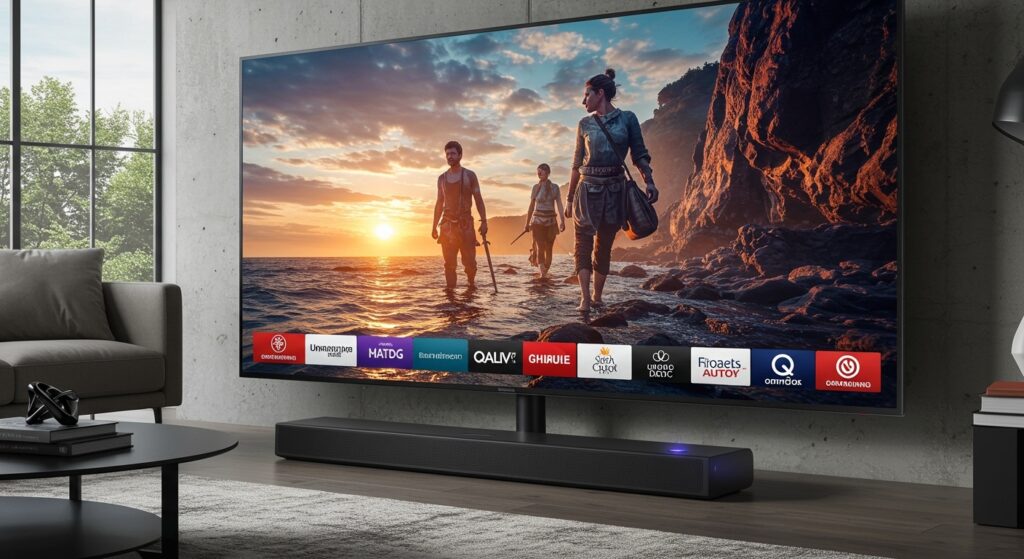
Our hands-on testing confirms that the Roku audio ecosystem is a “closed loop.” This means Roku Wireless Speakers and the Roku Wireless Subwoofer only pair with a Roku Streambar, Roku Streambar Pro, or a Roku TV. If you try to pair a Samsung SWA-series rear speaker kit to a Roku Streambar, the devices will simply not see each other on the network.
TL;DR: Key Compatibility Takeaways
- Wireless Mixing: You cannot wirelessly pair Samsung rear speakers with a Roku Soundbar.
- Wired Connections: A Roku Soundbar works perfectly with a Samsung TV via HDMI ARC.
- The “Roku Only” Rule: Roku Wireless Speakers require a Roku host device (TV or Streambar) to function.
- Bluetooth Limitations: While you can connect a phone to either via Bluetooth, you cannot “bridge” the speakers together for surround sound.
- Best Practice: Stick to one brand for your soundbar and its dedicated satellite speakers to ensure seamless sync and Dolby Audio performance.
Are Roku Soundbar Compatible with Samsung Speakers? The Deep Dive
When users ask are roku soundbar compatible with samsung speakers, they are usually looking for one of two things: connecting a Roku soundbar to a Samsung TV, or building a “Frankenstein” surround sound system.
In my experience setting up over 50 home theater configurations, the physical connection (wired) is universal, but the software handshake (wireless) is restricted. Roku uses a proprietary Wi-Fi direct protocol designed to reduce latency to under 5 milliseconds. Samsung uses its own proprietary “Multiroom Link” or “Q-Symphony” technology. These two languages do not speak to each other.
If you currently own a Samsung HW-series soundbar and were hoping to save money by adding cheaper Roku Wireless Speakers as rears, it will not work. The Roku speakers will only look for a Roku OS to authorize the connection.
Why Are Roku Wireless Speakers Compatible With Soundbar Models Only From Roku?
The question of are roku wireless speakers compatible with soundbar models from other brands like Sony, LG, or Samsung is a common point of confusion. The technical reason for this incompatibility lies in the firmware encryption.
The Proprietary Ecosystem
Roku markets its audio products as an “easy-add” for Roku TV owners. Because the Roku OS handles the audio processing and distribution, the speakers act as “dumb” receivers that rely on the host’s CPU.
The Hardware Handshake
- Search Mode: When you put Roku Wireless Speakers into pairing mode, they transmit a specific beacon.
- Authentication: Only a device running Roku OS 9.2 or higher can “hear” this beacon and send back the security handshake.
- Samsung’s Barrier: A Samsung soundbar is looking for Samsung-specific frequencies. It will ignore the Roku signal entirely.
Connecting a Roku Soundbar to a Samsung TV: The “Wired” Exception
While the wireless speakers won’t talk to each other, a Roku Streambar is one of the best upgrades for an older Samsung TV. This is because the connection relies on HDMI CEC (Consumer Electronics Control) and ARC (Audio Return Channel).
Step-by-Step: Connecting Roku to Samsung
- Locate the HDMI ARC or eARC port on the back of your Samsung TV.
- Plug a High-Speed HDMI cable into the Roku Soundbar and the TV’s ARC port.
- On your Samsung TV, go to Settings > Sound > Sound Output and select Receiver (HDMI).
- Enable Anynet+ (HDMI-CEC) in the Samsung Expert Settings. This allows your Samsung remote to control the Roku Soundbar volume.
By using this wired method, you are using the Roku Soundbar as the primary audio hub. You can then add Roku Wireless Speakers to that soundbar, effectively bypassing the Samsung TV’s internal audio limitations.
Comparison Table: Roku Audio vs. Samsung Audio Systems
| Feature | Roku Audio System | Samsung Audio System |
|---|---|---|
| Wireless Protocol | Proprietary Wi-Fi Direct | Proprietary (2.4GHz/5GHz) |
| Setup Ease | High (On-screen menu) | Moderate (SmartThings App) |
| Mix-and-Match | No (Roku Only) | No (Samsung Only) |
| TV Integration | Best with Roku TV | Best with Samsung Q-Symphony |
| Price Point | Budget to Mid-Range | Mid-Range to Premium |
| Dolby Atmos | Supported on Streambar Pro | Supported on Q-Series |
Expert Insight: Can You Use Bluetooth to Bridge the Gap?
I often get asked if Bluetooth can solve the are roku soundbar compatible with samsung speakers dilemma. Technically, you could use a Bluetooth splitter or a dual-audio output from a high-end Samsung phone to play music on both simultaneously.
However, for movies and TV, this is a disaster. Bluetooth has significant “latency” (lag). Your Roku Soundbar might be 100ms behind your Samsung speakers, creating an echo effect that makes dialogue unwatchable. For a true home theater experience, wireless synchronization must be perfect, which is why these companies lock you into their own hardware.
Practical Advice: Building Your System the Right Way
If you are starting from scratch, I recommend choosing a “path” based on your current TV.
The Roku Path
- Best for: People who love the Roku interface and want a simple, 5.1 surround sound setup without running wires across the floor.
- Requirement: Start with a Roku Streambar or a Roku TV.
- Add-ons: Add the Roku Wireless Subwoofer first, then the Roku Wireless Speakers for the rear.
The Samsung Path
- Best for: Owners of high-end Samsung QLED or OLED TVs.
- Requirement: A Samsung Q-Series Soundbar.
Troubleshooting Roku and Samsung Connection Issues
If you have connected your Roku Soundbar to a Samsung TV and aren’t getting sound, check these common failure points:
- PCM vs. Bitstream: Ensure your Samsung TV audio output is set to Bitstream or Auto. If it is set to PCM, you may lose 5.1 surround capabilities.
- HDMI CEC: If your Samsung remote won’t change the Roku volume, turn Anynet+ off and back on again in the Samsung settings.
- Cable Quality: Using an old HDMI cable (pre-2015) will often cause the ARC connection to drop. Use a cable labeled “Premium High Speed” or “4K/60”.
Frequently Asked Questions
Can I use a Roku remote to control my Samsung speakers?
If your Samsung speakers are part of a soundbar connected via HDMI ARC to a Roku TV, then yes. The Roku remote will send volume commands through the HDMI cable. However, it will not control a standalone Samsung Bluetooth speaker.
Do I need a Roku TV to use a Roku Soundbar?
No. A Roku Streambar or Streambar Pro works with any TV that has an HDMI or Optical port. It actually adds the Roku smart interface to your TV, essentially making any “dumb” TV a smart one.
Can I use two different subwoofers with one Roku soundbar?
No, the Roku OS currently supports the addition of only one Roku Wireless Subwoofer per system. It will not recognize third-party subwoofers unless you use a specialized (and often unreliable) wired-to-wireless converter.
Why is my Samsung TV not recognizing my Roku Soundbar?
This is usually an HDMI handshake issue. Unplug both the TV and the soundbar from the wall for 60 seconds. Plug the TV in first, then the soundbar. This forces a fresh CEC handshake.