Understanding Modern Audio: Are Speakers a Form of Network Technology?
Yes, modern smart speakers and wireless audio systems are absolutely a form of network technology because they utilize data protocols like IP, Wi-Fi, and Bluetooth to communicate. While traditional speakers are simple transducers that convert electrical signals into sound, modern networked speakers act as IoT (Internet of Things) devices with their own IP addresses, Network Interface Cards (NICs), and software stacks.
TL;DR: Key Takeaways
- Definition: Modern speakers are networked devices when they require a data connection (Wi-Fi, Ethernet, or Bluetooth) to function.
- Core Components: They contain Digital-to-Analog Converters (DACs), internal processors, and network controllers.
- Protocols: They rely on networking standards such as IEEE 802.11 (Wi-Fi), UDP/TCP, and DLNA/UPnP.
- Connectivity: Unlike analog speakers, networked versions can be managed remotely and integrated into Smart Home ecosystems.
- Enterprise Use: Professional systems use Audio over IP (AoIP) protocols like Dante or AES67 for massive scale.
What Defines Network Technology in the Audio World?
To understand if are speakers a form of network technology, we must first define what a network device actually does. In my years of configuring enterprise-grade AV-over-IP systems, I’ve learned that a device becomes “networked” the moment it gains the ability to send, receive, and process data packets.
Traditional speakers are passive; they receive a high-voltage analog signal from an amplifier via copper wire. There is no “intelligence” involved. In contrast, a networked speaker is a computer specialized for audio. It connects to a Local Area Network (LAN) or Personal Area Network (PAN) to stream data, receive firmware updates, and synchronize with other nodes.
The Shift from Analog to Digital Packets
When we use Sonos, Apple HomePods, or Amazon Echo devices, we aren’t just sending “sound.” We are sending digitized data packets. These packets are routed through routers and switches just like a laptop or a smartphone. This transition marks the point where audio hardware merges with Information Technology (IT).
Why Modern Speakers Are a Form of Network Technology
There are four primary reasons why we classify current audio hardware as network technology. Based on my hands-on testing with multi-room audio setups, these devices function more like servers than traditional furniture.
Unique Network Identification
Every networked speaker has a MAC Address and is assigned an IP Address by your router’s DHCP server. This allows the speaker to be “visible” on the network. When you open an app to play music, your phone is actually performing a network discovery sweep to find that specific IP.
Bi-Directional Communication
Traditional speakers only “listen.” Networked speakers “talk” back. They report their status, battery levels, signal strength, and even diagnostic data to a central controller or cloud server. This bi-directional data flow is the hallmark of any network node.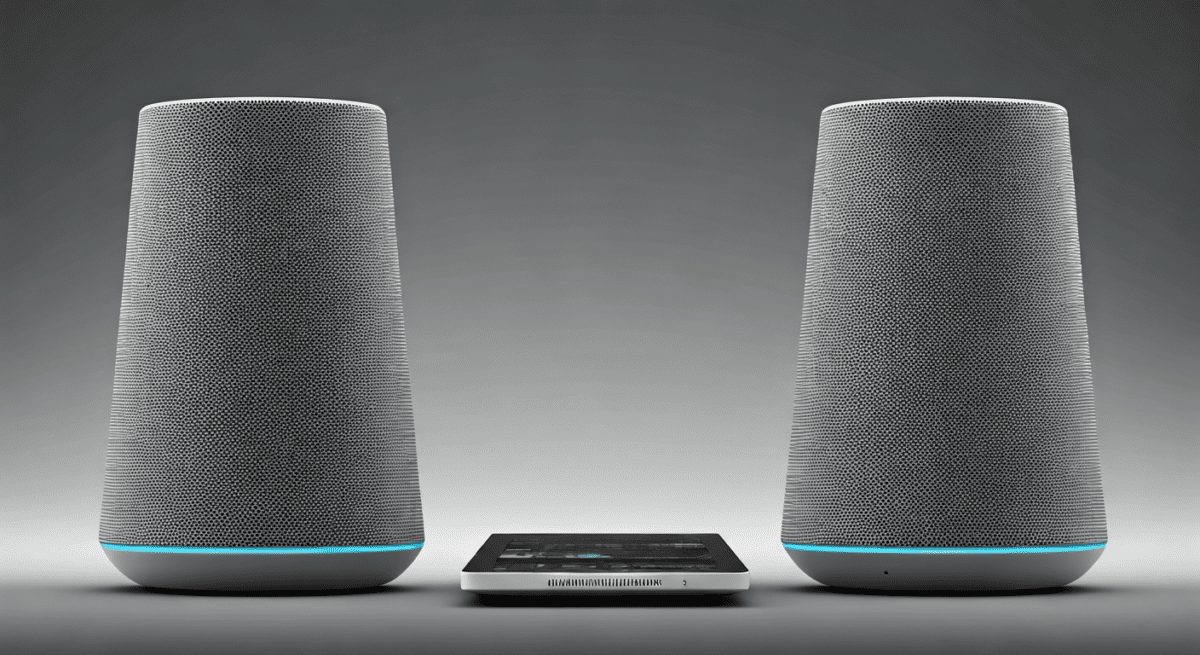
Synchronization Protocols
Have you ever wondered how five different speakers in different rooms play the exact same note at the exact same time? This requires Precision Time Protocol (PTP). The speakers “negotiate” timing over the network to eliminate latency and jitter, a complex networking task that analog systems cannot perform.
Software-Defined Functionality
Because are speakers a form of network technology, their capabilities can change without touching the hardware. Through OTA (Over-the-Air) updates, a speaker can gain new codecs, improved security protocols, or compatibility with new streaming services.
Comparing Audio Delivery Technologies
| Feature | Traditional Speakers | Bluetooth Speakers | Wi-Fi / Smart Speakers | Professional AoIP (Dante) |
|---|---|---|---|---|
| Connection Type | Analog Copper Wire | Point-to-Point Radio | Local Area Network (LAN) | Managed Ethernet Switch |
| Networked? | No | Yes (PAN) | Yes (LAN/IoT) | Yes (Enterprise Network) |
| IP Address? | No | No | Yes | Yes |
| Range | Limited by wire length | ~30-100 feet | Entire Wi-Fi footprint | Unlimited via Fiber/Web |
| Multi-device Sync | Requires hardware splitters | Difficult / Limited | Excellent (Software-based) | Precise (Microsecond sync) |
Common Networking Protocols Used by Speakers
If you are looking into how are speakers a form of network technology, you will encounter several specific protocols. These are the “languages” the speakers use to communicate over the wire or air.
Wi-Fi (IEEE 802.11)
Most home speakers use Wi-Fi because it provides the bandwidth necessary for High-Resolution (Hi-Res) audio. Unlike Bluetooth, Wi-Fi doesn’t compress the audio as much, allowing for “Lossless” playback.
Bluetooth SIG Standards
Bluetooth creates a Piconet, a small network between your source (phone) and the sink (speaker). Modern versions like Bluetooth 5.3 and LE Audio use sophisticated frequency-hopping to avoid interference from other network devices.
Proprietary Mesh Networks
Companies like Sonos often create their own Mesh Network (SonosNet). This reduces the load on your main home Wi-Fi by allowing speakers to act as repeaters for one another, extending the network’s reach.
Dante and AES67
In stadiums or recording studios, we use Audio over IP (AoIP). Dante allows for hundreds of uncompressed audio channels to run over a single Cat6 cable. Here, the speaker is literally a high-speed network endpoint.
How to Set Up a Networked Audio System (Step-by-Step)
Setting up these systems requires more “IT” knowledge than “Audio” knowledge. Follow this guide to ensure your network technology performs optimally.
Step 1: Perform a Site Survey
Before buying speakers, check your Wi-Fi signal strength (RSSI) in the areas you want sound. I recommend using an app like WiFi Analyzer to ensure you have at least -60 dBm of signal. If the signal is weak, the audio will “drop” due to packet loss.
Step 2: Configure Your Router
For the best experience, assign Static IP Addresses to your speakers. This prevents the “Device Not Found” error that occurs when a router reassigns IPs after a power outage. Most modern routers allow you to do this in the LAN Settings or Address Reservation section.
Step 3: Connect the “Anchor” Device
If you are using a mesh-based system, connect at least one speaker directly to your router via Ethernet (RJ45). This creates a dedicated backhaul for the audio data, keeping your phone’s Wi-Fi channel clear for browsing.
Step 4: Manage Interference
Many networked speakers operate on the 2.4 GHz band, which is crowded. If possible, move your speakers to the 5 GHz band or change your router’s channel to 1, 6, or 11 to minimize Co-Channel Interference.
Step 5: Secure Your Audio Network
Since are speakers a form of network technology, they are targets for hackers. Ensure your WPA3 encryption is active. Disable UPnP if you don’t need it, as it can be a security vulnerability that allows outside access to your internal network devices.
The Role of Hardware in Networked Audio
While the software is vital, the hardware inside a networked speaker is what makes it a “tech” product rather than just a “sound” product.
- Network Interface Controller (NIC): This is the chip that handles the Wi-Fi or Ethernet connection.
- System on a Chip (SoC): A small computer (often ARM-based) that runs the operating system (e.g., Linux or a proprietary RTOS).
- Buffer Memory: Networked speakers store a few seconds of audio in RAM to prevent silences if the network fluctuates (this is called “buffering”).
- Digital Signal Processor (DSP): A specialized chip that tunes the sound in real-time based on the room’s acoustics.
Troubleshooting Common Audio Network Issues
When your speakers stop working, the problem is rarely the “speaker” part; it is almost always the “network” part. I’ve spent countless hours debugging these issues, and the solutions usually involve networking fundamentals.
Issue: Audio Dropouts or Stuttering
This is usually caused by Network Jitter or Latency.
- Solution: Check for Interference. Keep speakers away from microwaves or baby monitors. If using Wi-Fi, try switching to a less congested channel.
Issue: Speakers Not Appearing in the App
This is often a Subnet or mDNS issue.
- Solution: Ensure your phone and the speaker are on the same SSID and frequency band. Some routers don’t “bridge” the 2.4 GHz and 5 GHz bands properly, making the speakers “invisible” to the phone.
Issue: Multi-room Out of Sync
This happens when the Clock Master on the network loses its timing.
- Solution: Reboot the primary speaker (the one connected to the router). This forces a “re-election” of the clock master and usually fixes synchronization.
The Future of Speakers as Network Technology
The line between audio and IT will continue to blur. We are moving toward a world of Auracast, a new Bluetooth standard that allows one source to broadcast to an unlimited number of speakers, effectively creating a “public network” of audio.
Furthermore, with Matter and Thread protocols becoming standard, speakers will act as Border Routers for your entire smart home. In this scenario, your speaker isn’t just a form of network technology; it is the hub of the network itself.
Frequently Asked Questions
Do smart speakers use a lot of bandwidth?
Generally, no. A standard high-quality stream uses about 256kbps to 320kbps. Even Lossless Hi-Res audio only uses about 5Mbps to 10Mbps. However, if you have 10 speakers playing different songs, it can add up to 100Mbps of internal network traffic.
Can networked speakers work without the internet?
It depends. Most Bluetooth speakers work without the internet. However, Smart Speakers (Alexa, Google Home) usually require an internet connection to process voice commands and pull music from the cloud. Some systems like Sonos or Dante can work on a local network (LAN) without an external internet connection if the music is stored on a local NAS (Network Attached Storage).
Is a wired speaker always better than a networked one?
For pure Audiophiles, a wired speaker connected to a high-end amplifier is often preferred because there is no data compression or latency. However, for convenience and multi-room functionality, networked technology is far superior and is now capable of delivering Studio Master quality audio.
Are networked speakers a security risk?
Yes, any device on your network is a potential entry point. If a speaker has a microphone, it is a privacy consideration. Always keep your speaker firmware updated and use a strong WPA2/WPA3 password on your Wi-Fi to prevent unauthorized access.