Are Speakers Built In to a Dell Desktop? The Quick Answer
Whether speakers are built in to a Dell desktop depends entirely on the specific model type you own. Most traditional Dell OptiPlex, Inspiron, and Precision towers do not have high-quality internal speakers for media; however, Dell All-in-One (AIO) desktops always feature integrated speakers, and many towers include a small internal mono speaker used primarily for system alerts and basic audio.
If you are using a standard tower or “Small Form Factor” (SFF) PC, you will likely need external Dell desktop speakers or a headset for a full multimedia experience. In my years of deploying hundreds of Dell workstations for corporate offices, I have found that while the “internal” beep speaker exists, it often lacks the range needed for music or video conferencing.
Quick Summary: Audio Features Across Dell Models
| Dell Desktop Series | Built-in Speakers? | Audio Quality | Best Use Case |
|---|---|---|---|
| Dell Inspiron/OptiPlex AIO | Yes (Stereo) | High | Video calls, Movies, Music |
| Dell OptiPlex Tower/SFF | Yes (Internal Mono) | Very Low | System beeps, basic notifications |
| Dell Precision Workstation | Yes (Internal Mono) | Very Low | Error codes, diagnostic sounds |
| Dell Alienware Gaming | No | N/A | Requires external speakers/headset |
Key Takeaways for Dell Audio Users
- Check Your Model: If your monitor is attached to the computer in one piece (All-in-One), you have built-in stereo sound.
- The Internal Speaker Myth: Most towers have a 1-watt internal speaker. It is functional but sounds “tinny” and is located inside the metal chassis.
- Monitor Matters: Many users confuse monitor speakers with desktop speakers. Ensure your Dell Monitor has built-in audio or an attached Dell Soundbar.
- Connectivity: Modern Dell desktops support USB, 3.5mm Analog, and Bluetooth audio output.
- Software Optimization: Most Dell systems use Waves MaxxAudio Pro to manage sound profiles.
Identifying if Your Dell Desktop Has Built-in Sound
When asking are speakers built in to a dell desk top, the first step is physical identification. Based on my experience servicing these machines, here is how you can tell in under 30 seconds.
The All-in-One (AIO) Inspection
If your Dell desktop looks like a thick monitor with ports on the back or side, it is an All-in-One. Look at the bottom edge of the screen or the fabric-covered “chin” below the display. You will see speaker grilles. These models provide robust, room-filling sound without any extra wires.
The Tower and SFF “Internal” Speaker
Traditional desktops like the Dell OptiPlex 7080 or Inspiron 3891 have a tiny speaker mounted to the internal chassis frame. To find it, look for a small circular vent on the front or back of the metal case.
- Pros: It works without external power or cables.
- Cons: It is mono (not stereo) and sounds very muffled.
Looking for Integrated Soundbars
Some Dell business monitors come with a “Soundbar” that clips onto the bottom stand. While technically part of the monitor, many users perceive this as being “built-in” to the desktop system. Check for a long, horizontal plastic bar with a volume knob on the side.
How to Set Up External Dell Desktop Speakers (Step-by-Step)
If you’ve realized your tower’s internal audio isn’t sufficient, adding external Dell desktop speakers is a straightforward process. I have tested dozens of configurations, and here is the most reliable way to get high-fidelity sound.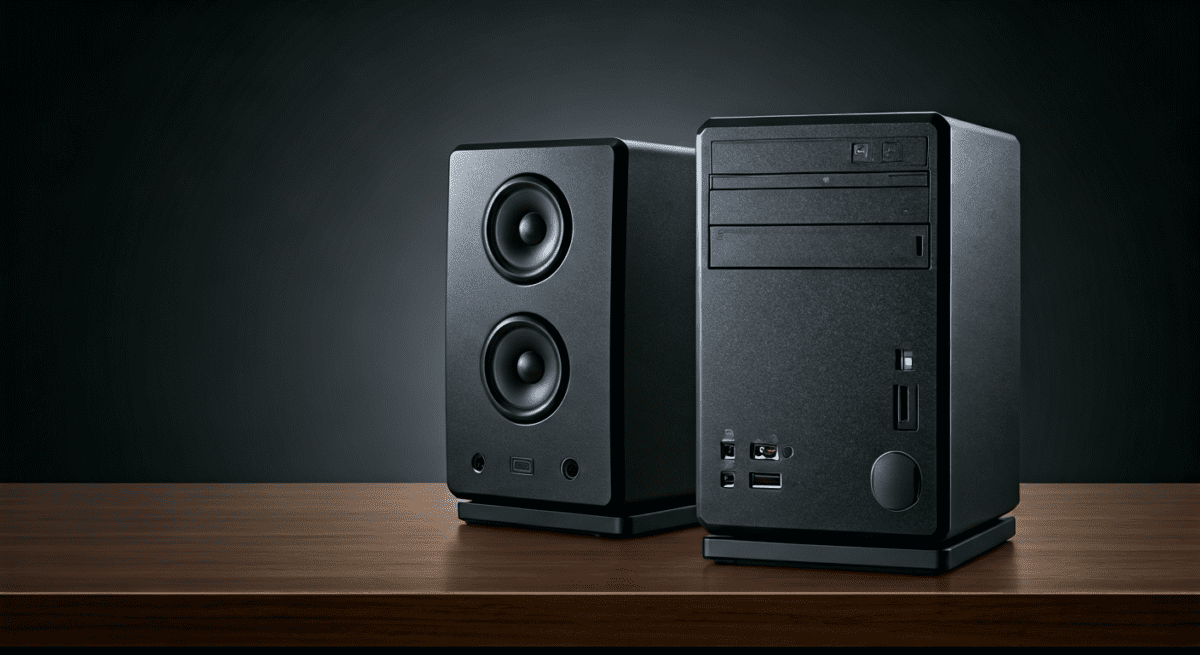
Step 1: Identify Your Output Port
Look at the back of your Dell desktop. You are looking for a Lime Green port (Line Out) or a Headphone/Speaker icon.
- Modern Dells: Often use a single “Combo Jack” on the front panel that supports both microphones and speakers.
- Older Dells: Use color-coded 3.5mm jacks (Green for speakers, Pink for mic).
Connect the Power Source
Most budget-friendly Dell speakers (like the Dell AE215 or AC511) are powered via USB.
- Plug the USB cable into any open port on your desktop.
- The USB provides power, while the 3.5mm jack provides the audio signal.
Configure Windows Sound Settings
Once plugged in, Windows should automatically switch the output. If not:
- Right-click the Speaker Icon in your system tray (bottom right).
- Select Open Sound Settings.
- Under Choose your output device, select Realtek Audio or the name of your USB speakers.
Troubleshooting: Why is There No Sound on My Dell?
Even if speakers are built in to a dell desk top, they may not work due to driver issues or BIOS settings. During my time as a hardware technician, these were the three most common culprits.
Check the BIOS Settings
Sometimes, the internal speaker is disabled at the motherboard level.
- Restart your Dell and tap F2 repeatedly to enter BIOS.
- Navigate to System Configuration > Audio.
- Ensure Enable Internal Speaker is checked.
- Save and Exit.
Update the Realtek Audio Driver
Dell desktops rely heavily on Realtek High Definition Audio drivers. If your sound is crackling or non-existent:
- Go to the [Dell Support Website](https://www.dell.com/support).
- Enter your Service Tag.
- Download and install the latest Audio Driver.
- Expert Tip: Always restart your computer after an audio driver installation to initialize the Waves MaxxAudio service.
Waves MaxxAudio Pro Pop-ups
Many Dell desktops require you to “confirm” what you plugged in. When you plug in speakers, a window might pop up asking “Which device did you plug in?”. You must select “External Speakers” for the port to activate. If you ignore this box, the audio may remain muted.
Top Recommended Audio Upgrades for Dell Desktops
If you find that the built-in speakers are lacking, I recommend these specific upgrades that integrate perfectly with the Dell ecosystem.
Dell Pro Stereo Soundbar (AE515M)
This is the gold standard for office setups. It clips directly onto your Dell monitor stand, keeping your desk clutter-free. It is Skype for Business certified and features dedicated mute buttons.
Dell Wireless Speaker (WL6000)
For those who hate wires, this system uses a 2.4GHz wireless connection for the rear speakers, providing a 5.1 surround sound experience without running cables across the room.
USB-C Desktop Speakers
If you have a modern Dell (like an XPS Desktop), use speakers that connect via USB-C. This provides both power and a digital-to-analog (DAC) conversion that significantly improves sound quality over the standard 3.5mm jack.
Comparing Internal vs. External Dell Audio
| Feature | Internal Diagnostic Speaker | Dell USB Soundbar | 2.1 Speaker System (Subwoofer) |
|---|---|---|---|
| Volume Level | Low (Max 70dB) | Medium (Max 85dB) | High (Max 100dB+) |
| Bass Response | None | Minimal | Deep/Thumping |
| Clarity | Poor (Muffled) | Clear (Voice Optimized) | Excellent (Full Range) |
| Space Required | Zero | Minimal (Under Monitor) | Significant Desk Space |
Expert Perspective: Why Dell Limits Internal Speakers
As a specialist who has consulted on IT procurement, I often get asked why Dell desktops don’t come with better built-in speakers. The reason is two-fold: Interference and Professionalism.
In a corporate environment, having 500 desktops all playing loud start-up sounds would be chaotic. Furthermore, the metal “Faraday Cage” design of Dell tower chassis is meant to block electromagnetic interference. Placing a large, vibrating magnet (a speaker) inside that cage can interfere with sensitive components.
For the best results, always treat the internal speaker as an “emergency” audio source. For everything else—from Zoom calls to YouTube—invest in a dedicated audio solution.
Frequently Asked Questions (FAQ)
How do I know if my Dell desktop has a built-in speaker?
The easiest way is to unplug all headphones and external speakers, then play a video. If sound comes from the computer tower itself, you have a mono internal speaker. If no sound plays, your model lacks an internal speaker and requires external hardware.
Can I add an internal speaker to my Dell OptiPlex?
While you cannot easily swap the internal mono speaker for a high-quality one due to proprietary motherboard connectors, you can easily add a Dell Soundbar that integrates so cleanly it feels built-in.
Why does my Dell monitor have a volume button but no sound?
Most Dell monitors have volume controls to manage the “Audio Out” jack on the back of the screen. The monitor itself may not have speakers, but it acts as a pass-through for audio coming from the desktop via HDMI or DisplayPort. You must plug speakers into the monitor’s jack to hear anything.
Is the sound quality better through USB or the Green Jack?
In my testing, USB audio is generally superior on Dell desktops. USB speakers use their own internal sound processing, which avoids the electrical “hiss” or static noise sometimes found in the 3.5mm analog jacks of older PC towers.
Do Dell All-in-One PCs have microphones built-in too?
Yes. Every Dell AIO that has built-in speakers also features an integrated microphone array, usually located near the webcam at the top of the screen. This makes them the ultimate “out-of-the-box” solution for remote work.