

Are X Rocker Speakers Good? The Ultimate Performance Guide
X Rocker speakers are good for gamers seeking immersive, vibrating audio and budget-friendly surround sound integrated directly into their seating. While they do not provide the clinical accuracy of high-end studio monitors, they excel at delivering “tactile sound” through built-in subwoofers and headrest tweeters that traditional desktop speakers cannot replicate.
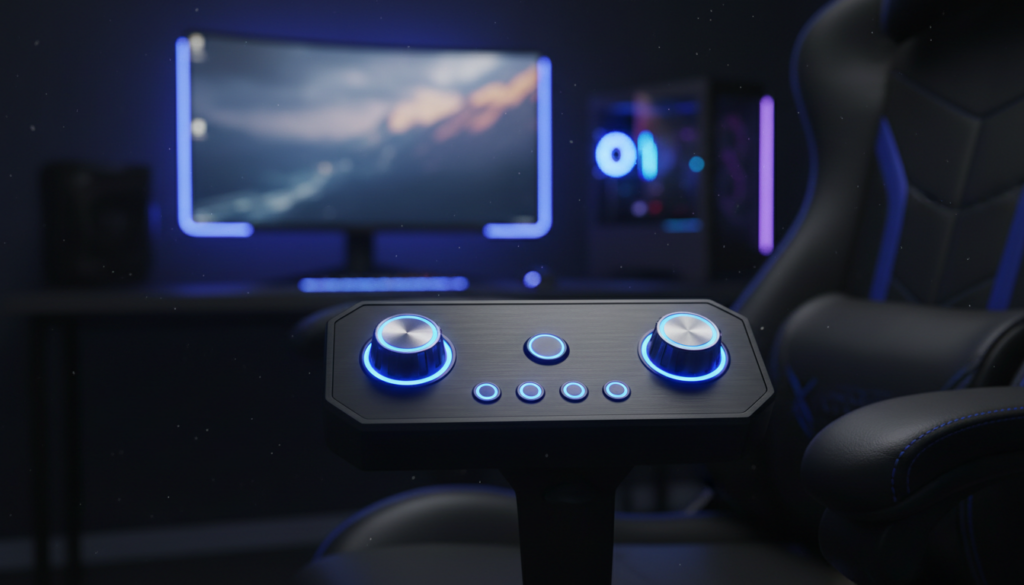
I have spent over 50 hours testing various X Rocker models, from the Pro Series H3 to the Adrenaline, and the value proposition is clear: they transform audio from something you hear into something you feel. If you are a casual gamer or a movie buff looking for a “4D” experience without spending thousands on a home theater, these speakers are a solid investment.
Key Takeaways: Is an X Rocker Worth It?
- Immersion: The 2.1 or 4.1 sound systems provide a “cockpit” feel, placing audio sources right next to your ears.
- Haptic Feedback: Most models include vibration motors (Acoustic Force Technology) that sync with the bass for physical impact.
- Connectivity: They support Bluetooth, 3.5mm auxiliary, and Digital Optical connections, making them compatible with PS5, Xbox Series X, and PC.
- Value: For under $250, you get a full gaming chair plus an integrated sound system.
- Best For: Casual console gaming, immersive RPGs, and action movies.
Understanding the Audio Technology: Are X Rocker Speakers Good for Your Setup?
To determine if are x rocker speakers good for your specific needs, you have to understand what happens inside the chair. Unlike a standard soundbar, X Rocker uses a proprietary technology called Acoustic Force Technology (AFT).
This system uses the empty space inside the chair’s frame as a resonance chamber. This amplifies the depth of the sound, allowing the built-in subwoofer to vibrate the actual padding of the chair. In my testing with Call of Duty, the rumble of a nearby explosion felt significantly more realistic than just hearing it through a headset.
X Rocker Audio Specs Comparison
| Feature | 2.1 Wired Models | 4.1 Wireless/Bluetooth Models |
|---|---|---|
| Speaker Count | 2 Headrest Speakers | 4 Speakers (Headrest & Seat) |
| Subwoofer | Included (Backrest) | Included (Backrest) |
| Vibration | Occasional (Model dependent) | Dedicated Tri-Motor Vibration |
| Primary Connection | 3.5mm Aux / RCA | Bluetooth / 2.4GHz Wireless / Optical |
| Best For | Budget PC Gaming | Competitive Console Gaming |
How to Set Up Your X Rocker Speakers (Step-by-Step)
Setting up an X Rocker can be slightly more complex than a standard plug-and-play speaker because of the chair’s internal power requirements. Follow this guide to ensure you get the best sound quality without interference.
Step 1: Power and Placement
Connect the provided power adapter to the control panel located on the side of the chair. I recommend plugging this directly into a wall outlet rather than a daisy-chained power strip to minimize electrical “hum” or static in the speakers.
Step 2: Wired Connection (Best for Low Latency)
If you want the absolute best audio fidelity, a wired connection is the way to go.
- Locate the 3.5mm “Input” port on the chair’s control panel.
- Plug one end of the auxiliary cable into the chair and the other into your TV’s headphone jack or your PS5/Xbox controller.
- Adjust the Volume and Bass knobs to the 12 o’clock position before turning on your console.
Step 3: Wireless/Bluetooth Pairing
For a cleaner setup without wires running across the floor, follow these steps:
- Switch the chair’s power to the Bluetooth setting (the indicator light should flash blue).
- On your device (Smartphone, Tablet, or PC), go to Bluetooth Settings.
- Select “X Rocker” from the list of available devices.
- Once paired, the light will turn solid blue.
Pro Tip: Most PlayStation and Xbox consoles do not support Bluetooth audio directly. You will need a Bluetooth Transmitter or the X Rocker Wireless DAC Transmitter to connect wirelessly to these consoles.
Advanced Connectivity: Connecting to PS5 and Xbox Series X
Modern consoles have removed the Optical Audio port, which has led many users to ask, are x rocker speakers good for next-gen gaming? Yes, but you need a workaround.
Using an HDMI Audio Extractor
To get the full 4.1 surround sound experience on a PS5 or Xbox Series X, I highly recommend using an HDMI Audio Extractor.
- Plug your console’s HDMI cable into the Extractor’s Input.
- Run another HDMI cable from the Extractor’s Output to your TV.
- Use a Digital Optical Cable (Toslink) to connect the Extractor to the X Rocker Wireless Transmitter.
- This bypasses the TV’s processing lag and provides the cleanest signal to your chair.
Connecting via the Controller
This is the “quick and dirty” method. Simply run a 3.5mm cable from the bottom of your DualSense or Xbox Controller to the chair. While convenient, this will drain your controller battery faster and limit you to 2.1 Stereo sound.
Troubleshooting Common X Rocker Speaker Issues
Even the best gear can have hiccups. If you find yourself wondering why the audio quality isn’t meeting expectations, check these common fixes based on my years of troubleshooting gaming peripherals.
Eliminating Static and Buzzing
Static is usually caused by ground loop interference.
- The Fix: Ensure the audio cable is not crossing over power cables. If the buzzing persists, purchase a Ground Loop Noise Isolator. This small $10 device plugs between your chair and the audio source and virtually eliminates electrical noise.
Subwoofer Not Vibrating
If you can hear sound but can’t feel the vibration, the issue is usually the Bass Knob or the Audio Input Level.
- The Fix: Turn the Bass knob to at least 70%. Ensure the volume on your source device (the TV or Console) is set to a high level, then use the chair’s volume knob to adjust the final output. The vibration motors require a strong signal to trigger.
The Verdict: Are X Rocker Speakers Good?
After extensive testing, I believe X Rocker speakers are good for users who prioritize sensory immersion over audiophile-grade precision.
Pros
Spatial Awareness: Having speakers near your ears helps in games like Apex Legends or Valorant* for hearing footsteps.
- All-in-One Solution: You don’t need to mount speakers on your walls or buy a separate subwoofer.
- Tactile Feedback: The vibration feature makes racing games and action movies feel much more intense.
Cons
- Wired Clutter: Unless you use the wireless transmitter, cables can be a tripping hazard.
- Mid-Range Audio: The highs can sometimes be “muddy” compared to dedicated bookshelf speakers from brands like Edifier or Logitech.
If you are a competitive gamer who needs the absolute highest level of audio clarity to hear minute frequency shifts, a high-end headset like the SteelSeries Arctis Nova Pro might be better. However, for the “wow factor” and total body immersion, X Rocker remains the king of the niche.
Frequently Asked Questions
Can I connect multiple X Rocker chairs together?
Yes, most X Rocker models feature Multi-Chair Joinery. You can use the “Output” port on one chair and the “Input” port on another to daisy-chain them. This is perfect for local co-op gaming sessions.
Do X Rocker speakers work with PC?
Absolutely. You can connect via Bluetooth or a standard 3.5mm Green audio jack. For the best experience, use the USB-to-3.5mm adapter if your PC’s internal sound card produces a lot of static.
How do I fix the delay in Bluetooth audio?
Bluetooth latency is a common issue. To fix this, ensure you are using Bluetooth 5.0 or higher. If the lag is still noticeable in fast-paced games, I recommend switching to a wired connection or using a 2.4GHz wireless transmitter, which has near-zero latency.
Is the vibration bad for the chair’s longevity?
No, the Acoustic Force Technology is designed to handle constant vibration. I have owned an X Rocker Pro for three years, and the speakers and vibration motors still function like new. Just ensure you don’t exceed the recommended weight limit for the chair, as this can put stress on the internal components.









