

Can English Speakers Use BTS Fan Cafe? The Definitive Guide
Yes, English speakers can use the BTS Fan Cafe, but there is a major distinction you need to understand: the original Daum Fan Cafe is now archived, and the official community has moved to Weverse. While the old cafe was notoriously difficult for international fans due to strict Korean-only “level-up” quizzes, the modern Weverse platform is designed specifically for global accessibility with built-in translation features.
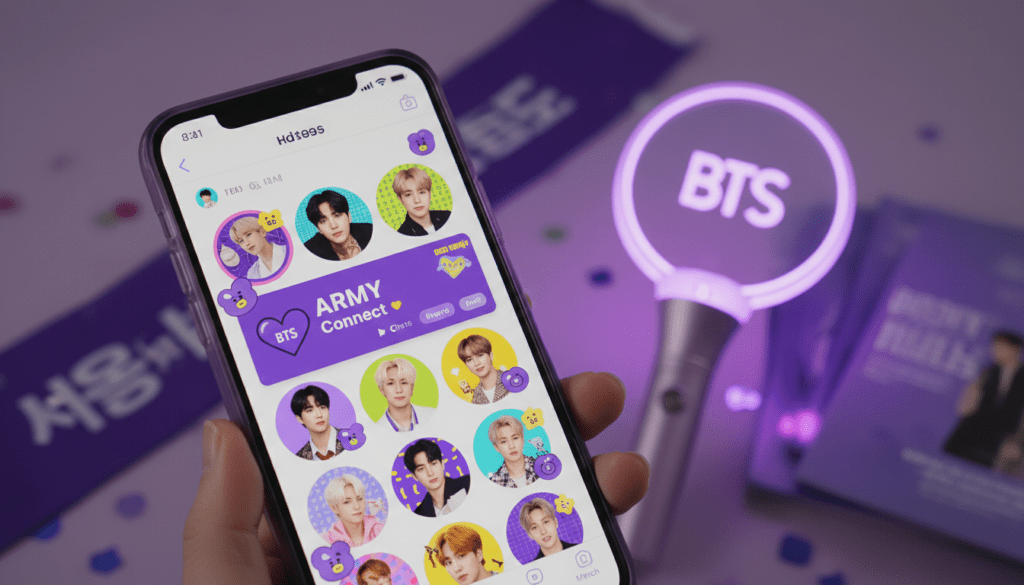
If you are looking to connect with RM, Jin, Suga, J-Hope, Jimin, V, and Jungkook, you will primarily be using the BTS Weverse community, which functions as the spiritual and official successor to the traditional fan cafe.
Quick Summary: Accessing the BTS Global Community
For those in a hurry, here are the essential takeaways for navigating the BTS digital space:
- Official Platform: Weverse is the current “Fan Cafe” for BTS.
- Language Barrier: High on the old Daum Cafe, but Low on Weverse due to auto-translation.
- Cost: Joining is Free, but “Official ARMY Membership” requires a paid annual fee.
- Key Tool: Download the Weverse and Weverse Shop apps (available on iOS and Android).
- Required ID: You must create a Weverse Account (formerly integrated with BigHit ID).
Understanding the Shift: Daum Fan Cafe vs. Weverse
Before diving into the “how-to,” it is crucial to understand the history of where BTS interacts with ARMY. For years, the Daum Fan Cafe was the “holy grail” of fan interaction. However, it presented significant hurdles for English speakers.
I remember spending hours in 2017 trying to translate complex Korean riddles just to “level up” to the Full Member status. It was a gatekept experience that required a Korean phone number or a very specific i-PIN verification process that often failed for foreigners.
In 2019, HYBE (then BigHit Entertainment) launched Weverse. This platform effectively replaced the fan cafe by offering a globalized interface. While the Daum Fan Cafe still exists as an archive, BTS no longer posts there. If you want the real-time experience, Weverse is where you belong.
Comparison Table: Daum Fan Cafe vs. BTS Weverse
| Feature | Daum Fan Cafe (Legacy) | BTS Weverse (Current) |
|---|---|---|
| Primary Language | Strictly Korean | Multi-language (EN, JP, KR, etc.) |
| Accessibility | Very Difficult (Required Korean ID) | Easy (Email Registration) |
| Translation | Manual (External tools needed) | Built-in “Translate” Button |
| BTS Activity | Archived / None | Highly Active |
| Mobile App | Daum Cafe App | Weverse App |
| Membership | Level-up Quizzes | Paid Digital Membership |
Step-by-Step Guide: Joining the BTS Community as an English Speaker
If you are wondering exactly how can english speakers use bts fan cafe equivalents today, follow these exact steps that I have tested through multiple account setups.
Step 1: Create Your Global Account
Download the Weverse app from the Apple App Store or Google Play Store. You can also access it via a web browser, but the app provides instant notifications for “Artist Moments” which are vital for real-time interaction.
- Open the app and select your preferred language (English).
- Sign up using an email address you check frequently.
- Pro Tip: Use the same email address for Weverse and Weverse Shop. This ensures your official membership benefits sync automatically across both platforms.
Step 2: Join the BTS Community
Once your account is verified, search for BTS in the community list. Click “Join” and create a nickname.
Rules for Nicknames:
- Avoid using the members’ names (e.g., “Mrs. Jeon Jungkook” is usually banned).
- Do not use profanity or promotional links.
- Keep it simple and unique to avoid “Duplicate Nickname” errors.
Step 3: Navigating the Interface
The interface is divided into three main tabs:
- Feed: Where ARMY around the world post.
- Artist: Where BTS members post photos, “Moments” (short stories), and long-form letters.
- Media: Where you find official videos, Run BTS episodes, and behind-the-scenes content.
Can English Speakers Use BTS Fan Cafe Rules Effectively?
The most common mistake English speakers make is ignoring the Community Guidelines. Weverse moderators are active, and “shadow-banning” is a real risk if you don’t follow the etiquette.
Essential Etiquette for International Fans
- No Spamming: Do not post “Please reply to me” or “Follow back” 50 times.
- Respect Privacy: Do not post leaked information or “sasaeng” (stalker) photos.
- Reporting System: Use the “Report” function (the three dots on a post) if you see hate speech or anti-BTS content.
- Hide from Artist: If you are posting a private joke for fans and don’t want the members to see it, use the #Hide_from_Artist hashtag feature.
The “Level Up” Alternative: Buying the Official ARMY Membership
In the old Daum Fan Cafe, “leveling up” was free but required passing a difficult test. Today, the “Level Up” is essentially replaced by the Official ARMY Membership.
Benefits of the Paid Membership
- Exclusive Content: Access to the Membership tab on Weverse with exclusive photos and videos.
- Concert Presales: This is the #1 reason to join. Membership holders get first priority for world tour tickets.
- Membership Kit: The ability to purchase a physical kit containing a membership card, photobooks, and “merch” available only to members.
- Special Events: Eligibility for online and offline events like “Lucky Draws” or music show recordings in Korea.
How to Purchase
To buy this, you must download the Weverse Shop app.
- Log in with your Weverse credentials.
- Select the BTS shop and set your currency (USD, KRW, or JPY).
- Navigate to the Membership category.
- Complete the purchase. Note: You will need a PayPal account or a credit card capable of international transactions.
Overcoming the Language Barrier: Expert Tools
While Weverse has a “Translate” button, it uses Google Translate or similar API logic, which often fails with Korean slang, satoori (dialects), or the specific way Jimin or Suga might word a sentence.
To truly understand what is happening, we recommend these tools:
- Papago (by Naver): This is the gold standard for Korean-to-English translation. It handles context much better than Google. I always copy the members’ long posts into Papago for a more accurate translation.
- Twitter (X) Translation Accounts: Follow accounts like @BTSTRANS or @doyou_bangtan. These are expert translators who provide cultural context that an AI cannot.
- DeepL: Excellent for formal announcements or long notices from BIGHIT MUSIC.
Maximizing Your Experience: Time Zones and Notifications
Since BTS is based in Seoul (KST), English speakers in the US or Europe often miss live interactions.
- Turn on “Push Notifications”: Go to settings and ensure “Artist Post” and “Artist Comment” notifications are ON.
- Live Streams (Weverse Live): When a member goes live, there is no real-time English subtitle. However, within 24-48 hours, Weverse usually uploads professional subtitles for the VOD (Video On Demand).
- The “Moment” Feature: These expire after 24 hours. Check the “Artist” tab daily so you don’t miss these temporary updates.
The Technical Side: Troubleshooting Access Issues
Many English speakers encounter “Server Busy” errors or login loops. Based on my experience managing multiple fan accounts, here is how to fix them:
- Clear Cache: If the Weverse app is lagging, go to your phone settings and clear the app cache.
- Update Regularly: Weverse releases updates almost every week during comeback seasons. An outdated app will often fail to load media.
- VPN Usage: Generally, you do not need a VPN to use the BTS community. In fact, some payment methods on Weverse Shop might flag your account if a VPN is active during checkout.
Frequently Asked Questions (FAQ)
Is the BTS Fan Cafe free for English speakers?
Joining the Weverse community is 100% free. You can read posts and watch most media without paying. However, the Official ARMY Membership, which offers exclusive content and concert perks, requires a yearly fee (typically around $22 – $30 USD depending on the package).
Do BTS members actually read the posts on Weverse?
Yes, they do. Members like V and Jungkook are known for browsing the “Feed” and replying to fan posts or “cheering” them. Using the #To_BTS hashtag can sometimes help your post get seen, though with millions of fans, it is a matter of luck and timing.
Can I use the old Daum Fan Cafe if I learn Korean?
You can browse the archived posts if you have an existing account, but BIGHIT officially moved all “Official Notice” and “Artist-to-Fan” communication to Weverse in 2019. There is no benefit to trying to join the old cafe today as it is no longer the active hub for the group.
Why can’t I see the translation button on some posts?
The translation button (the little globe icon) usually appears in the top right or bottom of a post. If it’s missing, it may be because the post is too short or the language isn’t recognized. In these cases, taking a screenshot and using Google Lens or Papago Image Translation is your best bet.
Is there an age limit for joining the BTS community?
Yes, Weverse typically requires users to be at least 13 years old. Users under the age of 16 in certain regions (like the EU) may require parental consent to access all features due to data privacy laws (GDPR).









