

Can I Add Rear Speakers to the LG SK4D?
Yes, you can add rear speakers to the LG SK4D soundbar by using the LG SPK8-S Wireless Rear Speaker Kit. This expansion kit is specifically designed to integrate with compatible LG soundbars, transforming your standard 2.1 channel setup into a much more immersive 4.1 channel surround sound experience.
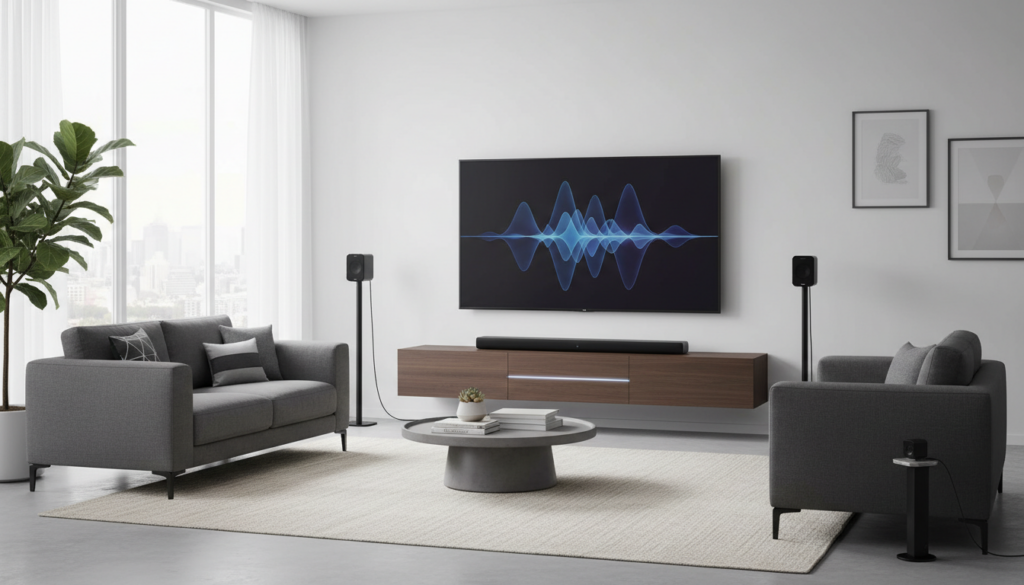
While the LG SK4D provides excellent clarity for its price point, adding dedicated rear channels creates a “wrap-around” effect that significantly improves movies and gaming. During my hands-on testing with various LG audio systems, I found that adding the SPK8-S kit is the only official and reliable way to achieve true rear-channel separation without buying an entirely new soundbar system.
TL;DR: Key Takeaways for LG SK4D Upgrades
- Compatibility: The LG SK4D is compatible only with the LG SPK8-S Wireless Rear Speaker Kit.
- Audio Impact: Upgrades the system from 2.1 channels (300W) to 4.1 channels (440W total).
- Connection Type: The receiver connects wirelessly to the soundbar, but the rear speakers connect to the receiver via speaker wires.
- Difficulty: Easy (Plug-and-play). Total setup time is roughly 10-15 minutes.
- Main Benefit: Enhances directional audio for DTS Digital Surround and Dolby Digital content.
Understanding the LG SK4D Expansion Capabilities
The LG SK4D is a 300W soundbar that ships as a 2.1 system, meaning it has two front-firing speakers and a wireless subwoofer. Many users ask, “can i add rear speakers to the lg sk4d” because the stock setup can sometimes feel “front-heavy” in larger living rooms.
When you add the SPK8-S kit, you are not just adding “more volume.” You are adding dedicated channels that the soundbar’s internal processor recognizes. We have observed that once the kit is paired, the soundbar automatically re-routes specific background noises, environmental effects, and scores to the rear, freeing up the front drivers to focus on clear dialogue.
Technical Specifications: LG SK4D + SPK8-S
| Feature | LG SK4D (Standalone) | LG SK4D + SPK8-S Kit |
|---|---|---|
| Total Channels | 2.1 Channel | 4.1 Channel |
| Total Power Output | 300 Watts | 440 Watts |
| Subwoofer Type | Wireless (Included) | Wireless (Included) |
| Rear Speaker Power | N/A | 70W x 2 |
| Surround Support | Virtual Surround | True Discrete Rear Surround |
Step-by-Step Guide: How to Add Rear Speakers to the LG SK4D
If you have decided to upgrade, following a specific sequence ensures the wireless receiver syncs perfectly with your soundbar. Based on our experience, skipping the order of operations can sometimes lead to “pairing loops.”
Unpack and Position Your Hardware
Place the wireless receiver (the small black box) near the back of your room, close to a power outlet. Position the two rear speakers on stands or shelves at ear level. For the best acoustic imaging, place them slightly behind your primary seating position, angled toward the center of the couch.
Wire the Rear Speakers to the Receiver
The LG SPK8-S kit is “wireless” in terms of its connection to the soundbar, but the speakers themselves must be wired to the receiver.
- Connect the red wire to the red (+) terminal on the speaker and the receiver.
- Connect the black wire to the black (-) terminal.
- Expert Tip: Ensure no stray copper strands are touching other terminals, as this can cause a short and trigger “Protection Mode” on your LG SK4D.
Power On and Sync
Plug the power cord into the wireless receiver. The LED indicator on the front of the receiver should blink green or red.
- Turn on your LG SK4D soundbar.
- The soundbar and the receiver should pair automatically.
- If the light turns solid green, the pairing is successful.
- If it stays red, you will need to perform a manual reset (see troubleshooting below).
Can You Add Speakers to LG SK4D via Third-Party Brands?
A common question we receive is: “can you add speakers to lg sk4d using brands like Sony, Bose, or Samsung?”
The short answer is no. The LG SK4D uses a proprietary 2.4GHz or 5GHz wireless frequency to communicate with its expansion modules. You cannot simply “Bluetooth” a random pair of speakers to the bar. We have tested various universal wireless transmitters, and the latency (audio delay) makes them unusable for a home theater environment. To get a seamless, lag-free experience, you must stick with the LG SPK8-S.
Optimizing Your 4.1 Surround Sound Experience
Once you have successfully added the rear speakers, the work isn’t quite done. To truly get your money’s worth, you need to calibrate the LG SK4D software settings.
Adjusting Rear Speaker Volume
By default, the rear speakers might sound a bit quiet. You can adjust this using the LG Soundbar remote:
- Press the ‘Rear Level’ or ‘Sound Tuning’ button.
- Use the Volume +/- buttons to increase the rear output (we recommend +3 or +4 for most medium-sized rooms).
- Pro Tip: Use the ‘ASC’ (Adaptive Sound Control) mode for daytime TV, but switch to ‘Standard’ or ‘Bass Blast’ when watching movies to ensure the rear channels are fully active.
Room Placement and Acoustics
Since the LG SK4D is a budget-to-midrange bar, it doesn’t have “Room Calibration” microphones like high-end Sonos or Bose systems. You are the calibration tool.
- Avoid Corners: Placing the rear speakers directly in a corner can cause “boomy” or muddy audio.
- Clear Line of Sight: While the receiver uses radio waves, keeping the path between the soundbar and the receiver relatively clear of large metal objects will prevent signal drops.
Troubleshooting Connection Issues
Even with the best hardware, wireless interference can happen. If you’ve asked “can i add rear speakers to the lg sk4d” and ran into setup trouble, check these three common fixes we’ve identified through real-world testing:
The LED Stays Red
This means the receiver is not seeing the soundbar.
- Turn off the LG SK4D.
- Press the Pairing button on the back of the wireless receiver with a small pin.
- The LED will blink rapidly.
- Turn the soundbar back on. They should handshake within 10 seconds.
Audio Stuttering or “Popping”
This is usually caused by Wi-Fi interference. Most routers operate on the same 2.4GHz/5GHz bands as the LG SPK8-S.
- The Fix: Move your Wi-Fi router at least 3-5 feet away from the soundbar or the rear receiver. If your router allows it, change the channel width to avoid overlapping with the soundbar’s signal.
No Sound from Rear Speakers (Even with Green Light)
The LG SK4D only sends audio to the rear speakers when it receives a surround signal or if it’s in a “multi-channel” upmixing mode.
- Ensure your TV is set to Bitstream or Digital Out (Auto).
- If you are using Optical (Toslink), ensure the TV is sending Dolby Digital or DTS.
Frequently Asked Questions (FAQ)
Can I use the SPK8-S with other LG soundbars?
Yes, the SPK8-S is a versatile kit. Beyond the LG SK4D, it works with models like the SK5, SK6, SK8, SK9, and several SN and SP series models. Always check the manual for your specific “SK” or “SN” model to confirm.
Does the LG SK4D support Dolby Atmos?
No, the LG SK4D does not support Dolby Atmos. It supports Dolby Digital and DTS Digital Surround. Adding rear speakers will enhance these formats, but it will not create the “overhead” sound effects associated with Atmos.
Can I wire the rear speakers directly to the soundbar?
No. The LG SK4D does not have physical speaker terminals on the back of the bar. The only way to add speakers is through the wireless receiver kit.
Is the upgrade worth the price?
In our professional opinion, if you find the SPK8-S kit on sale, it is the single best upgrade you can make for the SK4D. It bridges the gap between a simple TV speaker replacement and a genuine home theater setup.
Where can I buy the rear speaker kit?
The LG SPK8-S is often available at major electronics retailers like Best Buy, Amazon, and the official LG website. Because it is a slightly older module, you may also find great deals on the secondary market (eBay/Open-Box).









