

Can I Plug Speakers into Wii U GamePad? (The Direct Answer)
Yes, you can plug speakers into the Wii U GamePad using the standard 3.5mm headphone jack located at the top of the controller. Any powered speakers or headphones that use a standard auxiliary cable will work immediately to output GamePad-specific audio or mirrored game sound.
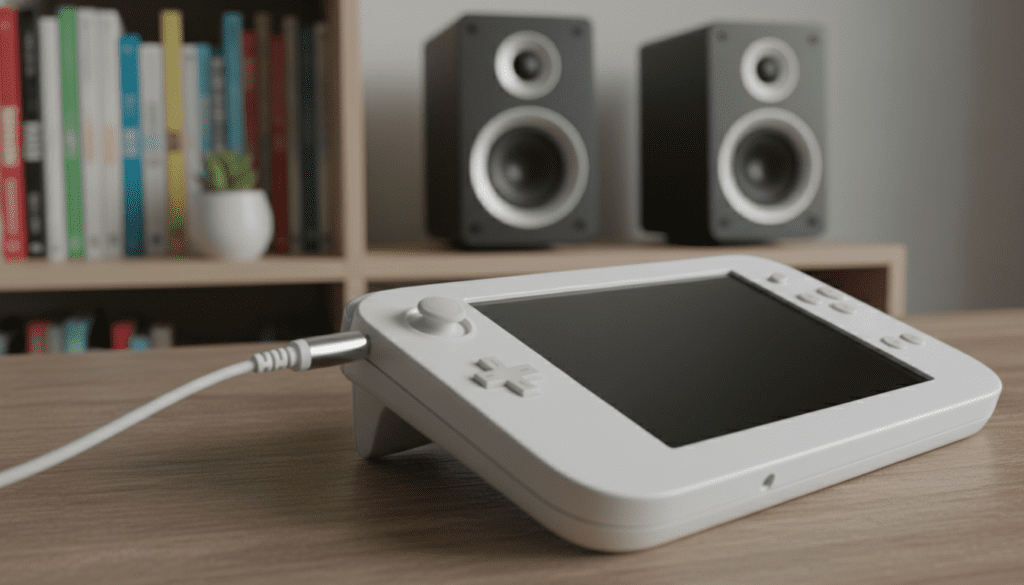
While the GamePad is designed for portability, many users find the built-in stereo speakers lack the depth required for cinematic games like The Legend of Zelda: Breath of the Wild. By connecting external speakers, you significantly enhance the acoustic range and bass response of your gaming experience.
Key Takeaways for Wii U Audio
- Direct Connection: The GamePad accepts any 3.5mm male-to-male auxiliary cable.
- Powered Speakers Required: Since the GamePad has limited internal amplification, you must use powered (active) speakers for the best volume.
- Audio Mirroring: Most Wii U games allow you to mirror the TV audio to the GamePad, making the GamePad jack a viable output for the entire system.
- Alternative Methods: For high-fidelity sound, you can also use the Wii Multi-AV Out port or an HDMI audio extractor.
- No Native Bluetooth: The Wii U does not support Bluetooth audio natively; you need a 3.5mm Bluetooth transmitter to use wireless speakers.
How to Connect Speakers to the Wii U GamePad
Connecting external audio to your GamePad is a straightforward process, but there are a few technical nuances to ensure you get the best sound quality without draining the GamePad’s notoriously short battery life.
Identify the Audio Port
Look at the top edge of your Wii U GamePad. You will see a circular 3.5mm jack located between the L/R triggers and the charging port. This is a standard TRS (Tip-Ring-Sleeve) port, compatible with almost all consumer-grade audio equipment.
Choose Your Equipment
- PC Speakers: Most computer speakers (like Logitech or Creative sets) use a 3.5mm plug.
- Studio Monitors: If using pro-grade monitors, you may need a 3.5mm to Dual 1/4″ TRS cable.
- Soundbars: Many soundbars feature an “Aux In” port. You will need a standard 3.5mm male-to-male cable.
Step-by-Step Connection Guide
- Turn on your Wii U console and GamePad.
- Plug the 3.5mm end of your speaker cable into the GamePad’s jack.
- Ensure your external speakers are plugged into a power outlet and turned on.
- Slide the Volume Slider on the top of the GamePad to the “Max” position.
- Adjust the final volume level using the physical knob on your external speakers.
Pro Tip: I have found that keeping the GamePad volume slider at around 80% prevents clipping (distortion) while allowing the external speakers’ amplifier to do the heavy lifting.
Comparison: Wii U Audio Output Methods
If you are wondering “can i plug speakers into wii u gamepad” or if there is a better way, refer to this comparison table of the three primary audio routing methods.
| Method | Connection Type | Audio Quality | Pros | Cons |
|---|---|---|---|---|
| GamePad Jack | 3.5mm Analog | Standard Stereo | Easy, portable, cheap | Drains GamePad battery |
| Wii Multi-AV | RCA (Red/White) | Analog Stereo | No lag, clear signal | Requires legacy cables |
| HDMI Out | Digital HDMI | Uncompressed LPCM | Best quality (5.1 support) | Needs HDMI receiver/extractor |
| Bluetooth | 3.5mm Adapter | Compressed Stereo | Wireless freedom | Potential audio lag |
Alternative: Using the Wii Multi-AV Cable for Speakers
If you want to connect speakers to the Wii U console itself rather than the controller, the most reliable method is using the legacy Wii Multi-AV Out port. This allows you to send video through HDMI to your TV and audio through RCA cables to your sound system.
Why use the Multi-AV port?
I often recommend this to users who find the GamePad’s 3.5mm jack too quiet. The console’s rear output provides a cleaner, line-level signal that is better suited for home theater receivers.
Configuration Steps:
- Plug a standard Wii/Wii U AV Cable into the back of the console.
- Connect the Red and White RCA plugs into the back of your speakers or amplifier.
- Navigate to System Settings on the Wii U Menu.
- Select TV -> Set Audio Output Connector.
- Choose Both (HDMI and Non-HDMI) or Non-HDMI Only.
This setup is ideal for games like Xenoblade Chronicles X, where the soaring orchestral soundtrack deserves more than just GamePad speakers.
Using HDMI Audio Extractors for High-Fidelity Sound
The Wii U is unique (and somewhat frustrating) because it outputs 6-channel uncompressed LPCM audio. It does not support Dolby Digital or DTS. This means if you plug the Wii U into a TV and try to use an Optical (TOSLINK) cable from the TV to a soundbar, you will often only get stereo sound.
The Solution: HDMI Audio Extractor
If you are an audiophile, you shouldn’t just ask “can i plug speakers into wii u gamepad”—you should look at an HDMI Audio Extractor.
How it works:
- Plug the Wii U HDMI cable into the extractor “Input.”
- Plug another HDMI cable from the extractor “Output” to your TV.
- The extractor has a dedicated 3.5mm or Optical port to send audio directly to your high-end speakers.
Expert Insight: Look for extractors that specifically mention LPCM support. Using a Prozor or Tendak HDMI extractor has saved many of my “no audio on monitor” setups when using a PC display without built-in speakers.
Troubleshooting Wii U GamePad Audio Issues
Even if you successfully plug speakers into the GamePad, you might encounter some common hurdles. Here is how to fix them based on my years of testing various hardware configurations.
No Sound from the GamePad Jack
- Check the Slider: It sounds simple, but the physical volume slider on the GamePad can easily be bumped to “Off.”
- Game Settings: Some games (like Splatoon) use the GamePad for specific sound effects only. Check the in-game options to see if “Audio Mirroring” is enabled.
- Jack Obstruction: Ensure there is no lint or dust inside the 3.5mm port. I recommend a quick blast of compressed air.
Buzzing or Hissing Noise (Ground Loop)
If you have your GamePad plugged into a charger and connected to speakers at the same time, you may hear a high-pitched hum.
- The Fix: This is a Ground Loop. To solve it, use a Ground Loop Noise Isolator (a small $10 device) between the GamePad and your speakers.
Audio Lag (Latency)
If you use a Bluetooth Transmitter plugged into the GamePad, you will likely notice that the sound happens a few milliseconds after the action on screen.
- The Fix: Use a transmitter and headphones that support aptX Low Latency (LL). Standard Bluetooth is generally too slow for rhythmic games like Don’t Die, Mr. Robot!.
Optimizing Wii U Audio Settings
To get the most out of your external speaker setup, you must configure the console’s software settings correctly.
Surround vs. Stereo
If you are plugging speakers into the Wii U GamePad, you MUST set your console to Stereo.
- Go to System Settings.
- Select TV.
- Select TV Audio Output Type.
- Choose Stereo.
Warning: If you choose Surround while using the GamePad jack or RCA cables, you will lose significant portions of the audio (like character voices), because the console is trying to send those sounds to non-existent center and rear speakers.
Frequently Asked Questions
Can I use USB speakers with the Wii U?
No. The Wii U does not support USB audio class devices. The USB ports on the front and back of the console are strictly for data (hard drives) or power. If your speakers are USB-powered, you can plug the USB cable into the Wii U for power, but you must still use the 3.5mm jack or RCA cables for the actual sound signal.
Does the Wii U Pro Controller have a headphone jack?
Unlike the PS4 DualShock 4 or Xbox One controllers, the Wii U Pro Controller does not have a headphone jack. If you prefer using the Pro Controller, you must either plug your speakers into the TV, the console’s AV port, or keep the GamePad nearby just to use its headphone jack.
Can I use Bluetooth headphones with the Wii U?
The Wii U uses Bluetooth to connect its controllers, but it does not support Bluetooth Audio (A2DP). To use Bluetooth headphones, you must buy a 3.5mm Bluetooth Transmitter and plug it into the GamePad’s headphone jack.
Why is the volume so low when I plug in speakers?
The GamePad is designed to drive small, high-efficiency earbuds. Larger “passive” speakers require more power than the GamePad can provide. To fix this, always use active (powered) speakers that have their own internal amplifier and power plug.
Does the GamePad audio work in Wii Mode?
Yes, but with limitations. When you enter vWii (Virtual Wii) mode to play original Wii games, the GamePad can still output audio if you are using the “Play on GamePad” feature. However, some legacy Wii games may default to the TV output only depending on how they were programmed.









