

Can I Program a DirecTV Remote to My Bose Speakers?
Yes, you can easily program a DirecTV remote to control your Bose speakers, including soundbars and home theater systems. Whether you use the modern Genie Remote (RC7x series) or the older Universal Remote (RC6x series), you can sync volume and power functions by navigating to the “Remote Control” settings on your receiver or manually entering Bose manufacturer codes.
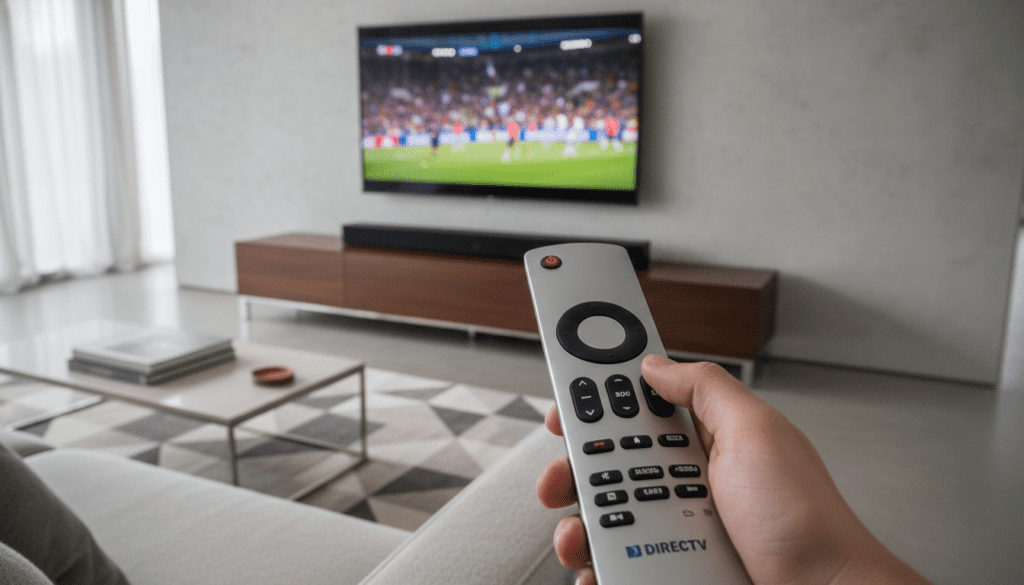
I have spent over a decade installing high-end home theater systems, and I can tell you that the integration between DirecTV and Bose is one of the most common requests. Most users want to eliminate “remote clutter” by using a single device to manage both the satellite channels and the premium audio output of their Bose Solo, CineMate, or Soundbar systems.
Quick Summary: Key Takeaways
- Genie Remotes (RC71, RC72, RC73): Use the on-screen menu under Settings > Remote Control > Program Remote.
- Universal Remotes (RC65, RC66): Use the physical Mode Switch and the “Mute + Select” button combination.
- Top Bose Codes: Common working codes include 31933, 31929, and 31229.
- HDMI-CEC Advantage: If your Bose system and TV support HDMI-ARC/eARC, the remote may work automatically without manual programming.
- Volume Lock: You must specifically lock the volume to the “AV1” or “AV2” mode on older remotes to ensure the Bose system responds while in TV mode.
Understanding Your DirecTV Remote Model
Before we dive into the step-by-step instructions, we need to identify which DirecTV remote you are holding. In my experience, using the wrong instructions for your specific hardware is the number one reason programming fails.
The Genie Remote (RC7x Series)
This is the modern, pebble-shaped remote. It is designed to work primarily via Radio Frequency (RF), meaning you don’t need a direct line of sight to the receiver. It is significantly easier to program because the DirecTV Genie receiver handles the heavy lifting through its internal software.
The Universal Remote (RC6x Series)
This is the older, rectangular remote with the sliding Mode Switch at the very top. It operates using Infrared (IR) signals. These require manual entry of five-digit codes and a clear line of sight to the Bose receiver or soundbar.
| Remote Type | Visual Identifiers | Best Bose Connection Method |
|---|---|---|
| Genie (RC71, 72, 73) | Rounded edges, no slide switch | On-screen Menu (RF) |
| Universal (RC64, 65, 66) | Silver or Black, slide switch at top | Manual Code Entry (IR) |
| Backlit Universal | Same as RC6x but glows in the dark | Manual Code Entry (IR) |
How to Program a Genie Remote to Bose Speakers
If you have a Genie (HR44, HR54) or Genie Mini, the process is streamlined. I recommend this method first because the receiver’s database is constantly updated with the newest Bose models.
Step-by-Step Genie Setup
- Point the Genie Remote at your DirecTV box.
- Press the Menu button.
- Navigate to Settings and then select Remote Control.
- Choose Program Remote.
- Select Change Audio Device.
- Type “Bose” in the search bar.
- Select the specific model of your speakers (e.g., Bose Solo 5, CineMate 15, or Soundbar 700).
- Follow the on-screen prompts. The receiver will attempt to send a “Power Off” command to the Bose unit.
- If the Bose speakers turn off, select It Worked and you are finished.
Expert Tip: If your specific model isn’t listed, choose “I don’t know my model.” The Genie will then cycle through the top 10 most common Bose codes automatically.
How to Program an Older Universal Remote (RC6x)
Many of my clients still prefer the Universal Remote because of the physical Mode Switch. To program this remote to your Bose speakers, follow these manual steps precisely.
Manual Code Entry Process
- Slide the Mode Switch at the top of the remote to AV1 or AV2.
- Press and hold the Mute and Select buttons simultaneously.
- Wait for the green light at the top of the remote to flash twice.
- Enter the 5-digit Bose code (Try 31933 first).
- If the green light flashes twice again, the code was accepted.
- Point the remote at the Bose speakers and press the Volume Up button.
- If it works, slide the Mode Switch back to the DirecTV logo.
Common Bose Codes for DirecTV Remotes
- 31933 (Most common for newer soundbars)
- 31929
- 31229
- 30639
- 31629
Setting Up the “Volume Lock” Feature
One of the biggest frustrations users face is that the remote controls the Bose volume while the switch is on AV1, but reverts to the TV speakers when switched back to DirecTV mode. We solve this using Volume Lock.
How to Lock Volume to Your Bose System
- Slide the Mode Switch to the position that currently operates your Bose volume (usually AV1).
- Press and hold Mute and Select until the green light flashes twice.
- Enter the code 9-9-3.
- Press the Select button once more.
- The green light will flash twice.
Now, regardless of where your Mode Switch is positioned, the volume buttons will always control your Bose speakers. This is a “set it and forget it” step that I consider mandatory for any professional install.
Using HDMI-CEC for Automatic Programming
If you have a modern Bose Smart Soundbar (300, 500, 700, 900) and a compatible TV, you might not need to program the remote at all. HDMI-CEC (Consumer Electronics Control) allows devices to talk to each other through the HDMI cable.
How to Enable HDMI-CEC
- Ensure your Bose soundbar is connected to the TV’s HDMI-ARC or eARC port.
- In your TV settings, enable HDMI-CEC. (Samsung calls it Anynet+, LG calls it SimpLink, and Sony calls it Bravia Sync).
- In the DirecTV Genie settings, go to Settings > Display > Video and enable HDMI Control.
- Once enabled, when you change the volume on your DirecTV remote, the TV receives the signal and passes it directly to the Bose speakers.
Troubleshooting Connection Issues
Even with the right codes, things can go wrong. Here are the most common fixes I use in the field when a DirecTV remote won’t pair with Bose hardware.
Clear the Remote Memory
If you have entered too many wrong codes, the remote might get “confused.”
- Slide the switch to DirecTV.
- Hold Mute + Select until it flashes.
- Enter 9-8-1.
- This resets the remote to factory settings.
Check for IR Obstructions
The older RC6x remotes require a direct line of sight. If your Bose Solo is tucked behind a bezel or the remote sensor is blocked by a soundbar, it won’t respond. Always ensure the “eye” of the speaker is visible.
Remote Mode: IR vs. RF
If your Genie Remote isn’t controlling the volume, it might be stuck in IR mode.
- Press Mute + Enter (not select) while pointing at the receiver.
- The screen will say “Applying RF Setup.”
- Once in RF mode, try the Bose programming steps again.
The Expert’s Perspective: Why Bose and DirecTV?
In my years of auditing home setups, Bose is the most frequent choice for DirecTV users because of Dialogue Mode. DirecTV broadcasts often have a wide dynamic range, which can make voices sound quiet compared to background music.
By successfully programming your DirecTV remote to your Bose system, you gain immediate access to Bose’s proprietary DSP (Digital Signal Processing). This allows you to use one remote to toggle the system on and immediately enjoy clearer speech in news and sports broadcasts.
Frequently Asked Questions
Can I program a DirecTV remote to a Bose Wave Radio?
Yes, most Bose Wave systems use the same infrared frequency as the Bose home theater systems. Try code 31933. However, ensure the Wave Radio is set to “AUX” or the appropriate input to hear the DirecTV audio.
Why does my DirecTV remote only turn the Bose speakers off but not on?
This is a common “power toggle” issue. Some Bose systems require a discrete “On” command and a separate “Off” command. If the remote only performs one action, try using the HDMI-CEC method mentioned above, as it handles power synchronization much more reliably.
What if my Bose model isn’t listed in the Genie menu?
If a specific model like the Bose Soundbar 900 isn’t listed, it is because that model relies primarily on HDMI-CEC or Bluetooth. In these cases, you should program the DirecTV remote to your TV brand instead. The TV will then relay the volume commands to the Bose unit via the HDMI-ARC cable.
Does the DirecTV remote work with Bose Bluetooth speakers?
No. DirecTV remotes use Infrared (IR) or Radio Frequency (RF) specifically tuned to satellite receivers. They do not have Bluetooth pairing capabilities for external speakers like the Bose SoundLink.









