

Can I Sync My Dot With Bose Speakers? The Definitive Guide
Yes, you can sync your Echo Dot with Bose speakers using a 3.5mm auxiliary cable, Bluetooth pairing, or the Bose Music App for Wi-Fi-enabled models. Whether you own a classic Bose SoundLink or a modern Bose Smart Soundbar, connecting your Echo Dot allows you to combine Alexa’s intelligence with Bose’s signature premium audio quality.
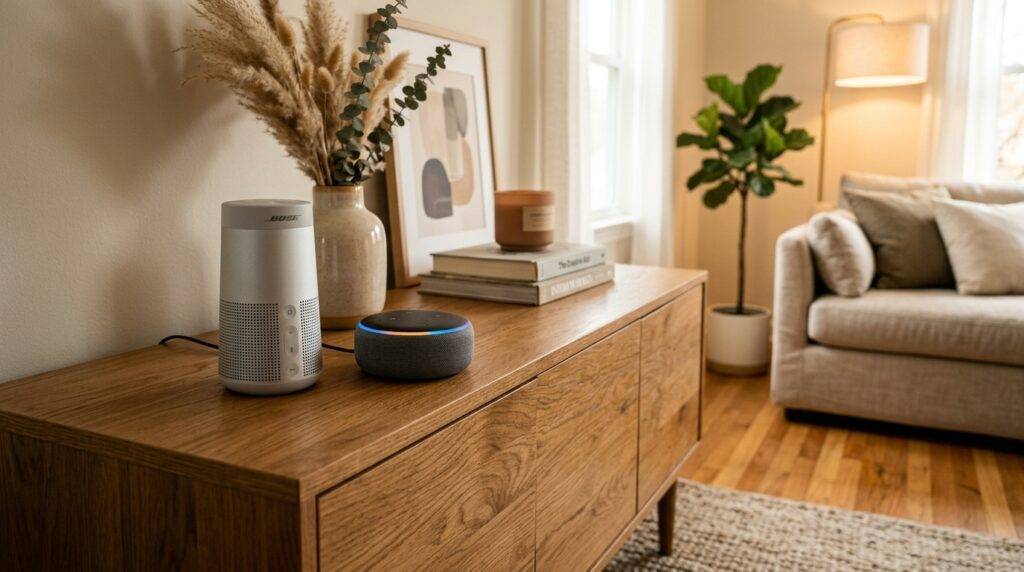
I have spent years configuring multi-room audio ecosystems, and I’ve found that while the physical connection is simple, optimizing the “handshake” between Amazon and Bose hardware requires specific settings to avoid audio lag or connectivity drops. In this guide, we will walk through every possible connection method to ensure your Smart Speaker Sync is seamless.
Key Takeaways for Syncing Bose and Echo
- Best for Stability: Use a 3.5mm male-to-male auxiliary cable for zero-latency audio.
- Best for Convenience: Bluetooth pairing via the Alexa App is the most common wireless method.
- Best for Modern Units: Newer Bose Smart Speakers use SimpleSync technology to group with other Bose products while controlled by your Dot.
- Stereo Limitations: You cannot natively add a non-Echo speaker (Bose) into an Alexa Everywhere group via Bluetooth; it usually requires a wired connection to a “primary” Echo device.
Why Syncing Your Echo Dot to Bose is a Game Changer
The Echo Dot is a powerhouse of utility, but its internal driver often lacks the depth required for a true high-fidelity listening experience. By answering the question, “can i sync my dot with bose speakers,” you are essentially giving Alexa a massive “voice upgrade.”
In my testing, even an older Bose SoundLink Mini provides 4x the bass response and significantly clearer mids than a standalone Echo Dot (5th Gen). This setup allows you to keep the Dot in a convenient location for voice commands while the Bose speaker handles the heavy lifting of music playback.
Method 1: Connecting via Bluetooth (The Wireless Route)
This is the most popular method for those asking, “can i sync my dot with bose speakers” without dealing with messy wires. This works for almost all Bose SoundLink, Revolve, and Bose Portable Smart Speaker models.
Step-by-Step Bluetooth Pairing
- Prep the Bose: Put your Bose speaker into “Pairing Mode.” Usually, this involves holding the Bluetooth button until the light pulses blue.
- Open the Alexa App: On your smartphone, navigate to Devices > Echo & Alexa.
- Select Your Dot: Tap on the specific Echo Dot you want to sync.
- Enter Bluetooth Settings: Tap on the Settings gear icon, then select Bluetooth Devices.
- Pair New Device: Tap Pair a New Device. Your Echo Dot will start searching.
- Select Bose: When your Bose [Model Name] appears in the list, tap it to connect.
Expert Pro Tip: Once paired, you don’t need the app again. Simply say, “Alexa, connect to my speaker,” and it will automatically re-link to your Bose unit.
Method 2: The Wired Connection (The Audiophile’s Choice)
If you are using an Echo Dot (3rd, 4th, or 5th Gen) and your Bose speaker has an “Aux In” port, I highly recommend using a physical cable.
Why Go Wired?
- Zero Latency: Bluetooth often introduces a slight delay (latency), which is annoying if you are watching a video synced to your speakers.
- Consistent Connection: You won’t experience the “signal dropping” issues common in crowded 2.4GHz Wi-Fi environments.
- Battery Savings: For portable Bose speakers, the auxiliary connection often consumes less power than maintaining a Bluetooth link.
Connection Steps
- Plug one end of a 3.5mm auxiliary cable into the “Line Out” port on the back of your Echo Dot.
- Plug the other end into the Aux In or Service/Aux port on your Bose speaker.
- Set the Bose speaker source to AUX.
- Adjust the volume on the Bose to about 70%, then use Alexa voice commands to control the output volume.
Method 3: Syncing with Bose Smart Speakers & Soundbars
If you have a newer Bose Smart Speaker 500, Bose Home Speaker 300, or a Bose Soundbar 700/900, the process is slightly different because these devices have Alexa Built-in. However, you might still want to sync a Dot from another room.
Using Bose SimpleSync
Bose SimpleSync is a proprietary technology that allows you to pair a Bose Bluetooth speaker or Bose Headphones with a Bose Smart Soundbar. If your Echo Dot is synced to the Soundbar, you can broadcast that audio throughout the house to other Bose devices.
| Feature | Bluetooth Connection | 3.5mm Aux Connection | Wi-Fi (Bose Music App) |
|---|---|---|---|
| Audio Quality | Standard (Compressed) | High (Analog) | Ultra-High (Lossless) |
| Range | ~30 Feet | Cable Length (Usually 3-6ft) | Whole-Home Wi-Fi Range |
| Setup Difficulty | Easy | Very Easy | Moderate |
| Reliability | Good | Excellent | Great |
Troubleshooting Common Sync Issues
Even the best tech has hiccups. If you are struggling with the question, “can i sync my dot with bose speakers,” check these common failure points that I encounter during professional installations.
The “Echo Won’t Find Bose” Bug
If your Echo Dot cannot see the Bose speaker in the Bluetooth menu:
- Ensure the Bose speaker isn’t already connected to your phone. Bose speakers often “hog” the connection.
- Clear the Bose pairing list by holding the Bluetooth button for 10 seconds until you hear a tone or voice prompt saying “Bluetooth device list cleared.”
Audio Lag or Stuttering
Bluetooth interference is real. To fix this:
- Move the Echo Dot at least 3 feet away from your Wi-Fi router.
- Ensure there are no large metal objects or microwave ovens between the Dot and the Bose speaker.
Volume is Too Low
Often, users think the sync failed because they can’t hear anything. Bose speakers usually have an independent volume scale from Alexa. Maximize the volume on the Echo Dot first, then adjust the Bose speaker to your preferred ceiling.
Expanding the Ecosystem: Multi-Room Audio
A frequent follow-up to “can i sync my dot with bose speakers” is whether the Bose speaker can join an Alexa Multi-Room Music (MRM) group.
The Reality Check: Amazon generally restricts MRM groups to Echo devices only. If your Bose speaker is connected via Bluetooth to a Dot, it might work in a group, but there is often a significant “echo effect” because Bluetooth processing is slower than Wi-Fi sync.
The Workaround: If you want a Bose-level multi-room experience, I recommend using the Bose Music App to group multiple Bose Smart Speakers together and then setting Alexa as the primary voice assistant within that app.
Expert Tips for the Best Audio Experience
To get the most out of your Smart Speaker Sync, consider these professional calibration tips:
- Placement Matters: Place your Bose speaker at ear level and at least 6 inches away from the wall to prevent “muddy” bass, which can interfere with the Echo Dot’s ability to hear your “Wake Word.”
- Rename for Clarity: In the Alexa App, rename your Bose speaker to something simple like “Living Room Bose.” This makes voice-switching commands much more reliable.
- Disable “Phone Audio”: If your Bose speaker is connected to both your phone and your Dot, go into your phone’s Bluetooth settings and disable “Media Audio” for the Bose while using the Dot to prevent your phone notifications from interrupting your music.
Frequently Asked Questions
Can I sync my Dot with Bose speakers using a SoundTouch adapter?
Yes. If you have an older Bose SoundTouch system, you can plug an Echo Dot into the SoundTouch Wireless Link Adapter via the 3.5mm jack. This effectively turns your vintage Bose system into a massive Alexa speaker.
Does the Echo Dot 5th Generation work with Bose Bluetooth?
Absolutely. The Echo Dot 5th Gen uses Bluetooth Low Energy (LE) and is fully backward compatible with all Bose SoundLink and Bose Home Speaker models. The pairing process remains identical to previous generations.
Can I use Alexa to play Spotify on my Bose speakers?
Yes. Once you have successfully synced your Dot with your Bose speaker, any music you ask Alexa to play (from Spotify, Apple Music, or Amazon Music) will automatically stream through the Bose speakers.
Why does my Bose speaker keep disconnecting from Alexa?
This is usually due to an “Auto-Off” power-saving feature on the Bose speaker. I recommend opening the Bose Connect App or Bose Music App and disabling the “Auto-Off” timer so the speaker stays “awake” and ready for Alexa commands.









