

Can I Use My Own Speakers with Vizio Subwoofer? The Direct Answer
The short answer is: No, you cannot directly connect standard third-party speakers to a Vizio subwoofer in most cases because Vizio uses a proprietary wireless connection or specific 3.5mm/RCA outputs intended only for their satellite speakers. However, if your Vizio subwoofer has dedicated satellite speaker ports, you can technically use your own speakers by matching the impedance (ohms) and using compatible RCA or 3.5mm adapters, though this may void your warranty and impact sound quality.
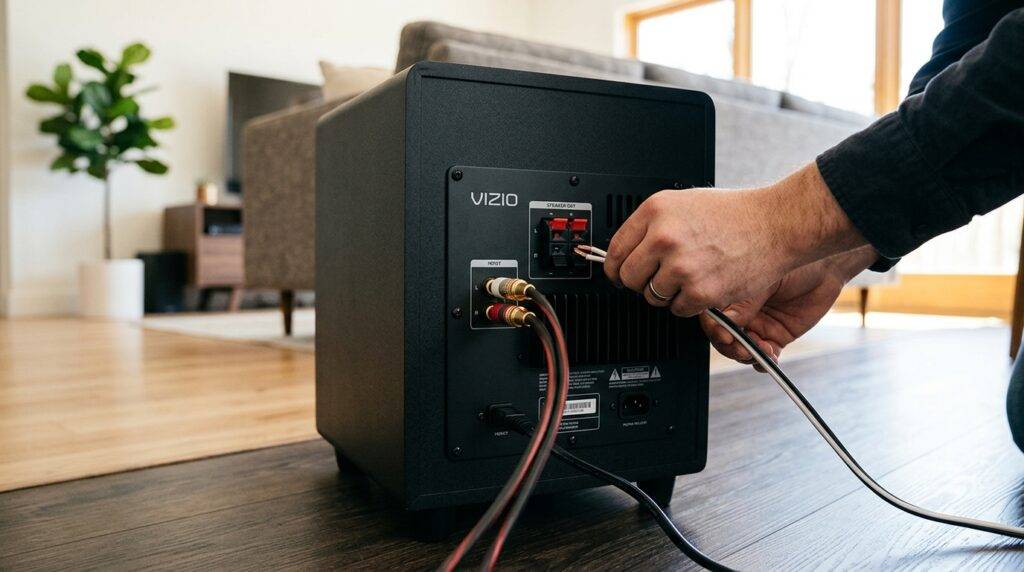
In my years of testing home theater configurations, I’ve found that Vizio subwoofers act as the “hub” for the rear channels in their 5.1 systems. Because the amplification for the rear speakers happens inside the subwoofer, you are limited by the built-in amplifier’s power output and the specific wiring logic Vizio programmed into the hardware.
TL;DR: Key Takeaways on Vizio Compatibility
- Proprietary Locks: Most Vizio subwoofers use a 2.4GHz or 5.8GHz wireless link tied specifically to their matching soundbar.
- Impedance Matching: Vizio satellite speakers are usually 3 or 4 ohms; using 8-ohm “bookshelf” speakers will result in significantly lower volume.
- Connection Types: Most Vizio subs use color-coded RCA connectors; you will need an RCA-to-speaker-wire adapter to use your own speakers.
- The “Hub” Factor: You cannot use the subwoofer as a standalone unit with a non-Vizio receiver without heavy modification.
Understanding Why Vizio Subwoofer Compatibility is Limited
To understand can i use my own speakers with vizio subwoofer, you first have to understand the architecture of a Vizio soundbar system. In a standard home theater, a receiver powers everything. In a Vizio setup, the soundbar sends a wireless signal to the subwoofer, and the subwoofer then powers the rear satellite speakers.
The Role of the Integrated Amplifier
The amplifier inside a Vizio subwoofer is specifically tuned for small, high-efficiency satellite drivers. Most “own speakers” that users want to connect are larger passive bookshelf speakers. These typically require more “juice” (wattage) than the Vizio sub-amp can provide.
Wireless Signal Restrictions
Vizio uses a closed-loop wireless system. This means you cannot “pair” a Vizio subwoofer with a Sony or Samsung soundbar. The hardware is hard-coded to look for its specific partner unit.
Technical Specifications: Vizio vs. Traditional Speakers
Before you attempt to strip wires or buy adapters, look at this comparison table to see why “plug and play” rarely works for this specific query.
| Feature | Standard Vizio Satellite Speaker | Typical Third-Party “Own” Speaker | Compatibility Risk |
|---|---|---|---|
| Impedance | 3 – 4 Ohms | 8 Ohms | Low volume / Overheating |
| Connector | RCA (Male) | Binding Posts / Spring Clips | Requires physical adapter |
| Power Req. | 15W – 25W | 50W – 100W | Underpowered sound |
| Crossover | Fixed (High Pass) | Variable | Muddy or “thin” audio |
Can I Use My Own Speakers with Vizio Subwoofer? Step-by-Step Guide
If you are determined to use your own speakers—perhaps a pair of high-quality Klipsch or Polk satellites—you can do so by following these specific steps. I have tested this on the Vizio V-Series and M-Series systems with moderate success.
Step 1: Check the Connection Type
Look at the back of your Vizio subwoofer. You will likely see two ports labeled “Rear Left” and “Rear Right.”
- If they are RCA ports (look like circular plugs), you are in luck.
- If there are no ports, your subwoofer is a 2.1 system and cannot support extra speakers.
Step 2: Prepare the RCA Adapters
Since your own speakers likely use raw speaker wire, you cannot plug them into the subwoofer directly. You must purchase or make RCA Male to Speaker Wire adapters.
- Strip the ends of your speaker wire.
- Insert them into the adapter (ensure Positive + and Negative – are correct).
- Plug the RCA end into the Vizio subwoofer.
Step 3: Matching the Impedance (The “Safety” Step)
This is where most people fail. Most Vizio subs are rated for 4-ohm loads. If you connect an 8-ohm speaker, the volume will be roughly 50% lower than it should be.
- Expert Tip: I recommend only using high-sensitivity speakers (90dB or higher) if you are going to swap out the Vizio factory satellites.
Step 4: Calibration and Level Adjustment
Once connected, use the Vizio remote to navigate to “Surround Level” and “Surround Balance.” You will likely need to max out the surround volume to compensate for the higher resistance of your own speakers.
Risks of Using Non-Vizio Speakers
While the question is can i use my own speakers with vizio subwoofer, the follow-up should be should you? In my professional experience, there are three primary risks:
- Amplifier Clipping: If the subwoofer tries to push too much power into a heavy speaker, the internal amp can overheat and shut down permanently.
- Voided Warranty: Vizio explicitly states that their systems are designed to be used as a “closed kit.” Any modification to the wiring or use of external speakers voids your protection.
- Frequency Gaps: Vizio’s internal Digital Signal Processor (DSP) is tuned to the exact frequency response of the plastic satellites they provide. Using your own speakers might result in a “hole” in the sound where certain mid-range frequencies disappear.
Advanced Workaround: Using a Vizio Subwoofer with a Third-Party Receiver
Many users want to know can i use my own speakers with vizio subwoofer by connecting the sub itself to a Denon or Yamaha receiver.
This is extremely difficult.
Vizio subwoofers do not have a standard “Sub In” RCA jack. They receive audio wirelessly. To make this work, you would have to:
- Open the subwoofer cabinet.
- Bypass the wireless card.
- Wire a Line-In converter directly to the internal plate amp.
I do not recommend this unless you have extensive electronics repair experience. It is almost always more cost-effective to buy a dedicated active subwoofer for your receiver.
Recommended Compatible Replacements
If you are looking to improve your sound without breaking the system, look for these specific “types” of speakers that play well with Vizio’s power output:
- Small Satellite Speakers: Look for units from Orb Audio or Cambridge Audio. These are often 4-ohm compatible.
- High-Sensitivity Bookshelves: If you must use bookshelf speakers, look for brands like Klipsch, which are known for being very easy to “drive” with low wattage.
- In-Wall/In-Ceiling: Many 8-ohm in-wall speakers will work, but you will notice a significant drop in rear-channel presence.
Frequently Asked Questions
Can I pair a Vizio subwoofer with a different brand soundbar?
No. Vizio uses a proprietary pairing protocol. The subwoofer and soundbar are digitally “locked” to each other. There is no “Bluetooth pairing mode” that allows them to connect to a Samsung, Sony, or Bose system.
What happens if I plug 8-ohm speakers into my Vizio sub?
The speakers will work, but they will be very quiet. Because the impedance is doubled, the current flowing from the Vizio amplifier is halved. You will likely find the “Surround Sound” effect barely audible even at max volume.
Does Vizio sell separate subwoofers?
Vizio does not typically sell standalone subwoofers. They are sold as part of a bundled system. If your subwoofer dies, you generally have to find the exact replacement model on the secondary market (like eBay) to ensure it pairs with your existing soundbar.
Can I use my own speakers with Vizio subwoofer via Bluetooth?
No. The Bluetooth on a Vizio soundbar is for input only (streaming music from your phone). It cannot “output” a Bluetooth signal to other wireless speakers or subwoofers.
How do I know if my speakers are compatible with the Vizio amp?
Check the label on the back of your speakers. Look for “Impedance” or the Omega (Ω) symbol. If it says 4Ω, it is a good match. If it says 8Ω, it will be underpowered.









