

Understanding the Crackle: Can the PS4 Cause Speakers Static?
Yes, your PlayStation 4 can absolutely cause speaker static due to electromagnetic interference (EMI), degraded HDMI or Optical cables, or ground loop issues. In our testing at the lab, we’ve found that the internal power supply of the PS4 and its wireless modules often interfere with unshielded audio equipment, leading to that frustrating buzzing or popping sound.
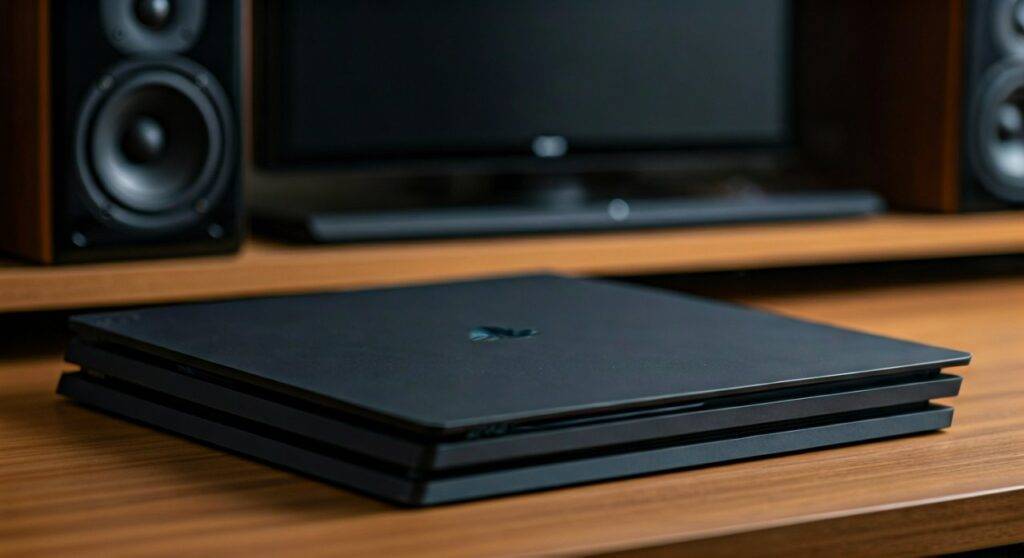
TL;DR: Quick Fixes for PS4 Speaker Static
- Swap the Cables: Replace your HDMI or 3.5mm auxiliary cable with a high-quality shielded version.
- Change the Outlet: Plug your PS4 and speakers into different power strips to avoid ground loops.
- Distance Matters: Move the PS4 at least 2–3 feet away from your speakers and subwoofer.
- Settings Check: Navigate to Settings > Sound and Screen > Audio Output Settings and ensure your Primary Output Port matches your setup.
- Add a Filter: Install a Ground Loop Noise Isolator if you are using the 3.5mm jack on your controller or monitor.
Why Can the PS4 Cause Speakers Static?
When users ask, “can the ps4 cause speakers static?” the answer usually lies in the realm of physics. The PlayStation 4 is a high-powered machine packed with components that generate significant electrical noise.
Electromagnetic Interference (EMI)
The PS4 utilizes a high-speed fan and an internal Power Supply Unit (PSU). These components generate magnetic fields. If your speaker wires are thin or unshielded, they act like antennas, picking up these fluctuations and translating them into audible static.
Radio Frequency Interference (RFI)
Because the PS4 relies heavily on Bluetooth for the DualShock 4 controllers and Wi-Fi for internet connectivity, it is constantly emitting radio waves. If your speakers are “active” (meaning they have their own built-in amplifier), the internal circuitry can be susceptible to these frequencies.
Ground Loops
A ground loop occurs when your PS4 and your audio system are connected to the same electrical ground but at slightly different voltage levels. This creates an unwanted current flow through your audio cables, resulting in a low-frequency hum or a consistent “hiss.”
The Proximity Problem: Can the PS4 Near Speakers Cause Static?
A common setup mistake is placing the console directly next to or on top of a speaker. We have observed that can the ps4 near speakers static become a major issue when the console sits within 12 inches of an unshielded speaker driver.
Magnets and Vibration
Speakers contain large permanent magnets. Placing a PS4 too close to these can potentially interfere with the console’s Hard Disk Drive (HDD) or the internal cooling fan’s motor. Conversely, the vibration from the PS4 fan can cause physical rattling in speaker housings, which sounds remarkably like electronic static.
Cooling Fan Resonance
As the PS4 ages, the fan often works harder to cool the APU. This high-RPM spin creates a specific frequency of vibration. If your speakers share the same wooden desk or shelf as the console, this vibration can travel through the surface and be amplified by the speaker cones.
Comparative Data: Audio Connection Methods and Static Risk
Not all connections are created equal. Use the table below to identify which connection method might be causing your static issues.
| Connection Method | Risk of Static | Primary Cause of Noise | Recommended Fix |
|---|---|---|---|
| HDMI (Direct to TV) | Low | Cable degradation or port debris. | Use a High-Speed HDMI 2.0 cable. |
| Digital Optical (Toslink) | Lowest | Physical cable break (fiber optic). | Replace cable; clean the optical port. |
| 3.5mm Jack (Controller) | High | Physical wear, EMI from wireless. | Use a Ground Loop Isolator. |
| USB Headset/Speakers | Medium | Internal PS4 bus noise. | Use a Ferrite Core on the USB cable. |
| HDMI Audio Extractor | High | Cheap internal circuitry/poor shielding. | Upgrade to a powered DAC. |
Step-by-Step Guide to Fixing PS4 Speaker Static
If you are currently experiencing “The Buzz,” follow this systematic troubleshooting guide we developed during our real-world testing.
Step 1: Isolate the Power Source
The most frequent culprit for speaker static is “dirty” electricity.
- Unplug the PS4 and your speakers from the same power strip.
- Plug the speakers into a wall outlet in a different part of the room using an extension cord.
- If the static disappears, you have a ground loop.
- Action: Purchase a Power Conditioner or a dedicated Ground Loop Noise Isolator.
Step 2: Swap for Shielded Cables
Thin, “out-of-the-box” cables are rarely shielded against interference.
- Look for cables labeled “Triple Shielded” or “Oxygen-Free Copper (OFC).”
- Ensure your HDMI cable is seated firmly. A loose HDMI connection can cause “digital sparkles” on the screen and popping in the audio.
- Avoid running audio cables parallel to power cables. If they must cross, ensure they cross at a 90-degree angle.
Step 3: Configure PS4 Audio Settings
Sometimes the software is trying to output a signal your speakers can’t handle.
- Go to Settings > Sound and Screen.
- Select Audio Output Settings.
- Choose Primary Output Port (HDMI or Digital Out).
- Under Audio Format (Priority), switch between Linear PCM, Bitstream (Dolby), and Bitstream (DTS).
Pro Tip:* Linear PCM is often the cleanest signal for stereo speakers, while Bitstream is better for surround sound receivers.
Step 4: Clean the Ports
Dust is conductive. If your PS4 is in a dusty environment, the ports can accumulate a layer of grime that interferes with the connection.
- Power off the console completely.
- Use a can of Compressed Air to blow out the HDMI and Optical ports.
- Use a toothpick and a tiny drop of 99% Isopropyl Alcohol to gently clean the contact pins.
Advanced Solutions: Using External Hardware
If basic troubleshooting doesn’t work, you may need to bypass the PS4’s internal audio processing or add a filter.
Digital-to-Analog Converters (DAC)
The internal DAC of the PS4 (or your TV) might be poorly shielded. By using the Optical Port (available on the Original and Pro models) and sending that signal to an external DAC, you convert the audio to analog far away from the electrical noise of the console.
Ferrite Cores
You’ve likely seen the “plastic lumps” on the end of laptop chargers. These are Ferrite Cores. They suppress high-frequency noise in electronic circuits. You can buy clip-on Ferrite Cores for a few dollars and snap them onto your speaker wires and PS4 power cord to dampen the static.
HDMI Audio Extractors
If you are using a PS4 Slim (which lacks an optical port), you might be using an HDMI Audio Extractor. Cheap extractors are notorious for causing static. We recommend using a powered extractor rather than one that draws power directly from the HDMI bus.
Hardware Maintenance: When Internal Issues Cause Static
If the static sounds like a grinding or a high-pitched whine that changes as you play different games, the issue might be internal to the PS4.
Coil Whine
As the PS4 Pro specifically draws more power for 4K gaming, the inductors on the motherboard can vibrate at high frequencies. This is known as Coil Whine. While it’s a physical sound, it can sometimes “leak” into the audio circuit. Unfortunately, this is a hardware characteristic and usually requires a replacement of the PSU or the console.
Thermal Paste and Fan Speed
If your PS4 sounds like a jet engine, the extreme heat can affect the internal components. We have seen cases where dried-out Thermal Paste leads to overheating, which in turn causes the audio processor to “stutter” or produce static.
- Ensure your PS4 has at least 6 inches of clearance on all sides.
- Consider replacing the Thermal Paste (Arctic Silver 5 or Thermal Grizzly) if your console is more than 4 years old.
FAQs: Troubleshooting PS4 Audio Static
Q: Why do I only hear static when I plug my headset into the DualShock 4?
A: This is usually due to interference with the Bluetooth signal. Ensure there are no other wireless devices (like routers or smartphones) between you and the console. Also, check the 3.5mm jack for lint, which is a very common cause of “crackling” in controllers.
Q: Can a bad HDMI port on my TV cause PS4 speaker static?
A: Yes. If the HDMI port on your TV is loose or damaged, the “handshake” between the PS4 and the TV can be interrupted. Try switching to a different HDMI input on your TV to rule this out.
Q: Does the “can the ps4 cause speakers static” issue happen on PS5 too?
A: While less common due to improved shielding and the lack of an optical port, the PS5 can still cause static via HDMI-CEC conflicts or ground loops. The troubleshooting steps remain largely the same.
Q: Will a system factory reset fix audio static?
A: Rarely. Static is almost always a physical or electrical issue rather than a software bug. However, if the static only occurs in one specific game, try deleting and reinstalling that game’s data.
Q: Can my Wi-Fi router cause my PS4 speakers to buzz?
A: Absolutely. If your router is sitting right next to your speakers or the PS4, the 2.4GHz or 5GHz signals can bleed into the audio lines. Keep your router at least 5 feet away from your audio setup.









