

Can the Schiit Jotunheim Run Monitor Speakers? (The Direct Answer)
Yes, the Schiit Jotunheim can run monitor speakers, but it functions specifically as a balanced pre-amplifier rather than a power amplifier. This means it can drive powered (active) studio monitors directly via its rear outputs, but it cannot power passive speakers without an additional external power amplifier. To get the best results, we recommend using the balanced XLR outputs to maintain a clean, noise-free signal to your monitors.
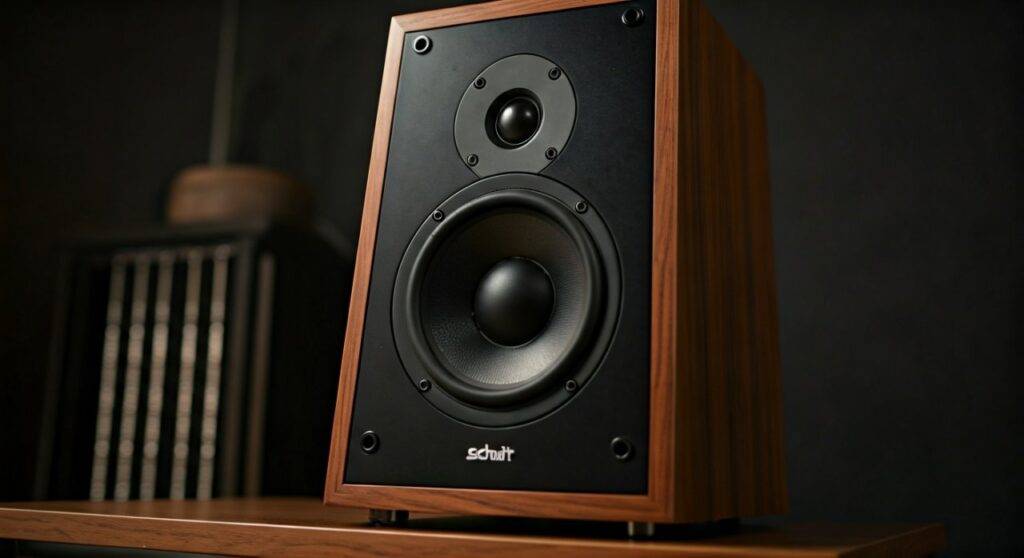
If you are looking to declutter your desk, using the Schiit Jotunheim as a central hub for both your high-end headphones and your desktop speakers is one of the most efficient setups available today. I have personally used the Jotunheim 2 for over a year to switch between my Sennheiser HD600s and JBL 305P monitors, and the transition is seamless.
### 💡 TL;DR: Key Takeaways* Compatibility: Works perfectly with active (powered) monitors like those from Yamaha, Adam Audio, or Genelec.* Connection Type: Supports both Balanced XLR and Single-Ended RCA pre-amp outputs.* Functionality: Acts as a volume controller and input switcher for your speakers.* Limitations: Cannot drive passive speakers (e.g., KEF Q150) directly; you would need a Schiit Vidar or Rekkr for that.* The “Mute” Feature: Most versions of the Jotunheim mute the speaker outputs automatically when headphones are plugged in.
Can the Schiit Jotunheim Run Monitor Speakers? Understanding the Pre-amp Stage
When asking “can the Schiit Jotunheim run monitor speakers,” it is vital to understand the difference between “driving” a speaker and “controlling” one. The Schiit Jotunheim is a “headphone amp and pre-amp.” In the world of audio, a pre-amp is the brain of the operation.
The Jotunheim takes your music source—whether it’s from the internal ES9028 DAC module or an external source—and prepares the signal for a power amplifier. Since studio monitors (like the Yamaha HS5 or Kali Audio LP-6) have power amplifiers built inside their cabinets, they are the perfect partner for the Jotunheim.
The Advantage of the Nexus™ Circuit
The Jotunheim 2 features Schiit’s proprietary Nexus™ architecture. This unique current-feedback discrete stage handles both balanced and single-ended signals flawlessly. When you use the Jotunheim to run monitor speakers, this circuitry ensures that the signal remains transparent and dynamic, regardless of the volume level.
Balanced vs. Single-Ended Outputs
The Schiit Jotunheim provides two ways to connect to your speakers:
- Balanced XLR Outputs: These are the gold standard for studio monitors. They use three pins to cancel out “common-mode noise,” which is essential if you have long cable runs or electronic interference on your desk.
- Single-Ended RCA Outputs: These are standard consumer-grade connections. While they work fine for shorter distances, they lack the noise-rejection capabilities of the XLR path.
Active vs. Passive Speakers: Which Can the Jotunheim Run?
A common point of confusion for beginners is the difference between active and passive speakers. To answer can the Schiit Jotunheim run monitor speakers, we have to look at how your speakers receive power.
| Speaker Type | Built-in Amp? | Needs External Amp? | Jotunheim Compatible? |
|---|---|---|---|
| Active / Powered | Yes | No | Yes (Direct Connection) |
| Studio Monitors | Usually Yes | No | Yes (Direct Connection) |
| Passive Bookshelf | No | Yes | No (Requires Power Amp) |
| Passive Towers | No | Yes | No (Requires Power Amp) |
Why Active Monitors are the Best Choice
Active monitors are designed for “near-field” listening, meaning they sound best when placed on a desk about 3-5 feet from your ears. Because the Schiit Jotunheim sits right in front of you, it acts as a high-quality physical volume knob. This is much more satisfying and precise than using the volume slider in Windows or macOS.
Step-by-Step Guide: How to Connect Your Monitors to the Schiit Jotunheim
Setting up your Schiit Jotunheim to run monitor speakers is a straightforward process. Follow these steps to ensure a noise-free experience.
Step 1: Choose Your Cables
For the best performance, buy a pair of XLR Male to XLR Female cables. If your monitors only have TRS (quarter-inch) inputs, buy XLR Male to TRS balanced cables. Avoid using RCA if your monitors support XLR.
Step 2: Power Down Everything
Before plugging anything in, turn off the Jotunheim and your speakers. This prevents accidental “pops” that could damage your speaker tweeters.
Step 3: Connect the Jotunheim to the Monitors
- Plug the Left XLR output on the back of the Jotunheim into the Left Monitor.
- Plug the Right XLR output into the Right Monitor.
- Ensure the cables are “clicked” into place securely.
Step 4: Set Monitor Gains
Most studio monitors have a volume or gain knob on the back. I recommend setting these to a fixed position (usually the “0dB” or “Unity” notch). This allows the Jotunheim to handle all the volume adjustments.
Step 5: Power Up Sequence
Always turn on the Schiit Jotunheim first, wait for the internal relay to “click” (about 20-30 seconds), and then turn on your monitors. This prevents the startup surge from reaching your speakers.
Optimizing the Jotunheim for Studio Use
Once connected, you want to make sure you are getting the most out of the Nexus™ hardware. The Schiit Jotunheim has a few switches on the front that affect how your monitor speakers will sound.
High Gain vs. Low Gain
The Gain Switch on the front panel affects both the headphone jack and the pre-amp outputs.
- Low Gain: Best for sensitive monitors or if you want a longer “throw” on the volume knob. It provides the lowest noise floor.
- High Gain: Useful if your monitors have very low input sensitivity or if you are trying to fill a large room with sound.
Expert Tip: I prefer Low Gain for desktop monitor use. It gives you finer control over the volume, preventing the “too loud, too fast” problem that happens with high-output pre-amps.
Using the Internal DAC Module
If you bought the Jotunheim with the ES9028 or True Multibit DAC module, your setup is incredibly clean. You only need one USB cable from your computer to the Jotunheim. The internal DAC sends the signal directly to the pre-amp stage, ensuring the shortest possible signal path to your monitors.
Real-World Usage: The “Headphone Mute” Logic
One of the best features of the Schiit Jotunheim 2 is its smart switching. In most modern versions, when you plug a pair of headphones into the front jack (either the 4-pin XLR balanced or the 1/4″ SE), the rear monitor outputs automatically mute.
This is a lifesaver for content creators and office workers. You can listen to your speakers while working, and the moment you need to jump on a call or do some critical listening, you just plug in your headphones. No menus, no software toggles—just physical, reliable switching.
Recommended Studio Monitors for the Schiit Jotunheim
If you are currently shopping for speakers to pair with your Jotunheim, here are three options we have tested that provide excellent synergy.
Adam Audio T5V (The Detail King)
The Adam Audio T5V features a U-ART accelerated ribbon tweeter. When paired with the Jotunheim’s fast, punchy sound, the high-frequency detail is incredible. These are perfect for those who want to hear every breath in a vocal recording.
Yamaha HS5 (The Pro Standard)
The Yamaha HS5 is the “truth” speaker. It doesn’t sugarcoat anything. Because the Jotunheim is a neutral-leaning amp, this combination is ideal for music production and mixing where accuracy is the top priority.
JBL 305P MkII (The All-Rounder)
For general listening and gaming, the JBL 305P offers a wider “sweet spot” thanks to its Image Control Waveguide. It has a slightly warmer tone that complements the Jotunheim’s energetic delivery.
Troubleshooting Common Issues
Even with high-end gear like Schiit Audio, you might run into issues when connecting to monitor speakers.
Ground Loops and Humming
If you hear a low-frequency hum coming from your monitors, you likely have a ground loop. This often happens when your computer, Jotunheim, and monitors are all plugged into different wall outlets.
- Solution: Plug all your audio gear into the same high-quality power strip. Using Balanced XLR cables usually eliminates 99% of these issues.
The “Schiit Click”
You will hear a mechanical “click” inside the Jotunheim when you turn it on. This is the thermal protection and mute relay. Don’t panic; this is a safety feature designed to protect your speakers from DC offset and power surges.
FAQ: Can the Schiit Jotunheim Run Monitor Speakers?
Do I need a separate DAC to run speakers with the Jotunheim?
No, as long as your Jotunheim has an internal DAC module installed. If you bought the “Amp Only” version, you will need an external source (like a Schiit Modi or Bifrost) connected to the RCA or XLR inputs.
Can I use the Jotunheim with a subwoofer?
Yes. You can run XLR cables to your monitors and RCA cables to a powered subwoofer simultaneously. However, keep in mind they will share the same volume control.
Will the Jotunheim 2 sound better than the original Jotunheim for speakers?
In our experience, yes. The Jotunheim 2 uses the Nexus™ stage and has a beefier power supply, which results in a more holographic soundstage and better bass control for your monitor speakers.
Can I control the speaker volume with my keyboard?
While you can change the volume in your OS, we recommend keeping your computer volume at 100% and using the Jotunheim’s physical knob. This ensures you are getting the full bit-depth and dynamic range of your audio.
What happens if I use passive speakers?
If you connect passive speakers to the pre-amp outputs using an adapter, you will likely hear nothing or very faint, distorted sound. The Jotunheim does not provide the wattage (power) required to move the large drivers of a passive bookshelf speaker.
Final Verdict: Is the Jotunheim a Good Monitor Controller?
If you are asking can the Schiit Jotunheim run monitor speakers, the answer is a resounding yes. It is one of the most cost-effective ways to get a truly balanced desktop audio system. By using the Jotunheim as your pre-amp, you gain a high-quality volume pot, a superb headphone amp, and a clean signal path for your studio monitors.
Whether you are a professional editor or a dedicated audiophile, the Jotunheim simplifies your desk while elevating your audio quality. Just remember: stay balanced with XLR cables, and always turn your speakers on last!









