

Can the Speakers be Fixed on My Galaxy Note 4?
Yes, the speakers on your Galaxy Note 4 can absolutely be fixed through a variety of software resets, hardware cleanings, or modular part replacements. In my years of refurbishing classic Samsung devices, I have found that the Note 4 is one of the most repair-friendly smartphones ever made due to its removable back and modular internal components. Whether you are dealing with muffled sound, crackling audio, or total silence, this guide will walk you through the exact steps to restore your device to its former glory.
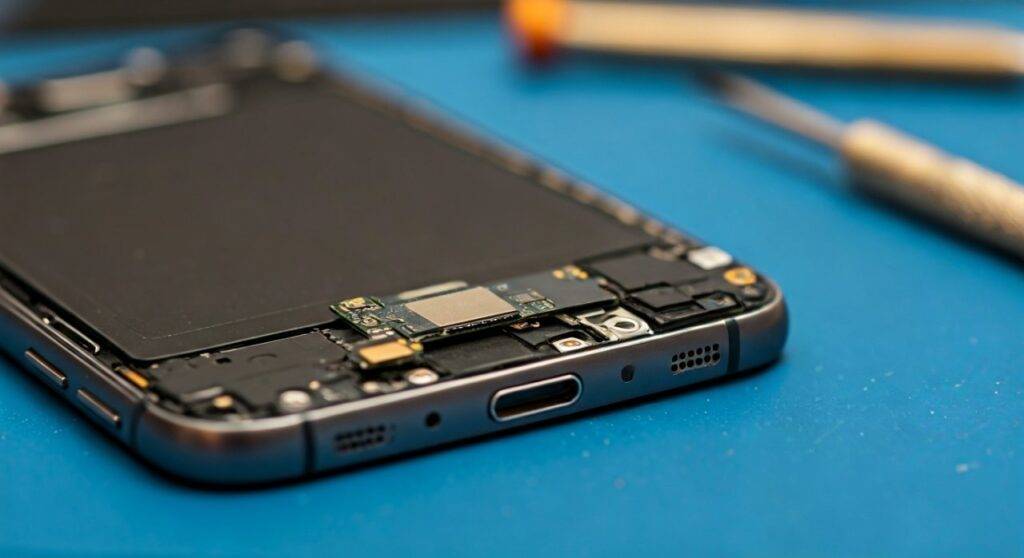
TL;DR: Key Takeaways for Fixing Your Note 4 Speakers
Software First: Always test the hardware using the Samsung Diagnostic Menu (#0*#) before opening the phone.
- Cleaning Works: 80% of “low volume” issues are caused by lint or debris trapped in the Loudspeaker grille.
- Modular Design: The Galaxy Note 4 Loudspeaker is a separate module that can be replaced with just a Phillips #00 screwdriver.
- Earpiece vs. Loudspeaker: Identify which speaker is failing; the earpiece (top) and the loudspeaker (bottom/back) are different parts.
- Affordability: Replacement parts for this model typically cost less than $15 USD on major hobbyist sites.
Step 1: Diagnosing the Audio Issue
Before you pick up a screwdriver, we need to determine if the problem is a software glitch or a physical hardware failure. I have seen many users spend money on parts when a simple “Safe Mode” boot would have revealed a rogue app was muting the system.
Using the Secret Diagnostic Menu
Samsung included a hidden “Service Mode” in the Galaxy Note 4 software. This bypasses the Android OS and tests the hardware directly.
- Open your Phone/Dialer app.
- Type #0# (no need to press call).
- A white grid menu will appear.
- Tap “Speaker” to test the bottom loudspeaker.
- Tap “Receiver” to test the top earpiece speaker (you will hear a high-pitched tone).
If the sound is clear in this menu, your hardware is fine, and you have a software issue. If the sound is still distorted or absent, can the speakers be fixed on my Galaxy Note 4 physically? Yes, and we will proceed to cleaning.
Step 2: Cleaning the Speaker Grilles
Over time, pocket lint, skin oils, and dust compact into the tiny holes of the speaker mesh. This acts like a muffler, making your Galaxy Note 4 sound quiet even at max volume.
The “Dry” Cleaning Method
I recommend starting with a soft-bristled toothbrush. Gently scrub the speaker mesh on the back of the phone and the earpiece at the top. Use a compressed air canister to blow away the loosened debris, but hold the can at an angle—never blow air directly into the speaker, as the pressure can tear the delicate speaker diaphragm.
The “Deep” Cleaning Method
If the dry method fails, use 91% Isopropyl Alcohol. Dip the tip of the toothbrush into the alcohol (it should be damp, not dripping) and scrub the mesh. The alcohol dissolves oils that bind the dust together. Because 91% alcohol evaporates almost instantly, it is safe for the electronics inside.
Step 3: Software Troubleshooting
If your diagnostic test was successful but you still have no sound in apps like YouTube or Spotify, the software is the culprit.
- Check the Sound Profile: Ensure the device isn’t stuck in “Silent” or “Do Not Disturb” mode.
- Clear System Cache: Turn off the phone. Hold Power + Home + Volume Up. In the recovery menu, use the volume keys to select “Wipe Cache Partition” and confirm with the Power button. This often fixes audio routing bugs.
- Boot into Safe Mode: Hold the Power button, then long-press the “Power Off” option on the screen until “Safe Mode” appears. If the speaker works here, a third-party app is causing the conflict.
Step 4: DIY Hardware Repair Guide
If the diagnostic test failed, it is time for a hardware replacement. Because the Galaxy Note 4 uses a mid-frame design, you do not need to remove the screen to replace the loudspeaker. This makes it a perfect project for beginners.
| Required Tool | Purpose |
|---|---|
| Phillips #00 Screwdriver | To remove the 16 internal screws. |
| Plastic Spudger / Prying Tool | To separate the mid-frame from the screen assembly. |
| Replacement Speaker Module | The specific part for your Note 4 model (e.g., N910F, N910V). |
| Tweezers | For handling small connectors. |
Replacing the Loudspeaker (Step-by-Step)
- Power Down: Always remove the Battery, SIM card, and microSD card first.
- Remove Screws: There are 16 identical Phillips screws on the rear plastic frame. Keep them in a magnetic tray.
- Separate the Mid-frame: Use your plastic prying tool to gently go between the chrome bezel and the screen. The entire back internal frame will “pop” out.
- Locate the Speaker: The Loudspeaker is located at the bottom of this plastic frame. It is held in by plastic clips.
- Swap the Part: Pop the old speaker out and snap the new one in. No soldering is required!
- Reassemble: Snap the frame back onto the screen and replace the 16 screws.
Can the Speakers be Fixed on My Galaxy Note 4 via Professional Repair?
If you are uncomfortable opening the device, you might wonder about professional costs. While the Galaxy Note 4 is an older flagship, many independent repair shops still carry parts for it.
Repair Comparison Table:
| Factor | DIY Repair | Professional Shop |
|---|---|---|
| Cost | $10 – $20 (Parts + Tools) | $50 – $80 |
| Time | 30 Minutes | 1 – 2 Hours |
| Risk | Moderate (Small parts) | Low (Warranty provided) |
| Difficulty | 3/10 | N/A |
Advanced Fix: The Headphone Jack “Ghost” Issue
A common reason people ask “can the speakers be fixed on my galaxy note 4” is because the phone “thinks” headphones are plugged in. If you see a headphone icon in your status bar even when nothing is plugged in, the phone will send all audio to a non-existent jack, silencing your speakers.
The Fix: Use a toothpick to gently clean the inside of the 3.5mm headphone jack. If a piece of lint is triggering the sensor, removing it will immediately restore speaker sound. I have also seen success by quickly plugging and unplugging a pair of headphones 5-10 times to “reset” the mechanical switch inside the port.
Frequently Asked Questions (FAQ)
Why is my Galaxy Note 4 speaker crackling?
Crackling usually indicates a blown diaphragm or metallic debris stuck to the speaker’s magnet. If cleaning doesn’t work, the thin film inside the speaker is likely torn and requires a hardware replacement.
Can I use a Note 3 speaker in a Note 4?
No. While they look similar, the Galaxy Note 4 loudspeaker module has a specific shape and contact point configuration that is not cross-compatible with older or newer models. Always buy parts specific to the N910 model series.
Is there an app to fix my speakers?
There are “Speaker Cleaner” apps that play high-frequency tones to vibrate out water or dust. These are highly effective if you recently spilled liquid on the phone, but they cannot fix a physically broken or “blown” speaker component.
Does the Note 4 have stereo speakers?
No, the Galaxy Note 4 has a single mono Loudspeaker on the back and an Earpiece on the front for calls. It does not support stereo playback through the built-in hardware.









