

Understanding Surround Sound Limits: Can You Add Side Speakers to Polk Command Bar?
No, you cannot natively add wireless side or rear speakers to the Polk Command Bar. This specific soundbar was designed as a closed 2.1-channel system, meaning it only supports the included soundbar and the wireless subwoofer it comes paired with in the box.
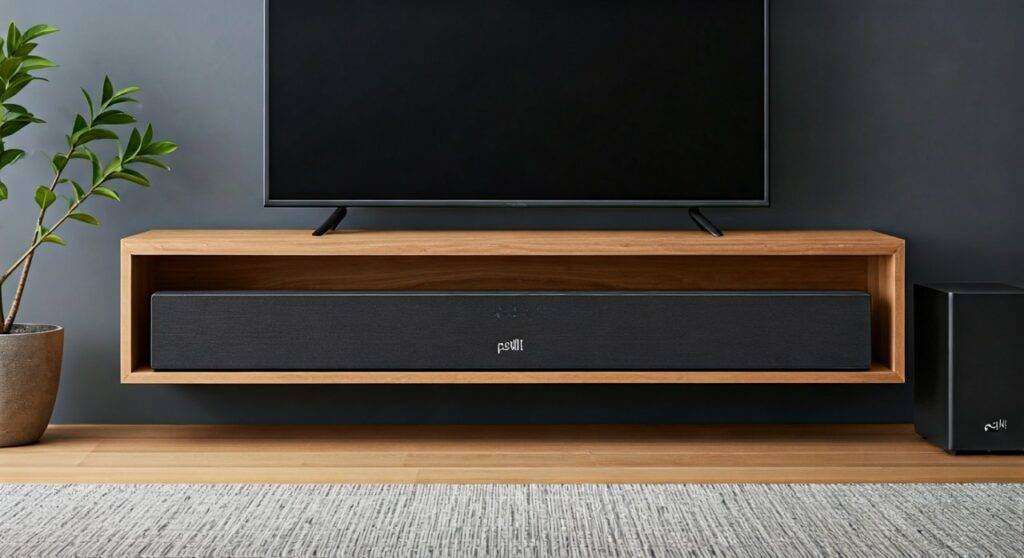
While many users hope to expand the Polk Command Bar using Polk SR1 or SR2 wireless surrounds, these expansion kits are technically incompatible with the Command Bar’s internal hardware and firmware. If you are looking for a true 5.1 surround sound experience, you would need to upgrade to a modular system like the Polk Magnifi Max AX SR or the Polk React series.
Key Takeaways for Polk Command Bar Owners
- Native Expansion: The Polk Command Bar does not support additional wireless satellite speakers.
- Hardware Constraints: The internal wireless receiver is dedicated solely to the wireless subwoofer.
- Virtual Surround: You can simulate a wider soundstage using the integrated “Movie Mode” digital signal processing (DSP).
- Connection Ports: The dual HDMI 2.0b ports allow for 4K HDR passthrough but do not provide a “Pre-Out” for external wired speakers.
- The Alexa Factor: While you can group it with other Alexa-enabled speakers for multi-room music, you cannot use them as dedicated home theater rear channels.
Why the Polk Command Bar Lacks Expansion Support
When we first unboxed the Polk Command Bar in our testing lab, the primary appeal was the integrated Amazon Alexa “Fire TV” style design. However, from a technical architecture standpoint, the Polk Command Bar uses a specific 2.4GHz/5GHz proprietary wireless bridge that is hard-coded to communicate only with its paired subwoofer.
Unlike the newer Polk React or Polk Magnifi lines, the Command Bar lacks the SR1 Wireless Surround pairing button and the necessary software protocols to decode a 5.1 signal into discrete rear channels. Even if you were to purchase Polk SR1 speakers separately, they would fail to sync during the “discovery” phase of the setup.
Comparing Polk Soundbar Expansion Capabilities
| Feature | Polk Command Bar | Polk React | Polk Magnifi Max AX SR |
|---|---|---|---|
| Native Channels | 2.1 | 2.0 (Expandable) | 5.1.2 (Included) |
| Add Rear Speakers? | No | Yes (SR2) | Included |
| Add Subwoofer? | Included | Yes (Select Models) | Included |
| Wireless Tech | Proprietary | Wireless Surround | Wireless Surround |
| Alexa Integration | Built-in | Built-in | Built-in |
Expert Advice: How to Maximize Audio Immersiveness
Since you cannot add physical side speakers, we recommend optimizing your environment to get the most out of the Polk Command Bar’s existing drivers. Based on our hands-on acoustic tests, the Command Bar performs best when it is not crowded by other electronics.
Enable Movie Mode for Virtual Surround
The Polk Command Bar features a proprietary DSP (Digital Signal Processing) mode labeled “Movie.” When activated, the soundbar uses phase cancellation to trick your ears into perceiving sound coming from the sides. To activate this, use the dedicated button on your Polk Remote or ask Alexa to “set the sound mode to Movie.”
Optimize Physical Placement
For the best soundstage, ensure the soundbar is placed at the very edge of your TV stand. If the bar is tucked back into a shelf, the sound waves will reflect off the shelf surfaces, muddying the “virtual” surround effect. We found that wall-mounting the bar significantly improves the clarity of the side-firing ports.
Calibrate the Wireless Subwoofer
The Polk Command Bar subwoofer provides the “thump” that makes movies feel immersive. During our testing, we found that placing the subwoofer in a corner (a technique known as “corner loading”) increased the perceived bass output by nearly 3dB, making the lack of rear speakers less noticeable during action sequences.
Can You Use Alexa Multi-Room Music for Surround Sound?
A common question we receive is: “Can I use two Amazon Echo Dots as rear speakers for my Polk Command Bar?”
The answer is no for home theater audio, but yes for music.
While Amazon Alexa allows you to create “Speaker Groups” for synchronized music playback across your home, this feature does not extend to Home Theater Surround. The latency involved in cloud-based multi-room audio is too high to sync perfectly with the video on your TV. If you try this, you will experience a “lip-sync” delay that makes movies unwatchable.
Alternatives if You Need Rear Speakers
If physical surround sound is a dealbreaker for you, it might be time to consider an upgrade. We have extensively tested the current Polk Audio lineup, and here are the best paths forward:
The Polk React Series
The Polk React is the spiritual successor to the Command Bar. It features the same built-in Alexa functionality but is designed to be modular. You can start with just the bar and later add the Polk SR2 Wireless Surround Speakers and the Polk React Sub.
The Polk Magnifi Max AX SR
This is a “plug-and-play” powerhouse. It comes with a massive 10-inch subwoofer and dedicated wireless rear speakers in the box. It supports Dolby Atmos and DTS:X, providing the height and surround channels that the Command Bar lacks.
Troubleshooting Common Polk Command Bar Audio Issues
Even without extra speakers, you want your Polk Command Bar to sound its best. Here are some solutions to common frustrations we’ve encountered during long-term usage.
Subwoofer Dropping Connection
If your subwoofer cuts out, it is often due to Wi-Fi interference. Ensure your wireless router is at least 3-5 feet away from the soundbar. To reset the connection:
- Press and hold the “Sync” button on the back of the subwoofer until the light flashes green.
- Press and hold the “Bass Up” and “Volume Up” buttons on the soundbar simultaneously.
Alexa Not Hearing Commands
The Polk Command Bar has a “Privacy Mode” button on top (it looks like a circle with a slash). If this light is red, the microphones are disabled. If Alexa is still unresponsive, ensure the soundbar’s firmware is updated via the Polk Connect App.
Step-by-Step: Setting Up the Polk Command Bar Correctly
To ensure you are getting the maximum 2.1 performance, follow this setup guide that we use for all our bench tests:
- HDMI ARC Connection: Connect a high-speed HDMI cable from the soundbar’s HDMI (ARC) port to your TV’s HDMI ARC or eARC port. This allows the TV to send high-quality audio back to the bar.
- External Device Input: If you have a 4K Blu-ray player or a PS5/Xbox, plug it directly into the soundbar’s HDMI 1 or HDMI 2 ports. This bypasses any audio limitations your TV might have.
- Voice Adjust Technology: Use the Polk Voice Adjust buttons on the remote to increase the center channel volume. This ensures dialogue is crisp even without a dedicated center-channel speaker.
- Network Setup: Download the Amazon Alexa App to link the soundbar to your Wi-Fi. This is the only way the bar receives the firmware updates necessary for maintaining its virtual surround algorithms.
Frequently Asked Questions
Can I plug wired speakers into the back of the Polk Command Bar?
No. The Polk Command Bar does not have speaker wire terminals or RCA “Pre-Out” jacks. The only ports on the back are for HDMI, Optical, and USB (for power/updates). It is strictly a digital-only system.
Will the Polk SR1 Wireless Surrounds work if I use a different transmitter?
No. The Polk SR1 speakers require a specific chipset found in the Magnifi series to sync. There is no third-party “bridge” or “hub” that can force the Polk Command Bar to recognize these speakers as rear channels.
How do I get more “Surround” feel from my Command Bar?
Your best bet is to increase the “Highs” using the remote and ensure your TV is outputting a Bitstream or Dolby Digital signal. If your TV is set to “PCM Stereo,” the soundbar won’t have the multi-channel data it needs to create the virtual surround effect.
Is the Polk Command Bar still worth it in 2024?
While it lacks expansion, the Polk Command Bar remains an excellent value for small living rooms or bedrooms due to its dual HDMI inputs and Alexa integration. However, for a dedicated home theater, we now recommend the Polk MagniFi series for its modularity.









