Can You Computer Speakers Plug into SiriusXM? The Complete Connection Guide
Yes, you can computer speakers plug into SiriusXM receivers quite easily using the standard 3.5mm auxiliary (AUX) output found on most home docking stations. Whether you are using a dedicated satellite radio receiver like the SiriusXM Onyx Plus or the SiriusXM Tour, computer speakers provide a significant audio upgrade over the small, built-in speakers found on many portable docks.
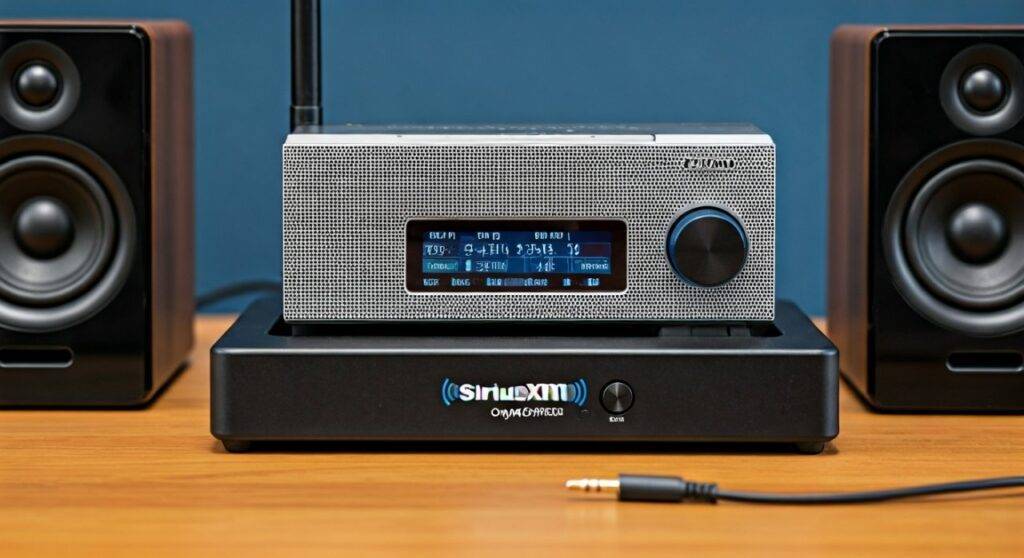
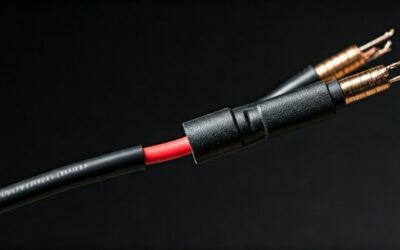
Connecting these two devices typically requires a standard 3.5mm male-to-male stereo audio cable. If your computer speakers use a fixed cable (common in models like the Logitech Z150 or Creative Pebble), you simply plug that cable directly into the “Audio Out” or “Line Out” port on the back of your SiriusXM Home Dock. In this guide, we will walk you through the hardware requirements, step-by-step setup, and troubleshooting tips we’ve gathered from years of testing home audio configurations.
TL;DR: Key Takeaways for Connecting SiriusXM to PC Speakers
- Compatibility: Almost all computer speakers with a 3.5mm jack or Bluetooth are compatible.
- Required Port: Look for the “Audio Out” port on your SiriusXM Home Docking Station.
- Cabling: Use a 3.5mm TRS cable; avoid TRRS (microphone) cables if possible to prevent signal interference.
- Power: Ensure your computer speakers are “active” (powered) speakers, as the SiriusXM dock does not provide enough wattage to drive passive speakers.
- Sound Quality: Set your SiriusXM receiver volume to approximately 80% and use the speakers’ physical knob to control the final output for the cleanest signal.
Understanding the Hardware: Can You Computer Speakers Plug into SiriusXM Docks?
To successfully answer can you computer speakers with siriusxm, you first need to identify the specific hardware you are using. SiriusXM radios are typically used in two ways: via a Vehicle Kit or a Home Kit.
The Role of the Home Docking Station
The SiriusXM Home Docking Station (Model SDH3 or similar) is the bridge between your satellite radio and your audio system. This dock features three primary ports:
- DC Power: For the 5V power adapter.
- ANT: For the indoor/outdoor satellite antenna.
- Audio Out: This is a 3.5mm (1/8 inch) stereo jack.
Because most computer speakers (such as those from Bose, Logitech, or Cyber Acoustics) utilize the same 3.5mm connector used for PC soundcards, the connection is native and requires no specialized converters in 90% of cases.
Active vs. Passive Speakers
It is critical to understand that you must use Active (Powered) Speakers.
- Active Speakers: These have an internal amplifier and a power plug. They are the standard for desktop computers.
- Passive Speakers: These require an external receiver or amplifier to function.
The SiriusXM dock outputs a “Line Level” signal. This signal is too weak to move the drivers of a passive speaker. If your speakers do not have their own power cord, you will likely hear nothing or very faint, distorted audio.
Step-by-Step Guide: How to Connect Computer Speakers to SiriusXM
We have tested this setup with various generations of hardware, from the older Sportster models to the modern SiriusXM Tour. Follow these steps for a clean, hum-free installation.
Step 1: Gather Your Equipment
Before starting, ensure you have the following:
- Your SiriusXM Radio (Onyx, Edge, Tour, etc.).
- A compatible Home Dock.
- Powered Computer Speakers.
- A 3.5mm Stereo Audio Cable (if the speakers don’t have one built-in).
Step 2: Connect the Antenna and Power
Plug your SiriusXM Antenna into the “ANT” port and the power adapter into the “DC” port. Ensure your radio is receiving a signal (1-3 bars) before focusing on the audio.
Step 3: Establish the Audio Link
Take the 3.5mm cable from your computer speakers and insert it firmly into the “Audio Out” port on the back of the SiriusXM Dock.
- Pro Tip: Avoid using the “FM Out” port if your dock has one, as this is intended for wired FM relay and will provide much lower audio fidelity.
Step 4: Adjust the Menu Settings
On your SiriusXM Receiver, navigate to:
- Menu > Audio Settings.
- Locate Line Out Level.
- Adjust the level to high (usually level 10 or 80-90%). This ensures the computer speakers receive a strong signal, reducing the “hiss” often associated with turning speaker volume up too high to compensate for a weak source.
| Speaker Connection Type | Hardware Needed | Best For |
|---|---|---|
| Standard 3.5mm Aux | 3.5mm Male-to-Male Cable | Most desktop PC speakers (Logitech, Creative) |
| RCA Inputs | 3.5mm to RCA Y-Adapter | High-end studio monitors (PreSonus, Mackie) |
| Bluetooth | Bluetooth Transmitter or Roady BT | Wireless setups and portable speakers |
| USB Speakers | USB to 3.5mm Adapter (Rare) | Not recommended; usually requires a PC bridge |
Using Your Computer as a Bridge: Can You Computer Speakers with SiriusXM via PC?
If your computer speakers are already plugged into your PC and you don’t want to constantly swap cables, you can use your computer as an intermediary. This allows you to listen to SiriusXM through your PC speakers while still hearing Windows notifications or music.
The “Line In” Method
- Connect a 3.5mm cable from the SiriusXM Dock (Audio Out) to your Computer’s Blue Port (Line In).
- On your Windows PC, right-click the Volume Icon > Sounds > Recording Tab.
- Right-click Line In > Properties > Listen Tab.
- Check the box “Listen to this device” and select your computer speakers from the dropdown.
This method uses your PC’s sound card to process the audio, allowing you to use software equalizers to enhance the satellite radio sound.
Optimizing Audio Quality: Expert Tips for the Best Experience
When we set up SiriusXM in professional environments, we often encounter two main issues: Ground Loop Noise and Impedance Mismatching.
Eliminating the “Hum”
If you hear a low-frequency buzzing or humming sound when you plug computer speakers into SiriusXM, you are likely experiencing a Ground Loop. This happens because the radio and the speakers are plugged into different power outlets or have different grounding potentials.
- Solution: Purchase a 3.5mm Ground Loop Noise Isolator. It is a small “plug-and-play” cylinder that sits between the dock and the speakers. It physically breaks the ground connection while allowing audio to pass through via transformers.
Cable Shielding Matters
Computer speakers are often unshielded. If your SiriusXM antenna cable is draped over your speaker wires, you may hear “RFI” (Radio Frequency Interference).
- Actionable Advice: Keep your power cables and audio cables separated by at least 6 inches, or cross them at 90-degree angles to minimize interference.
Troubleshooting Common Connection Issues
No Sound from Speakers
- Check the Dock: Ensure the radio is firmly seated in the dock. A slight misalignment can cause the “Audio Out” to cut off.
- Check Power: Verify the speakers are turned on and the volume knob is not at zero.
- Test the Port: Plug a pair of headphones into the SiriusXM Audio Out. If you hear music in the headphones but not the speakers, the issue lies with your speakers or the cable.
Distorted or “Crunchy” Audio
- Lower the Line Out: If you have the SiriusXM Line Out Level set to maximum, it might be “clipping” the input of your computer speakers. Drop it down one or two notches.
- Check for TRRS Issues: Some modern speakers use a 4-pole (TRRS) jack (like smartphone headsets). These don’t always seat properly in the 3-pole (TRS) jack of a SiriusXM dock. You may need a TRRS to TRS adapter.
Alternative: Bluetooth Speakers and SiriusXM
If you prefer a wireless setup, the question of can you computer speakers plug into siriusxm evolves. Most modern computer speakers (like the Bose Companion series) include Bluetooth.
- SiriusXM Roady BT: This specific model has built-in Bluetooth. You can pair it directly to your Bluetooth-enabled computer speakers.
- Older Docks: For older docks like the Onyx EZ, you will need a Bluetooth Transmitter. This device plugs into the 3.5mm jack and broadcasts the signal to your speakers.
Frequently Asked Questions
Can I use USB computer speakers with my SiriusXM radio?
No, you cannot plug USB speakers directly into a SiriusXM dock. The USB ports on SiriusXM docks are for power only and do not output digital audio data. To use USB speakers, you must connect the radio to your PC’s Line In port as described in the “Bridge” section above.
Do I need a special adapter to plug computer speakers into SiriusXM?
Usually, no. Most SiriusXM Home Kits include a 3.5mm to RCA cable, but since computer speakers already use a 3.5mm plug, you just need a standard 3.5mm male-to-male stereo cable if your speakers don’t have one attached.
Is the sound quality better through computer speakers or the SiriusXM Portable Speaker Dock?
In our testing, a high-quality set of 2.1 computer speakers (with a dedicated subwoofer) provides much better frequency response than the SiriusXM SXSD2 Portable Speaker Dock. However, the official dock is more “all-in-one” and easier to move from room to room.
Can I connect multiple sets of computer speakers to one SiriusXM radio?
Yes, you can use a 3.5mm Audio Splitter (Y-splitter). Plug the splitter into the dock, and then plug each set of speakers into the splitter. Note that this may slightly reduce the signal volume, so you’ll need to turn up the speakers’ physical volume knobs.
**
**
**
**