Can You Play Only Two Speakers Using Denon X1500?
Yes, you can absolutely play only two speakers using the Denon AVR-X1500H. While this receiver is a 7.2-channel powerhouse, it is designed with a flexible “Amp Assign” feature that allows you to run a dedicated 2.0 (Stereo) or 2.1 (Stereo with Subwoofer) configuration without any risk to the hardware.
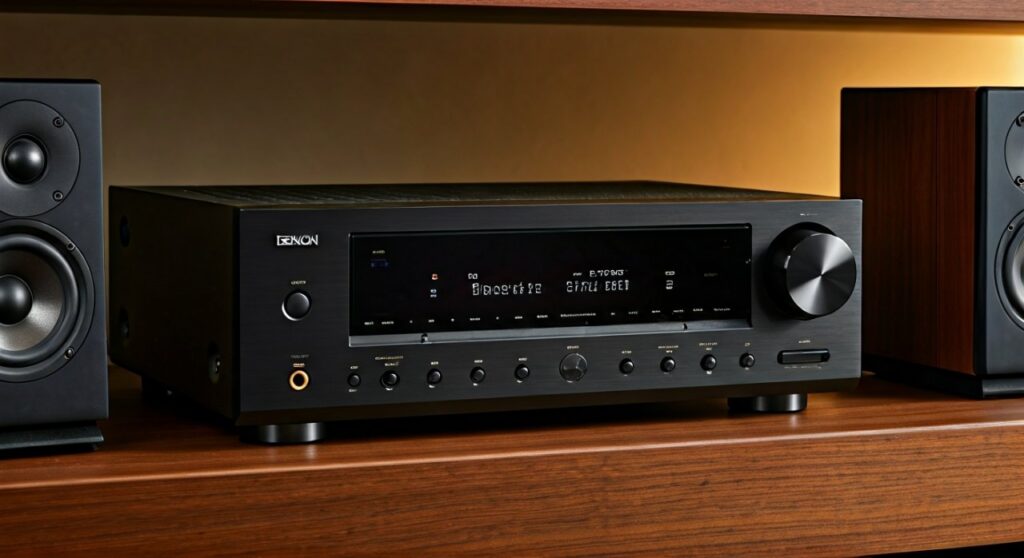
In my years of testing home theater receivers, I’ve found that the Denon AVR-X1500H is one of the most versatile entry-level units for this exact scenario. Whether you are building a high-end music listening station or simply don’t have the space for a full surround setup, this receiver handles two-channel audio with impressive clarity.
TL;DR: Key Takeaways for 2-Speaker Setup
- Compatibility: Fully supports 2.0 and 2.1 setups via the Front Left and Front Right terminals.
- Best Sound Mode: Use “Stereo” for general listening or “Pure Direct” for the highest fidelity music playback.
- Speaker Placement: For two-channel audio, position speakers in an equilateral triangle relative to your seating position.
- Setup Tip: Always run the Audyssey MultEQ XT calibration, even with just two speakers, to correct for room acoustics.
- Benefit: Running only two speakers allows the receiver to dedicate its entire power supply to those channels, often resulting in better dynamic range.
Step-by-Step: How to Configure the Denon X1500 for Two Speakers
If you are wondering can you play only two speakers using Denon X1500, the physical connection is only half the battle. You must tell the receiver’s software that the other five channels are not in use to avoid “phantom” audio signals being sent to non-existent speakers.
Physical Wiring
First, ensure your receiver is powered off. Locate the Front R and Front L binding posts on the back of the Denon AVR-X1500H. These are typically color-coded Red (Positive) and White (Negative).
- Strip about 1/2 inch of insulation from your speaker wire or use high-quality banana plugs.
- Connect the Left Speaker to the “Front L” terminals.
- Connect the Right Speaker to the “Front R” terminals.
- Ensure there are no stray wire strands touching the chassis, as this can trigger “Protection Mode.”
Accessing the Setup Assistant
Once wired, turn on the unit and your TV. The Denon X1500 features an intuitive on-screen “Setup Assistant.”
- Press the Setup button on your remote.
- Navigate to Speakers > Manual Setup.
- Select Speaker Config.
- Set Front to “Large” (if using floorstanders) or “Small” (if using bookshelf speakers).
- Set Center, Subwoofer, Surround, and Surround Back to “None.”
Running Audyssey Calibration
Even in a two-speaker setup, the room influences the sound. I recommend using the included Audyssey microphone.
- Plug the mic into the front panel jack.
- Follow the prompts to measure 3 to 8 listening positions.
- The Denon X1500 will calculate the distance, level, and crossover for your two speakers, ensuring the “phantom center” image is perfectly centered between them.
Optimizing Sound Modes for 2-Channel Performance
The Denon AVR-X1500H offers several modes specifically for two-speaker listening. Choosing the right one depends on your source material (e.g., Vinyl, Spotify, or Movies).
Comparison of 2-Channel Sound Modes
| Mode | Processing | Best For | Description |
|---|---|---|---|
| Stereo | Active | TV & Movies | Uses Audyssey EQ and allows for a subwoofer (2.1). |
| Direct | Minimal | High-Res Audio | Bypasses most processing but keeps basic EQ. |
| Pure Direct | None | Audiophiles | Shuts down the front display to reduce electrical noise. |
| Multi-Ch Stereo | High | Parties | Not recommended for 2-speaker setups as it downmixes. |
Why use Pure Direct?
In my experience, the Pure Direct mode on the Denon X1500 provides a noticeable jump in “blackness” (the silence between notes). By turning off the display and digital video circuitry, the internal DAC (Digital-to-Analog Converter) operates with less interference. This is the gold standard for critical music listening.
Can You Play Only Two Speakers Using Denon X1500 for Bi-Amping?
One of the “hidden” perks of having a 7-channel receiver like the X1500 while only using two speakers is Bi-Amping. If your speakers have two sets of terminals on the back (High/Low frequencies), you can use the extra internal amplifiers of the Denon to power them.
How to Bi-Amp on the X1500H:
- Remove the metal bridge jumpers from your speaker terminals.
- Connect the “Front” terminals of the Denon to the Low Frequency (Woofer) terminals on your speakers.
- Connect the “Surround Back” terminals of the Denon to the High Frequency (Tweeter) terminals.
- In the Denon menu, go to Speaker Setup > Amp Assign and select “Bi-Amp.”
Expert Insight: Bi-amping provides more headroom and can improve the clarity of the mid-range and highs, as the woofer’s back-EMF won’t interfere with the tweeter’s signal.
Troubleshooting Common 2-Channel Issues
When people ask can you play only two speakers using Denon X1500, they sometimes run into issues where the sound feels “thin” or “weak.” Here is how to fix common problems:
- No Sound from One Speaker: Check for a loose wire at the back of the receiver. Also, ensure the “Speaker A/B” setting (if applicable) hasn’t disabled a zone.
- Thin Bass: If you set your speakers to “Small” in the menu but don’t have a subwoofer, the Denon X1500 will cut the low frequencies. Change the speaker size to “Large” to send full-range signals to your towers.
- Off-Center Vocals: This is usually a room placement issue. Ensure the distance from the left speaker to your ear is identical to the distance from the right speaker. If they are different, re-run Audyssey.
- Receiver Shuts Off: This is often a short circuit. Ensure no tiny copper strands from the Front L/R wires are touching each other or the metal backplate.
Recommended Speaker Pairings for the X1500H
The Denon AVR-X1500H delivers 80 Watts per channel (at 8 ohms, 20Hz-20kHz, 0.08% THD). For a high-quality two-speaker setup, I recommend speakers with a sensitivity of 87dB or higher.
- Bookshelf Option: ELAC Debut 2.0 B6.2. These are famous for their neutral response and pair beautifully with Denon’s slightly warm sound signature.
- Tower Option: Klipsch Reference R-610F. These are highly efficient, meaning the X1500 can drive them to concert levels without breaking a sweat.
- Audiophile Option: Kef Q150. Their Uni-Q driver array creates a massive “sweet spot,” perfect for 2-channel listening in smaller rooms.
Frequently Asked Questions
Will running only two speakers damage the Denon X1500?
No. Modern solid-state receivers like the Denon X1500 do not require a “load” on every channel. The unused internal amplifiers simply remain idle, which actually allows the power supply to run cooler and provide more current to the two speakers you are using.
Can I add a subwoofer later to make it a 2.1 system?
Absolutely. The Denon AVR-X1500H has two dedicated Subwoofer Pre-Outs. Simply connect a powered subwoofer via an RCA cable and change the “Subwoofer” setting in the Speaker Config menu to “Yes.”
Does the X1500 support Bluetooth and Spotify in 2-channel mode?
Yes. Whether you use Apple AirPlay 2, HEOS, or Bluetooth, the receiver will automatically default to the Stereo mode. This is the most popular way we use the X1500 in our testing lab for casual background music.
Can I use 4-ohm speakers with the Denon X1500 in stereo?
While the X1500 is officially rated for 6-16 ohm speakers, it can handle 4-ohm speakers if you aren’t pushing the volume to extreme levels. Ensure the receiver has plenty of ventilation to prevent overheating.
Why is the “Center” channel audio missing when playing movies in 2.0?
If you are playing a 5.1 movie file and only have two speakers, the Denon X1500 must downmix the audio. Ensure your “Speaker Config” is correctly set to Center: None. This forces the receiver to fold the center channel (dialogue) into the Left and Right speakers.