Introduction
In the modern corporate world, the conference room has undergone a massive transformation. The days of passing around a tangled mess of VGA and HDMI cables, hunting for the right display adapter, or pausing a meeting for ten minutes just to get a laptop screen to project are quickly coming to an end. Today, businesses are shifting toward sleek, cable-free environments that encourage seamless collaboration. This is where wireless presentation systems come into play.
One of the most intriguing entries in the mid-tier wireless AV market is the DIGITUS Wireless Collaboration System. Comprising two transmitters and one receiver, this wireless video and audio extender promises to turn any TV, projector, or interactive touch panel into a collaborative hub. Priced at a highly competitive 269, it aims to deliver enterprise-grade performance without the steep price tag associated with high-end premium presentation systems.
But does this system actually deliver on its promise of hassle-free, plug-and-play screen sharing? Is the transmission quality stable enough for daily corporate use, or will you find yourself reverting to physical cables? In this comprehensive review, we will dissect the DIGITUS Wireless Collaboration System, examining its technical specifications, setup process, strengths, limitations, and overall value. Whether you are upgrading an office meeting space, setting up a classroom, or looking for a clean home theater solution, read on to find out if this is the wireless extender for you.
Product Overview
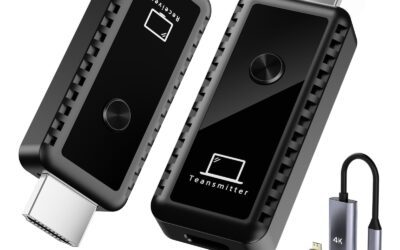
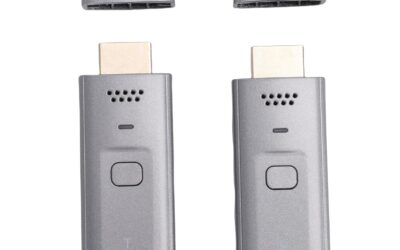
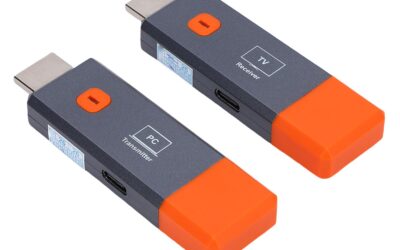
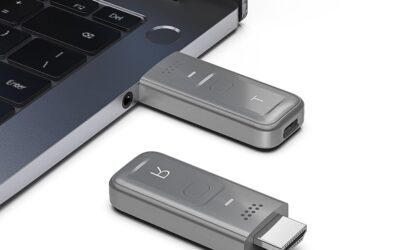
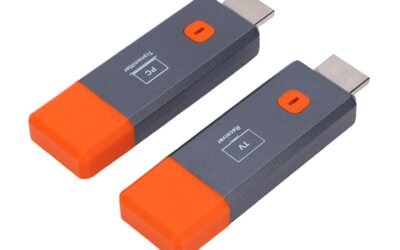
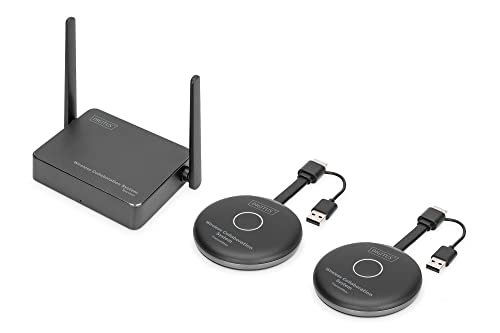
The DIGITUS Wireless Collaboration System (often referenced under the model series DS-55317) is a hardware-based screen sharing and presentation system designed for meeting rooms, huddle spaces, and classrooms. The standard package includes one receiver unit (RX) and two HDMI transmitter dongles (TX). This dual-transmitter configuration is a major selling point, as it immediately allows two users to keep their laptops connected and switch between screens at the press of a single button.
Technical Specifications
- Wireless Standards: IEEE 802.11a, 802.11b/g/n/ac (Wi-Fi 5), operating on dual-band 2.4 GHz and 5 GHz frequencies (2T2R MIMO antenna setup).
- Supported Resolutions: Transmitters support input up to Full HD (1080p @ 60Hz). The receiver unit can decode and output signals up to 4K UHD @ 60Hz to the main display.
- Transmission Range: Up to 50 meters (approximately 165 feet) under a clear, unobstructed line of sight.
- Encryption & Security: Protected by WPA2, WPA-PSK, WPA2-PSK, and robust AES 128-bit encryption to prevent unauthorized interception of corporate presentations.
- Latency: Approximately 100 ms to 120 ms.
- Expandability: The system supports up to 30 transmitter units connected to a single receiver, allowing large teams to participate in a single meeting.
- Power Supply: Transmitters can be powered directly via the host laptop’s HDMI port (if it outputs >500 mA) or via an included Micro-USB to USB-A cable.
How the System Works
The core philosophy behind this DIGITUS system is hardware-based simplicity. Unlike some software-heavy screen-sharing devices that require users to install background drivers, register accounts, or connect to corporate networks, the DIGITUS system uses a closed peer-to-peer Wi-Fi network generated by the receiver.
To present, you connect the receiver to your main television, monitor, or projector using a standard HDMI cable. Next, you plug one of the HDMI transmitter dongles into your laptop. The transmitter pairs with the receiver automatically within seconds. Once the connection LED stabilizes, a simple press of the button on the transmitter instantly projects your screen.
Furthermore, the system is fully compatible with Bring Your Own Device (BYOD) setups. Mobile users running iOS, iPadOS, or Android do not even need to use the physical transmitters. By connecting directly to the receiver’s local Wi-Fi SSID, users can wirelessly cast their smartphones or tablets using native protocols like Apple AirPlay or Android Miracast.
Step-by-Step Installation Guide
- Connect the Receiver: Plug the receiver into the HDMI input port of your display. Connect the receiver’s power adapter to a wall outlet or a high-power USB port on the display.
- Set Up the Transmitters: Plug a transmitter into your laptop’s HDMI port. If your laptop does not supply enough power through the HDMI port, connect the Micro-USB cable from the transmitter to any available USB port on your laptop.
- Automatic Pairing: Wait roughly 10 to 15 seconds for the transmitter and receiver to sync. The LED indicators on both units will turn from flashing to solid.
- Presenting: Press the large central button on the transmitter. Your laptop screen will instantly mirror onto the display. To stop sharing, press the button again.
- Splitting the Screen: If multiple users have their transmitters plugged in, up to four screens can be projected simultaneously in a split-screen layout by pressing the pairing buttons on the respective transmitters.
Pros
The DIGITUS Wireless Collaboration System offers several distinct benefits that make it an attractive choice for corporate and educational settings. Below are the most notable advantages of this system:
- True Plug-and-Play (Zero Software Needed): Many corporate laptops are locked down by strict IT policies that block users from installing third-party executable software or drivers. Because the DIGITUS system is 100% hardware-driven, it requires no software installations, app downloads, or administrator privileges. You simply plug it in, press the button, and present.
- Multi-User Split-Screen Support: One of the strongest collaborative features of this system is its ability to display up to four different video sources on a single screen simultaneously. This is incredibly useful for comparative data analysis, design critiques, and multi-team brainstorming sessions where side-by-side visualization is key.
- Native BYOD Support for Mobile Devices: Meeting attendees who prefer to present from their tablets or smartphones can easily do so without searching for specialized adapters. The receiver natively supports Apple AirPlay and Android screen mirroring, allowing for instant, wireless casting directly from mobile operating systems.
- Flexible Power Delivery Options: The transmitter units are incredibly lightweight and highly mobile. In many cases, if your laptop’s HDMI port outputs sufficient power, you do not even need to plug in the auxiliary USB power cable. This significantly reduces cable clutter on the boardroom table.
- Dual-Transmitter Package Value: Many competitors in the wireless presentation category charge premium rates for extra transmitters, often packing only one unit in the base box. DIGITUS provides two transmitters right out of the box, along with a convenient storage tray, representing exceptional value for the 269 price tag.
- Broad Range and Robust Security: With a potential transmission range of up to 50 meters, this system easily accommodates large boardrooms and lecture halls. Additionally, the use of WPA2 encryption and AES 128-bit protocols ensures that sensitive corporate data and presentations remain private and secure from external snooping.
Cons
While the DIGITUS system excels in convenience and ease of use, it is not without its drawbacks. To keep our review balanced and honest, here are the limitations you should consider before purchasing:
- Noticeable Latency (Not for Real-Time Gaming): With an average latency of 100 ms to 120 ms, there is a slight but perceptible delay between your laptop screen and the projected image. While this lag is completely unnoticeable during standard PowerPoint presentations, document reviews, or web browsing, it makes the system unsuitable for real-time video editing or competitive gaming.
- Susceptibility to Signal Obstructions: The advertised 50-meter range is only achievable under perfect, unobstructed line-of-sight conditions. In real-world environments, dense concrete walls, thick glass partitions, and even heavy metal office furniture can degrade the signal quality, leading to momentary screen stuttering or drops in resolution.
- Potential Wi-Fi Band Congestion: Because the system operates on the standard 5 GHz Wi-Fi spectrum, it can suffer from interference in office buildings that are heavily saturated with other Wi-Fi routers and wireless devices. While its dual-antenna (2T2R) design helps mitigate this, some users in crowded tech parks may experience occasional latency spikes.
- Lack of Native USB-C Transmitters: The base package comes with HDMI-based transmitters. While DIGITUS does bundle a USB-A to USB-C adapter, many ultra-thin modern laptops only feature USB-C ports. Having to use dongle adapters on top of the transmitter slightly detracts from the otherwise clean, streamlined aesthetics.
Customer Reviews Analysis
At the time of writing, this specific configuration of the DIGITUS Wireless Collaboration System has 0 customer reviews on Amazon. While a zero-review count might initially raise red flags for a standard consumer product, it is quite common for enterprise-level AV equipment and professional networking hardware. These products are frequently purchased in bulk through corporate procurement channels, B2B distributors, or specialized IT contractors, rather than individual retail buyers who leave consumer reviews.
To provide an honest and accurate assessment of what to expect, we can analyze the feedback from similar DIGITUS wireless AV extenders and presentation systems. Across the broader DIGITUS wireless lineup, users consistently praise several key aspects:
- The Ease of Setup: Users of similar DIGITUS wireless products frequently highlight that the “plug-and-play” claim is entirely accurate. Non-technical employees appreciate that they do not have to configure network settings, install software, or ask their IT departments for help.
- Build Quality: DIGITUS is a well-established German brand owned by ASSMANN Electronic, known for manufacturing reliable, rugged, and durable network infrastructure components. Users typically note that the transmitters and receivers feel solid, can withstand daily office abuse, and remain cool even during long, multi-hour meetings.
- Stable Core Performance: Feedback from their general wireless HDMI extenders indicates that as long as the transmitter and receiver are in the same room (with a clear line of sight), the video feed remains incredibly stable at Full HD 1080p.
On the flip side, critical comments on similar wireless presentation systems often revolve around physical barriers. Customers who attempt to transmit signals through multiple thick walls or across separate floors of a building frequently experience dropped connections, highlighting that these systems are strictly designed for single-room environments. Keep this in mind when planning your installation.
Who Should Buy This Product?
The DIGITUS Wireless Collaboration System is a specialized tool designed to solve specific meeting room headaches. It is an excellent match for:
- Small to Medium-Sized Businesses (SMBs): If you want to modernize your conference rooms or huddle spaces but do not have the thousands of dollars required for high-end enterprise systems (like Barco ClickShare), this 269 system offers an outstanding, cost-effective alternative.
- Educators and Academic Institutions: Teachers, professors, and school IT administrators will love how simple it is to set up. It allows educators to easily walk around the classroom with their laptops while wirelessly projecting slide decks, and it enables students to quickly cast their screens for group presentations.
- Agile and Collaborative Teams: Teams that rely heavily on collaborative brainstorming, software development reviews, or creative pitches will benefit immensely from the dual-transmitter setup and the 4-way split-screen feature. It keeps the momentum of a meeting going without physical cable-swapping delays.
- Temporary or Pop-up Event Spaces: If you organize temporary exhibitions, training seminars, or pop-up workshops, running physical cables across walkways is a major safety hazard. This wireless kit allows you to establish a professional presentation space in minutes and pack it away just as quickly.
Final Verdict
The DIGITUS Wireless Collaboration System is a highly practical, reliable, and cost-effective solution for anyone looking to eliminate cable clutter in collaborative environments. While the lack of 4K transmission on the transmitter end and the minor latency delay mean it won’t satisfy gamers or high-end video editors, it absolutely excels at its primary objective: hassle-free, software-free business presentations and screen sharing.
For a modest investment of 269, you receive a robust dual-transmitter kit that supports multi-user split-screen, mobile device casting, and stable Full HD performance. It is an elegant middle ground between cheap, unreliable consumer HDMI dongles and overpriced corporate presentation hubs. If you are ready to streamline your meetings and elevate your office collaboration, the DIGITUS system is highly recommended.