The modern home and office are filled with high-definition screens, but managing the cables that connect them remains a universal headache. Long, premium-grade HDMI cords are expensive, difficult to route through walls, and represent unsightly tripping hazards. The challenge only multiplies if you want to stream video to two screens simultaneously. Traditionally, this required a complicated maze of external splitters, multiple transmitters, and messy cable management.
Enter the Wireless HDMI Transmitter and 2 Receivers Kit by EVATEK. Priced at an affordable $85, this dual-display wireless extender kit aims to eliminate physical clutter once and for all. It allows you to stream high-definition audio and video from a single source device directly to two separate displays at the exact same time. Boasting dual-band 2.4G/5G technology, an impressive 328-foot line-of-sight transmission range, and true plug-and-play operation, it sounds like the ultimate cord-cutting solution for video distribution.
But does this budget-friendly kit live up to the high expectations of lag-free performance, or does it drop signals the moment a wall gets in the way? In this detailed, comprehensive review, we will cover the product design, setup, real-world performance, pros, cons, and customer experiences to help you decide if this wireless HDMI kit is the right upgrade for your tech setup.
Product Overview and Technical Breakdown
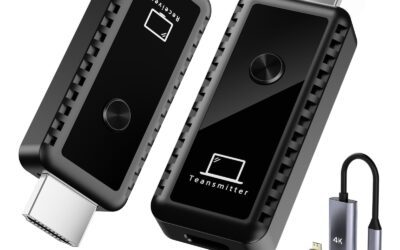
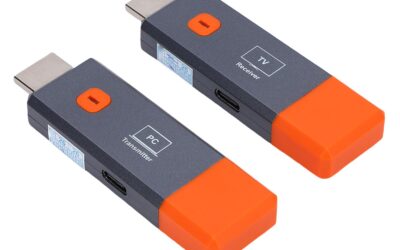
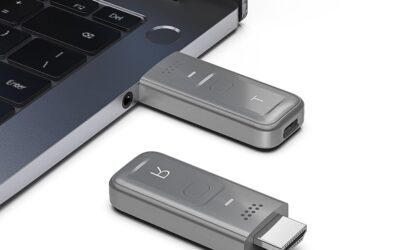
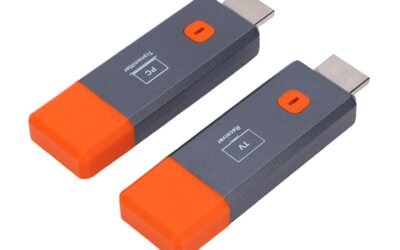
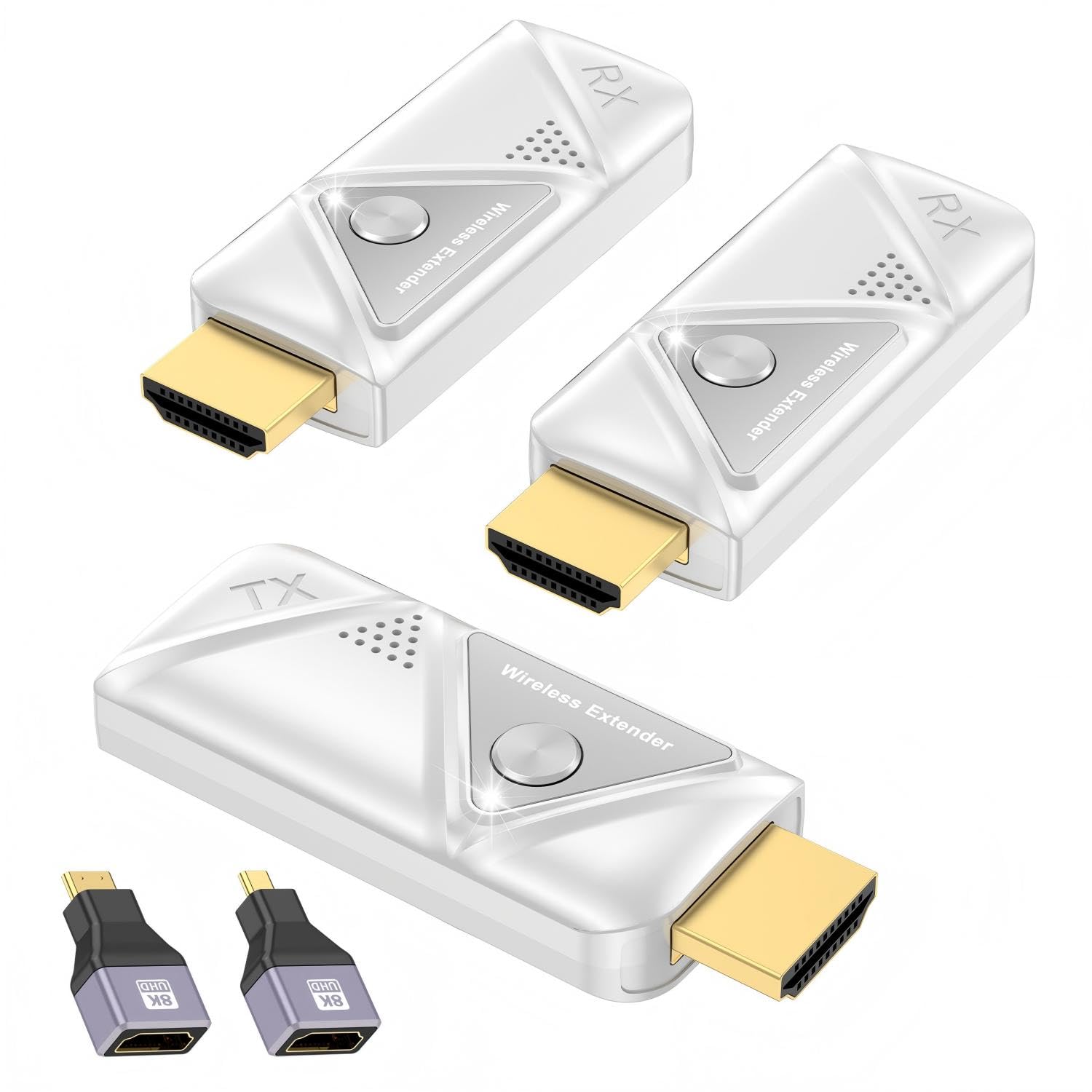
The EVATEK Wireless HDMI Transmitter and 2 Receivers kit is designed to perform a very specific, highly demanded task: splitting a single HDMI output and sending it to two remote displays wirelessly. Instead of buying a separate HDMI splitter, running two long physical cables, and buying cable hiders, this kit simplifies everything by packing one transmitter (TX) and two matching receivers (RX) into a single, pre-paired package.
A Closer Look at the Hardware
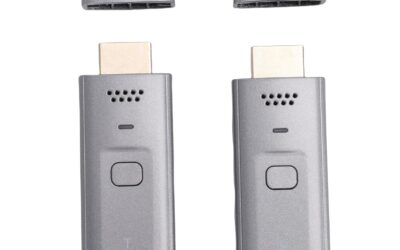
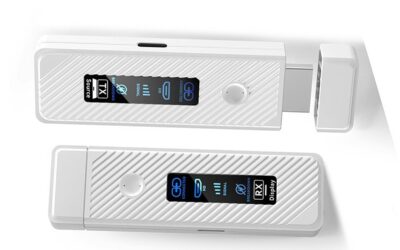
One of the first things you will notice when unboxing this kit is how surprisingly lightweight and compact the dongles are. The transmitter weighs in at a mere 0.1 lbs, while each receiver is even lighter at 0.08 lbs. This form factor is a massive advantage over older wireless extenders. Rather than dealing with bulky, brick-style transmitter boxes that require dedicated shelf space, these dongles plug directly into your HDMI ports, hanging unobtrusively behind your TV, projector, or computer monitor.
Each dongle is constructed from durable, heat-resistant plastic and features built-in ventilation grills. Heat dissipation is incredibly important for wireless video transmitters because processing high-definition video over 5G frequencies can generate a fair amount of thermal energy. EVATEK has designed these with sufficient passive cooling to ensure they do not overheat and throttle performance during long viewing sessions.
How the Dual-Band Wireless Technology Works
To deliver a clean, uninterrupted signal, the kit utilizes dual-band 2.4GHz and 5GHz wireless technology. It does not connect to your home or office Wi-Fi network. Instead, it creates its own closed, point-to-point wireless network directly between the transmitter and the two receivers. Here is how the dual-band performance operates in practice:
- 5GHz Band: This is the primary band used for streaming the video signal. Because the 5GHz frequency offers massive bandwidth and is less crowded than standard 2.4GHz channels, it allows for high-definition 1080P video to be streamed with ultra-low latency (rated at less than 0.2 seconds).
- 2.4GHz Band: If you move the receivers further away or put walls between the devices, the system can dynamically adjust its transmission to utilize the 2.4GHz band. While 2.4GHz is more prone to interference from household appliances, it has much better wall-penetration capabilities and a longer effective range.
Video and Audio Capability
While the hardware can receive and decode 4K video signals from your source device (such as a modern gaming console or ultra-HD streaming stick), the wireless transmission maxes out at a crisp 1080P Full HD at 60Hz. It features an intelligent, automatic resolution adjustment chip. This means if you plug the transmitter into a 4K laptop, but your two target screens are 1080p monitors, the transmitter will automatically downscale the signal to match the exact native resolution of your displays, ensuring a plug-and-play experience without any manual settings menu tweaking.
How to Set Up the Wireless HDMI Kit
One of the biggest selling points of the EVATEK kit is its plug-and-play promise. There are no apps to download, no Bluetooth pairing menus to navigate, and no Wi-Fi passwords to enter. Setting up this system takes less than five minutes.
Step 1: Connect the Transmitter (TX)
Take the transmitter dongle (labeled TX) and plug it directly into the HDMI output port of your source device. This could be your laptop, desktop computer, gaming console, cable box, Blu-ray player, or DSLR camera. If you are using a mobile device like an iPad or smartphone, ensure you have an appropriate adapter and that the device natively supports HDMI output.
Step 2: Connect the Receivers (RX)
Take the two receiver dongles (labeled RX) and plug them into the HDMI input ports of your target displays. These can be two televisions, two projectors, two desktop monitors, or any combination of HDMI-compatible screens. Because this is a factory-paired 1-to-2 kit, both receivers are pre-configured to sync with the single transmitter right out of the box.
Step 3: Apply USB Power
This is a crucial step that is often overlooked. While HDMI ports can transmit some electricity, many source devices and displays do not provide enough power through their HDMI ports to run high-speed wireless chips. Both the transmitter and receivers feature USB-C ports on their sides. You must connect the included USB power cables from these ports to a nearby USB power source. This can be a USB port on your TV, a USB port on your laptop, or an external USB wall charger brick (like a standard phone charger).
Step 4: Power On and Sync
Turn on your source device and both destination displays. Within a few seconds, the transmitter and receivers will establish their private wireless connection. The status lights on the dongles will change from blinking to solid, and your video and audio will instantly begin streaming to both screens. Depending on your computer’s operating system, you can choose to duplicate your screen (Mirror Mode) or use the secondary screens as extra workspace (Extend Mode).
The Pros: Why the EVATEK Wireless HDMI Kit Stands Out
At its $85 price point, this kit offers an impressive array of features that make it a highly competitive choice in the wireless video transmitter market. Here are the main advantages of choosing this system:
- 1. Simultaneous One-to-Two Screen Distribution: The most significant benefit of this kit is its true dual-display output. Most wireless HDMI kits on the market only support a one-to-one connection. Being able to split a single signal wirelessly to two separate screens at the exact same time—without having to purchase an external HDMI splitter or secondary transmitter—is incredibly convenient. It allows you to watch a live sports match in both your living room and bedroom, or display an office presentation on opposite sides of a large meeting room.
- 2. Hassle-Free, True Plug-and-Play Operation: Technical setups can be intimidating, but this system completely eliminates the learning curve. There are no software drivers to install, no apps to register, and no local network connections to manage. The system works completely independently of your home or office Wi-Fi, making it a secure choice for corporate environments where connecting third-party devices to the network is restricted.
- 3. Dynamic Dual-Band (2.4G/5G) Signal Stability: Wireless interference can ruin your viewing experience with pixelated video or dropped frames. By utilizing dual-band technology, this kit switches seamlessly between frequencies. In close quarters, the 5GHz band ensures high-bandwidth, lag-free performance, while the 2.4GHz band takes over when transmitting across greater distances or through moderate obstacles, maintaining a highly stable and reliable connection.
- 4. Remarkable 328-Foot Line-of-Sight Range: Under ideal conditions (a clear line of sight with no physical blockages), this system can transmit audio and video up to 328 feet (100 meters). This massive range is perfect for outdoor events, church sanctuaries, large classrooms, and lecture halls where running massive physical cables is physically impossible or visually distracting.
- 5. Ultra-Portable and Travel-Friendly: Because the transmitter and receivers are incredibly light (0.1 lbs and 0.08 lbs respectively) and compact, they easily fit into a laptop sleeve, backpack, or pocket. This makes the kit an invaluable tool for traveling business professionals, freelance videographers, and educators who constantly need to move between different locations and set up presentations on the fly.
- 6. Cost-Effective Visual Solution: High-end wireless HDMI extenders can easily cost several hundred dollars. For just $85, this kit offers a comprehensive dual-display package that performs as well as, or better than, many industrial-grade solutions, making it accessible for home users, teachers, and small businesses alike.
- 7. Reassuring 24-Month Quality Warranty: Electronics can occasionally experience glitches, especially when dealing with wireless components. EVATEK provides peace of mind by backing this product with a comprehensive 24-month quality replacement service. Having a full two years of technical support and replacement coverage makes this a highly secure and worry-free purchase.
The Cons: Areas for Improvement
No product is perfect, and wireless video transmission is subject to the physical limitations of wireless technology. To help you make an informed buying decision, here are the primary drawbacks and considerations of the EVATEK Wireless HDMI Kit:
- 1. USB External Power is Frequently Required: Although the kit is advertised as “plug-and-play,” many HDMI source devices (like some older laptops or streaming boxes) do not supply sufficient power through their HDMI ports to run the transmitter. Similarly, many older monitors or projectors cannot power the receivers through HDMI. As a result, you will frequently need to plug the TX and RX units into external USB ports or wall adapters. This introduces extra power cables back into your setup, slightly detracting from the “100% wire-free” aesthetic. Note that external USB wall bricks are not included in the box.
- 2. Signal Degradation from Physical Obstacles: While the 328-foot range is highly impressive in an open field, physical barriers like drywall, concrete, glass, or heavy wooden doors will significantly degrade the signal. If you are transmitting through multiple walls, the range can quickly drop down to 33–100 feet. It is vital to plan your display locations and keep structural obstacles to a minimum for optimal performance.
- 3. Strict System Proprietary Limitations: This 1-to-2 kit is designed as a closed, factory-paired ecosystem. You cannot pair additional third-party receivers to the transmitter, nor can you mix and match other EVATEK receivers (such as those from their one-to-one kits). If one of your receivers is damaged or lost, or if you decide you want to upgrade to a three-display setup in the future, you cannot simply buy an individual add-on receiver; you are limited to the exact devices provided in this package.
- 4. 1080P/60Hz Output Resolution Limit: While the internal chipset is capable of decoding 4K signals, the dual-display output is strictly limited to 1080P Full HD at 60Hz. For the vast majority of presentations, office tasks, and casual video streaming, 1080p is perfectly sharp. However, if you are a home theater purist wanting to stream 4K Ultra HD movies to two high-end OLED televisions, this resolution bottleneck may be a dealbreaker.
- 5. Latency is Not Suitable for Fast-Paced Competitive Gaming: The system features an ultra-low latency rated at under 0.2 seconds. For movies, sports, PowerPoint presentations, and classroom learning, this delay is completely imperceptible. However, if you are trying to play fast-paced, competitive first-person shooters, fighting games, or racing games, a 0.2-second input lag will be noticeable and could affect your reaction times. Casual single-player games will run fine, but competitive gamers should stick to wired HDMI connections.
Customer Reviews Analysis
With a perfect 5.0-star rating across its early customer reviews, the EVATEK Wireless HDMI Transmitter and 2 Receivers kit has made an exceptional first impression on its buyers. Although the total number of reviews is small, the feedback is highly detailed and highlights how different users are successfully implementing the technology in real-world scenarios.
After analyzing the customer feedback, we can categorize the user experiences into three primary use cases:
The Home Entertainment and Sports Enthusiast
One verified purchaser shared their experience of using the kit to host weekend sports gatherings. They wanted to cast a live football game from their cable box in the living room to both the main living room TV and a secondary television set up on their outdoor backyard patio. The distance was approximately 60 feet, traversing through a brick exterior wall. The user reported that the setup worked instantly. They noted that both TVs played the game perfectly in sync, with zero audio delay or visual stutter. They were particularly pleased that they did not have to drill holes in their walls or trip over a 50-foot HDMI cable running through their sliding glass door.
The Corporate Presenter and Trainer
Another review came from a corporate trainer who frequently travels to different branch offices to conduct workshops. This user highlighted the immense convenience of the kit’s lightweight design and plug-and-play capability. They explained that many conference rooms have outdated projector setups or awkward layouts where the presenter’s podium is far away from the displays. By plugging the transmitter into their laptop and the two receivers into the room’s dual projectors, they were able to display their slides on both sides of the room simultaneously. They emphasized that not needing to install administrative software on their corporate-locked laptop was a massive benefit that saved them hours of IT coordination.
The Cable-Cutting Cord Reducer
The third review focused on home cable management. The user was tired of paying monthly rental fees for multiple cable boxes or streaming sticks for their kitchen and master bedroom. They set up the EVATEK transmitter on their primary cable box in the living room and connected the two receivers to the kitchen and bedroom TVs. They noted that because some of their older TVs did not supply enough power through HDMI, they had to use USB phone chargers to power the receivers. However, once plugged in, the system ran flawlessly, allowing them to enjoy their favorite morning news broadcasts in both rooms without any signal drops or lagging audio.
Who Should Buy This Product?
The EVATEK Wireless HDMI Transmitter and 2 Receivers kit is a versatile tool, but it is better suited for certain applications than others. Here is a breakdown of who will get the absolute most value out of this system:
- Home Entertainment Hosts: If you love hosting parties, movie nights, or sports viewing events and want to sync your video feed across multiple rooms (or indoors and outdoors), this kit is a dream come true. It keeps your spaces looking clean and professional while keeping everyone entertained, no matter which room they are in.
- Teachers, Professors, and Lecturers: Educational classrooms often have awkward layouts where students sitting at the back or on the sides cannot easily see a single display. By setting up dual monitors or projectors on opposite walls and linking them to this wireless kit, instructors can ensure that every student has a clear, unobstructed view of the learning materials.
- Business Presenters and Event Organizers: If you travel for work, conduct seminars, or organize trade shows, this kit is an essential addition to your tech bag. It eliminates the anxiety of arriving at a venue only to find out they do not have the right cables or that your podium is too far from the screen. Its ultra-compact size means it won’t weigh down your luggage.
- Churches and Places of Worship: Many religious spaces have large sanctuaries with structural pillars or wide seating areas that block views of the main altar. This kit allows tech ministries to mount dual flat-screen TVs or projectors further back or to the sides, broadcasting the service feed wirelessly with zero audio-visual sync issues.
- Home Office Multi-Taskers: If you want to declutter your desk and run a clean dual-monitor setup from your laptop without a bulky docking station or thick cables running across your workspace, this plug-and-play solution offers an incredibly elegant alternative.
Final Verdict
For decades, distributing a single HDMI video source to multiple displays required expensive splitters, complex signal boosters, and hundreds of feet of physical cabling. The EVATEK Wireless HDMI Transmitter and 2 Receivers Kit completely disrupts this space, offering a robust, reliable, and incredibly simple dual-display solution for an unbeatable price of just $85.
While ultra-competitive gamers may find the <0.2-second latency slightly limiting, and home theater purists might lament the 1080p resolution cap, these minor limitations are completely outweighed by the system’s incredible ease of use. The true plug-and-play functionality, dual-band 2.4G/5G signal stability, and impressive 328-foot range make it an absolute home run for presentations, sports broadcasting, classrooms, and everyday media sharing.
Backed by a generous 24-month technical support and quality replacement warranty, this dual-display extender kit offers incredible peace of mind alongside its top-tier performance. If you are ready to say goodbye to tangled cables, complicated setups, and physical clutter, the EVATEK Wireless HDMI Kit is a highly recommended, budget-friendly addition to your tech arsenal.