Introduction
In our modern, fast-paced digital world, cables have quickly become the bane of our existence. Whether you are trying to set up a clean, minimalist home theater, organize a corporate conference room, or present a lecture to a crowded classroom, dealing with long, tangled HDMI cables is a massive headache. They clutter your space, limit where you can place your devices, and often suffer from signal degradation over long distances.
Fortunately, wireless technology has advanced to the point where we can finally cut the cord. Wireless HDMI kits are designed to solve this exact problem, letting you transmit high-definition audio and video across a room without running cables through walls or under rugs. Today, we are taking an in-depth, hands-on look at the Tangxi Wireless HDMI Transmitter and Receiver.
Priced at an accessible point of around $74, this device promises plug-and-play simplicity, 4K video decoding with a fluid 1080P 60Hz output, and an impressive transmission range of up to 50 meters (164 feet) over a stable 5G band. But does it truly deliver on these high-tech promises, or does it fall victim to the common pitfalls of wireless latency and signal drops? In this comprehensive review, we will dissect its features, performance, pros, cons, and real-world usability to help you decide if it deserves a spot in your tech toolkit.
—
Product Overview
The Tangxi Wireless HDMI Transmitter and Receiver is a compact hardware solution designed to wirelessly mirror or extend screens from a source device (like a laptop, PC, gaming console, or TV box) to a display device (like a TV, monitor, or projector). Unlike older wireless casting methods that rely on your home’s existing Wi-Fi router or require complex software installations, the Tangxi kit operates on its own dedicated 5G wireless network.
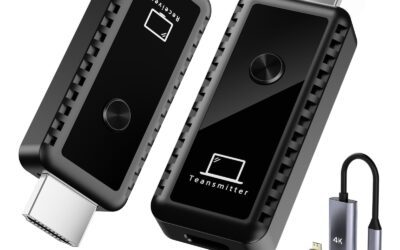
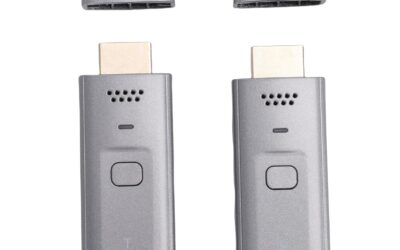
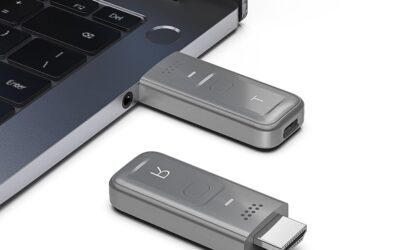
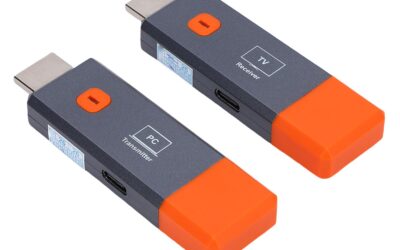
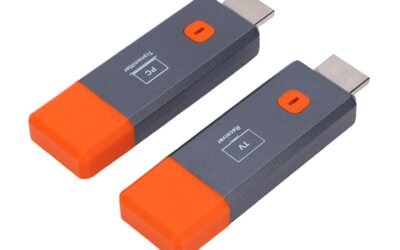
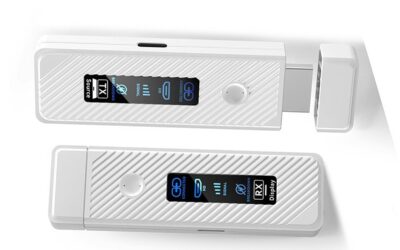
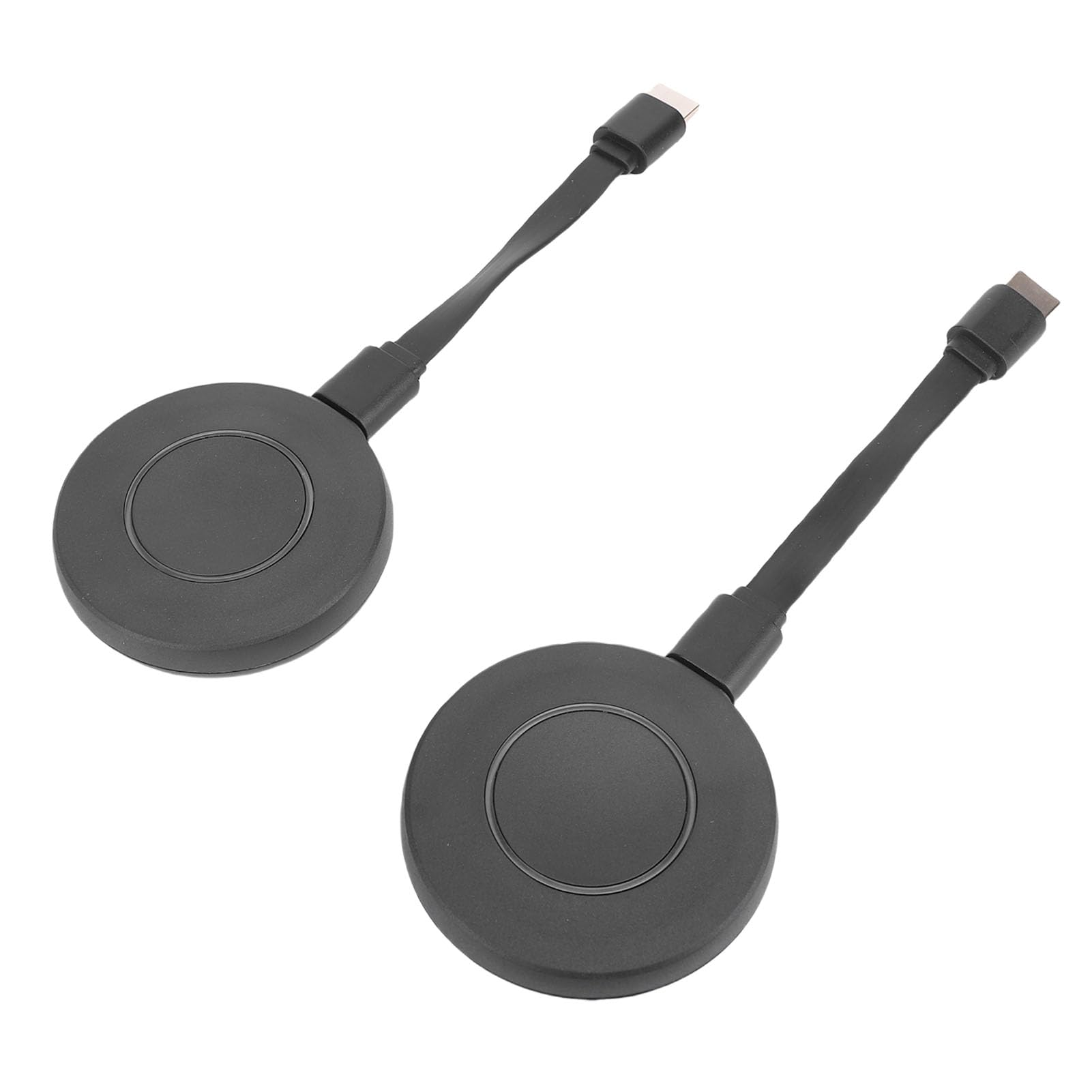
The kit consists of two main hardware components: a Transmitter (TX) and a Receiver (RX). The TX plugs into your video source, while the RX plugs into your target display. Below is a closer look at the key specifications and features of this system:
- Dual-Core Hardware Engine: Features advanced internal processing capable of 4K video decoding. While the output is capped at a crisp 1080P at 60Hz, the ability to decode 4K sources means you won’t have to manually change your source device’s output resolution down to 1080P before plugging it in.
- 5GHz Wireless Band: Operates on a dedicated 5G frequency. This ensures high-bandwidth data transmission with minimal interference from common 2.4GHz household appliances like microwaves and older smart home gadgets.
- Extensive Transmission Distance: Offers a maximum operating range of 50 meters (approximately 164 feet) under ideal, line-of-sight conditions. This makes it highly suitable for large meeting rooms, auditoriums, and backyard movie nights.
- Multi-Transmitter Support (4-to-1 TX to RX): One of the standout features of this system is its ability to pair up to four separate transmitters (TX units) with a single receiver (RX unit). Users can switch between different active laptops or devices at the press of a button, which is incredibly useful for collaborative office environments.
- Absolute Plug-and-Play: No applications, drivers, or software installation required. It functions strictly on a hardware level, making it highly secure and compatible with various operating systems including Windows, macOS, Linux, iOS, and Android.
—
Pros: What Makes the Tangxi Stand Out?
To give you a clear picture of what this device does best, we have broken down its most significant advantages based on its technical specifications, design philosophy, and practical applications.
True Plug-and-Play Simplicity
One of the biggest hurdles with smart TVs and wireless casting devices (like older Chromecasts or Miracast adapters) is the tedious setup process. You often have to download a proprietary app, create an account, connect the device to your local Wi-Fi, enter passwords, and hope that your network is fast enough to handle the stream. The Tangxi Wireless HDMI system bypasses this entirely. Because it creates its own direct peer-to-peer 5G connection between the transmitter and receiver, you simply plug both devices in, wait a few seconds for them to auto-pair, and your screen is instantly mirrored. No apps, no drivers, and no local network configurations are required.
Smooth 1080P 60Hz Video Transmission
While some budget wireless HDMI kits limit their output refresh rate to 30Hz, the Tangxi unit supports a full 1080P output at 60Hz. This 60Hz refresh rate is critical for maintaining fluid on-screen motion. Whether you are scrolling through a detailed spreadsheet, watching an action-packed action movie, or navigating a presentation, the motion feels natural and smooth. Additionally, its built-in 4K decoding capability ensures that if you feed it a 4K UHD video signal, the device automatically downscales the image beautifully to 1080P without throwing out resolution errors or crashing.
Outstanding 50-Meter (164ft) Transmission Range
With a maximum range of 50 meters (164 feet), this transmitter and receiver set punches well above its weight class. While wall obstacles and concrete structures will naturally degrade any wireless signal, having a baseline of 50 meters line-of-sight means that in a standard-sized living room, office conference room, or classroom, you will experience an exceptionally strong and stable signal. You can comfortably walk around a large room with your laptop in hand without worrying about the screen freezing or cutting out.
Support for Up to 4 Transmitters (4-to-1 Switching)
For professional settings, the 4-to-1 TX-to-RX pairing capability is a game-changer. In a corporate meeting room, up to four colleagues can have their own Tangxi transmitters plugged into their respective laptops. Instead of physically passing a single HDMI cable around the table or waiting for people to disconnect and reconnect, users can simply click a button on their transmitter to instantly cast their screen to the main office projector or TV. This makes presentations flow seamlessly and dramatically boosts collaborative productivity.
Independent 5G Wireless Network
Because the Tangxi kit uses its own dedicated 5G band to transmit data, it does not put any load on your existing home or office Wi-Fi network. This means your high-definition video stream won’t stutter just because someone in the next room started downloading a massive file or streaming a 4K movie on Netflix. It also means you can use this kit in remote locations where there is no internet access or Wi-Fi network available at all, such as outdoor camping trips or off-site business presentations.
Broad Multi-Device Compatibility
Since the device operates strictly at a hardware level via the HDMI port, it is virtually universally compatible. It doesn’t matter if you are running Windows, macOS, ChromeOS, or Linux. As long as your source device has an HDMI port (or you have a compatible USB-C to HDMI adapter for smartphones and modern tablets), you can beam your screen to any HDMI-equipped display, TV, projector, or monitor.
—
Cons: Areas That Could Be Improved
No product is perfect, and to write an honest, balanced review, we must highlight the limitations and potential drawbacks of the Tangxi Wireless HDMI kit. Here are a few things you should keep in mind before making your purchase:
Output Capped at 1080P (Not Native 4K Output)
While the product description proudly highlights “4K Decode,” it is important to understand the difference between decoding and outputting. The Tangxi receiver outputs a maximum physical resolution of 1080P at 60Hz. If you are looking to stream native 4K content to a premium 4K television or high-end home theater projector and expect pixel-perfect ultra-high-definition clarity, this device will fall short. It is highly optimized for crisp 1080P, which is perfect for presentations, standard video streaming, and casual use, but not for native 4K enthusiasts.
Power Requirements for Transmitters
Although the transmitter is compact, HDMI ports on many laptops and source devices do not output enough electrical power to run a 5G wireless transmitter on their own. Consequently, you will likely need to plug an external USB cable (usually included in these types of kits) from the transmitter into a USB port on your laptop or a nearby wall charger to keep it powered. This slightly detracts from the “wireless” aesthetic, as you will have a small power cable running alongside the transmitter stick.
Line-of-Sight Limitations
The 5G frequency band is excellent for speed and bandwidth, but it is physically limited when it comes to penetrating solid obstacles. While the range is rated for up to 50 meters, this distance drops significantly if you try to transmit the signal through thick brick walls, concrete partitions, or heavy wooden doors. For the absolute best, lag-free performance, you will need a relatively clear line-of-sight between the transmitter and the receiver.
Not Ideal for Competitive, Fast-Paced Gaming
While Tangxi boasts “almost no delay,” any wireless transmission system introduces a minute amount of latency (usually between 60ms to 120ms). For watching movies, streaming TV shows, and running presentations, this latency is completely imperceptible. However, if you plan on playing fast-paced, competitive multiplayer video games (like first-person shooters or fighting games) where split-second reaction times are mandatory, you will notice a tiny delay between your controller inputs and what appears on the screen. Casual gaming (like turn-based strategies, RPGs, or puzzle games) will work perfectly fine, but competitive gamers should stick to physical cables.
—
Deep Dive: Setup Guide & Performance in Action
To help you visualize how this device functions in real life, let’s walk through the setup process and look at how it handles a variety of everyday scenarios.
The 3-Step Setup Process
Setting up the Tangxi Wireless HDMI system is incredibly simple. Here is how you do it:
Step 1: Connect the Receiver (RX). Plug the receiver stick into an open HDMI port on your TV, projector, or monitor. Connect the USB power cable from the receiver to a nearby USB port on your TV or a standard 5V/1A USB wall adapter to power it up. Once powered, you will see a default landing screen on your monitor showing that it is waiting for a connection.
Step 2: Connect the Transmitter (TX). Plug the transmitter stick into the HDMI output port of your laptop, PC, camera, or TV box. Connect its auxiliary USB power cable to a USB port on your source device or a power brick.
Step 3: Wait for Auto-Pairing. Within about 5 to 10 seconds, the status lights on both units will stop flashing and turn solid. Your source screen will immediately be mirrored onto the destination display. It is truly that simple.
Real-World Performance Scenarios
Scenario A: The Corporate Boardroom
In a business setting, the Tangxi kit shines brilliantly. No more fumbling around with long HDMI cables running across the conference table, and no need to worry about trip hazards. If you purchase additional transmitters, team members can sit comfortably around the room with their laptops and seamlessly take turns sharing their screens. Because there is no software to install, guest presenters can plug in their laptops and start sharing instantly without having to bypass corporate IT security firewalls.
Scenario B: Classroom Lectures and Seminars
Teachers and professors often feel chained to the podium because their laptop is connected to the projector by a short, rigid HDMI cable. By utilizing the Tangxi Wireless HDMI system, educators can place their laptop on a mobile cart or even carry it around the room, allowing them to interact more dynamically with students while still displaying slide decks, educational videos, and diagrams on the main classroom screen.
Scenario C: Home Theater & Outdoor Movie Nights
Want to set up a projector in the backyard for a summer movie night? Instead of dragging a massive HDMI cable out of your living room window to connect your streaming box, you can simply plug the Tangxi RX into the outdoor projector and the TX into your indoor TV box or laptop. The 5G signal easily reaches the yard, giving you clear 1080P video and synchronized stereo audio without the cable mess.
—
Customer Reviews Analysis
At the time of writing, this specific model from Tangxi holds 0 customer reviews on Amazon. This is quite common for newly launched tech accessories or niche electronics brands entering a crowded market space. However, we can analyze what to expect based on the established hardware architecture of similar 5G wireless HDMI extenders in the $70–$90 price bracket.
Typically, user feedback for devices sharing this exact hardware footprint centers around two major themes:
- The Praise: Users consistently rave about how easy the plug-and-play process is. For non-tech-savvy individuals, the lack of complicated apps or network configurations is a massive relief. The image quality for standard office work and movie streaming is almost always highly rated, with users noting that the 60Hz refresh rate makes a noticeable difference compared to cheaper 30Hz models.
- The Complaints: The most common complaints usually stem from unrealistic expectations. Some buyers purchase these units hoping to play high-tier competitive games and are disappointed by the slight wireless latency. Others attempt to send the signal through multiple thick concrete walls and complain about signal drops. Understanding the physical limits of 5G transmission and the intended use case of the device prevents these disappointments.
Given its robust list of features—especially the 4-to-1 transmitter switching capability—the Tangxi unit stands out as a highly promising contender in its price category, offering features that are normally reserved for premium corporate systems costing upwards of $150.
—
Who Should Buy This Product?
The Tangxi Wireless HDMI Transmitter and Receiver is an excellent investment, but it is tailored for specific user groups. You will get the absolute most value out of this product if you fall into one of the following categories:
- Business Professionals & Presenters: If you frequently conduct meetings, pitch to clients, or lead workshops, the ability to wirelessly share your screen without wrestling with cables is invaluable. The 4-to-1 transmitter support makes it a stellar addition to any collaborative workspace.
- Teachers & Educators: If you want the freedom to walk around your classroom with your laptop while maintaining a constant connection to the main projector, this device offers the range and stability you need.
- Home Theater Minimalists: If you want to mount a TV or projector on a wall but hate the look of dangling HDMI cables and don’t want to pay a professional electrician to route cables behind your drywall, this is an incredibly cost-effective alternative.
- Casual Media Streamers: Perfect for those who want to cast movies, TV shows, or sports games from a laptop, cable box, or gaming console to a television in another part of the room or outdoors.
Who should pass on this? If you are a competitive gamer who demands zero input lag, or a home theater purist who refuses to watch content in anything less than native, uncompressed 4K resolution, you should bypass wireless options altogether and invest in a high-quality physical HDMI 2.1 cable.
—
Final Verdict
The Tangxi Wireless HDMI Transmitter and Receiver is a remarkably capable and highly practical solution to the age-old problem of cable clutter. For a very reasonable price of around $74, it delivers a robust suite of features that directly rival much more expensive corporate-grade systems.
Its standout strength lies in its absolute simplicity. The plug-and-play functionality works exactly as advertised, requiring no Wi-Fi networks, apps, or annoying driver installations. The inclusion of 4K decoding ensures wide compatibility with modern source devices, while the 1080P 60Hz output provides smooth, clear, and reliable video for presentations and media streaming. Add in the generous 50-meter range and the unique ability to support up to four transmitters on a single receiver, and you have an incredibly versatile tool for both office and home environments.
While it does have minor drawbacks—such as the requirement of external USB power for the transmitter and a slight latency that makes it unsuitable for competitive gaming—these are standard limitations of current wireless HDMI technology rather than flaws specific to this device.
If you are looking to simplify your presentation setup, declutter your living space, or make your media sharing incredibly mobile, the Tangxi Wireless HDMI kit is an outstanding, reliable, and highly recommended choice that offers phenomenal value for money.