Introduction
Whether you are trying to clean up the clutter of cables behind your home theater setup, looking to deliver seamless presentations in a corporate boardroom, or hoping to stream video from a camera directly to a remote monitor, cable management is a constant headache. Running long, thick HDMI cords under rugs, through drywalls, or across busy office floors is not only unsightly but also presents a tripping hazard. Over the last few years, wireless video transmission technology has evolved rapidly, moving away from sluggish, app-dependent streaming to dedicated, hardware-based wireless HDMI kits.
One of the newest budget-friendly entries into this space is the Yunseity Wireless HDMI Transmitter and Receiver (P20 5GHz HDMI Extender Kit). Designed to deliver true plug-and-play simplicity without requiring local Wi-Fi, complex pairing steps, or third-party applications, this compact kit promises to bridge the gap between your media sources and your displays effortlessly. Boasting 4K decoding compatibility, 1080p full HD output, and a theoretical range of up to 50 meters, the Yunseity P20 aims to provide high-end wireless performance at an incredibly accessible price point of around $62.
In this comprehensive, in-depth review, we will dissect the Yunseity P20 Wireless HDMI Kit. We will explore its technical specifications, evaluate its design and usability, analyze its performance advantages and limitations, and help you determine whether this budget-friendly device is the right wireless solution for your specific needs.
—
Product Overview
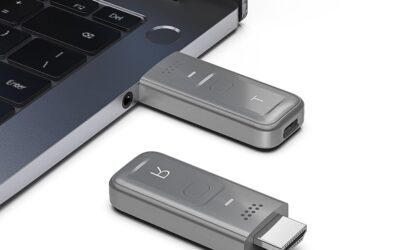
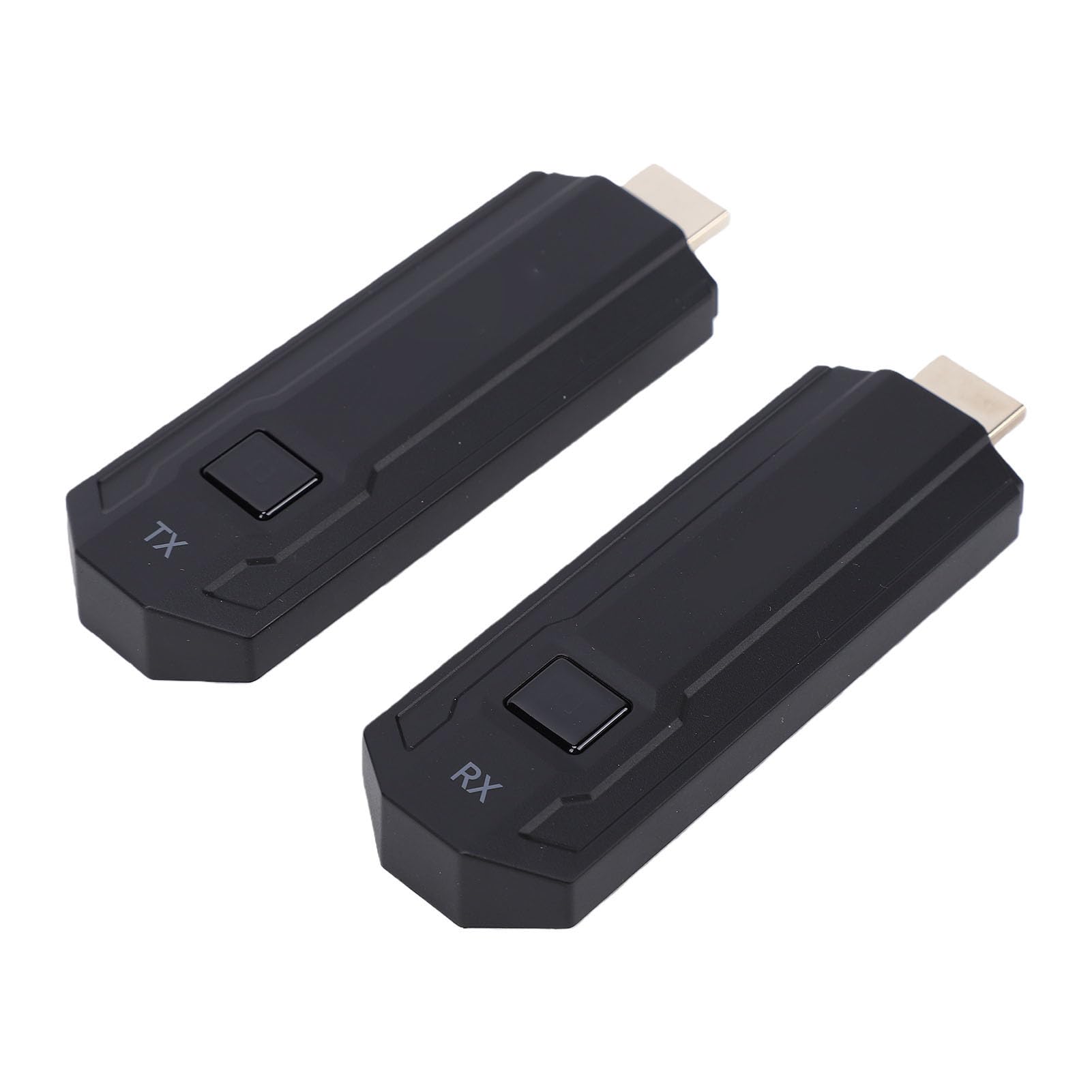
The Yunseity P20 Wireless HDMI Transmitter and Receiver is a hardware-based screen mirroring and extension kit. Unlike software-based casting solutions (such as Google Chromecast or Apple AirPlay) that require both devices to be connected to the same home Wi-Fi network and often demand software configuration, the Yunseity P20 operates on a closed-loop system. It creates its own private, direct 5GHz wireless connection between the transmitter (TX) and the receiver (RX).
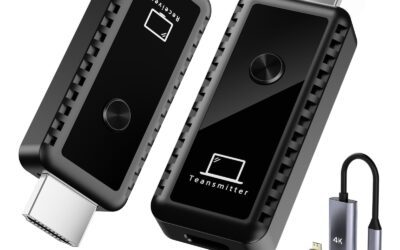
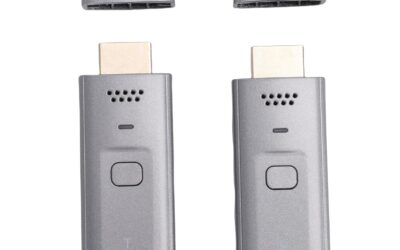
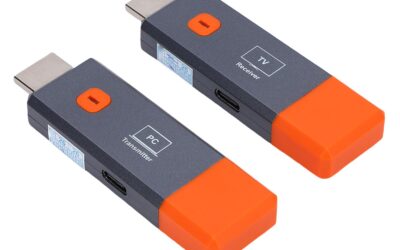
The system consists of two primary dongles:
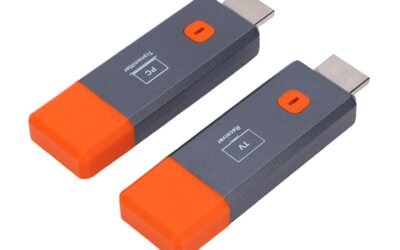
- The Transmitter (TX): This unit plugs directly into the HDMI output port of your source device, such as a laptop, PC, gaming console, camera, Blu-ray player, or cable box.
- The Receiver (RX): This unit plugs into the HDMI input port of your target display, which could be an HDTV, a projector, or a desktop monitor.
Once both units are powered up using the included USB cables, they automatically detect one another and establish a direct connection within seconds. Operating on the 5GHz frequency band, the P20 utilizes the extra bandwidth to transmit high-definition video and audio with minimal interference from other household wireless devices, which typically crowd the older 2.4GHz band.
Key Specifications at a Glance:
- Wireless Frequency: Dual-channel 5GHz
- Maximum Transmission Range: Up to 50 meters (164 feet) in an open, line-of-sight environment
- Input Resolution: Supports up to 4K decoding
- Output Resolution: 1080P Full HD at 60Hz
- Latency: Low-latency technology designed for smooth real-time viewing
- Display Modes: Supports Screen Mirroring (cloning your display) and Extended Desktop (using the secondary display as an extra workspace)
- Power Supply: USB-powered (5V/1A or 5V/2A recommended)
- Driver Compatibility: Fully driverless and platform-agnostic (works with Windows, macOS, Linux, iOS, Android, and gaming consoles via HDMI)
—
Pros of the Yunseity Wireless HDMI Kit
The Yunseity P20 offers an impressive array of features that make it stand out in the crowded market of budget wireless HDMI extenders. Below are the most significant advantages of this device:
True Plug-and-Play Simplicity
Perhaps the most appealing aspect of the Yunseity P20 is how remarkably easy it is to use. Setting up wireless casting often involves navigating frustrating Wi-Fi menus, entering passwords, downloading proprietary applications, or pairing devices via Bluetooth. The P20 bypasses all of these steps. It requires zero configuration, zero drivers, and no companion apps. You simply plug the transmitter into your source device, the receiver into your display, connect their respective USB power cables, and the system connects automatically in under 15 seconds. This makes it an incredibly user-friendly option for non-technical users.
Robust 50-Meter (164-Foot) Range
For a budget-friendly device, the Yunseity P20 offers a highly generous transmission range. Capable of broadcasting up to 50 meters (approximately 164 feet) in open space, this kit is more than capable of handling large conference rooms, lecture halls, open offices, and spacious living rooms. Even if you are mounting a projector on a high ceiling or placing your media cabinet across a massive room, this extender ensures your video signal reaches its destination without needing expensive, long-run HDMI installation.
4K Decoding Input Compatibility
While many budget wireless transmitters struggle if you feed them a high-resolution signal, the Yunseity P20 features 4K input decoding. This means that if you plug the transmitter into a modern 4K laptop or streaming box, you do not need to manually change your output settings to 1080p to avoid system crashes or black screens. The transmitter intelligently decodes the 4K source video signal and downscales it to a crisp, stable 1080p stream for the receiver, ensuring excellent device compatibility across various source resolutions.
Dual Display Modes: Mirroring and Extending
The P20 is a highly versatile tool for productivity. It supports both Mirroring Mode (showing the exact same content on both screens) and Extended Display Mode (treating the wireless display as a separate monitor). If you are a remote worker or presenter, you can run your slideshow on the remote projector while keeping your personal notes, emails, or chat windows open on your laptop screen. This functionality instantly transforms any TV or projector into a fully functioning secondary monitor.
Stable 5GHz Wireless Connection
By operating exclusively on the 5GHz frequency band, the Yunseity P20 avoids the heavy signal congestion common to the 2.4GHz band (which is shared by older routers, microwave ovens, baby monitors, and Bluetooth accessories). This dedicated 5GHz channel provides a high-bandwidth pipeline that keeps the video and audio streams tightly synchronized, minimizing frame drops, artifacts, and pixelation during playback.
Exceptional Portability
Both the transmitter and receiver are incredibly compact and lightweight, designed with a pocket-sized form factor. If you are a traveling professional, salesperson, or educator who frequently hops between different meeting rooms or classrooms, you can easily slide this kit into your laptop bag or pocket. You no longer have to worry about whether a client’s conference room will have the correct adapter cables; as long as they have a screen with an HDMI port, you are ready to present.
—
Cons of the Yunseity Wireless HDMI Kit
While the Yunseity P20 offers substantial value, no product is perfect. To ensure an honest and balanced review, we must highlight some of the limitations and drawbacks associated with this wireless HDMI kit:
Output Resolution is Capped at 1080p
Although the transmitter can *decode* a 4K input signal, the final output to your TV, projector, or monitor is strictly capped at 1080p at 60Hz. If you are a home theater purist looking to stream native, ultra-crisp 4K HDR movies to a high-end OLED display, this device will not meet your needs. It is perfectly fine for presentations, casual web browsing, and standard high-definition video, but it does not support native ultra-high-definition (UHD) display outputs.
Signal Degrades Through Walls and Obstacles
The advertised 50-meter range is measured in an “open-space, line-of-sight” environment. Because 5GHz wireless waves are shorter and have less penetration capability than 2.4GHz waves, the signal strength of the P20 degrades significantly when passing through physical barriers. Solid wooden doors, brick walls, concrete partitions, or heavy metal shelving will sharply reduce the effective range. For multi-room setups where the transmitter and receiver are separated by several walls, you can expect dropped connections or stuttering.
Separate USB Power Cables Still Required
While this is marketed as a “wireless” HDMI solution, it is important to clarify that both the transmitter and receiver still require physical cables to power up. Neither the TX nor the RX has an internal battery. While they transmit the video signal wirelessly, you must plug a USB-C or micro-USB cable into each dongle and connect them to a USB port (such as the one on your laptop or TV) or an external power brick. This means you will still have small wires hanging from your display and source devices.
Not Recommended for Fast-Paced, Competitive Gaming
The product description claims “0 latency technology,” but in practical, real-world application, no consumer-grade wireless video transmitter has absolute zero latency. While the latency is incredibly low and completely imperceptible when watching movies, giving presentations, or scrolling through documents, there is still a tiny micro-second delay (usually between 80ms to 150ms). This minor delay makes the device unsuitable for competitive, fast-paced gaming (such as first-person shooters or fighting games) where instant controller response times are critical.
—
Customer Reviews Analysis
At the time of writing, this specific product listing has 0 customer reviews on Amazon. While a lack of feedback can sometimes make buyers hesitant, it is a very common scenario for newly launched products or tech accessories from specialized brands like Yunseity.
To provide a realistic expectation of how this device performs, we can analyze typical user feedback for 5GHz wireless HDMI extenders utilizing similar chipsets and architectures in the $50 to $80 price bracket. Based on industry patterns, here is what buyers usually report with this class of device:
- Initial Setup Praise: Users are almost universally impressed by how quickly these devices pair. The claim of “plug and play” is usually validated, with buyers expressing relief that they didn’t have to troubleshoot network settings or install laggy screen-mirroring apps.
- Warm Operating Temperatures: Compact wireless transmitters process a massive amount of high-bandwidth data in a tiny plastic enclosure. Users of similar devices frequently note that the transmitter can get warm, or even hot, to the touch during extended presentations or movie sessions. While this is normal for wireless hardware, it is something to keep in mind regarding long-term durability.
- Occasional Re-pairing Needed: Some users of generic 5GHz extenders report that if the device is left plugged in and powered on for days at a time, it may occasionally lose sync, requiring you to unplug and re-plug the USB power cable to reboot the connection.
- Audio Syncing: Most modern 5GHz chipsets handle audio transmission remarkably well, though occasional minor hiccups can occur if the signal strength drops due to physical obstructions.
Given the solid specifications of the Yunseity P20, it is highly likely that early adopters will find it to be a reliable workhorse, provided they keep their expectations aligned with 1080p display performance and clear line-of-sight positioning.
—
Who Should Buy the Yunseity P20?
The Yunseity Wireless HDMI Extender is highly versatile, but it is optimized for specific use cases. It is an ideal fit for:
Business Presenters and Educators
If you regularly give slideshow presentations, conduct lectures, or host business meetings, this tool is invaluable. It allows you to walk into a conference room, plug the transmitter into your laptop, and immediately mirror your slides onto the projector without fumbling with dusty, mismatched VGA or HDMI cables at the podium.
Casual Home Theater Enthusiasts
If you want to place a projector on a tripod in your backyard for an outdoor movie night, or if you want to mount a TV above a fireplace without cutting open your drywall to hide HDMI cables, the P20 provides an elegant, quick, and affordable solution to stream movies from a streaming stick, Blu-ray player, or laptop.
Photographers and Videographers
Camera monitors can be expensive and restrictive. By plugging the transmitter into your camera’s HDMI output port, you can wirelessly transmit your live-view camera feed to a large 1080p monitor across the studio, allowing clients or directors to view your shots in real-time as you shoot.
Travelers and Remote Workers
Because of its compact, lightweight design, this kit is excellent for digital nomads and frequent travelers. It allows you to easily connect your laptop to hotel room TVs to watch your favorite streaming services on a larger screen without packing heavy cords.
—
Final Verdict
The Yunseity Wireless HDMI Transmitter and Receiver (P20 5GHz Kit) is a highly capable, exceptionally user-friendly solution for anyone looking to eliminate video cables. While it does not support native 4K output resolution and will experience signal degradation through thick walls, these are standard limitations shared by almost all wireless display extenders in this price range.
For an affordable price of just $62, the Yunseity P20 delivers on its core promises: instantaneous plug-and-play setup, a highly stable 5GHz connection, dual display mode support, and a generous 50-meter line-of-sight range. It successfully eliminates the mess of cords and provides a seamless, convenient way to share content across screens.
If you need native 4K output for ultra-high-definition gaming or home cinema, you will need to invest in a much more expensive, enterprise-grade wireless transmitter. However, for everyday office presentations, classroom teaching, casual movie streaming, and creative camera monitoring, the Yunseity P20 offers an unbeatable balance of performance, portability, and budget-friendly value.