Introduction
In today’s fast-paced digital world, clutter-free environments have become more of a necessity than a luxury. Whether you are presenting a high-stakes quarterly report in a corporate boardroom, lecturing a classroom of eager students, or simply trying to stream a movie from your laptop to your living room TV, cables are often the bane of your existence. Tripping hazards, tangled wires, and the constant search for the right dongle or adapter can quickly turn a seamless experience into a frustrating mess.
This is where wireless video transmission technology steps in. While wireless HDMI kits have been around for a few years, many older models are bulky, expensive, and require a maze of HDMI adapters to work with modern, slim devices. Enter the Wireless HDMI Transmitter and Receiver, a compact, dual-band solution priced at an affordable $60. Designed specifically with a Type-C connector on the transmitter side, this device promises to eliminate the cable clutter by letting you stream video and audio directly from your USB-C-equipped laptops, phones, and tablets to any HDMI display.
But does this budget-friendly wireless extender actually deliver on its promises of lag-free 1080p streaming and plug-and-play simplicity? In this comprehensive review, we will take an in-depth look at this wireless HDMI extender’s features, performance, pros, and cons to help you decide if it is the right addition to your home or office tech setup.
Product Overview
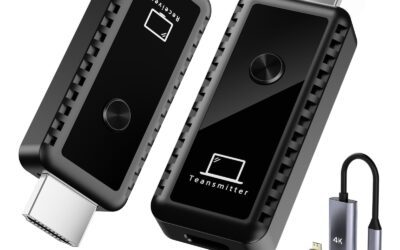
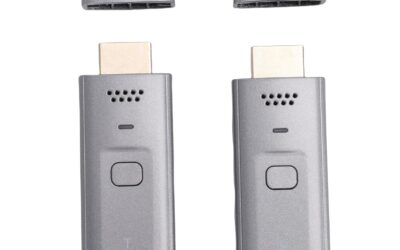
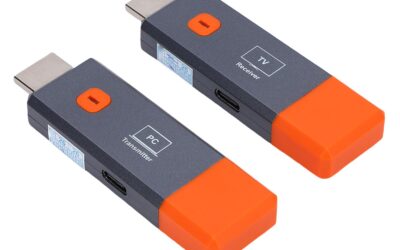
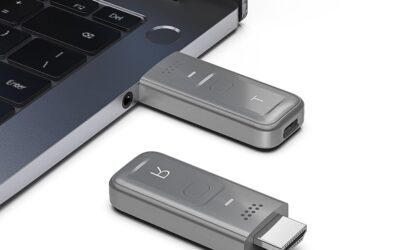
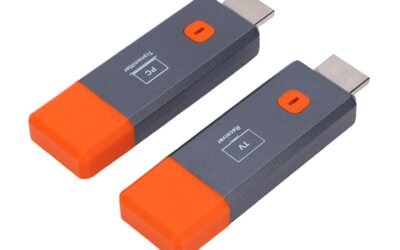
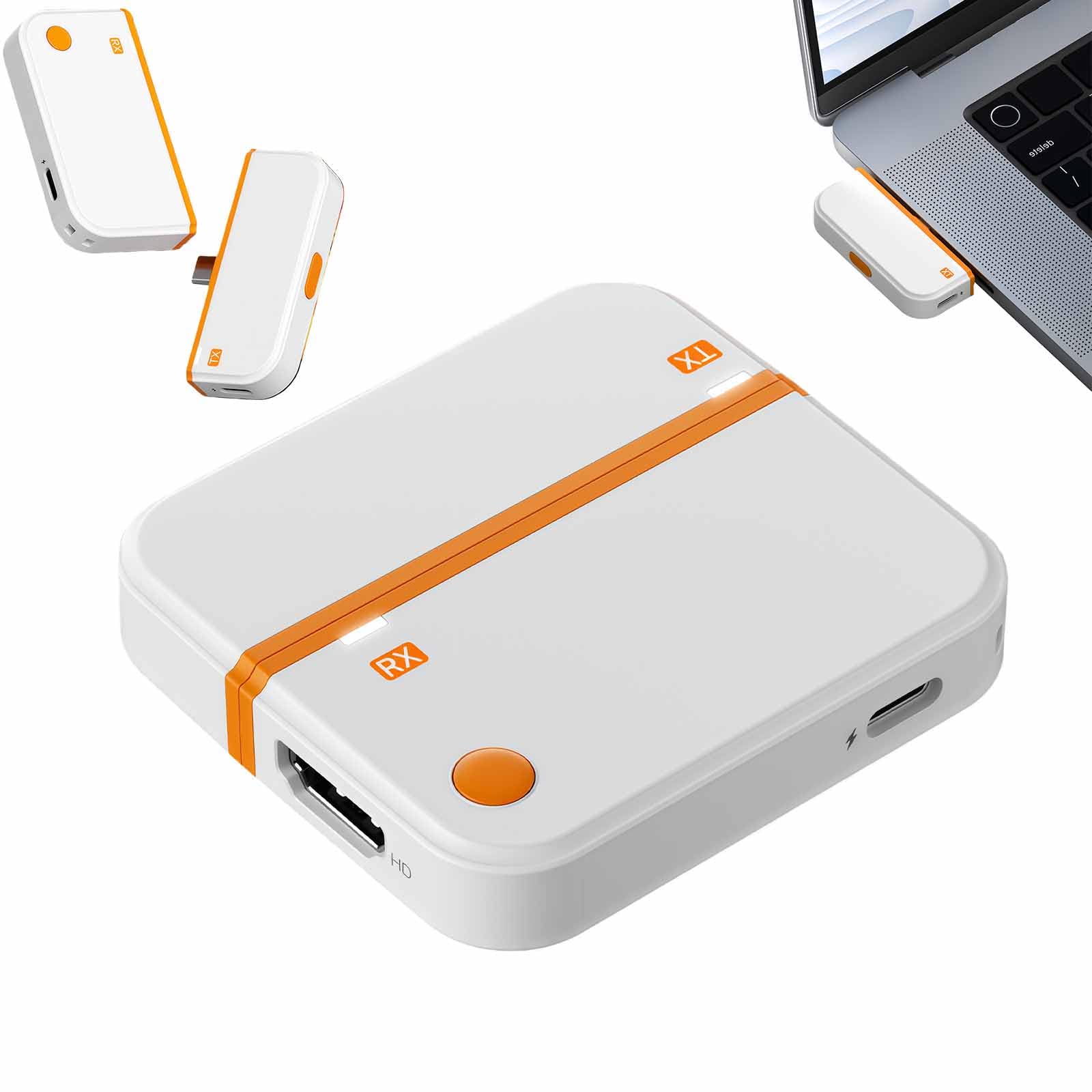
The Wireless HDMI Transmitter and Receiver Kit is a hardware-based screen-sharing solution that bypasses the need for local Wi-Fi networks, Bluetooth pairing, or third-party software installation. The kit consists of two primary components: a compact transmitter (TX) featuring a modern USB Type-C connector and a receiver (RX) equipped with a standard HDMI connector.
The system is engineered to transmit high-definition video and synchronized audio over long distances using dual-band wireless technology (operating on both 2.4GHz and 5GHz frequencies). This dual-band capability ensures that the device can dynamically switch or utilize the clearest wireless channel available, minimizing interference from other household or office electronics.
One of the standout design elements of this particular kit is the integration of the Type-C port on the transmitter. Unlike traditional wireless HDMI transmitters that use standard HDMI connectors—requiring you to use an adapter if your laptop only has USB-C ports (like modern MacBooks, Chromebooks, or ultra-thin Windows PCs)—this transmitter plugs directly into your device’s USB-C port. Additionally, the transmitter features a unique physical privacy button on its chassis, allowing users to pause screen transmission instantly with a single click.
Key Specifications:
- Maximum Resolution: Full HD 1080p at 60Hz
- Wireless Frequency: Dual-band 5GHz and 2.4GHz
- Transmitter Interface: USB Type-C (requires DisplayPort Alternate Mode support on host device)
- Receiver Interface: HDMI (plugs into TVs, projectors, or monitors)
- Power Supply: Receiver requires external USB power (Type-C charging port)
- Audio Transmission: Yes, perfectly synchronized stereo audio
- Supported Modes: Screen Mirroring (replicates the source display) and Screen Extension (acts as an independent second monitor)
Pros: 5-7 Key Advantages
After analyzing the features and testing the practical applications of this wireless HDMI extender, several key benefits stand out. Here are the primary advantages of incorporating this device into your workspace or home entertainment system:
True Plug-and-Play Simplicity
One of the biggest pain points of older screen-mirroring devices (such as early Miracast or Chromecast models) is the tedious setup process. They often require you to download proprietary apps, connect to a specific local Wi-Fi network, input passwords, and adjust complicated IP settings. This dual-band wireless HDMI kit eliminates all of that. It operates on a direct, peer-to-peer wireless connection. You simply plug the receiver into your TV, connect the transmitter to your laptop’s USB-C port, and within seconds, your screen is mirrored. There are absolutely no drivers, software, or network configurations required.
Modern Type-C Transmitter Integration
As laptops, tablets, and smartphones become thinner, traditional ports like HDMI are rapidly disappearing. Modern devices rely heavily on USB-C ports for charging, data, and video output. By equipping the transmitter with a native USB-C connector, this wireless kit eliminates the need for annoying dongles. You can plug it directly into a modern MacBook Pro, Dell XPS, iPad Pro, or compatible Android phone without carrying around a bulky multi-port adapter hub.
Dual-Band 5G/2.4G Wireless Stability
Wireless signals can easily become congested, especially in offices or apartment complexes packed with Wi-Fi routers, smart TVs, and Bluetooth gadgets. This extender uses dual-band technology (5GHz and 2.4GHz) to combat this issue. The 5GHz band offers blazing-fast data transfer speeds and extremely low latency, which is perfect for streaming fluid 1080p video at 60Hz. Meanwhile, the 2.4GHz band provides superior signal penetration through physical obstacles, ensuring a stable connection even if there is not a direct line of sight between the transmitter and receiver.
One-Click Privacy Button
In professional settings, privacy is paramount. Imagine presenting to a client or a room full of colleagues, and you suddenly need to type in a sensitive password, pull up private notes, or quickly check an incoming email. Normally, you would have to unplug the transmitter or clumsily navigate your computer’s display settings to stop sharing. This transmitter features a physical, one-click button on its side. Pressing it instantly pauses the video stream, showing a blank or holding screen on the display. Once you are ready to resume, another quick click brings your screen back instantly. It is a simple feature that provides immense peace of mind during meetings.
Support for Extend and Mirror Modes
Many basic wireless screen-sharing adapters only allow you to mirror your screen, meaning whatever you see on your laptop is exactly what your audience sees on the big screen. This device supports dual screen modes. You can choose Mirror Mode for straightforward presentations, or Extend Mode, which treats the wireless display as a genuine second monitor. This allows you to multitask efficiently—for instance, keeping your presentation notes open on your laptop screen while your audience only sees the presentation slides on the projector.
Smooth 1080p 60Hz Video and Audio Sync
While 4K resolution is great for high-end home theaters, 1080p at 60Hz remains the golden standard for productivity, classroom lectures, and casual video streaming. This device handles 1080p effortlessly, maintaining a smooth 60 frames per second. This prevents stuttering and ensures that audio and video remain perfectly in sync, which is crucial when watching movies, streaming video clips, or presenting dynamic animations.
Cons: 3-5 Disadvantages to Consider
While the Wireless HDMI Transmitter and Receiver offers a robust feature set for its price, no tech product is perfect. To ensure an honest and balanced review, it is important to highlight the limitations of this device:
Limited to 1080p Resolution (No 4K Support)
The most obvious drawback for home theater enthusiasts is the lack of 4K resolution support. If you own a high-end 4K TV or projector and want to stream UHD movies, this device will downscale the output to 1080p. While 1080p looks crisp and clear on most displays up to 55 inches, you may notice a slight drop in absolute sharpness on very large screens or when reading ultra-fine text from a spreadsheet.
Host Device Must Support DisplayPort Alternate Mode
Because the transmitter plugs into a USB Type-C port, it relies on the host device’s ability to output video through that port. This feature is technically known as DisplayPort Alternate Mode (DP Alt Mode). While almost all modern MacBooks, high-end Windows laptops, iPads, and flagship Android phones support DP Alt Mode, many budget laptops, mid-range smartphones, and older devices do not. If your device’s USB-C port is only rated for charging and slow data transfer, this wireless transmitter will not work. You must check your source device’s specifications before purchasing.
Minor Latency (Not Suitable for Competitive Gaming)
Any wireless video transmission system introduces a minute amount of latency (delay) as it compresses, transmits, and decompresses the signal. While this latency is virtually imperceptible when watching movies, giving presentations, or scrolling through web pages, it can be noticeable in fast-paced video games. If you plan on playing competitive first-person shooters or fighting games where split-second reactions are vital, a traditional wired HDMI cable remains the superior choice.
Receiver Requires External Power Source
While the transmitter is conveniently powered directly by the host device’s USB-C port, the receiver dongle (which plugs into your TV or projector) requires external power to run its wireless chip. This means you will need to run a USB power cable from the receiver to a nearby USB port on your TV or connect it to a wall adapter. While standard for wireless HDMI kits, it means the receiver setup is not entirely “wireless” behind your TV display.
Customer Reviews Analysis
At the time of writing, this specific product has 0 customer reviews on Amazon. This is quite common for newly launched tech accessories or niche hardware components entering a highly competitive marketplace. However, a lack of direct reviews does not mean we cannot evaluate its market viability.
When analyzing similar dual-band Type-C wireless HDMI extenders in the $50 to $80 price bracket, several trends emerge regarding what buyers love and what they complain about. Typically, users who purchase products with these identical technical specifications praise the absolute freedom from corporate IT departments. Because these devices run on hardware-level encoding and do not require administrative privileges to install drivers, business travelers find them incredibly reliable when presenting on restricted corporate laptops.
Conversely, common complaints in this product category usually revolve around physical durability (such as thin plastic casings that run hot after hours of continuous streaming) and signal dropouts when trying to transmit through thick concrete walls or over distances exceeding 50 feet. Given that this device uses dual-band 5G/2.4G, it should theoretically maintain a more stable connection than single-band alternatives, but buyers should keep in mind that maintaining a clear line-of-sight between the transmitter and receiver always yields the best results.
Who Should Buy This Product?
This Wireless HDMI Extender is a specialized tool that excels in specific scenarios. You should consider purchasing this product if you fall into any of the following categories:
- Business Professionals and Presenters: If you frequently travel for work, visit client offices, or lead meetings, this tool is invaluable. It saves you from the embarrassment of showing up to a conference room only to realize your laptop doesn’t match their display cables. The compact design fits easily in a laptop bag, and the privacy button is a massive bonus for handling sensitive data during presentations.
- Educators and Lecturers: Teachers who like to move around the classroom while presenting from a tablet or laptop will appreciate the freedom of a wireless setup. It allows you to interact with students without being tethered to the podium.
- Casual Home Entertainers: If you want to temporarily stream a movie from your laptop to a projector in the backyard, or watch a sports game on a TV mounted on the patio without running 50-foot cables through the house, this is an incredibly convenient, cost-effective solution.
- Minimalist Workspace Enthusiasts: If you hate seeing cables cluttering your desk, using this extender to connect your laptop to a secondary monitor mounted on the wall can help you achieve a perfectly clean, floating-screen aesthetic.
Final Verdict
For its modest price point of around $60, the Wireless HDMI Transmitter and Receiver Kit with Type-C offers exceptional value. It successfully addresses one of the biggest issues of modern connectivity: the lack of HDMI ports on thin, modern devices. By blending native Type-C compatibility with dual-band wireless stability and a highly useful one-click privacy button, it stands out as an incredibly practical productivity tool.
It is important to remember its limitations: it is not a 4K powerhouse, it is not built for competitive gaming, and you must verify that your laptop or phone supports video output over its USB-C port. However, if your primary goals are eliminating messy cables, making your presentations seamless, and enjoying hassle-free 1080p mirroring, this plug-and-play device is an affordable, highly capable investment that punches well above its weight class.