In the modern age of home entertainment, remote work, and hybrid conference rooms, cable management has become a universal frustration. Dealing with tangled HDMI cables trailing across a conference table or running long, unsightly cords along living room baseboards is an issue most of us want to leave in the past. While wireless HDMI technology has evolved to solve this exact problem, standard setups often limit you to casting from just a single device. What happens when you have multiple laptops, media players, or cameras in a room and need to switch between them quickly?
That is where an add-on transmitter comes into play. The Wireless HDMI Video Transmitter (priced at $59.00) is designed specifically as an expansion accessory. It is not a standalone system, but rather a dedicated transmitter meant to pair with an existing wireless HDMI receiver kit (specifically compatible with ASIN: B0C7VZLHS5 and systems utilizing the EZCast TX protocol).
If you already own a compatible receiver and want to expand your system to support seamless, multi-device switching with the simple click of a button, this transmitter might be exactly what you need to upgrade your workflow. In this comprehensive, hands-on review, we will break down the features, performance, setup steps, pros, and cons of this wireless transmitter to help you decide if it is the right fit for your tech setup.
—
Product Overview
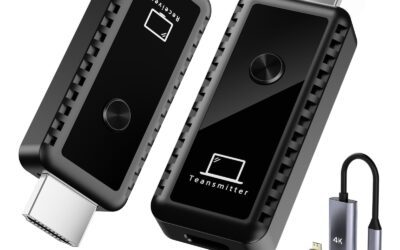
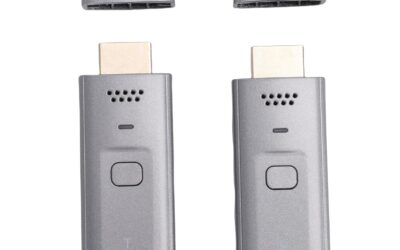
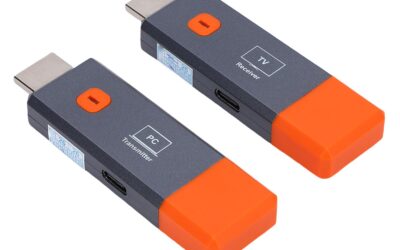
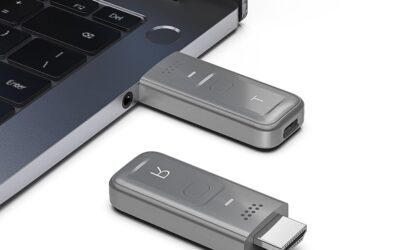
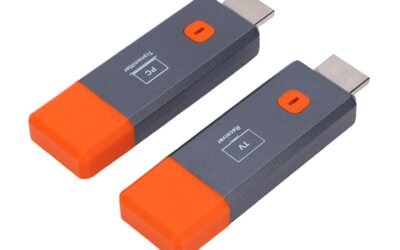
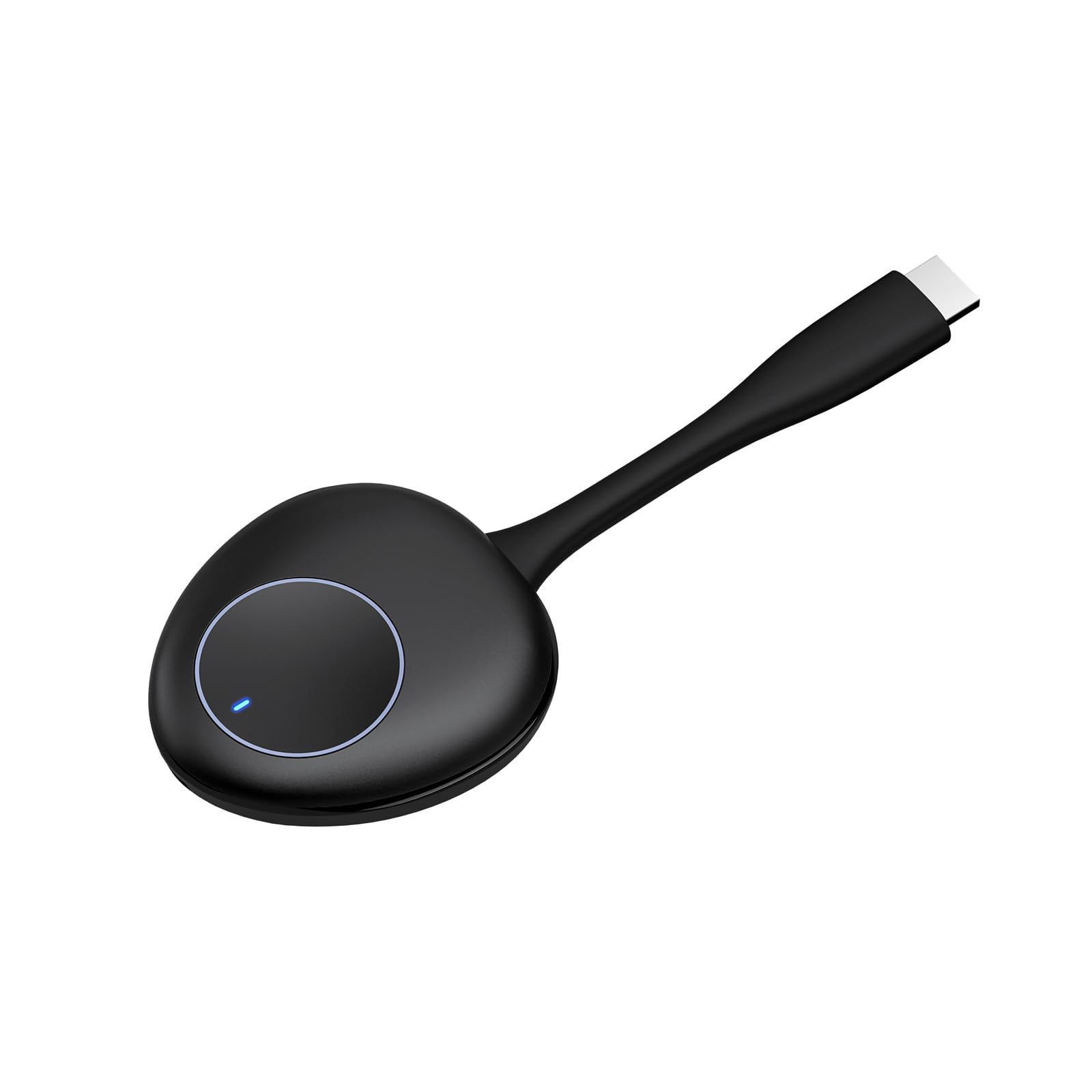
The Wireless HDMI Video Transmitter is a compact, dongle-style device designed to transmit high-definition audio and video from a source device to your display wirelessly. Measuring just a few inches in length, this lightweight transmitter easily plugs into any standard HDMI port. It features an integrated physical button on its top surface, which serves as a manual toggle switch to cast or pause your stream instantly.
Operating on dual-band wireless frequencies (2.4GHz and 5.8GHz), this device is engineered to bypass local network interference, ensuring a stable, clear connection over impressive distances. It decodes and compresses video feeds using efficient H.264 and H.265 protocols, delivering crisp, high-definition video output up to 1080p resolution at a smooth 60Hz frame rate.
The primary selling point of this individual transmitter is its multi-point capability. A compatible receiver can pair with up to eight of these transmitters simultaneously. This means up to eight different presenters can have their transmitters plugged into their respective laptops or cameras, and with a single press of the button on any transmitter, the receiver will immediately switch the main display to that device’s feed.
Key Technical Specifications:
- Form Factor: Compact TV-stick style with integrated HDMI plug
- Transmission Range: Up to 165 feet (50 meters) in clear line-of-sight
- Resolution Support: Up to 1920x1080p at 60Hz
- Video Compression: H.264 and H.265/HEVC
- Power Input: USB Type-C port (requires a 5V/2A power source)
- Wireless Standard: Dual-band 2.4G/5.8G Wi-Fi connection
—
Step-by-Step Guide: How to Pair the Transmitter
Because this is an add-on accessory, it does not come pre-paired with your receiver out of the box like a complete starter kit does. Fortunately, the pairing process is straightforward, requiring no software installations, apps, or local Wi-Fi passwords. Here is how to sync the transmitter to your existing receiver:
Step 1: Prep the Receiver (RX)
Connect your existing wireless receiver to your display (TV, projector, or monitor) via an HDMI cable and supply it with power. Locate the small “Reset” button on the bottom of the receiver. Using a small tool or thimble (often included with the device), press and hold this reset button for 3 to 5 seconds. Keep your eyes on the display screen; once you see the pop-up prompt reading “Release the button to pair with EZCAST TX,” release the button immediately. The receiver is now actively searching for a new transmitter.
Step 2: Power and Activate the Transmitter (TX)
Connect the new transmitter to a power source using a USB Type-C cable. Note that you will need a 5V/2A power adapter or a powered USB port on your source device. Once powered, press and hold the main physical button on the body of the transmitter for 3 to 5 seconds. The transmitter’s LED indicator status light will begin to flash rapidly, signaling that it has entered pairing mode.
Step 3: Complete Connection
Leave both devices alone for about 15 seconds. The transmitter and receiver will automatically detect each other over their local wireless frequency. Once the pairing is successful, the indicator light on the transmitter will change from flashing to a steady, solid light, and your display screen will confirm that the connection has been successfully established.
—
Pros: The Advantages of the Transmitter
There is a lot to love about this wireless HDMI transmitter, especially if you are trying to upgrade a collaborative space. Here are the primary benefits of adding this device to your tech arsenal:
Seamless Multi-Device Switching
The absolute standout feature of this transmitter is the “one-button click switch.” In traditional meeting environments, switching presenters means passing an HDMI cable around, waiting for the laptop to detect the screen, and dealing with resolution changes. With this transmitter, up to eight people can plug in their own devices. To take over the screen, a user simply clicks the button on their transmitter. The system handles the transition smoothly, making presentations feel fluid and professional.
Freedom From Cable Clutter
Running cables across floors or through ceilings is expensive and messy. This transmitter lets you cast video across a room without a single physical wire connecting your source device to your display. It is an elegant way to maintain a clean, professional-looking office, classroom, or home entertainment center.
True Plug-and-Play Simplicity
Once the initial pairing is complete, this device operates as a hardware-to-hardware connection. You do not need to download drivers, install third-party casting software, configure IP addresses, or connect to an office network. This is highly beneficial for corporate networks or educational institutions where IT security policies strictly prevent users from installing software on work laptops.
Dual-Band Wireless Stability
Cheap wireless transmitters often suffer from screen tearing, dropouts, or pixelation because they run on crowded frequencies. By utilizing dual-band (2.4GHz and 5.8GHz) technology, this transmitter can automatically switch to the cleanest available channel. This ensures stable, uninterrupted 1080p video streaming even in environments packed with office Wi-Fi networks and smartphones.
Broad Device Compatibility
The transmitter relies on standard HDMI, meaning it works with almost any device that outputs video. Whether you are plugging it into a Windows laptop, a Mac, a desktop PC, a Blu-ray player, a DSLR camera, a cable box, or a gaming console, it handles the output flawlessly.
Compact and Highly Portable
The pocket-sized form factor means you can easily toss it into a laptop bag or backpack. For business travelers, consultants, or freelance videographers, having a reliable wireless casting tool that fits in the palm of your hand is incredibly convenient.
—
Cons: The Disadvantages to Keep in Mind
While this wireless HDMI transmitter is a fantastic tool, it is not without a few limitations that you should consider before purchasing.
It is an Accessory, Not a Complete Kit
The most important point to understand is that this is an add-on transmitter only. It does not come with a receiver. If you do not already own a compatible wireless HDMI receiver (such as the one from ASIN: B0C7VZLHS5), this transmitter will not work. Buyers looking for a starter setup must purchase a full transmitter-and-receiver kit first.
5V/2A Power Adapter Not Included
To run stably, the transmitter requires external power via its Type-C USB port. While a Type-C cable is provided, the actual 5V/2A power wall plug is not included in the box. While many laptops can output enough power via their USB ports to power the transmitter, older devices or certain cameras may require you to supply your own external USB power brick.
Slight Latency Limits High-End Gaming
While this device is excellent for PowerPoint presentations, documents, web browsing, camera monitoring, and video streaming, wireless transmission always introduces a tiny amount of latency. While barely noticeable when watching movies, it can be a minor hindrance for fast-paced, competitive gaming where split-second reaction times are critical.
Manual Re-Pairing Required If Reset
Although the device is plug-and-play once set up, the initial pairing process requires pressing a physical reset button on the receiver using a pin or thimble. If you ever have to factory reset your system or change receivers, you will need to repeat this physical pairing process for every transmitter in your rotation.
—
Customer Reviews Analysis
With 25 reviews on Amazon, this wireless transmitter has generated a clear picture of real-world performance. Overall, user sentiment is positive, with buyers highlighting its value as an expansion tool for collaborative environments.
Many users report that the device works perfectly for office conference rooms. Reviewers love the “one-click” feature, explaining that it completely changes how they run team meetings. Instead of taking a two-minute break to swap HDMI cables between speakers, presenters can simply plug in ahead of time and tap their button when it is their turn to speak.
The visual quality is another area that receives high praise. Users note that 1080p video at 60Hz looks clean, sharp, and smooth, with no noticeable compression artifacts during standard video playback or presentations.
However, the reviews also highlight some common pain points. A few customers expressed frustration after purchasing the item, realizing too late that it was an accessory transmitter and not a full starter kit containing both parts. Other reviewers pointed out that the lack of an included 5V/2A power adapter was an annoying omission, requiring them to rummage around for an extra USB wall charger to complete their setup.
—
Who Should Buy This Product?
This add-on wireless transmitter is a specialized accessory, meaning it is perfect for a specific subset of users:
- Office Teams and Presenters: If you regularly run meetings where multiple staff members or clients need to share slideshows, spreadsheets, or designs from their laptops, buying one or two of these additional transmitters to pair with your central meeting room display is a massive quality-of-life upgrade.
- Educators and Lecturers: Teachers can use these transmitters to allow students to wirelessly cast their projects directly to the classroom projector from their desks without needing to walk up to the front of the room.
- Videographers and Content Creators: By connecting the transmitter to a DSLR camera or camcorder (using the included mini/micro HDMI adapters), videographers can wirelessly stream a live camera feed to a director’s monitor up to 165 feet away.
- Multi-Device Home Users: If you already have a compatible receiver hooked up to your living room projector or TV, you can buy extra transmitters to keep permanently plugged into your gaming console, work laptop, and streaming media box, letting you switch sources instantly without messing with an HDMI switcher.
—
Final Verdict
At $59.00, this Wireless HDMI Video Transmitter offers a highly practical and budget-friendly way to expand your existing wireless display setup. It delivers on its promises, providing crisp 1080p resolution, reliable dual-band wireless performance, an impressive 165-foot range, and a highly intuitive one-click switching mechanism.
While the omission of a 5V/2A power adapter is a minor inconvenience, and the fact that it is an accessory-only purchase might confuse some shoppers, these drawbacks do not overshadow the device’s immense utility. If you already utilize the compatible wireless receiver (ASIN: B0C7VZLHS5) and want to scale up your collaborative space or home entertainment hub to support seamless multi-source casting, this transmitter is an exceptionally smart, reliable, and cost-effective purchase.