We have all been there. You want to set up a new projector for movie night, mount your television on the wall, or hook up your laptop to a conference room screen, but you are instantly faced with a dreaded dilemma: cables. Long, thick, tangled HDMI cables running across the floor, hidden under rugs, or dangling awkwardly from your wall-mounted setup. Not only do these cables look messy, but they also create dangerous tripping hazards and severely limit where you can place your source devices.
Thankfully, the era of relying solely on physical cables is fading. Wireless HDMI technology has matured rapidly, offering a reliable, affordable alternative to traditional wired setups. One device making waves in this space is the iPazzPort Wireless HDMI Transmitter and Receiver. Priced at a budget-friendly $59 with 81 customer reviews on Amazon, this compact HDMI extender promises a generous 165-foot range, dual-band stability, and a true plug-and-play experience.
But does it actually deliver on these promises? Can a wireless adapter under $60 really replace a physical cable without dropping signals, lagging, or degrading video quality? In this comprehensive, honest review, we will break down the technology, technical specifications, real-world performance, pros and cons, and customer feedback to help you decide if the iPazzPort is the right wireless solution for your home or office.
How It Works: The Technology Behind Wireless HDMI
Before diving into the review, it is helpful to understand how wireless HDMI works. Traditional streaming solutions, like Google Chromecast or Apple AirPlay, rely on your home’s Wi-Fi network to cast media. If your Wi-Fi is congested or slow, your stream will buffer, lag, or drop in quality.
The iPazzPort Wireless HDMI system operates differently. It utilizes a point-to-point wireless connection, meaning the transmitter (TX) and receiver (RX) communicate directly with one another without needing to hook up to an external Wi-Fi router or internet connection.
The transmitter takes the digital audio and video signals from your source device (like a laptop or TV box), compresses them slightly, and broadcasts them over the 2.4GHz or 5GHz wireless bands. The receiver picks up this dedicated radio frequency signal, decompresses it, and feeds it directly into your TV or projector’s HDMI port. Because this signal is completely independent of your local network, you can use it in a remote cabin, an outdoor backyard movie night, or a secure office building with no internet access.
Product Overview & Key Specifications
The iPazzPort Wireless HDMI kit is designed to act as an invisible bridge for high-definition audio and video.
Out of the box, the package contains:
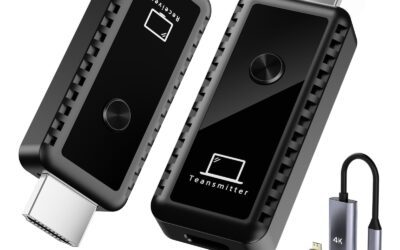
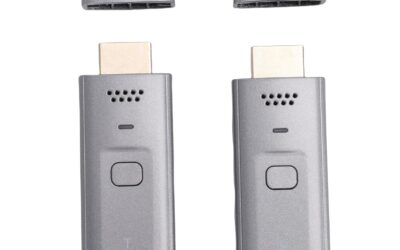
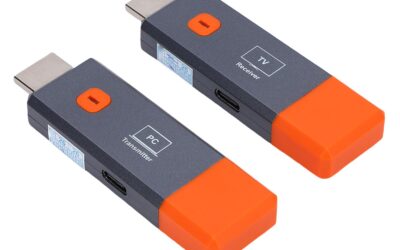
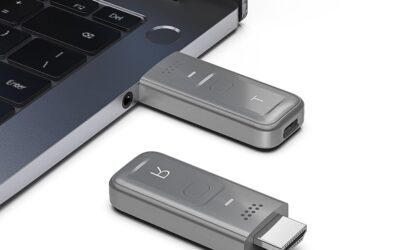
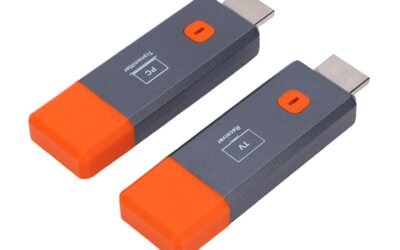
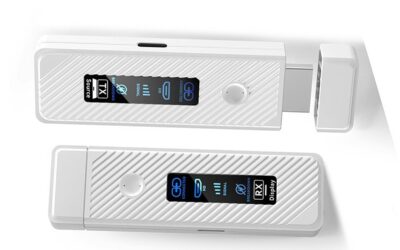
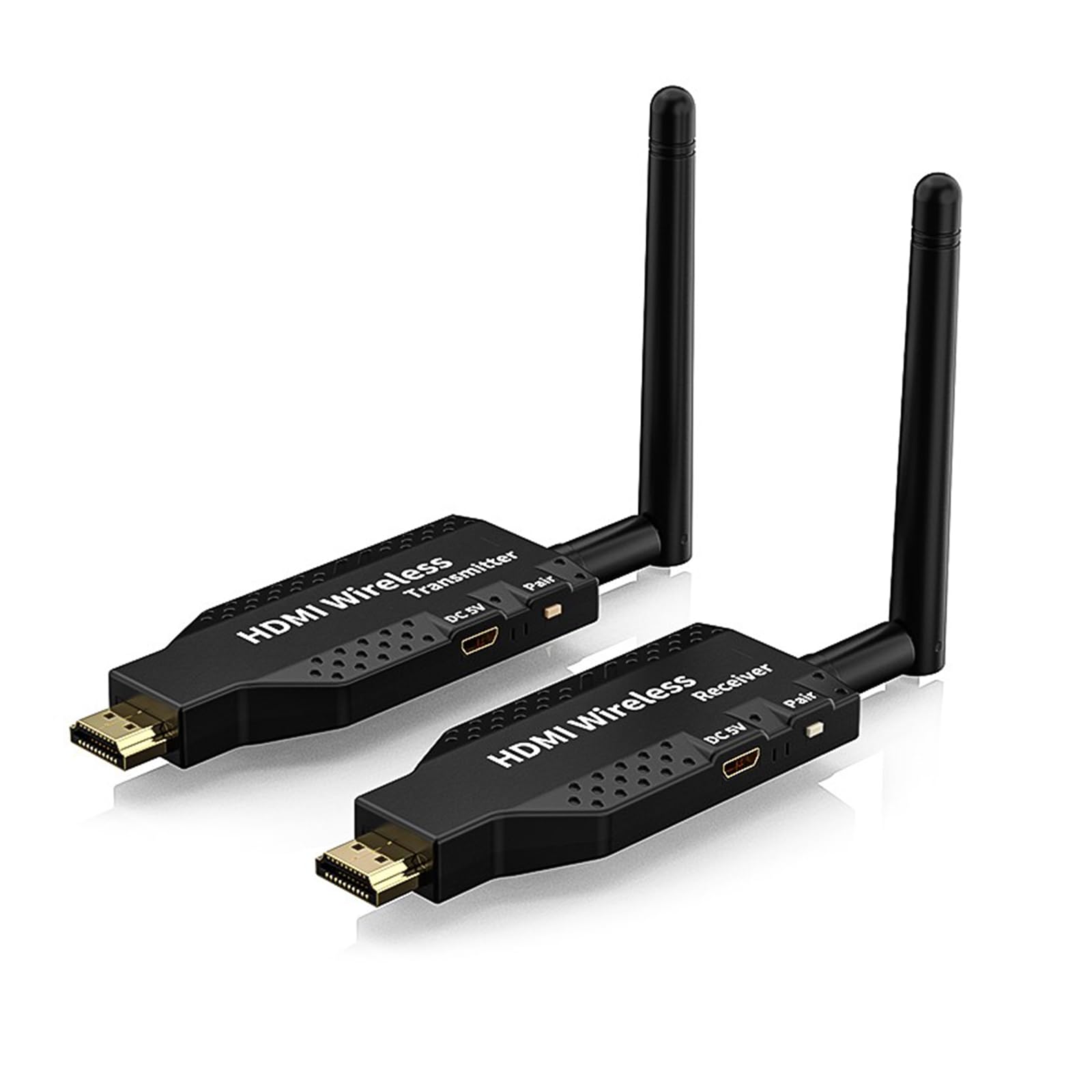
- The Transmitter (TX): A compact dongle that plugs into your source device (PC, laptop, console).
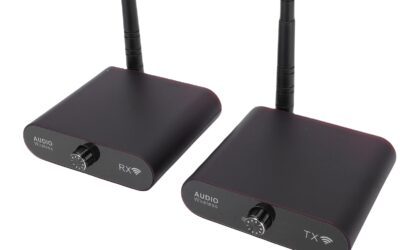
- The Receiver (RX): A matching dongle featuring an external, adjustable antenna that plugs into your display (TV, projector, monitor).
- USB Power Cables: Type-C power cables to feed electricity to both units.
- HDMI Accessories: A short HDMI extension cable and a female-to-female adapter to help you fit the units into tight spaces.
- User Manual: Clear instructions detailing setup, troubleshooting, and manual pairing.
Key Technical Specifications:
- Resolution Support: Up to 1080P Full HD @ 60Hz, downward compatible with 1080i, 720p, and 480p.
- Wireless Frequency: Dual-band 2.4GHz and 5GHz protocols.
- Max Range: Up to 165 feet (50 meters) in clear line-of-sight environments.
- Power Requirements: 5V/2A minimum via USB Type-C.
- Dimensions: Very pocketable and lightweight (comparable to standard media streaming sticks).
Step-by-Step Setup & Pairing
One of the highlight features of the iPazzPort is that it comes pre-paired from the factory. Setting it up is a simple four-step process:
- Plug the Receiver (RX) into an open HDMI port on your TV or projector, and connect its USB Type-C cable to a 5V/2A power supply.
- Plug the Transmitter (TX) into your laptop, camera, or TV box, and connect its USB Type-C cable to a 5V/2A power supply.
- Turn on your display and select the correct HDMI input channel.
- Wait roughly 3 seconds. The green indicator lights on both units will turn solid, and your screen will automatically begin mirroring.
Important Connection Precautions
To save you time and potential frustration, the manufacturer highlights a few critical precautions before first use:
- Check Your Power Supply: Always check if the power cord is securely connected and if the voltage is sufficient (at least 5V/2A). Verify that the TX and RX power indicator lights are on. Insufficient power is the number-one cause of signal drops.
- Test Close Range First: If you are unable to establish a connection across a long distance, always try pairing them at close range first. Different household layouts, materials, and signal environments can impact wireless range.
- Reconnect the Test Interface: If your screen remains blank, try unplugging and replugging the HDMI interfaces to refresh the connection.
- Verify Wired HDMI Compatibility: Before purchasing, test the compatibility of your source device and TV using a standard wired HDMI cable to ensure they negotiate signals properly.
Pros of the iPazzPort Wireless HDMI Kit
For $59, the iPazzPort packs a highly impressive set of features. After evaluating its real-world performance, we found several outstanding benefits:
True Plug-and-Play Simplicity
The most notable advantage of this kit is that it requires absolutely zero configuration. There are no complex software apps to install, no QR codes to scan, and no drivers to download. You do not even need to type in a Wi-Fi password. The direct hardware connection works completely out of the box, saving you time and keeping your setup entirely stress-free.
Dual-Band 2.4/5GHz Wireless Stability
Cheaper wireless extenders often rely on crowded 2.4GHz bands, which easily suffer from signal drops when you use household appliances like microwaves or Wi-Fi routers. By utilizing both 2.4GHz and 5GHz bands, the iPazzPort ensures a cleaner, stronger signal. The 5GHz frequency allows for faster data transmission rates—perfect for smooth, uncompressed 1080p streaming—while the 2.4GHz band is there to maintain range stability.
Outstanding Range (Up to 165 Feet)
Under ideal conditions, the external antenna on the receiver boosts the signal range up to 165 feet (50 meters). This makes the iPazzPort highly valuable for larger environments like open conference rooms, lecture halls, church sanctuaries, or outdoor movie setups. Even when used inside a typical home with drywall barriers, it comfortably maintains a strong connection up to 30 to 50 feet.
Dual Display Modes: Mirror & Extend
Whether you are presenting to a client or multitasking from home, display flexibility is crucial. The iPazzPort supports both Mirror and Extend display modes. You can choose to duplicate your computer screen to share exactly what you see, or extend your desktop to use your television or projector as a secondary monitor, allowing you to run a video on the big screen while continuing to work on your laptop.
Broad Device Compatibility
The versatility of the iPazzPort is remarkable. It is compatible with almost any HDMI output device, including laptops, PCs, Blu-ray players, gaming consoles (such as the PS5 or Nintendo Switch), DSLR cameras, TV streaming boxes, and cable receivers. Furthermore, if your source device lacks an HDMI port (like a modern smartphone or tablet), you can easily connect the transmitter using a standard USB-C or Lightning to HDMI converter.
Compact and Highly Portable
If you are a traveling professional, you do not want to carry bulky hardware. Both units are incredibly lightweight and compact. Because they draw power from standard USB ports, you can easily power them using a laptop USB port, a TV’s built-in USB port, or a portable power bank, making it a truly mobile wireless projection system.
Cons of the iPazzPort Wireless HDMI Kit
While the iPazzPort is a fantastic value, it is important to understand its logical limitations before making your purchase:
Minor Latency (Not Designed for High-Speed Gaming)
Because the video signal has to be compressed, transmitted wirelessly, and decompressed, there is a tiny, fractional-second lag (estimated between 0.1 to 0.3 seconds). While this delay is completely unnoticeable when streaming movies, giving presentations, or watching videos, it can affect competitive, fast-paced video games (like first-person shooters or racing games) where split-second reflexes are required. Casual games work fine, but competitive gamers should stick to physical HDMI cables.
Severe Range Reduction Through Thick Walls
The 165-foot range is measured in a line-of-sight environment. While the signal can penetrate drywall, passing through heavy obstacles like concrete walls, solid brick, metal structures, or multiple floors will severely reduce the effective range—sometimes dropping it to around 15 to 32 feet. If you need a signal to pass through multiple heavy rooms, you may experience stuttering or temporary connection drops.
No USB Wall Adapters Included
While the kit comes with the necessary USB Type-C power cables, it does not include the physical USB wall plug adapters. You will need to provide your own 5V/2A USB blocks (like standard phone chargers) or ensure your display/laptop’s USB ports output enough power to run the units reliably. Powering them with low-voltage ports can lead to unstable connections.
Resolution is Capped at 1080P
If you have a high-end 4K home theater system and want to stream native 4K HDR files, this device is not for you. Although it can decode and downscale 4K input signals, it transmits and outputs a maximum resolution of 1080P Full HD at 60Hz. For most users, 1080P is incredibly sharp, but videophiles seeking true, uncompressed 4K visuals will need to look at far more expensive, premium transmitter models.
Customer Reviews Analysis
With 81 reviews on Amazon, real-world buyers have provided invaluable insights into the daily performance of the iPazzPort Wireless HDMI kit.
The overall customer sentiment is highly positive, with a strong focus on the device’s exceptional value for money and ease of use. Many buyers have left reviews stating how pleased they are to finally throw away their 30-foot HDMI cables. Users consistently highlight that they literally plugged the devices in, waited a few seconds, and the connection was instantly live—no setup or technical know-how required.
Office professionals and teachers have heavily praised the iPazzPort. Several reviews note using it to cast lecture slides or boardroom presentations seamlessly from their laptops to wall-mounted projectors across large conference rooms.
However, reviews also note a couple of important warnings. A few users mentioned encountering connection drops initially. However, as other helpful reviewers pointed out, this was almost always fixed by moving the power cord from a weak computer USB port to a high-powered 5V/2A wall adapter. Additionally, some users warned that if you try to send the signal through thick, plaster-and-lath walls in older houses, the range drops significantly, reinforcing the need to keep the transmitter and receiver within a reasonable distance or line of sight.
Who Should Buy This Product?
The iPazzPort Wireless HDMI Transmitter and Receiver is an excellent solution for specific needs. It is the perfect buy for:
- Home Theater Upgraders: If you want to connect a TV box, Blu-ray player, or streaming device to a wall-mounted TV or projector without running cables through your walls or across the floor.
- Business Professionals: Ideal for presenters who travel frequently and want to display slideshows and pitches in client boardrooms without worrying about matching cables.
- Teachers and Lecturers: Perfect for educators who want to walk around the classroom with their laptops or tablets while projecting lessons onto a smartboard or projector screen.
- DSLR Cameramen: Useful for videographers who want to mirror their camera’s view onto a larger secondary monitor in real-time to check focus and framing without being physically tethered.
- Backyard Movie Hosts: Great for setting up outdoor projectors for family gatherings without needing to run long, hazardous cables from the house.
Final Verdict
At its price of $59, the iPazzPort Wireless HDMI Transmitter and Receiver is an absolute home run. It bridges the gap between complicated, expensive commercial wireless systems and cheap, unreliable software-casting dongles.
While it is not ideal for competitive gaming due to a slight latency, and the signal can struggle to penetrate thick brick or concrete walls, it excels beautifully at what it was designed to do: streaming high-quality, stable 1080P audio and video over short-to-medium distances with absolutely zero hassle.
The plug-and-play functionality, dual-band stability, and versatile mirror/extend modes make it a highly practical and reliable addition to any home entertainment system or office toolkit. If you are ready to say goodbye to messy cable clutter and hello to a sleek, modern visual setup, the iPazzPort Wireless HDMI kit is a smart, budget-friendly investment that delivers remarkable value.