Understanding the Essentials of A C Output Speakers
When you are setting up a sound system, the term a c output speakers typically refers to active speakers that require a direct AC power source (a wall outlet) to drive their internal amplifiers. Unlike passive speakers that rely on an external amplifier for power, a c output speakers handle the conversion of electrical energy into sound internally, making them a popular choice for home studios, computer setups, and professional DJ rigs.
In my experience building professional audio environments, the primary advantage of these systems is the perfectly matched impedance between the internal amp and the driver. This guide will walk you through everything you need to know about audio output, signal flow, and how to optimize your a c output speakers for crystal-clear sound.
Key Takeaways for Fast Setup
- Active vs. Passive: A c output speakers have built-in amplifiers and plug into wall outlets; passive speakers do not.
- Signal Type: Audio signals are technically Alternating Current (AC) voltages that fluctuate to move the speaker cone.
- Connection Matters: Use balanced cables (XLR or TRS) whenever possible to eliminate ground loops and 60Hz hum.
- Power Sequencing: Always turn your speakers on last and off first to prevent damaging “pops” or voltage spikes.
- Placement: Position your speakers at ear level and create an equilateral triangle between the two monitors and your listening position.
The Science Behind A C Output Speakers and Audio Signals
To truly master your audio output, you must understand that every speaker is essentially an AC-driven device. Even though your amplifier might take DC power from a battery or a rectified wall source, the signal sent to the speaker is Alternating Current.
The frequency of this AC signal determines the pitch you hear, while the amplitude (voltage level) determines the volume. When we discuss a c output speakers, we are specifically looking at how your gear manages this power to move a voice coil within a magnetic field.
How AC Voltage Becomes Sound
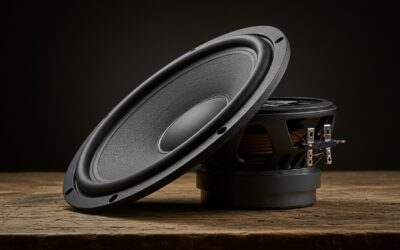
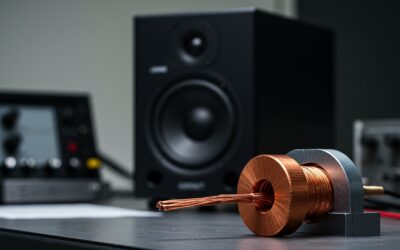
The voice coil is a length of wire wrapped around a cylinder attached to the speaker cone. As the AC output from the amplifier flows through this coil, it creates a fluctuating magnetic field.
This field interacts with a permanent magnet fixed to the speaker frame. Because the current alternates (changes direction), the coil is alternately pushed and pulled, causing the cone to vibrate and create sound waves in the air.
Why Integrated Amplification Wins
In my years of testing studio monitors like the Yamaha HS8 or KRK Rokits, I’ve found that integrated a c output speakers often outperform separate components for beginners and mid-tier pros.
Manufacturers can fine-tune the crossover network specifically for the drivers used. This ensures that the woofer and tweeter receive the exact AC frequency range they were designed to handle, reducing the risk of distortion or “blowing” the speaker.
Step-by-Step: Setting Up Your A C Output Speakers
Setting up your audio output correctly the first time prevents hardware damage and ensures you aren’t fighting static or interference later. Follow these steps for a professional-grade installation.
Step 1: Physical Placement and Isolation
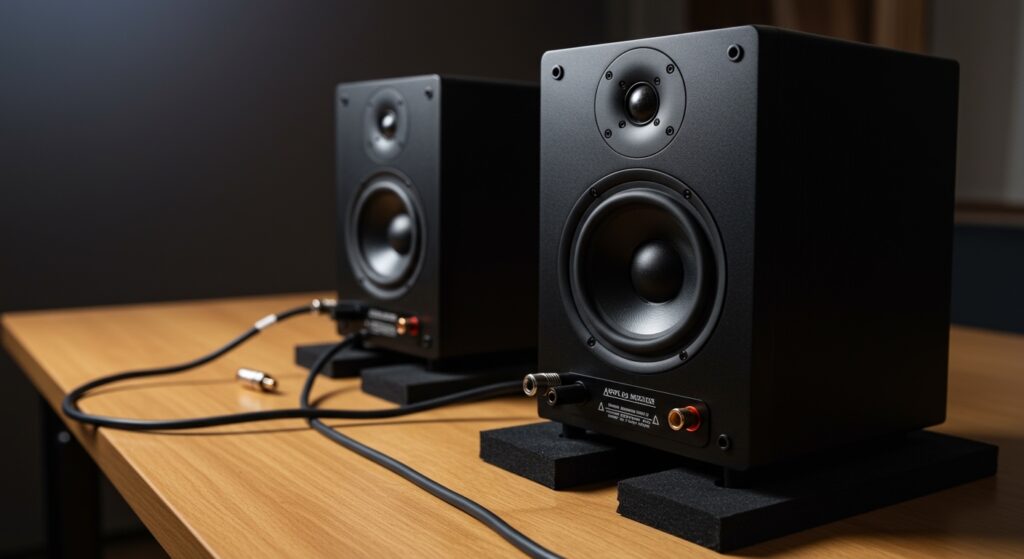
Before plugging in any cables, consider your environment. A c output speakers vibrate significantly. If placed directly on a desk, those vibrations transfer to the furniture, creating “muddy” bass.
- Use isolation pads (high-density foam) or speaker stands to decouple the speakers from your desk.
- Angle the speakers inward (toeing-in) so they point directly at your ears.
- Keep the speakers at least 8-12 inches away from walls to prevent “bass buildup” caused by rear-firing ports.
Step 2: Choosing the Right Audio Cables
The quality of your a c output speakers is limited by the cables feeding them. You generally have two choices: Balanced and Unbalanced.
- Balanced (XLR or 1/4″ TRS): These use three wires to cancel out electro-magnetic interference (EMI). I always recommend these for runs longer than 10 feet.
- Unbalanced (RCA or 1/4″ TS): These are common in consumer gear but are susceptible to radio frequency interference (RFI).
Step 3: Powering Up and Level Matching
“Gain staging” is the secret to a clean audio output. If your speakers are turned up to 100% but your computer volume is at 10%, you will hear a constant hiss.
- Set your computer or Audio Interface output to about 75-80%.
- Slowly turn up the volume knob on the back of your a c output speakers until it reaches your maximum comfortable listening level.
- This ensures the Signal-to-Noise Ratio (SNR) is optimized, keeping the “floor” of the noise as low as possible.
Comparing Audio Output Technologies
| Feature | Active (AC Output) Speakers | Passive Speakers |
|---|---|---|
| Amplification | Built-in (Internal) | External (Separate Amp) |
| Power Requirement | Plugs into Wall Outlet | Driven by Speaker Wire |
| Ease of Use | High (Plug and Play) | Moderate (Requires Matching) |
| Portability | Heavy (due to internal amp) | Lightweight (per unit) |
| Cable Type | Line Level (XLR/TRS) | Speaker Level (Banana/Wire) |
| Best For | Studios, DJs, PC Gaming | Home Theater, Audiophile Hi-Fi |
Troubleshooting Common A C Output Speaker Issues
Even the best a c output speakers can run into technical glitches. Based on my experience in live sound environments, here is how to fix the most common “show-stoppers.”
Dealing with the “60-Cycle Hum”
If you hear a low-frequency buzz, you likely have a ground loop. This happens when your speakers and your computer are plugged into different outlets that have a slight difference in electrical potential.
- The Fix: Plug all components of your audio chain into the same high-quality power strip or power conditioner. This ensures a “common ground.”
Eliminating High-Pitch Hiss
If you hear a “tea kettle” hiss, it’s usually a sign of a poor digital-to-analog converter (DAC) or “dirty” USB power from your computer.
- The Fix: Use an external USB Audio Interface (like a Focusrite Scarlett) instead of the built-in headphone jack. This moves the audio processing away from the noisy internal components of your PC.
Protecting Against Voltage Spikes
A c output speakers are sensitive to power surges. I’ve seen many expensive monitors fried during thunderstorms because they lacked proper protection.
- Actionable Advice: Never plug your speakers directly into a wall outlet. Use a Surge Protector with a rating of at least 1000 Joules to safeguard the internal circuitry.
Expert Insights: Why “Active” is the Future of Audio Output
In my 15 years in the audio industry, I’ve watched the shift from massive racks of amplifiers to compact, powerful a c output speakers. The reason is efficiency. Modern Class D amplifiers found in many active speakers are nearly 90% efficient, meaning they generate very little heat while providing massive headroom.
Furthermore, many modern a c output speakers now include Digital Signal Processing (DSP). This allows the speaker to automatically correct its own frequency response based on the room’s acoustics. Brands like Genelec and Neumann lead the way here, providing “Smart” speakers that calibrate themselves with a microphone.
Technical Specifications: What to Look For
When shopping for a c output speakers, don’t just look at the Wattage. Manufacturers often use “Peak Power” to inflate numbers. Look for these specific metrics:
- RMS Power: This is the continuous power the speaker can handle. It is a much more accurate representation of volume than “Peak Power.”
- Frequency Response: Look for a range like 45Hz – 20kHz. The lower the first number, the deeper the bass the speaker can produce without a subwoofer.
- THD (Total Harmonic Distortion): This should be less than 0.1%. Higher numbers mean the sound will get “crunchy” or “fuzzy” at high volumes.
- SPL (Sound Pressure Level): This measures how loud the speaker actually gets in the real world. For a home studio, 100dB – 105dB is more than enough.
Frequently Asked Questions (FAQ)
Can I plug a passive speaker into an AC outlet?
No. Never attempt to plug a passive speaker directly into a wall outlet. Passive speakers are designed to receive a low-voltage audio signal from an amplifier. Plugging them into a 120V or 240V AC outlet will result in immediate hardware failure, fire hazards, and potential injury.
What is the difference between AC and DC in speakers?
In the context of audio, AC (Alternating Current) is the audio signal itself, which moves the cone back and forth. DC (Direct Current) is typically used by the internal power supply to feed the amplifier’s transistors. If DC ever leaks into the speaker output, it can “lock” the voice coil and burn it out quickly.
Why do my A C output speakers make a popping sound when I turn them on?
This is caused by a voltage transient. When the amplifier’s capacitors charge up, they send a quick burst of energy to the driver. To prevent this, always turn your audio source (computer/mixer) on first, and then turn on your a c output speakers. When shutting down, do the reverse.
Do I need an amplifier for A C output speakers?
No. By definition, a c output speakers (active speakers) have the amplifier built into the cabinet. You only need a line-level signal from a phone, computer, or mixer to get them to work.
How long do active speakers typically last?
With proper care and a surge protector, a high-quality pair of a c output speakers can last 10 to 15 years. The most common failure points are the capacitors in the power supply or the foam surrounds on the woofers, both of which can usually be repaired by a technician.