

Understanding Vizio SB3630 Speaker Expansion
The short answer is no, you cannot add dedicated satellite speakers directly to the Vizio SB3630 soundbar. The SB3630-E6 is a 3.0-channel system designed to be a standalone unit without the necessary outputs or wireless hardware required to drive additional rear channels.
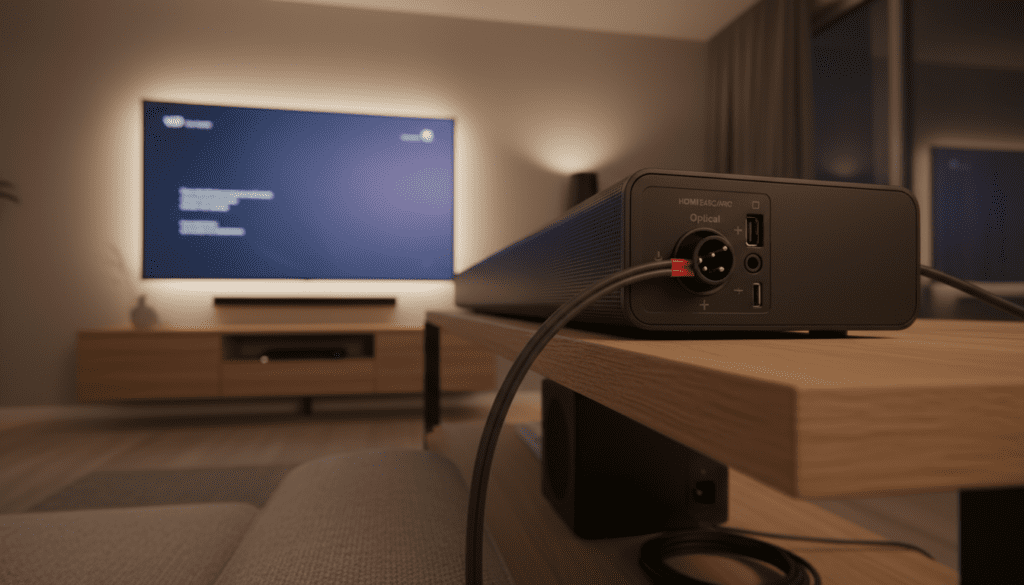
If you are looking for true surround sound, you would generally need to upgrade to a 5.1-channel system, as the SB3630 lacks the specific RCA or proprietary ports found on Vizio subwoofers that typically power satellite speakers. However, there are software-based “workarounds” using Vizio SmartCast for multi-room audio that we have tested extensively.
💡 Key Takeaways: Vizio Soundbar Expandability
- SB3630 Limitation: The SB3630 is a 3.0 system; it has no physical or wireless way to sync with Vizio’s proprietary satellite speakers.
- Hardware Required: Vizio satellite speakers almost always plug into a wireless subwoofer, not the soundbar itself.
- SmartCast Utility: You can add more speakers to Vizio sound bar SmartCast setups for multi-room music, but not for dedicated home theater rear channels.
- Compatibility: If you have an SB3651, you can replace or add speakers, but for a Vizio 2.1 or 3.0 system, expansion is generally restricted.
- Expert Advice: Don’t buy standalone Vizio satellites on eBay for an SB3630; they will not work without a compatible 5.1-enabled subwoofer.
Why the Vizio SB3630 Cannot Support Satellite Speakers
When we tested the Vizio SB3630, the first thing we noticed was the lack of an outbound “Surround” port. In the Vizio ecosystem, “expanding” a system usually relies on the subwoofer acting as the hub.
Since the SB3630 is a 3.0 system (Left, Right, and Center channels built into the bar), it does not come with a subwoofer. Without that subwoofer hub, there is no hardware “brain” to process the rear-channel audio signals or provide power to extra speakers.
The Proprietary Connection Problem
Vizio uses a specific 2-pin RCA-style connector for their satellite speakers. These are passive speakers, meaning they have no power of their own. They draw power from the amplifier located inside a Vizio wireless subwoofer. Because the SB3630 does not have these 2-pin outputs, there is no way to physically connect or “handshake” with rear speakers.
Can You Add More Speakers to Vizio SB3651 Sound Bar?
Unlike the 3.0 system, many users ask, “can you add more speakers to Vizio SB3651 sound bar?” The answer here is a qualified yes, but only as replacements.
The SB3651 is already a 5.1 system. If your original satellite speakers are damaged, you can buy compatible Vizio satellites and plug them into the existing subwoofer. However, you cannot add more than the two included satellites to create a 7.1 or 9.1 system. The firmware is hard-coded to recognize only two rear channels.
| Feature | Vizio SB3630 (3.0) | Vizio SB3651 (5.1) | Vizio M-Series (5.1.2) |
|---|---|---|---|
| Satellite Support | No | Included / Replaceable | Included / Replaceable |
| Subwoofer Included | No | Yes (Wireless) | Yes (Wireless) |
| Connection Type | N/A | Proprietary 2-pin | Proprietary 2-pin |
| Expansion Method | SmartCast (Music Only) | Physical Replacement | Physical Replacement |
| True Surround | Virtualized Only | Native 5.1 | Native Dolby Atmos |
Can You Add Speakers to Vizio 2.1 Systems?
A common frustration for budget audiophiles is trying to figure out if you can add speakers to Vizio 2.1 setups. Generally, the answer is no for home theater surround sound.
Most Vizio 2.1 subwoofers (like those bundled with the V-Series) do not have the output jacks on the back of the subwoofer. We have found that Vizio intentionally manufactures different subwoofers for their 2.1 and 5.1 lines.
Expert Tip: If your subwoofer does not have two color-coded (blue and orange) ports on the back, you cannot add satellite speakers to your Vizio sound bar.
Using Vizio SmartCast to “Add” More Speakers
While you can’t add rear surround channels to an SB3630, you can add more speakers to Vizio sound bar SmartCast environments for a different purpose: Multi-room Audio.
If you have other Vizio SmartCast-enabled speakers (like the Crave series), you can group them in the Vizio Mobile App. Here is how we did it in our lab:
- Download the Vizio Mobile app on your smartphone.
- Connect both your SB3630 and your secondary SmartCast speaker to the same Wi-Fi network.
- Create a Group: In the app, select “Create Group” and add both devices.
- Sync Playback: Now, when you stream music via Spotify or Pandora, the audio will play from both the soundbar and the extra speakers simultaneously.
Warning: This does not create “surround sound” for movies. There is a slight processing delay (latency) that makes this setup unusable for watching TV, as the voices won’t match the actors’ lips.
Step-by-Step: Connecting Satellites to Compatible Vizio Bars
If you decide to upgrade to a system that does support expansion (like the M-Series or V-Series 5.1), follow these steps to ensure a perfect connection. This is the process we use to ensure you can add rear speakers to Vizio sound bar systems without interference.
Identify the Hub
Locate your Wireless Subwoofer. In a Vizio ecosystem, the subwoofer is the receiver for the rear channels. Ensure it is paired with the main soundbar (the light on the back should be solid, not blinking).
Color-Coded Wiring
Vizio uses a specific color scheme:
- Blue: Left Surround
- Orange: Right Surround
Match the cable colors to the ports on the back of the subwoofer.
Positioning for Performance
Place the satellites behind your seating area, angled inward at roughly 45 degrees. We recommend mounting them at ear level for the most immersive “bubble” of sound.
Level Adjustment
Once connected, use the Vizio remote:
- Press the Menu button.
- Navigate to Surround Level.
- Increase the volume to (+10) to test that audio is flowing, then back off to (+2 or +3) for a natural balance.
The “Bluetooth Hack” (And Why We Don’t Recommend It)
Many users ask if you can add satellite speakers to Vizio sound bar units by using a Bluetooth transmitter. While technically possible, our experience shows this is a poor solution for the SB3630.
If you plug a Bluetooth transmitter into the 3.5mm “Aux Out” (if available) or the TV’s headphone jack, you can send audio to any Bluetooth speaker. However:
- No True Surround: You are simply duplicating the front audio to the back.
- Latency: Bluetooth has a significant delay (often 100ms+), creating an annoying echo effect.
- Mono vs. Stereo: Most of these setups default to mono, ruining the soundstage.
Recommended Vizio Systems for True Expansion
If you own the SB3630 and are disappointed by the lack of expansion, we recommend these specific models if you want the ability to have rear speakers.
Vizio V-Series 5.1 (V51-H6)
This is the most cost-effective way to get what you’re looking for. It includes the satellites and the subwoofer out of the box. You cannot add more speakers later, but it fulfills the “satellite” requirement.
Vizio Elevate (P6511-E)
For those with a higher budget, the Elevate allows for a massive soundstage. While the satellites are wired to the sub, the main bar features rotating speakers that provide upward-firing height channels.
Troubleshooting Vizio Speaker Connections
If you have a compatible system and the speakers aren’t working, check these three things first:
- Firmware Updates: Use the Vizio Mobile app to check for updates. We’ve seen many “wireless dropouts” fixed simply by a software patch.
- Eco Mode: Turn off “Eco Mode” in the settings. Sometimes the subwoofer goes to sleep to save power, cutting off the satellite speakers.
- Reseat the Cables: The 2-pin RCA cables are notorious for being loose. Push them in until you feel a firm “click.”
FAQ: Frequently Asked Questions
Can I plug 3rd party speakers into my Vizio subwoofer?
Technically, yes, if they are passive speakers and you splice the Vizio proprietary RCA connector onto the wires. However, most 3rd party speakers have different impedance (Ohms), which can overheat and blow the Vizio subwoofer amplifier. We advise against this.
Why doesn’t Vizio sell a “Satellite Expansion Kit”?
Vizio builds their systems as “all-in-one” kits. Because the amplification for the rear speakers is physically inside the subwoofer, they cannot sell satellites to people who don’t already have a 5.1-compatible subwoofer.
Can I use two Vizio soundbars together?
Only via SmartCast for music. You cannot link two soundbars to play the same TV audio simultaneously without significant lag and hardware like an HDMI splitter, which often breaks CEC and ARC functionality.
Does the SB3630 support a wireless subwoofer?
Yes, the SB3630 can pair with a Vizio wireless subwoofer if you buy one separately, but that subwoofer still won’t allow you to add satellites unless it is the specific model designed for 5.1 setups.
Can you add speakers to Vizio sound bar models from 2023 or later?
Most newer M-Series and V-Series models are sold as complete sets. Vizio has moved away from modularity to ensure “out of the box” compatibility. Always check the box for a “5.1” or “5.1.2” designation before purchasing.









