Do Ankle Monitors Have Speakers? The Complete Truth
If you are suddenly wondering, do ankle monitors have speakers, the straightforward answer is a definitive yes. Many modern GPS ankle monitors are equipped with built-in speakers and microphones to allow for two-way communication between the wearer and their supervising officer.
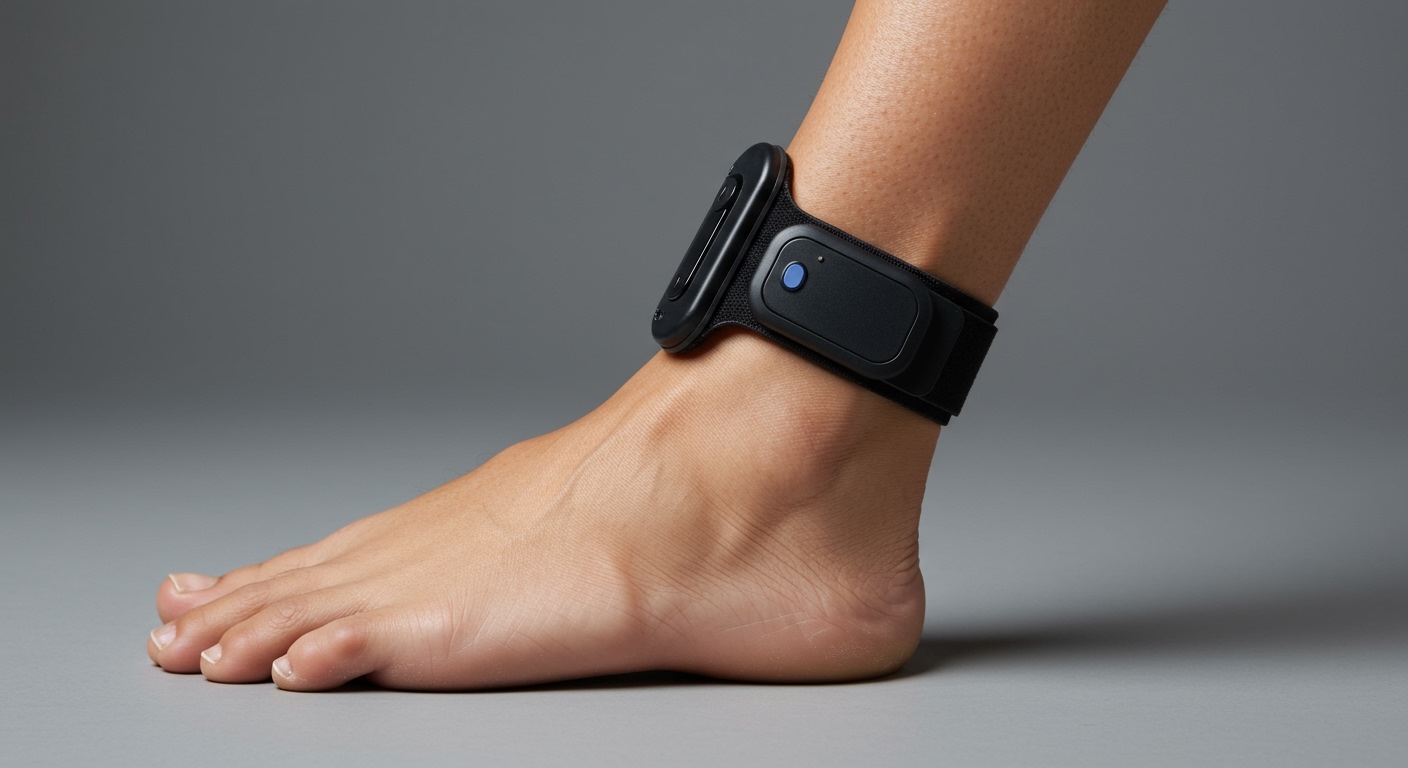
Hearing a voice emanating from a device on your leg can be startling if you are unprepared. In my years consulting on electronic monitoring technology and pretrial release compliance, I have seen defendants panic over unexpected audio alerts. This comprehensive, step-by-step guide will explain exactly how these audio features work, how to identify them, and how to manage your daily life while wearing an audio-enabled device.
TL;DR / KEY TAKEAWAYS
- Direct Communication: Modern trackers, like the ReliAlert XC3, feature two-way cellular audio capabilities.
- Built-in Sirens: Even without two-way voice, many devices have speakers that emit loud sirens or warning beeps.
- Privacy Concerns: Officers cannot legally “eavesdrop” without your knowledge; the device typically rings or vibrates before audio activates.
- Battery Warnings: Speakers are primarily used to issue automated low-battery warnings or location violation alerts.
- Actionable Advice: Never try to muffle or tape over the speaker, as this triggers a tamper alert.
How to Identify if Do Ankle Monitors Have Speakers (Step-by-Step)
Not every electronic shackle has voice capabilities. If you are trying to determine if your specific tether or ankle monitor has a speaker, follow these simple steps.
- Examine the Device Casing: Look closely at the outer plastic shell of the tracker. If you see small, clustered holes or a distinct grill pattern, this is usually the speaker and microphone port.
- Check for an Acknowledge Button: Devices with two-way audio typically feature a physical button. You press this button to answer a “call” from your probation officer.
- Identify the Model Name: Check your release paperwork for the specific device name. If your paperwork lists a GPS cellular monitor like the Track Group ReliAlert, it has a speaker.
- Look for a Radio Frequency (RF) Base Station: If your device pairs with a large box plugged into your home’s landline, the ankle unit itself likely only has a basic beeper, not a voice speaker.
- Ask Your Supervising Officer: The most foolproof step is to ask directly during your intake appointment. Transparency is key to avoiding compliance violations.
Why Do Ankle Monitors Have Speakers Built-In?
You might wonder why the criminal justice system requires audio capabilities on a location-tracking device. The inclusion of speakers serves several critical compliance functions.
First, speakers allow for immediate intervention. If you cross into an exclusion zone (such as a victim’s neighborhood), the officer can instantly speak to you through the device. They can order you to turn around immediately without waiting for local law enforcement to arrive.
Second, speakers are used for automated system alerts. If your battery drops below 20%, the speaker will emit a loud, recurring beep or an automated voice instructing you to charge the unit. This eliminates the excuse that a wearer “forgot” to check their battery light.
Finally, they serve a siren function. If a wearer cuts the strap, the speaker can blast an 85-decibel siren. This alerts nearby individuals and police that the device has been tampered with.
Step-by-Step Guide: How to Respond When Your Ankle Monitor Speaks
When an ankle monitor initiates a call, you must respond correctly to avoid a technical violation. We recommend following this strict protocol if your device starts ringing or speaking.
Step 1: Stop Your Current Activity
The moment you hear a ringtone or a voice, stop moving. Pull over safely if you are driving a vehicle. Operating heavy machinery while trying to communicate with your ankle monitor is dangerous and impractical.
Step 2: Acknowledge the Call
Most audio-enabled monitors will ring or vibrate for a few seconds before the connection opens. Press the Acknowledge Button located on the front of the device. This tells the monitoring center that you are alert and ready to listen.
Step 3: Speak Clearly Toward Your Leg
You do not need to bend over completely, but you must speak loudly and clearly. The microphones on devices like the SCRAM GPS are highly sensitive, but ambient street noise can interfere with the signal.
Step 4: Follow the Officer’s Instructions
Listen carefully to the directive. The officer may ask you to confirm your location, instruct you to plug in your charger, or order you to leave a restricted area. Do not argue through the monitor; comply immediately and save disputes for your formal check-in.
Step 5: Wait for the Disconnect Signal
Do not resume your activities until you hear a clear “click” or a final beep indicating the call has ended. Moving out of cellular service before the call officially terminates can trigger an alert on the officer’s dashboard.
Comparing Technology: Do Ankle Monitors Have Speakers Across All Brands?
To understand exactly what you are dealing with, it is helpful to compare the different tiers of electronic monitoring. Below is a breakdown of the standard technologies used today.
| Monitor Type | Has a Speaker? | Two-Way Voice Audio? | Main Function | Typical Use Case |
|---|---|---|---|---|
| Radio Frequency (RF) | Yes (Basic) | No | Emits a simple beep for tamper alerts or leaving the house. | House arrest, curfew enforcement. |
| SCRAM CAM (Alcohol) | No | No | Vibrates for testing times; does not emit audio. | DUI offenses, alcohol monitoring. |
| Standard GPS | Yes (Siren/Beep) | No | Emits loud sirens, beeps, or automated pre-recorded warnings. | Location tracking, gang injunctions. |
| Cellular GPS (Voice) | Yes (Advanced) | Yes | Features a high-quality speaker and microphone for live phone calls. | High-risk parole, domestic violence cases. |
How to Manage Daily Life With an Audio-Enabled Monitor
Living with a talking device attached to your body requires lifestyle adjustments. Having consulted with numerous clients on pretrial release, I always advise establishing a strict daily routine.
Step-by-Step Charging Routine to Prevent Alerts
The most common reason an ankle monitor speaker activates is due to low battery. Managing your battery life prevents embarrassing public alerts.
- Set a Daily Charging Schedule: Choose a consistent time to charge your device, such as while watching evening television or reading in bed.
- Use the Proprietary Charger: Only use the magnetic snap-on charger provided by the agency. Do not attempt to rig third-party cables.
- Charge for a Full Two Hours: Most GPS units require two full hours to reach a 100% charge.
- Confirm the Green Light: Wait until the LED indicator turns solid green before removing the charger. If you remove it too early, the speaker may announce a “low battery” warning in the middle of the night.
Handling Work and Professional Environments
If you are employed, an unexpected voice coming from your ankle can be disruptive. You must be proactive in managing this.
First, notify your employer or HR department about the device if you feel comfortable. Explain that it may occasionally emit a beep or require you to step into a private room.
Second, ask your probation officer if they can rely on text messaging (if applicable to your program) or direct calls to your cell phone rather than utilizing the ankle speaker during your established working hours. Many officers are willing to accommodate work schedules if you maintain perfect compliance.
Do Ankle Monitors Have Speakers That Eavesdrop on Conversations?
One of the most frequent and urgent questions I receive is regarding privacy. Wearers constantly ask, “Are they listening to my private conversations?”
Legally and technologically, the answer is heavily regulated. In the United States, federal wiretap laws and the Fourth Amendment protect individuals from unauthorized audio surveillance.
Ankle monitors are not designed to be continuous listening devices. The monitoring center cannot silently activate the microphone to eavesdrop on your living room conversations. By design and legal mandate, the device must notify you—usually via a loud ringtone or strong vibration—before the two-way audio channel is opened.
However, once that connection is active, anything you say (and any background noise) is recorded and logged by the monitoring center. If your device rings, treat the subsequent conversation as a recorded phone call with law enforcement.
Step-by-Step Troubleshooting for Speaker and Audio Issues
Technology fails, and ankle monitors are not immune to glitches. If your speaker malfunctions, it is your responsibility to report it immediately.
Step 1: Diagnose the Issue
Determine if the speaker is completely silent, muffled, or emitting an endless, static hiss. A muffled speaker often happens if water gets trapped in the grill after a shower.
Step 2: Clear the Speaker Grill Safely
If the audio is muffled after bathing, gently pat the device dry with a towel. Do not insert pins, needles, or compressed air into the speaker holes. Doing so will damage the internal microphone and immediately trigger a tamper violation.
Step 3: Check Cellular Connectivity
Sometimes the speaker works, but the voice is choppy. This is usually due to poor cellular reception. Move closer to a window or step outside to see if the two-way audio clears up, much like you would with a standard cell phone.
Step 4: Contact Your Monitoring Agency
If the device is emitting a continuous error tone through the speaker, call your monitoring officer immediately from your mobile phone. Document the exact time the noise started and leave a voicemail if they do not answer. This creates a paper trail proving you attempted to resolve the technical failure.