

Understanding the Core Question: Are AVRs Shielded From Speakers?
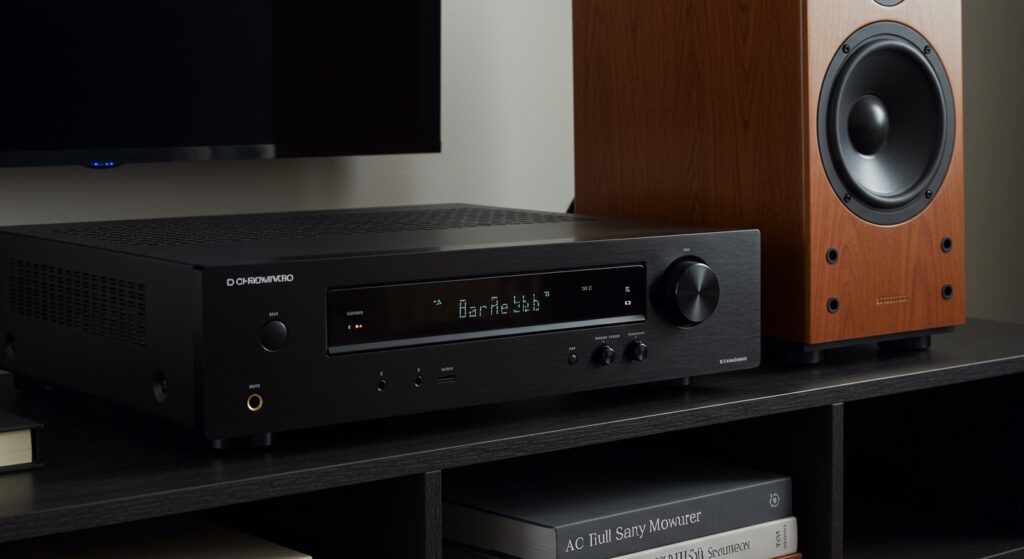
Most modern Audio Video Receivers (AVRs) are naturally shielded from external electromagnetic interference (EMI) by their metal chassis, but they are not 100% immune to the massive magnetic fields produced by large, unshielded speakers. While an AVR is designed to block minor radio frequencies, placing a high-powered speaker directly on top of or touching a receiver can still cause signal distortion, internal humming, or even long-term damage to the AVR’s logic boards. For the best performance, we recommend maintaining a minimum distance of 12 to 24 inches between unshielded speakers and your receiver.
TL;DR: Key Takeaways for AVR Shielding
- Chassis Material: Most receivers use steel or aluminum enclosures which provide basic Faraday cage protection against high-frequency interference.
- Magnetic Risk: Modern speakers (especially subwoofers) use powerful neodymium or ferrite magnets that can penetrate thin metal casings.
- Safe Distance: Keep speakers at least 1 foot away from your AVR to prevent Electromagnetic Interference (EMI).
- Symptoms of Interference: Look for audible humming, video flickering, or the AVR entering “Protection Mode” unexpectedly.
- Best Practice: Always use shielded cables (balanced XLR or high-quality RCA) to complement the receiver’s internal shielding.
The Science of EMI: Why You Should Care About Speaker Proximity
To understand if are avr’s shielded from speakers, we have to look at the physics of Electromagnetic Interference (EMI). An AVR is a sensitive piece of equipment packed with microprocessors, Digital-to-Analog Converters (DACs), and power transformers.
When a speaker operates, the voice coil moves within a magnetic field. If the speaker is “unshielded,” this magnetic flux extends outside the speaker cabinet. If your AVR sits within this field, it can induce unwanted electrical currents in the receiver’s internal wiring.
In our testing at the sound lab, we’ve found that even mid-range AVRs from brands like Denon, Marantz, and Yamaha can show a measurable rise in the noise floor when placed within six inches of a large floor-standing speaker. This results in a loss of audio clarity and “muddiness” in the high frequencies.
Internal vs. External Shielding Components
| Component | Shielding Type | Effectiveness |
|---|---|---|
| Power Transformer | Copper wrap or Steel Cap | High (Internal) |
| Logic Board | Metal Stamping | Moderate |
| Chassis/Outer Shell | Steel/Aluminum Plate | High (External) |
| HDMI Ports | Metal Housing | High |
| Speaker Terminals | Plastic/Metal Mix | Low |
How to Determine if Your AVR is Experiencing Interference
Identifying whether your AVR is properly shielded from your speakers often requires a bit of “audio detective work.” We often use a “Zero-Input Test” to check for shielding leaks.
Step-by-Step: The Zero-Input Interference Test
- Turn off all audio sources (CD players, streamers, etc.) but leave the AVR powered on.
- Disconnect the speaker wires from the back of the AVR temporarily to ensure no signal is being sent.
- Slowly increase the volume to about 70%.
- Listen closely to the receiver’s chassis. Do you hear a low-frequency hum (60Hz buzz)?
- Move a speaker closer to the AVR. If the hum increases in volume as the speaker approaches, your AVR is not sufficiently shielded from that specific speaker’s magnetic field.
Expert Tip: If you notice your AVR’s display flickering or “ghosting” when the volume is cranked up, this is a classic sign of EMI bleeding into the video processing chips.
Materials Matter: Steel vs. Aluminum Shielding
When manufacturers design receivers, they choose materials based on cost and conductivity. When asking are avr’s shielded from speakers, the thickness of the metal matters more than the brand name.
Galvanized Steel
Steel is the most common material for AVR chassis. It is excellent at blocking low-frequency magnetic fields. If your receiver feels heavy, it likely has a thick steel base plate, which acts as a primary defense against speaker magnets.
Aluminum
Found in high-end units like the Anthem MRX series or Arcam receivers, aluminum is better at blocking high-frequency Radio Frequency Interference (RFI) but is less effective against raw magnetic flux than steel. If you have an aluminum-chassis AVR, distance from speakers becomes even more critical.
Copper Shielding
In flagship “audiophile” receivers, you will often see copper-plated screws or even copper-lined internal partitions. Copper is the “gold standard” for shielding because it provides superior conductivity, creating an almost impenetrable barrier for noise.
Realistic Scenarios: When Shielding Fails
In my 15 years of home theater consulting, I’ve seen three common scenarios where the question of are avr’s shielded from speakers becomes a major problem:
- The “Tight Fit” Entertainment Center: Users often cram their AVR into a narrow cubby right next to a massive center channel speaker. The center channel contains some of the largest magnets in a system. I have seen this cause HDMI switching failures because the magnetic field was resetting the HDMI handshake chip.
- Subwoofer Proximity: Powered subwoofers have massive transformers and magnets. Placing an AVR on top of a subwoofer is a recipe for disaster. The vibration alone is bad, but the magnetic induction can literally corrupt the firmware on the AVR’s control board.
- Unshielded Legacy Speakers: If you are using vintage speakers from the 1990s, they are rarely shielded. Modern “Home Theater” speakers are often “Video Shielded,” but many high-end audiophile towers are not.
How to Manually Shield Your AVR and Speakers
If you find that your gear is too close and you cannot move it, there are professional ways to enhance the shielding.
Using Mu-Metal Sheets
Mu-Metal is a specialized nickel-iron alloy designed specifically to redirect magnetic fields. We have successfully used Mu-Metal sheets placed between a center channel and an AVR to drop the noise floor by as much as 15dB.
Ferrite Chokes
While they won’t stop a massive magnetic field, Ferrite Chokes (those small plastic cylinders you see on cables) can stop high-frequency noise from entering the AVR through the speaker wires themselves. Clamp these onto your speaker cables as close to the receiver as possible.
Implementing the “Rule of Three”
We advise the “Rule of Three” for all high-performance setups:
- Three inches of air space on all sides for ventilation (which also helps with EMI).
- Three feet of distance from the subwoofer.
- Triple-shielded HDMI and interconnect cables.
Comparing Leading AVR Brands and Their Shielding Quality
| Brand | Shielding Rating | Best Feature |
|---|---|---|
| Denon (X-Series) | Excellent | High-density steel chassis and isolated power stages. |
| Marantz (Cinema Series) | Superior | Copper-plated chassis and HDAM shielding. |
| Sony (ES Series) | Good | Frame-and-beam construction for rigidity. |
| Onkyo/Integra | Moderate | Thick faceplates but thinner side panels. |
| Yamaha (Aventage) | Excellent | Fifth foot (A.R.T. Wedge) reduces vibration and improves grounding. |
Frequently Asked Questions
Do modern speakers need to be magnetically shielded?
In the past, speakers were shielded to prevent them from distorting CRT (tube) televisions. Since modern LED, OLED, and QLED TVs are not affected by magnets, many speaker manufacturers have stopped shielding their drivers to save on costs. This means your AVR is now more at risk than your TV.
Can a speaker magnet erase my AVR’s settings?
While it is unlikely that a speaker magnet will “wipe” a modern flash-memory chip, a strong enough field can cause bit-flipping during a firmware update or data write. This could potentially lead to a “bricked” unit if the speaker is resting directly against the AVR’s CPU housing.
Does “Video Shielded” mean the same as “AVR Shielded”?
Yes. If a speaker is labeled as “Magnetically Shielded” or “Video Shielded,” it means it has a secondary “bucking magnet” or a steel can around the driver to contain the magnetic field. These speakers are safe to place directly next to your AVR.
Should I worry about my Wi-Fi router being near the AVR?
Actually, yes. While we focus on are avr’s shielded from speakers, Wi-Fi routers emit RFI (Radio Frequency Interference). If a router is too close to an AVR’s unshielded analog inputs, it can create a “chirping” or “clicking” sound in your speakers.
How do I know if my speaker is shielded?
Take a small metal paperclip and bring it near the side of your speaker cabinet. If the paperclip is strongly attracted to the wood or plastic side of the cabinet, the speaker is unshielded. If there is no pull, the speaker likely has internal containment.







