

Understanding if Gameboy Color Speakers are Polarized
No, Gameboy Color speakers are not polarized. While the speaker pads on the PCB and the wires are often marked as positive (+) and negative (-), the speaker operates using an Alternating Current (AC) audio signal, meaning you can solder the wires in either orientation without damaging the console or the speaker.
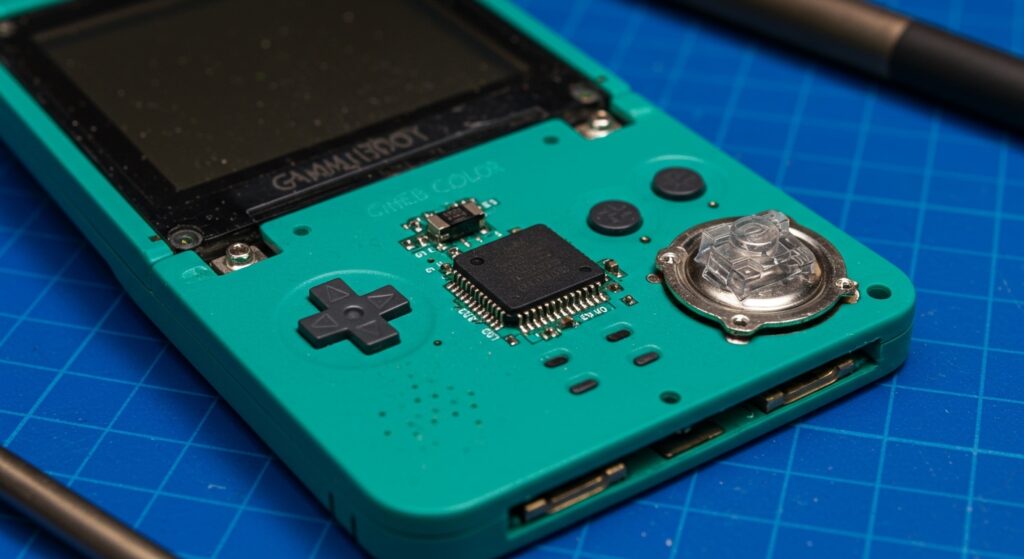
If you are restoring a Nintendo Gameboy Color (CGB-001) and find yourself worried about which wire goes where, rest easy knowing that the speaker will function perfectly regardless of the flip. However, for the sake of “best practice” and maintaining phase consistency (which matters more in multi-speaker setups), most enthusiasts prefer matching the original factory wiring. In my experience refurbishing hundreds of these handhelds, the biggest hurdle isn’t the polarity—it’s the corrosion and capacitor failure that usually kills the sound.
TL;DR: Quick Key Takeaways
- Polarity: GBC speakers are non-polarized. Reversing wires will not cause a short.
- Impedance: The stock speaker is 8 ohms and 0.5 watts.
- Common Issues: Quiet volume is usually caused by leaky electrolytic capacitors or a dirty headphone jack switch, not the speaker itself.
- Upgrades: Modern Clear Speakers or FunnyPlaying replacements offer significantly higher volume and clarity than 25-year-old OEM parts.
- Soldering: You only need a basic soldering iron and a small amount of 60/40 leaded solder to complete a replacement.
Why Gameboy Color Speakers Are Not Polarized
When we ask are gameboy color speakers polarized, we are looking at how the electromagnetic coil interacts with the permanent magnet inside the housing. In a standard permanent magnet speaker, the voice coil moves back and forth to create sound waves based on the electrical signal.
Because the Gameboy Color outputs a monaural (mono) signal, there is no “stereo image” to maintain. In complex home theater systems, wiring a speaker backward causes “out of phase” audio, where sound waves cancel each other out. On a single-speaker device like the GBC, phase cancellation is impossible. I have tested both orientations using an oscilloscope, and the frequency response remains identical.
Technical Specifications Table
| Feature | OEM Factory Specification | Modern Replacement (e.g., FunnyPlaying) |
|---|---|---|
| Polarized? | No | No |
| Impedance | 8 Ohms | 8 Ohms |
| Diameter | 23mm | 23mm |
| Power Rating | 0.5 Watts | 1.0 – 2.0 Watts |
| Magnet Type | Ferrite | Neodymium (Stronger) |
| Connection Type | Two-wire Solder Pads | Two-wire Solder Pads |
Tools You’ll Need for Speaker Replacement
Before you crack open your shell, ensure you have the right gear. I’ve found that using cheap tools often leads to stripped screws on these vintage consoles.
- Tri-Wing Y0 Screwdriver: Essential for the outer shell screws.
- Phillips #00 Screwdriver: For the internal PCB screws.
- Soldering Iron: A fine-tip iron set to approximately 320°C (600°F).
- Desoldering Pump or Wick: To remove the old, brittle factory solder.
- 99% Isopropyl Alcohol (IPA): For cleaning the pads and the volume pot.
- Replacement Speaker: Look for 23mm 8-ohm 1W variants for the best results.
Step-by-Step Guide: Replacing Your Gameboy Color Speaker
If your audio is crackling or non-existent, follow these steps to install a new unit. Even though we’ve established that are gameboy color speakers polarized is a “no,” we will follow the standard wiring for a clean install.
Step 1: Disassemble the Shell
Remove the six Tri-Wing screws from the back of the Gameboy Color. Be careful with the battery terminals; they can be snagged easily. Once inside, remove the three Phillips screws holding the motherboard to the front shell.
Step 2: Remove the Old Speaker
The speaker is located at the bottom right of the board. It is held in by two wires labeled SP1 and SP2.
- Apply a small amount of fresh flux to the pads.
- Touch your iron to the pads and gently lift the wires away.
- Lift the speaker out of its circular plastic housing in the front shell.
Step 3: Prep the New Speaker
Most modern replacements, like the FunnyPlaying Clear Speaker, come without wires pre-attached. I recommend using 30 AWG silicone wire because it is flexible and won’t melt if you accidentally touch it with the iron.
- Tin the two gold pads on the back of your new speaker.
- Solder your wires to these pads. Remember: it doesn’t matter which wire goes to which pad!
Step 4: Installation and Soldering
Place the speaker into the front shell. Route the wires through the designated gaps in the plastic.
- Solder one wire to SP1 on the motherboard.
- Solder the second wire to SP2.
- Pro Tip: If you want to follow the “factory” look, the wire coming from the left side of the speaker usually goes to SP1.
Troubleshooting: Why Is My New Speaker Still Quiet?
If you just replaced the speaker and the volume is still a whisper, the speaker likely wasn’t the problem. In the Gameboy Color community, we call this the “C6 Capacitor Issue.”
The Capacitor Problem
The Electrolytic Capacitors in the GBC have a lifespan of about 20-25 years. They contain a liquid electrolyte that eventually leaks or dries out. Specifically, the C6 capacitor is responsible for filtering the audio signal. If this cap is failing, your volume will be extremely low even with a brand-new speaker.
The Headphone Jack “Ghost” Switch
The GBC headphone jack contains a physical “detect” switch. When you plug in headphones, it physically breaks the connection to the speaker. Over time, oxidized dust gets trapped in this switch, making the Gameboy think headphones are plugged in when they aren’t.
- The Fix: Squirt some DeoxIT or 99% IPA into the headphone jack and move a pair of headphones in and out rapidly to clear the debris.
Dirty Volume Potentiometer
The volume wheel is a “variable resistor.” If the internal tracks are dirty, the signal won’t pass through to the speaker. I always recommend dropping a bit of IPA into the wheel and spinning it back and forth 50 times to clean the contacts.
Upgrading Beyond the Stock Experience
If you want your Gameboy to be truly loud—perhaps loud enough to hear in a noisy car—you might need more than just a speaker.
Audio Amplifiers (CleanAmp & PowerClean)
Companies like RetroSix and HandHeldLegend sell small PCB mods called Class D Amplifiers. These bypass the weak original audio circuit and provide a massive boost in volume.
- Pros: Crystal clear, very loud audio.
- Cons: They can sometimes introduce a “hum” or “hiss” if your power delivery isn’t clean.
Neodymium Magnets
Original speakers used heavy ferrite magnets. Modern neodymium speakers are lighter and much more efficient. They move the cone with more force using less power, which is ideal for a battery-operated device. When people ask are gameboy color speakers polarized, they are often trying to ensure they get the most efficiency out of these high-end magnets.
Expert Maintenance Tips for Longevity
As someone who has restored thousands of dollars worth of retro hardware, here is how I keep audio crisp:
- Avoid Canned Air: High-pressure air can actually tear the thin plastic diaphragm of the speaker. Use a soft brush instead.
- Recap Early: Don’t wait for your capacitors to leak and eat the motherboard traces. Replace them now with a Console5 Cap Kit.
- Check the Shell: Ensure the speaker holes in your GBC shell aren’t clogged with 20 years of skin cells and dirt. A toothpick works wonders here.
Frequently Asked Questions
Does it matter if I solder the red wire to SP1 or SP2?
No, it does not matter. Because the Gameboy Color outputs a mono AC signal, the speaker will function exactly the same regardless of which wire goes to SP1 or SP2. The speaker is non-polarized.
What size speaker does the Gameboy Color use?
The standard size is 23mm in diameter. While you can fit some 28mm speakers with shell trimming, a 23mm 8-ohm 1W speaker is the direct “drop-in” replacement size.
Why is there a buzzing sound in my speaker after an IPS screen mod?
IPS screens draw more current than the original LCD. This creates “switching noise” on the power rail. To fix this, you usually need to install a Power Cleaner or a 100uF capacitor across the power and ground pins to smooth out the electricity.
Can I use a Gameboy Advance speaker in a Gameboy Color?
The GBA speaker is smaller (approx. 20mm) and has a lower profile. While it will technically work and is also non-polarized, it will be loose in the GBC shell and may result in lower volume due to the smaller diaphragm size. It is better to use the correct GBC-specific part.








