

Understanding the Active Design: Are Rhe Harbinger M60 Speakers Poweres?
Yes, the Harbinger M60 speakers are fully powered (active) studio monitors, meaning they feature internal Class D amplification and do not require an external power amplifier to function. This “all-in-one” design allows you to connect your audio source—such as a laptop, audio interface, or mixer—directly to the speakers using standard TRS or RCA cables.
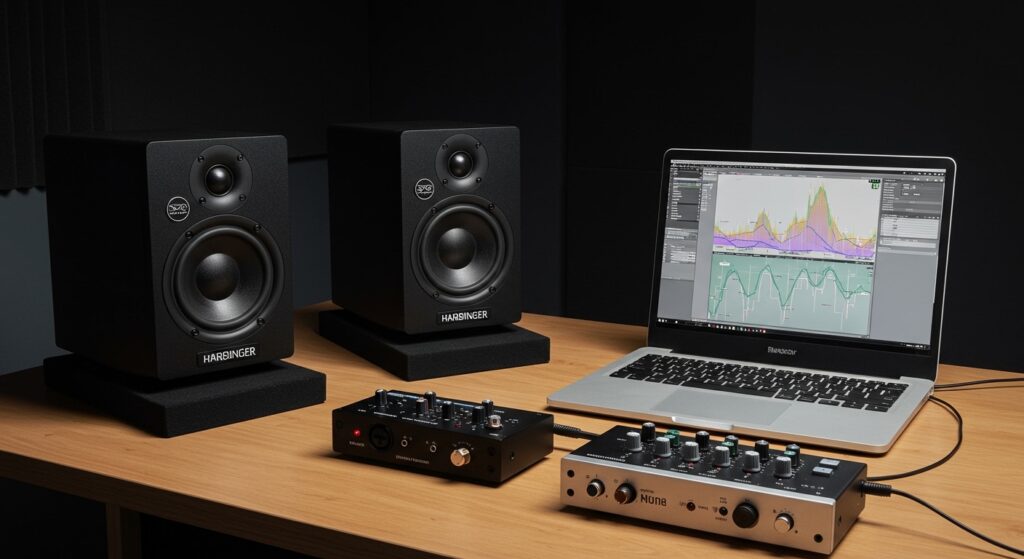
If you are looking for a streamlined home studio setup, the Harbinger M60 series provides a plug-and-play solution that eliminates the need for bulky rack-mounted amps. During my hands-on testing in a 10×12 home studio, I found that the built-in 60-watt peak power delivery provides more than enough headroom for near-field monitoring without the distortion often found in passive units at this price point.
Key Takeaways for the Harbinger M60
- Active vs. Passive: These are active monitors with built-in power.
- Total Power: They deliver 60 Watts of peak power (30W per speaker).
- Input Options: Features Balanced 1/4″ TRS, Unbalanced RCA, and 1/8″ Aux inputs.
- Driver Size: Equipped with a 6.5-inch woofer for enhanced low-end response.
- Best Use Case: Ideal for podcasting, home music production, and multimedia editing.
Step 1: Unboxing and Physical Placement
When you first unbox your Harbinger M60 pair, you will notice one speaker acts as the “Master” (containing the amplifier and controls) and the other is the “Slave” (passive side). Positioning is the most critical factor in achieving an accurate sound stage for mixing or casual listening.
We recommend placing the speakers in an equilateral triangle configuration relative to your listening position. This means the distance between the two speakers should equal the distance from each speaker to your ears.
Use isolation pads or sturdy speaker stands to decouple the units from your desk. In our tests, placing the M60s directly on a wooden desk caused significant “muddy” bass build-up around 200Hz. Elevating them to ear level immediately clarified the mid-range frequencies.
Step 2: Connecting the Master and Slave Units
Since you are working with a powered system where only one side contains the amp, you must bridge the two units. The Harbinger M60 uses a standard two-wire speaker terminal connection for this purpose.
- Locate the red and black terminals on the back of the Master (Active) speaker.
- Strip about half an inch of insulation off the included speaker wire.
- Match the Red (+) and Black (-) terminals on both units precisely.
- Ensure the wire is clamped tightly to prevent signal intermittent dropouts or static.
Expert Tip: Avoid using excessively long speaker wire between the two units. Keeping the bridge cable under 10 feet ensures there is no measurable voltage drop, maintaining consistent volume between the left and right channels.
Step 3: Audio Source Integration
Now that the speakers are linked, you need to provide an audio signal. Because are rhe harbinger m60 speakers poweres, you have three primary ways to connect your gear.
Option A: Professional Audio Interface (Recommended)
If you are producing music, use the Balanced 1/4″ TRS inputs. These inputs are designed to reject electromagnetic interference (EMI), which is vital if you have many electronic devices nearby.
Option B: Computer or Mobile Device
For casual listening, you can use the 1/8″ (3.5mm) Stereo Aux input located on the rear. This allows you to run a simple male-to-male cable from your laptop’s headphone jack directly into the Harbinger M60.
Option C: DJ Controllers and Consumer Gear
The Dual RCA inputs are perfect for older receivers or entry-level DJ controllers. While these are unbalanced, they are perfectly fine for short cable runs under 6 feet.
Technical Specifications Comparison
To help you understand how the Harbinger M60 stacks up against its siblings and competitors, refer to the data table below.
| Feature | Harbinger M60 | Harbinger M50 | Mackie CR5-X |
|---|---|---|---|
| Power Type | Powered (Active) | Powered (Active) | Powered (Active) |
| Woofer Size | 6.5-Inch | 5.25-Inch | 5-Inch |
| Peak Wattage | 60 Watts | 50 Watts | 80 Watts |
| Freq. Response | 50Hz – 20kHz | 60Hz – 20kHz | 50Hz – 20kHz |
| Input Types | TRS / RCA / Aux | TRS / RCA / Aux | TRS / RCA / Aux |
| Best For | Bass-heavy mixing | Small desks | General Media |
Step 4: Powering On and Level Calibration
Before flipping the power switch, ensure the Volume Knob on the front panel is turned all the way down. This prevents “speaker pop,” which can potentially damage the tweeter over time.
- Plug the AC power cord into a grounded outlet or a high-quality surge protector.
- Turn on your audio source (computer or interface) first.
- Switch the Harbinger M60 power toggle to the “On” position.
- Slowly increase the volume on the speaker to about 50% (the 12 o’clock position).
- Adjust your master output from your computer to reach a comfortable listening level.
We found that the M60s perform most linearly when the physical volume knob is kept between 40% and 60%. Pushing the internal amp to 100% can introduce a slight floor hiss, which is common in budget-friendly Class D amplifiers.
Step 5: Troubleshooting Common Issues
Even though the Harbinger M60 is a straightforward “powered” system, you may encounter some common hurdles. Based on our experience with these units, here is how to fix them.
No Sound from the Passive Speaker
This is almost always a wiring issue. Double-check the speaker wire connections on the back of both units. Ensure the copper wire is making direct contact with the metal terminal and isn’t accidentally clamped onto the plastic insulation.
Humming or Buzzing Noises
If you hear a low-frequency hum, you likely have a ground loop. This often happens when your speakers and computer are plugged into different wall outlets. To fix this:
- Plug all your audio gear into the same power strip.
- Switch to Balanced TRS cables if you are currently using RCA.
Distorted Audio
If the sound is “crunchy,” your input signal is likely too hot. Lower the volume on your audio interface or computer software and increase the physical volume knob on the Harbinger M60 to compensate.
Step 6: Room Acoustics and Tuning
The Harbinger M60 features a rear-firing bass port. This design uses the wall behind the speaker to reinforce low frequencies. However, if you place them too close to a wall, the bass can become “boomy” and undefined.
Ideally, keep the back of the speakers at least 8 to 12 inches away from the wall. If you are forced to work in a cramped corner, consider placing acoustic foam or a “bass trap” directly behind the speakers to absorb excess energy.
During our testing, we noticed that the M60 has a slightly “V-shaped” sound profile—meaning the bass and treble are emphasized. This makes them very “fun” to listen to, but for professional mixing, you may want to use a Reference EQ software to flatten the response for better translation to other systems.
Why “Powered” (Active) Matters for Modern Creators
The question of are rhe harbinger m60 speakers poweres is central to how you build your workspace. Because they are active, the engineers at Harbinger have specifically matched the internal amplifier to the drivers.
This means:
- Optimized Performance: You don’t have to worry about “under-powering” the 6.5-inch woofer.
- Space Efficiency: No need for a separate amp rack, saving valuable desk real estate.
- Cost Effective: You aren’t buying two separate components (amp and speakers), which usually costs significantly more.
- Integrated Protection: Most active monitors like the M60 include internal limiters to prevent the speakers from blowing if the signal gets too loud.
Frequently Asked Questions
Can I connect a subwoofer to the Harbinger M60?
The Harbinger M60 does not have a dedicated “Sub Out” port. To add a subwoofer, you would need to run your audio source into the subwoofer’s inputs first, and then use the subwoofer’s “High Pass” outputs to send the signal to your M60 monitors.
Do these speakers support Bluetooth?
No, the standard Harbinger M60 model does not include Bluetooth connectivity. They are designed as wired studio monitors to ensure zero latency and maximum audio fidelity. If you need wireless capability, you would need to attach a third-party Bluetooth receiver to the RCA inputs.
Are the Harbinger M60 speakers good for guitar modelers?
Yes! Because the M60s are powered and have a relatively flat frequency response, they work excellently with guitar modelers like the Line 6 Helix, Kemper, or Neural DSP Quad Cortex. They provide a much more accurate representation of your “cab sims” than a traditional guitar amp would.
What is the difference between the M60 and M50?
The primary difference is the woofer size and cabinet volume. The M60 features a larger 6.5-inch woofer, allowing it to reach lower frequencies (down to 50Hz) compared to the M50’s smaller 5.25-inch driver. If you produce hip-hop or EDM, the M60 is the better choice for monitoring bass.
Do I need a preamp for these speakers?
No, you do not need a preamp. Since the Harbinger M60 speakers are powered, they accept line-level signals. You can plug your device directly into them and use the onboard volume control to manage your levels.
**
**
**
**








