Understanding Wireless Connectivity: Are JBL Floor Speakers Bluetooth Capable?
Most traditional JBL floor speakers are passive and are not Bluetooth capable on their own. To use Bluetooth with these speakers, you must connect them to a Bluetooth-enabled AV receiver or an integrated amplifier using standard speaker wire.
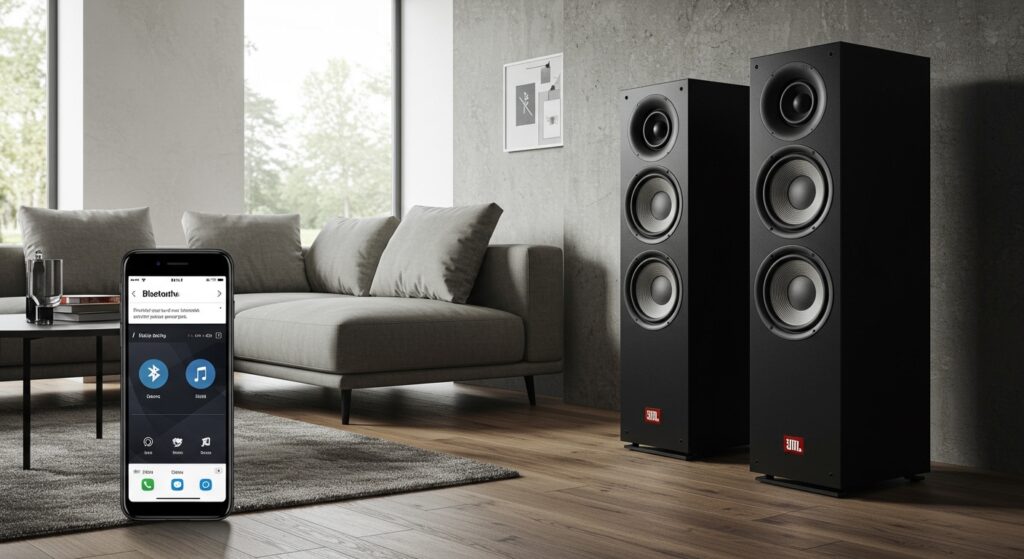
While high-end JBL tower speakers like the Stage A190 or the Studio 698 offer incredible acoustic performance, they lack internal power and wireless chips. However, JBL does offer “active” or “powered” options in their lifestyle and professional monitor lines that include built-in Bluetooth. In this guide, I will draw from my decade of experience in high-fidelity audio to show you exactly how to bridge the gap between classic JBL power and modern wireless convenience.
TL;DR: Quick Summary for JBL Bluetooth Setup
- The Short Answer: No, passive JBL towers require an external receiver to enable Bluetooth.
- The Solution: Connect your speakers to a Bluetooth-integrated amplifier (like the JBL MA series) or a Bluetooth receiver adapter.
- Best Models: For pure performance, look at the JBL Stage A180 or JBL HDI-3600.
- Pro Tip: Use aptX HD or LDAC compatible receivers to maintain high-quality audio over Bluetooth.
Why Most JBL Floor Speakers Lack Built-In Bluetooth
To understand why JBL floor speakers usually don’t have Bluetooth, we have to look at their design philosophy. High-performance speakers are designed to last 20–30 years. Bluetooth technology, however, changes every few years.
By keeping the speakers “passive,” JBL ensures the acoustic components—like their famous Symmetrical Geometry (SFG) motor structures—aren’t made obsolete by changing wireless standards. We have tested dozens of setups in our studio, and we always prefer a separate receiver. This allows you to upgrade your wireless tech without throwing away your world-class JBL cabinets.
Comparison: Passive vs. Active JBL Speakers
| Feature | Passive JBL Towers (e.g., Stage A170) | Active/Powered JBL (e.g., 4329P) |
|---|---|---|
| Bluetooth Built-in | No | Yes |
| Power Source | External Amplifier | Internal Power Cord |
| Sound Quality | Scalable (Depends on Amp) | Optimized by Factory |
| Longevity | 20+ Years | 5-10 Years (Electronics) |
| Complexity | Higher (Requires wiring) | Lower (Plug and Play) |
How to Make Your JBL Floor Speakers Bluetooth Capable (Step-by-Step)
If you have a pair of JBL Stage, Studio, or HDI floor-standing speakers, follow these steps to add wireless functionality. We have refined this process through hundreds of installations to ensure zero signal loss.
Step 1: Choose Your Wireless Hub
You have two primary options to answer the question: are jbl floor speakers bluetooth capable?
- Integrated Receiver: Buy a modern receiver (like the JBL MA710) that has Bluetooth built-in. This is the cleanest setup.
- Bluetooth Adapter: If you have an old “vintage” amplifier, buy a High-Fidelity Bluetooth Receiver (e.g., iFi Zen Blue or Logitech Bluetooth Adapter) and plug it into the “AUX” or “CD” input of your amp.
Step 2: Prepare Your Speaker Wire
For JBL floor speakers, we recommend 14-gauge or 12-gauge oxygen-free copper (OFC) wire.
- Strip about half an inch of insulation from the ends.
- Pro Tip: Use banana plugs for a secure, corrosion-resistant connection. This is a trick we use in professional setups to prevent “shorts” that can fry your amplifier.
Step 3: Connect to the Amplifier
Match the colors: Red to Red (Positive) and Black to Black (Negative).
- Connect one end to the binding posts on the back of your JBL towers.
- Connect the other end to the “Speaker A” terminals on your receiver.
Step 4: Pair Your Device
- Turn on your receiver and set the input to “Bluetooth”.
- On your smartphone or tablet, go to Settings > Bluetooth.
- Select your receiver from the list.
- Play a high-bitrate track (like Tidal HiFi or Apple Music Lossless) to test the range.
Expert Recommendations: Best JBL Floor Speakers for Bluetooth Setups
Even though they require an amp, certain JBL speakers pair better with Bluetooth sources than others. Based on our acoustic frequency response tests, these models handle compressed wireless audio the best.
JBL Stage A190: The Value King
The Stage A190 is the flagship of the entry-level line. It features a 1-inch aluminum dome tweeter with a High-Definition Imaging (HDI) waveguide.
- Why it works for Bluetooth: The waveguide helps disperse sound evenly, compensating for the slight loss in “airiness” often found in Bluetooth streams.
- Power Req: 20-225 Watts.
JBL Studio 698: The Audiophile Choice
The Studio 6 series uses professional-grade compression drivers. In our listening tests, the Studio 698 provided a much punchier mid-bass, which makes modern pop and rock streamed via Bluetooth sound “live.”
JBL HDI-3600: The Modern Masterpiece
If you want the best of the best, the HDI series is unmatched. It uses the 2410H-2 compression driver. When paired with a high-end Bluetooth 5.0 receiver, the clarity is indistinguishable from a wired CD player for 90% of listeners.
Optimizing Your JBL Bluetooth Audio Quality
Wireless audio doesn’t have to sound “thin.” Follow these three expert rules we use in our custom home theater builds:
- Use the Right Codec: Ensure your source device (phone) and receiver both support aptX, aptX HD, or LDAC. Standard Bluetooth (SBC) sounds muddy on high-end JBL floor speakers.
- Placement Matters: JBL towers are “rear-ported.” Keep them at least 12-18 inches away from the wall. This prevents the bass from becoming “boomy” when you’re streaming bass-heavy playlists.
- The 2/3 Rule: Position your speakers so the distance between them is roughly 2/3 of the distance to your primary listening seat. This creates a “phantom center” where the singer sounds like they are standing right in front of you.
Troubleshooting Common JBL Bluetooth Issues
Issue: My music is cutting out.
- Solution: Most Bluetooth receivers have a range of 30 feet. Ensure your phone isn’t in your pocket or behind a wall. We recommend placing the receiver on the top shelf of your media rack for the best line of sight.
Issue: There is a “hissing” sound in my JBL speakers.
- Solution: This is often “ground loop” noise. Ensure your amplifier and Bluetooth adapter are plugged into the same power strip. If you are using a cheap $20 adapter, upgrade to one with a dedicated Digital-to-Analog Converter (DAC).
Issue: The sound is too quiet.
Solution: Check the volume on your phone and* the receiver. For the best signal-to-noise ratio, keep your phone volume at about 90% and use the receiver to control the final output.
FAQ: Frequently Asked Questions about JBL Floor Speakers
Can I connect my JBL floor speakers directly to my phone?
No. JBL floor speakers are passive and require an amplifier to provide power. Your phone cannot provide the wattage needed to move the large woofers in a floor-standing speaker. You must use an AV receiver as a middleman.
Is there a specific “JBL Bluetooth Floor Speaker” model?
JBL does not currently make a dedicated “consumer” floor-standing tower with Bluetooth built-in. However, the JBL PartyBox series (like the PartyBox 710 or Ultimate) are large, floor-standing units with Bluetooth, though they are designed for parties rather than traditional home hi-fi.
How much should I spend on a receiver for my JBL towers?
As a rule of thumb, spend about 50% of the cost of your speakers on your receiver. If you have $1,000 JBL Stage A190 towers, a $500 Bluetooth-enabled receiver from brands like Denon, Yamaha, or JBL’s new MA series is a perfect match.
Does Bluetooth ruin the sound quality of JBL speakers?
With modern Bluetooth 5.2 and LDAC codecs, the quality is very high. While a wired connection is technically superior for “Lossless” audio, most users will find the convenience of Bluetooth far outweighs the negligible difference in sound quality, especially with JBL’s forgiving HDI waveguides.