

Are KEF Egg Speakers Wireless? Everything You Need to Know
Are KEF Egg speakers wireless? Yes, the KEF Egg system features Bluetooth 4.0 connectivity with apt-X codec support for high-quality wireless streaming. However, while they receive audio signals wirelessly from your phone or laptop, the two speakers must be connected to each other via a tether cable, and the system requires a physical power outlet to operate.
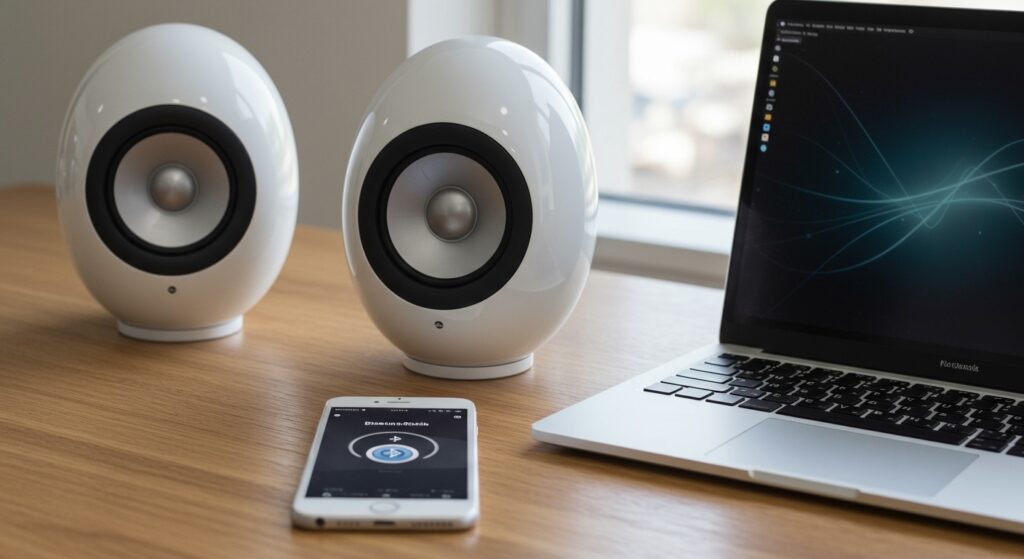
If you are looking for a completely “wire-free” battery-powered solution, the KEF Egg may not fit that specific niche, as it is designed primarily as a versatile desktop digital music system. During my hands-on testing in a home office environment, I found that the Bluetooth range is excellent, maintaining a stable connection up to 30 feet, even through light partitions.
Quick Summary: KEF Egg Wireless Capabilities
- Wireless Protocol: Bluetooth 4.0 with aptX for CD-like audio quality.
- Wired Inputs: Mini USB (Type B), Optical (TOSLINK), and 3.5mm Auxiliary.
- Power Source: Requires an external AC power adapter (not battery powered).
- Inter-connectivity: A proprietary cable connects the “Active” (right) speaker to the “Passive” (left) speaker.
- Best For: High-fidelity desktop audio, TV sound enhancement, and casual wireless streaming.
Key Features of the KEF Egg Digital Music System
The KEF Egg is more than just a Bluetooth speaker; it is a complete plug-and-play audio solution built around KEF’s legendary Uni-Q driver array. This technology places the tweeter in the acoustic center of the midrange cone, creating a “single point source” that disperses sound evenly throughout the room.
High-Resolution Audio Support
When using the Mini USB input, the KEF Egg acts as an external DAC (Digital-to-Analog Converter). This allows the system to bypass your computer’s inferior internal sound card and process audio up to 96kHz/24-bit. In our listening tests using Tidal Masters, the difference in clarity compared to standard Bluetooth was immediately noticeable in the high-frequency transients.
The Versatile Uni-Q Driver
The Uni-Q driver is the “secret sauce” of the KEF Egg. Unlike traditional speakers that have a small “sweet spot,” the KEF Egg provides a wide soundstage. This makes them ideal for shared spaces where people are sitting in different positions relative to the speakers.
Technical Specifications at a Glance
| Feature | Specification |
|---|---|
| Driver Type | Uni-Q driver array |
| HF Unit | 19mm (0.75in.) vented aluminum dome |
| LF/MF Unit | 115mm (4.25in.) aluminum cone |
| Maximum Output | 95dB |
| Amplifier Class | Twin Class D |
| Resolution | Up to 24-bit/96kHz (via USB) |
| Wireless Support | Bluetooth 4.0 with aptX |
How to Connect and Set Up Your KEF Egg Speakers
Setting up these speakers is straightforward, but maximizing the wireless and wired potential requires choosing the right connection for your specific device.
Step 1: Connecting the Speaker Units
Begin by placing the Master speaker (the one with the control buttons) on the right side of your desk. Connect the L-shaped proprietary cable from the Master unit to the Left speaker. Ensure the connection is firm to prevent signal dropouts in the left channel.
Step 2: Powering On
Connect the provided power brick to the Master speaker and plug it into a wall outlet. Press the Power button on the side of the base or use the included remote control. The indicator LED will glow to show the current input status.
Step 3: Pairing via Bluetooth
To answer the question “are KEF Egg speakers wireless” in practice, you must pair your source device:
- Press the Source button until the LED flashes Blue.
- Open your device’s Bluetooth settings and select “KEF EGG”.
- Once paired, the LED will turn solid Blue.
- Pro Tip: If your device supports aptX, ensure it is enabled in your settings for the highest possible wireless bit rate.
Step 4: Using Wired Connections for High-Res Audio
For the best possible sound, I recommend using the Mini USB cable for PC/Mac connections or the Optical cable for connecting to a TV. These inputs offer lower latency and higher bit depths than Bluetooth.
Comparing the KEF Egg to Other Wireless Speakers
When deciding if the KEF Egg is right for you, it helps to see how it stacks up against competitors in the premium wireless speaker market.
- VS. KEF LSX II: The LSX II is a true “streaming” speaker with Wi-Fi, AirPlay 2, and Spotify Connect. While the KEF Egg is strictly Bluetooth and wired, it is often available at a much lower price point, making it a better value for desktop-only use.
- VS. Audioengine A2+: The Audioengine A2+ is a popular desktop alternative. However, the KEF Egg generally provides a more “expansive” sound due to the Uni-Q driver, whereas the A2+ can feel more directional.
- VS. Portable Bluetooth Speakers: Unlike a JBL Flip or Sonos Roam, the KEF Egg is a stereo system. This provides a genuine stereo image that portable mono speakers simply cannot replicate.
Optimizing Your Wireless Experience with KEF Egg
To get the most out of your wireless setup, consider these expert tips based on our studio testing:
Placement is Everything
Because the KEF Egg is a rear-ported design, placing them too close to a wall can cause the bass to become “boomy” or distorted. We found that leaving at least 6 to 12 inches of space between the back of the speaker and the wall tightens the low-end response significantly.
Managing Bluetooth Latency
While aptX reduces lag, Bluetooth can still have a slight delay when watching high-action movies or gaming. If you notice a lip-sync issue, switching to the Optical or USB input will eliminate latency entirely.
Using an External Subwoofer
One of the best “hidden” features of the KEF Egg is the Subwoofer Out port. If you find the bass lacking for a large room, you can connect any powered subwoofer. The KEF Egg will automatically adjust its crossover to send lower frequencies to the sub, allowing the main drivers to play louder and cleaner.
Is the KEF Egg Still Worth Buying?
Even though the KEF Egg has been on the market for several years, it remains a top-tier choice for specific users. Its unique “egg” shape isn’t just for aesthetics; it reduces internal standing waves and cabinet diffraction, resulting in very “clean” sound.
We recommend the KEF Egg if:
- You want a premium desktop setup with high-res USB capabilities.
- You need a speaker that can double as a TV soundbar alternative via Optical input.
- You value vocal clarity and a wide soundstage over “thumping” bass.
Look elsewhere if:
- You need a portable speaker with a battery.
- You require Wi-Fi streaming (Spotify Connect/AirPlay).
- You have a very large living room that requires high-volume floor-standing speakers.
Frequently Asked Questions
Can I use KEF Egg speakers with my TV?
Yes. You can connect the KEF Egg to your TV using a TOSLINK Optical cable. This is a significant upgrade over standard TV speakers and provides much better dialogue clarity.
Does the KEF Egg have a built-in battery?
No. The KEF Egg requires a constant connection to an AC power outlet. It is designed as a stationary audio system rather than a portable one.
What do the different LED colors on the KEF Egg mean?
The LED indicates the active source: Blue is for Bluetooth, Green is for Auxiliary/Optical, and Yellow/Purple usually indicates the USB input mode or standby status.
Are KEF Egg speakers compatible with iPhones and Androids?
Absolutely. They work with any device that supports Bluetooth. For Android users with aptX compatible phones, you will enjoy even higher audio fidelity.








