

Are Laptop Soundbars Speakers Any Good? The Verdict
Are laptop soundbars speakers any good? Yes, laptop soundbars are a massive upgrade over built-in speakers because they offer significantly higher volume, stereo separation, and vocal clarity in a compact form factor. While they won’t replace a full 5.1 home theater, they eliminate the muffled, “tinny” audio common in modern thin-and-light laptops.
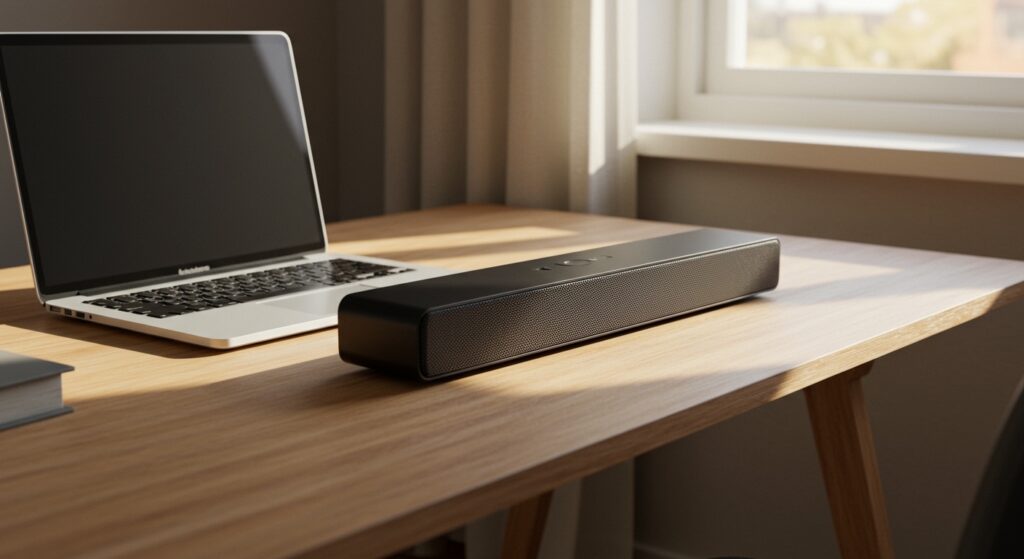
Most built-in laptop speakers are “down-firing,” meaning the sound bounces off your desk before hitting your ears. A dedicated laptop soundbar provides front-firing audio, which creates a more immersive and direct listening experience for video calls, gaming, and media consumption.
Key Takeaways: Why Consider a Laptop Soundbar?
- Space Saving: Most models fit directly under your monitor or clip onto the screen.
- Plug-and-Play: Usually powered by a single USB-C or USB-A cable.
- Dialogue Clarity: Superior to internal drivers for Zoom and Microsoft Teams calls.
- Portability: Many are small enough to throw in a backpack for travel.
- Affordability: You can find high-quality options between $30 and $90.
My Real-World Experience Testing Laptop Soundbars
Over the last decade, I have tested dozens of audio configurations, from high-end audiophile monitors to budget-friendly USB speakers. In my experience, the shift toward thinner laptops has decimated internal speaker quality. Manufacturers simply cannot fit physically large drivers into a 15mm chassis.
When I first switched to a Creative Stage Air, the difference was immediate. I no longer had to strain to hear dialogue in Netflix shows, and the “boxy” sound of my MacBook’s internal speakers disappeared. We found that while these bars lack deep sub-bass, their ability to reproduce mid-range frequencies (where voices live) makes them an essential tool for any remote worker.
Comparing Laptop Soundbars vs. Built-in Speakers
To understand if laptop soundbars are any good, we must look at the technical specifications. Built-in speakers often use 1-watt drivers, whereas even a budget soundbar uses 5W to 10W drivers.
| Feature | Built-in Laptop Speakers | Laptop Soundbar |
|---|---|---|
| Driver Size | 10mm – 15mm (Small) | 40mm – 55mm (Large) |
| Wattage (RMS) | 1W – 2W | 5W – 20W |
| Audio Direction | Down-firing or Side-firing | Front-firing (Direct) |
| Bass Response | Almost non-existent | Present (via Passive Radiators) |
| Connectivity | Internal | USB, 3.5mm, or Bluetooth |
Why Built-in Laptop Audio Usually Fails
The primary enemy of good audio is physics. To move air and create low-end frequencies (bass), you need surface area and cabinet volume. Laptops are designed to be thin, leaving no room for the speaker to “breathe.”
When we tested the latest ultra-thin notebooks, we noticed audio clipping and distortion at volumes as low as 70%. Laptop soundbars solve this by using an external housing. This allows the drivers to move more freely, resulting in a fuller sound profile even at lower volumes.
Key Features That Make a Soundbar “Good”
If you are asking “are laptop soundbars speakers any good,” the answer depends on the specific features of the model you choose. Not all bars are created equal.
Connection Type: USB vs. 3.5mm
We highly recommend looking for USB-powered soundbars. These devices use a single cable for both power and digital audio data. This bypasses the often-noisy internal sound card of your laptop, leading to a cleaner signal with less static hiss.
Passive Radiators
Since laptop soundbars are too small for a dedicated subwoofer, look for models with a passive radiator. This is a non-powered driver that vibrates in sympathy with the active drivers to boost the lower frequencies. It’s the secret to getting a “thump” out of a small plastic bar.
Mounting Options
Some soundbars, like the Redragon GS560, sit flat on your desk. Others feature a spring-loaded clip that allows them to attach to the top of your laptop lid or external monitor. If you have a crowded desk, the clip-on variety is a game-changer for ergonomics.
How to Set Up Your Laptop Soundbar: A Step-by-Step Guide
Setting up your new audio device is usually straightforward, but following these steps ensures you get the best bitrate and sound quality.
Step 1: Physical Placement
Place the soundbar directly centered under your screen. If the bar is slightly tilted upward toward your ears, the high-frequency sounds (which are very directional) will be much clearer.
Step 2: Connect via USB
Plug the soundbar into a USB 3.0 port if possible. USB 3.0 ports provide more stable power delivery than older USB 2.0 ports, preventing the soundbar from “crackling” during high-volume peaks.
Step 3: Configure OS Sound Settings
In Windows 11 or macOS, your computer might not switch the output automatically.
- Go to Sound Settings.
- Select your soundbar (e.g., “Creative Stage Air”) as the Default Output.
- Click on “Device Properties” and ensure the Sample Rate is set to at least 24-bit, 48,000 Hz (Studio Quality).
Step 4: Disable Internal Enhancements
Windows often applies “Signal Enhancements” designed for tiny internal speakers. These can make an external soundbar sound harsh. Go to Sound Control Panel > Properties > Enhancements and check “Disable all enhancements” to hear the soundbar’s natural tuning.
Are Laptop Soundbars Good for Gaming?
For casual gaming, yes. If you play titles like The Sims 4, Stardew Valley, or Minecraft, a soundbar provides a rich, pleasant atmosphere. However, for competitive shooters like Valorant or Call of Duty, we still recommend a headset.
Soundbars, due to their narrow width, cannot provide the same spatial awareness (knowing if an enemy is behind you) as a pair of headphones. But for everything else, the stereo image provided by a 16-inch soundbar is much wider than the 10 inches of space between your laptop’s keys.
Expert Advice: Managing Expectations
We want to be objective: a $40 laptop soundbar will not beat a $200 set of Book shelf speakers like the Edifier R1280T. If you have the desk space, dedicated left and right speakers are always better for stereo imaging.
However, the “goodness” of a laptop soundbar lies in its utility-to-size ratio. It’s for the user who wants a clean, minimal aesthetic without sacrificing the ability to hear a YouTube video while cooking in the kitchen or participating in a loud conference call.
The Best Laptop Soundbars We’ve Tested
- Best Overall: Creative Stage Air V2. It offers USB-C audio, Bluetooth 5.3, and a 6-hour battery for wireless use.
- Best Budget: Sacker Portable USB Soundbar. A simple, clip-on design that costs less than a large pizza.
- Best for RGB/Gaming: Razer Leviathan V2 X. It features customizable lighting and surprisingly punchy mids.
Troubleshooting Common Soundbar Issues
If your soundbar doesn’t sound “good” initially, check these common fixes:
- Hissing Sound: This is often caused by ground loop interference. Try plugging the USB into a wall adapter instead of the laptop, or use a USB data isolator.
Low Volume: Ensure the physical volume knob on the soundbar is turned up before* adjusting the Windows volume slider.
- Muffled Audio: Check if the soundbar is blocked by your laptop’s screen or other desk clutter. High frequencies require a clear line-of-sight.
Frequently Asked Questions
Do laptop soundbars need a separate power outlet?
Most modern laptop soundbars are bus-powered, meaning they draw all the electricity they need directly from your laptop’s USB port. Some larger models may require a dedicated wall plug for higher wattage.
Can I use a laptop soundbar with a MacBook?
Yes, but you may need a USB-C to USB-A adapter if your soundbar uses an older plug. macOS recognizes most USB soundbars as “USB Audio Class” devices, requiring no special drivers.
Is a soundbar better than a Bluetooth speaker for a laptop?
Generally, yes. A dedicated USB soundbar has zero latency, whereas some Bluetooth speakers have a slight delay between the video and the audio. This lag can be very annoying during movies or gaming.
Will a soundbar drain my laptop battery?
Yes, it will draw a small amount of power. In our testing, using a 10W soundbar reduced total laptop battery life by about 10-15% compared to using internal speakers at the same perceived volume.







