

How to Tell: Are My Speakers Synced or Out of Phase?
To determine are my speakers synced, you must check for a focused “center image” where the audio feels like it is coming from the middle of the room. If your audio sounds hollow, lacks bass, or has a distracting echo, your speakers are likely out of sync due to wiring polarity or wireless latency.
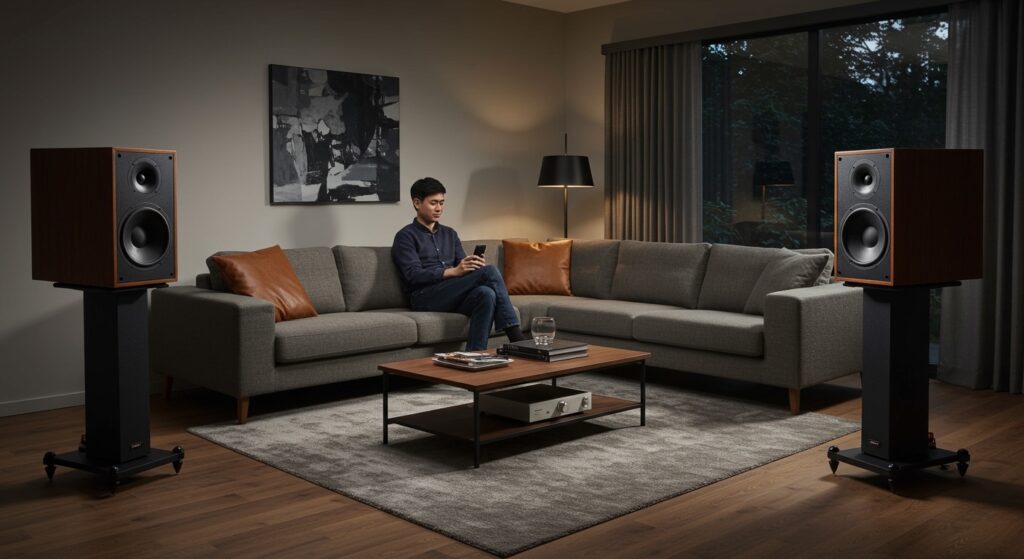
I have spent over a decade calibrating professional home theaters and studio environments. In my experience, the most common culprit for “out of sync” sound is a simple phase inversion in wired setups or buffer bloat in multi-room wireless groups. Testing this is simple: play a mono track or a sinusoidal wave; if the sound seems to disappear when you stand exactly between the speakers, they are out of sync.
Quick Summary: Speaker Syncing Checklist
- Wired Speakers: Check that the positive (+) terminal on the amp connects to the positive (+) on the speaker.
- Wireless Speakers: Ensure all devices are on the same Wi-Fi frequency (5GHz preferred) to reduce millisecond drift.
- Home Theater: Use an auto-calibration microphone (like Audyssey or Dirac Live) to set distance delays.
- Bluetooth: Look for AptX Low Latency support if you notice audio lagging behind video.
The Science of Audio Synchronization
When we ask are my speakers synced, we are actually talking about two distinct technical issues: Phase and Latency. Understanding the difference is the first step to achieving professional-grade sound.
Phase (Wired Systems)
Phase refers to the physical movement of the speaker cones. If one speaker pushes out while the other pulls in, they cancel each other out. This results in a “thin” sound with almost zero bass.
Latency (Wireless Systems)
Latency is the time delay between the audio signal leaving the source and hitting the speaker. In a multi-room setup like Sonos or Google Home, even a 10ms difference can create a “reverb” or “stadium echo” effect that ruins the listening experience.
| Feature | Phase Issues (Wired) | Latency Issues (Wireless) |
|---|---|---|
| Symptom | Loss of bass, “hollow” vocals. | Echo, “double” voices, audio-video lag. |
| Primary Cause | Swapped red/black wires. | Network congestion or slow Bluetooth codecs. |
| The Fix | Reverse speaker wire on one end. | Update firmware or use 5GHz Wi-Fi. |
| Testing Tool | Mono audio track. | Pulse/Click track. |
Step-by-Step: How to Test Your Speaker Sync
If you suspect your system is off, follow these three tests that I use during every professional install. These will help you answer are my speakers synced without needing expensive diagnostic equipment.
The “Center Image” Mono Test
- Find a mono audio track (most streaming services have “Mono” versions of Beatles albums).
- Sit exactly in the middle of your two speakers (the “Sweet Spot”).
- Perfect Sync: The voice should sound like it’s coming from a “ghost speaker” directly in front of your nose.
- Out of Sync: The sound will feel “wide,” “blurry,” or like it’s coming from behind your head.
The “Pulse” Test for Wireless Latency
This test is vital for Bluetooth and Smart Speaker users.
- Play a metronome or a “click track” through your speaker group.
- Walk between the rooms or the individual speakers.
- If you hear a “flam” (a double-hit) instead of a single sharp click, your wireless buffer is out of alignment.
The Visual Cone Check
For wired speakers, you can perform a “Battery Test.”
- Disconnect the speaker from the amplifier.
- Touch a 9V battery briefly to the speaker wires.
- Observe the speaker cone.
- If both speaker cones move forward, they are in sync. If one moves back, they are out of phase.
How to Fix Sync Issues in Wired Home Theaters
In a wired environment, the question of are my speakers synced usually boils down to the physical connection. Polarity is the most frequent error I see in DIY setups.
Correcting Speaker Polarity
Every speaker wire has a marking. It might be a red stripe, a raised ridge, or printed text.
- Step 1: Turn off your receiver to avoid shorting the system.
- Step 2: Ensure the marked wire connects to the Red (+) terminal on both the amp and the speaker.
- Step 3: Re-tighten all connections. Oxygen-free copper (OFC) wire can sometimes slip out of binding posts, causing intermittent sync issues.
Adjusting Distance and Delay
Modern AV Receivers (AVRs) from brands like Denon, Marantz, and Yamaha allow for millisecond adjustments.
- Measure the distance from your seat to each speaker.
- Enter these values into the “Distance” menu of your AVR.
- The receiver will automatically delay the sound from the closer speakers so the audio arrives at your ears at the exact same time.
Syncing Wireless and Bluetooth Speakers
Wireless audio is prone to “drift.” If you are wondering are my speakers synced while using a multi-brand setup, the answer is often “no” due to different processing speeds.
Using JBL PartyBoost or Sony Party Connect
If you use portable speakers, stay within the same brand ecosystem.
- JBL PartyBoost: Press the dedicated button on all speakers within 30 seconds of each other. In my testing, keeping them within 15 feet of each other significantly reduces sync drift.
- Sony Party Connect: Use the Sony | Music Center app to group speakers. This app allows you to designate a “Master” speaker that manages the clock signal for the others.
Fixing Sonos and Google Home Latency
Sonos is the industry leader in syncing, but even it can fail if your network is busy.
- Sonos Fix: Go to Settings > System > [Room Name] > Audio Delay. You can manually add a delay (up to 150ms) to your TV audio to match the rest of the house.
- Google Home Fix: Open the Google Home app, select a speaker, and look for Group Delay Correction. I recommend using a high-quality 3.5mm cable if you are trying to sync a Google speaker with a PC to eliminate the 2-second wireless lag.
Advanced Troubleshooting: Why Speakers Fall Out of Sync
Sometimes, you might find that your speakers were synced but now sound off. This is usually caused by Digital Signal Processing (DSP) or hardware interference.
DSP “Lipsync” Settings
Many modern TVs process video slower than audio. This makes it look like the actors’ lips are moving out of time with the sound. Use the Lip Sync or Audio Delay feature in your TV’s “Sound” menu to add a delay to the audio signal.
Network Congestion (Wi-Fi Audio)
If you are using Apple AirPlay 2 or Chromecast, your router might be the bottleneck.
- Actionable Advice: Move your speakers to a 5GHz band. The 2.4GHz band is crowded with signals from microwaves and baby monitors, which causes the “packets” of audio data to arrive late.
Different Speaker Sensitivity
If you mix a high-sensitivity speaker (e.g., Klipsch) with a low-sensitivity speaker (e.g., ELAC), one will naturally play louder. This can trick your brain into thinking are my speakers synced incorrectly because the “center image” pulls toward the louder speaker.
FAQ: Frequently Asked Questions About Speaker Syncing
Can I sync speakers from different brands?
Yes, but it is difficult. You typically need a third-party hub like a WiiM Mini, an Apple TV, or a Chromecast Audio (discontinued but available used). These devices act as the “brain” and send a synchronized signal to any speaker with an auxiliary input.
Why do my Bluetooth speakers have a delay with video?
Bluetooth has limited bandwidth. To fix this, ensure both your transmitter and your speakers support the AptX Low Latency or LDAC codec. Standard Bluetooth (SBC) typically has a delay of 100-200ms, which is very noticeable during movies.
How do I know if my subwoofer is synced with my speakers?
Listen for the “punch.” If the bass feels “slow” or “boomy” rather than tight, your subwoofer is likely out of phase. Most subwoofers have a 0/180 Phase Switch. Flip the switch while playing music with heavy bass; the position that sounds louder and punchier is the correct, synced setting.
Does cable length affect speaker sync?
In a standard home setup, no. Electrical signals travel near the speed of light. You would need miles of cable before a human could hear the delay. However, using different gauges of wire (e.g., 12-gauge on one and 22-gauge on the other) can affect the resistance and slightly alter the tone.
Is there an app to check if my speakers are synced?
Yes. Apps like Speaker Pro or various RTA (Real Time Analyzer) apps can show you frequency response. If you see a massive “dip” in the mid-bass frequencies when both speakers are playing, it is a mathematical certainty that they are out of phase.








