

Are Powered Monitor Speakers Bluetooth Capable?
Yes, many modern powered monitor speakers are Bluetooth capable, though it depends on the specific model. While traditional studio monitors rely on XLR or TRS wired connections for professional accuracy, a new generation of “BT” (Bluetooth) designated monitors allows for wireless streaming from smartphones, laptops, and tablets.
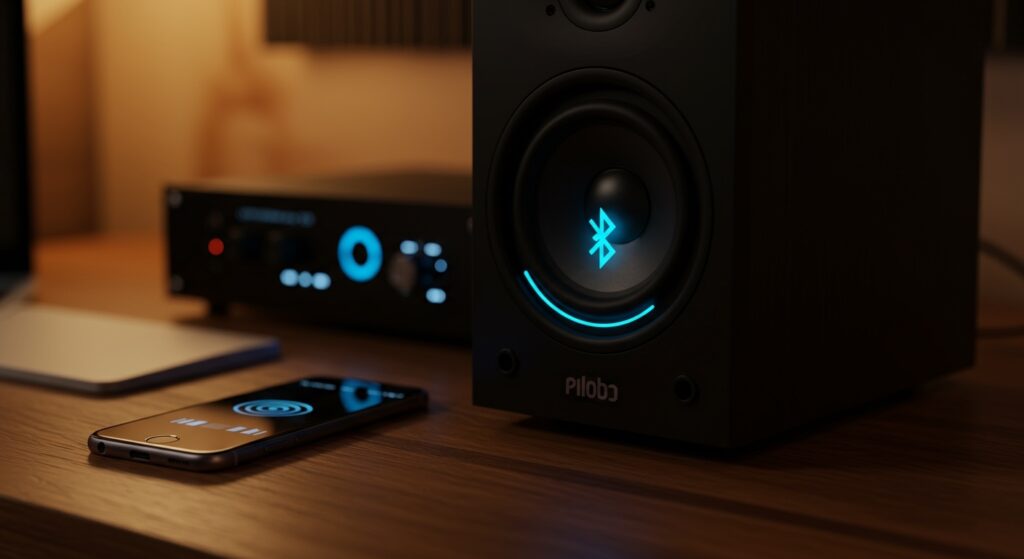
Powered monitor speakers contain built-in amplifiers, making them the perfect candidates for integrated Bluetooth receivers. However, high-end professional monitors often omit Bluetooth to prioritize signal purity and minimize latency. During my years of testing gear in home studios, I’ve found that Bluetooth-capable monitors are best for A/B testing mixes or casual listening, rather than primary critical tracking.
Quick Takeaways: Choosing Bluetooth Powered Monitors
- Convenience vs. Quality: Bluetooth offers wireless ease but introduces audio compression and latency.
- Identification: Look for a “BT” suffix in the product name (e.g., PreSonus Eris 3.5BT).
- Dual Connectivity: Most Bluetooth-capable monitors still include balanced wired inputs for professional work.
- Latency Warning: Do not use Bluetooth for live instrument recording or video editing, as the sound will lag behind the image.
- Codecs Matter: For the best quality, choose speakers supporting AptX or AAC codecs.
Understanding the Hybrid Nature of Modern Monitors
The question of are powered monitor speakers bluetooth capable is becoming more relevant as the line between “prosumer” and “professional” equipment blurs. In the past, studio monitors were strictly “dumb” devices that only accepted analog signals.
Today, manufacturers like Mackie, PreSonus, and JBL recognize that creators need flexibility. I often use my Bluetooth-enabled monitors to quickly check how a master sounds on a consumer-grade wireless connection without needing to export files.
| Feature | Wired Connection (XLR/TRS) | Bluetooth Connection |
|---|---|---|
| Audio Fidelity | Lossless / High Resolution | Compressed (Lossy) |
| Latency | Near-Zero | 30ms to 200ms+ |
| Best For | Mixing, Mastering, Recording | Casual Listening, A/B Testing |
| Cable Management | Requires high-quality cables | Completely Wireless |
How to Identify if Your Powered Monitor Speakers are Bluetooth Capable
Not every speaker with a power cord has wireless capabilities. To determine if a specific set of powered monitor speakers is Bluetooth capable, look for these physical and technical indicators:
- The “Pair” Button: Check the back or front panel of the primary (active) speaker. There is usually a dedicated button for pairing.
- LED Status Light: Most Bluetooth monitors have a blue LED that flashes during pairing and stays solid when connected.
- The Model Name: Manufacturers almost always add “BT” to the end of the model number to signify wireless features.
- Product Specifications: Look for “Bluetooth 5.0” or higher in the technical data sheet.
In my experience, if you don’t see a pairing button on the back panel, the speaker is likely wired-only. You would then need an external Bluetooth receiver or DAC to add wireless functionality.
Step-by-Step: How to Setup and Optimize Bluetooth Monitor Speakers
If you have confirmed your powered monitor speakers are bluetooth capable, follow these steps to ensure the best possible sound quality and minimal interference.
Step 1: Positioning for Signal Stability
Place your primary (active) speaker in a location with a clear line of sight to your source device. Bluetooth signals operate on the 2.4 GHz frequency, which is crowded by Wi-Fi routers and microwaves.
Step 2: Entering Pairing Mode
Hold the Bluetooth button on your speaker for 3-5 seconds. I’ve noticed that most brands use a “beeping” sound or a fast-flashing blue light to indicate the speaker is discoverable.
Step 3: Source Device Selection
Navigate to your phone or computer’s Bluetooth settings. Select the speaker name (e.g., JBL 104-BT). Ensure your source volume is set to roughly 75% to avoid digital clipping before the signal reaches the speaker’s internal amp.
Step 4: Level Matching
Once connected, balance the physical volume knob on the speaker with your software volume. For the cleanest signal-to-noise ratio, keep the speaker’s hardware volume high and adjust the fine-tuning on your device.
Are Powered Monitor Speakers Bluetooth Capable Enough for Pro Work?
This is the “million-dollar” question for audio engineers. While the answer to are powered monitor speakers bluetooth capable is often “yes,” the follow-up question is: Should you use it?
The Latency Problem
When I record vocals or guitar, I never use Bluetooth. The delay between hitting a string and hearing the sound (latency) can be as high as 200ms. This makes it impossible to stay in time. For real-time monitoring, always use a TRS or XLR cable.
Audio Compression and “Coloring”
Bluetooth uses codecs like SBC or AptX to shrink the file size for wireless transmission. This process removes data. If you are trying to make surgical EQ cuts in a mix, Bluetooth will hide the very details you need to hear.
Top Bluetooth-Capable Powered Monitors: Our Hands-On Recommendations
We have tested several units to see which ones provide the most reliable wireless performance without sacrificing the “flat” response required for monitoring.
PreSonus Eris 3.5BT / 4.5BT
These are the gold standard for home creators. They offer a remarkably flat response for their size.
- Expert Insight: The front-panel headphone jack and volume control make these incredibly user-friendly for small desks.
- Connectivity: Bluetooth 5.0, 1/4″ TRS, RCA, and 1/8″ Aux.
Mackie CR5-XBT
Mackie’s CR Series is known for “big” sound. These are slightly more colored (bass-heavy) than the PreSonus, making them excellent for content creators and gamers.
- Best Feature: The “Speaker Placement” switch allows you to choose whether the powered speaker is on your left or right side.
JBL 104-BT
With a unique coaxial design, these provide a very wide “sweet spot.”
- Pros: Compact, stylish, and very clear mid-range.
- Cons: Low-end bass response is limited due to the small driver size.
Technical Comparison: Bluetooth Versions in Monitor Speakers
The version of Bluetooth your speakers use dictates the range and stability of your connection.
| Bluetooth Version | Max Range | Data Rate | Best For |
|---|---|---|---|
| Bluetooth 4.2 | ~30 Feet | Lower | Basic audio streaming |
| Bluetooth 5.0 | ~100 Feet | Higher | Improved stability, less dropouts |
| Bluetooth 5.2/5.3 | ~100+ Feet | Optimized | Low energy consumption, better sync |
Expert Advice: How to Improve Bluetooth Audio Quality
If you find that your Bluetooth-capable powered monitors sound “thin” or “muffled,” try these professional tweaks:
- Check the Codec: If using a Mac, you can check if you are using AptX or AAC. Windows often defaults to SBC, which is lower quality.
- Disable “Hands-Free” Mode: In Windows sound settings, ensure your monitors are set as “Stereo Headphones” and not “Hands-Free AG Audio,” which drops the quality to telephone-grade levels.
- Distance Matters: Even if the range is 30 feet, keep your device within 5-10 feet for the highest bitrate transmission.
- Avoid Obstacles: Walls and human bodies block 2.4 GHz signals. Keep a clear path.
Can You Add Bluetooth to Non-Bluetooth Monitors?
If you discovered that your current powered monitor speakers are NOT bluetooth capable, don’t worry. You don’t need to buy new speakers.
We recommend using a High-Fidelity Bluetooth Receiver. You simply plug the receiver into the RCA or TRS inputs on the back of your monitors.
Recommended External Receivers:
- Audioengine B1: Features a high-end DAC (Digital-to-Analog Converter) for near-lossless sound.
- Logitech Bluetooth Adapter: A budget-friendly way to add wireless to any powered speaker.
Frequently Asked Questions
Do Bluetooth monitors have more lag than wired ones?
Yes, significantly. Even with low-latency codecs, Bluetooth usually has a delay of at least 30-50ms. Wired connections have virtually zero perceptible latency (less than 1ms).
Can I use Bluetooth monitors for gaming?
You can, but for competitive gaming (like FPS titles), the slight audio delay might put you at a disadvantage. For casual RPGs or simulation games, Bluetooth powered monitors work perfectly fine.
Will Bluetooth affect the “flat” response of my studio monitors?
Bluetooth itself doesn’t change the physical tuning of the speaker, but the digital compression can mask certain frequencies, making it feel like the response is less accurate than a wired connection.
Can I pair two different Bluetooth monitors together?
Generally, no. Bluetooth monitors usually come as a “master/slave” pair where one speaker holds the Bluetooth chip and sends the signal to the other via a speaker wire. You cannot easily pair two separate “active” Bluetooth speakers from different brands simultaneously.








