

Are QSC KLA Speakers Bluetooth Compatible? The Direct Answer
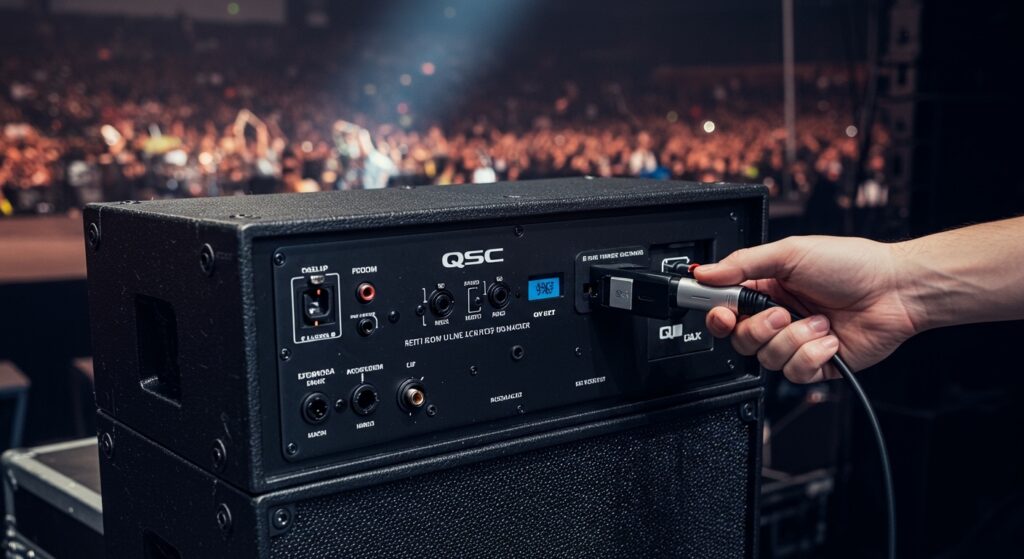
No, QSC KLA speakers are not Bluetooth compatible out of the box. The QSC KLA Series, including the popular KLA12 and KLA181, are professional-grade line array systems designed for high-output live sound where Bluetooth is often avoided due to latency and signal dropouts. To use Bluetooth with these speakers, you must integrate an external Bluetooth receiver or a mixer with wireless capabilities into your signal chain.
Key Takeaways for Connecting QSC Speakers
- Native Support: None of the QSC KLA or KW series models feature built-in Bluetooth.
- Best Solution: Use a dedicated XLR Bluetooth receiver (like the Alto Professional Bluetooth Total 2) for a cable-free setup.
- Pro Method: Route your audio through a digital mixer with Bluetooth inputs (e.g., QSC TouchMix series).
- Reliability: For mission-critical events, hardwired XLR connections are always recommended over Bluetooth.
- Sound Quality: Using aptX or AAC compatible receivers will ensure the best possible audio fidelity when bypassing cables.
Why Professional QSC KLA Speakers Lack Bluetooth
When I first started touring with QSC KLA12 arrays, I was surprised by the lack of consumer features like Bluetooth. However, after years in the field, the reason is clear: reliability. QSC KLA speakers are engineered for “mission-critical” environments like houses of worship, concert halls, and large corporate events.
In these high-stakes settings, a Bluetooth dropout isn’t just an annoyance; it’s a professional failure. Bluetooth operates on the crowded 2.4 GHz frequency, which is prone to interference from Wi-Fi routers and mobile phones. By omitting built-in Bluetooth, QSC ensures that engineers prioritize balanced XLR connections that offer superior noise rejection and long-distance signal integrity.
Furthermore, the QSC KLA Series utilizes SOLO™ Rigging Technology, which is designed for permanent or semi-permanent installs. In these scenarios, audio is typically routed through a central processing rack or a digital mixer, making local Bluetooth on the speaker redundant.
How to Add Bluetooth to Your QSC KLA System (Step-by-Step)
If you are a mobile DJ or a solo performer, you might still want the convenience of streaming music from a phone. Since are QSC speakers Bluetooth compatible only through external means, here are the three best ways I have integrated wireless audio into these systems.
Option 1: The XLR Bluetooth Adapter (Fastest Method)
This is the most “plug-and-play” solution. It involves using a battery-powered receiver that plugs directly into the XLR input of your QSC KLA12.
- Purchase a Pro Adapter: I recommend the Alto Professional Bluetooth Total 2 or the Switchcraft 318BT.
- Plug and Play: Insert the adapter into the Line Input of the first KLA12 speaker in your array.
- Pairing: Hold the pairing button on the adapter and select it on your smartphone or laptop.
- Link the Array: Use an XLR cable from the “Thru” or “Mix Out” of the first speaker to the input of the next KLA12 or KLA181 subwoofer.
- Gain Staging: Set the speaker’s gain to 0dB and control the master volume from your Bluetooth device.
Option 2: Using a Bluetooth-Enabled Mixer
For those running multiple QSC KLA units, using a mixer is the most professional approach. This allows you to EQ the Bluetooth signal before it hits the speakers.
- Connect Mixer to Speakers: Use balanced XLR cables from your mixer’s Main Outs to the KLA inputs.
- Engage Bluetooth: If using a QSC TouchMix-30 Pro, you can use the USB Wi-Fi/Bluetooth dongle.
- Channel Assignment: Assign the Bluetooth audio to a specific fader. This allows you to kill the music instantly if a connection issue occurs.
- Signal Processing: Apply a slight compression or “loudness” EQ curve to the Bluetooth channel to compensate for the compressed nature of wireless audio.
Option 3: Professional Wireless Receivers (Long Range)
If you need to beam audio from a FOH (Front of House) position to the QSC KLA stack over 50 feet away, standard Bluetooth won’t work.
- Use a Wireless Bridge: Use a system like the Denon Professional Solution Series.
- Transmitter at Source: Plug your phone into the transmitter via a 3.5mm to RCA/XLR cable.
- Receiver at Array: Plug the receiver into the KLA12‘s XLR input.
- Frequency Management: These systems often use UHF or 5.8GHz bands, which are much more stable than the 2.4GHz band used by standard Bluetooth.
Comparing Bluetooth Solutions for QSC Systems
| Solution Type | Best For | Range | Audio Quality | Reliability |
|---|---|---|---|---|
| XLR Adapter | Mobile DJs / Small Gigs | 30-50 ft | Good (SBC/AAC) | Moderate |
| Digital Mixer | Concerts / Events | N/A (Wired to Mix) | Excellent | High |
| UHF Wireless | Large Venues | 100+ ft | Pro Grade | Very High |
| Consumer Receiver | Home / Studio Use | 20 ft | Variable | Low |
Technical Specs: Why the QSC KLA Series is Different
To understand why are QSC KLA speakers Bluetooth compatible is a “no,” we have to look at their internal architecture. The KLA Series is a “Fixed Arcuate” line array.
- Power Module: It uses a 2000-watt continuous power module (1000W + 1000W).
- Processing: It features Intrinsic Correction™, which manages thousands of data points to ensure flat frequency response.
- Inputs: It strictly features XLR Input and Thru connectors.
When we use high-end gear like this, adding a $20 consumer Bluetooth dongle can actually introduce ground loop hum or digital noise into the KLA‘s highly sensitive internal amplifiers. If you must use Bluetooth, I always suggest using a DI box or a receiver with isolated outputs to maintain the “Quiet” in QSC.
Pro-Tips for Optimizing Bluetooth Audio on QSC Gear
In my experience, even when you solve the “how to connect” part, the sound quality can vary. Here is how I make Bluetooth sound as close to “wired” as possible on a QSC KLA system:
- Disable Notifications: Nothing ruins a professional event like a loud “ding” from a text message over a 2000-watt line array. Set your device to “Do Not Disturb.”
- Use High-Quality Codecs: Ensure your receiver supports aptX HD or AAC. Standard Bluetooth (SBC) sounds “thin” and “crunchy” on the high-end compression drivers of the KLA12.
- Max the Source Volume: Keep your phone volume at about 90-95%. This provides a strong signal-to-noise ratio without clipping the input of the Bluetooth receiver.
- Line of Sight: Bluetooth waves are easily absorbed by human bodies. If you have a room full of 200 people, the range of your Bluetooth adapter will drop significantly. Always mount your receiver as high as possible.
Alternatives: Are Other QSC Speakers Bluetooth Compatible?
While the KLA series lacks this feature, you might wonder if other models in the QSC family have it.
- QSC K.2 Series: (K8.2, K10.2, K12.2) These do not have built-in Bluetooth for audio streaming. They have a small screen for DSP settings but require external adapters for wireless music.
- QSC CP Series: (CP8, CP12) These also lack native Bluetooth. They are the most compact and affordable, but QSC still prioritizes the physical 3.5mm TRS input for mobile devices.
- The Exception: Currently, none of the flagship QSC active PA speakers include internal Bluetooth receivers. This is a deliberate design choice to maintain the brand’s reputation for pro-audio reliability.
Frequently Asked Questions
Can I use a Bluetooth transmitter with the QSC KLA181 subwoofer?
Yes, you can plug a Bluetooth receiver directly into the XLR input of the KLA181. However, it is better to plug the receiver into the KLA12 (top speaker) and use the “Crossover Out” or “Thru” to send signal to the subwoofer to ensure proper frequency routing.
Why is my Bluetooth audio quiet on my QSC speakers?
This usually happens because the input on the QSC KLA is set to “Line” level, while the Bluetooth adapter is outputting a lower “Consumer” signal. Check if your adapter has a “Boost” switch, or increase the Gain on the back of the speaker to +6dB or +10dB.
Is there a lag when using Bluetooth with QSC KLA speakers?
Yes. Bluetooth introduces latency (usually between 34ms to 200ms). This makes Bluetooth unsuitable for live performances (like a singer using a backing track) because the sound will be noticeably behind the performer’s timing. For simple background music, the lag is not an issue.
Do I need two Bluetooth receivers for a stereo pair of QSC speakers?
Not necessarily. Many modern XLR Bluetooth adapters (like the Alto Bluetooth Total 2) allow you to “Link” two adapters wirelessly. You plug one into the Left speaker and one into the Right, and they pair together to provide a true stereo image without an XLR cable between the two stacks.
Can I control the QSC KLA DSP via Bluetooth?
No. Unlike some competitors that use apps (like JBL or EV), the QSC KLA Series uses physical switches for Tilt Out, HF Density, and Array Size. There is no wireless software control for this specific series.
Final Verdict: While QSC KLA speakers are not Bluetooth compatible natively, they are the gold standard for audio quality. By spending a small amount on a high-quality XLR Bluetooth receiver, you can enjoy the best of both worlds: world-class line-array power and the convenience of wireless streaming.








