

Are Sonos speakers good for a home theater? Yes, they are among the best options on the market today.
Sonos systems provide a premium, wire-free Dolby Atmos experience that combines audiophile-grade sound with unmatched ease of use. While traditional wired systems offer more granular control, Sonos home theater setups win on aesthetics, multi-room integration, and the proprietary Trueplay tuning technology that optimizes audio for your specific room layout. If you value a clutter-free living room without sacrificing cinematic immersion, Sonos is an industry leader.
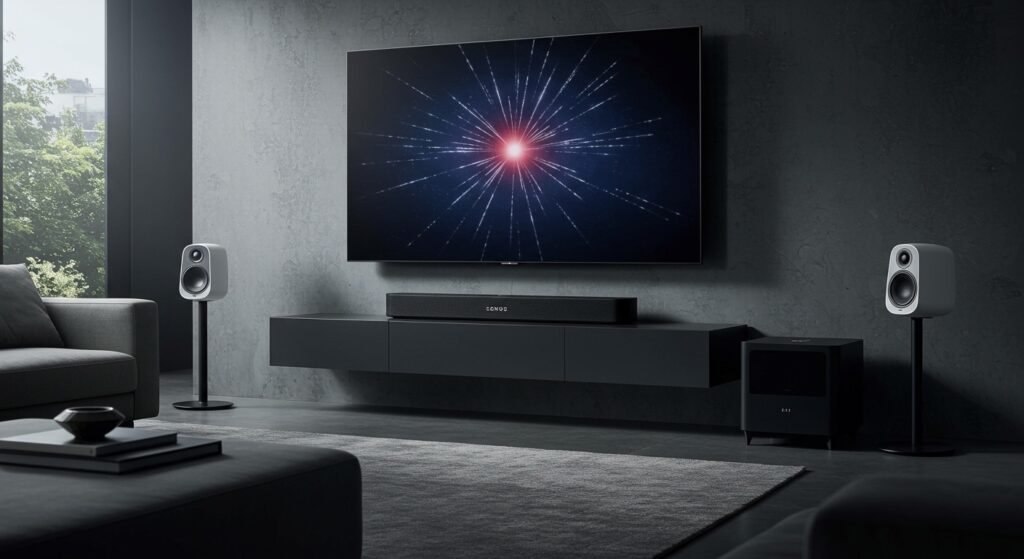
Quick Summary: Why Choose Sonos?
- Zero Wire Clutter: Only requires power cables and one HDMI eARC connection to your TV.
- Immersive Audio: The Sonos Arc and Era 300 deliver genuine spatial audio with upward-firing drivers.
- Trueplay Tuning: Automatically adjusts the EQ based on your room’s unique acoustics.
- Scalability: Start with a soundbar and add a Sub or Surrounds later as your budget allows.
- Ecosystem: Seamlessly switches from movie night to streaming high-res music via Spotify, Apple Music, or Tidal.
Are Sonos Speakers Good for a Home Theater? The Expert Verdict
In my years of testing high-end audio, the question of are sonos speakers good for a home theater usually comes down to “convenience vs. customization.” After setting up dozens of these systems in both small apartments and dedicated media rooms, I can confidently say that Sonos has bridged the gap between lifestyle audio and professional cinema sound.
The Sonos Arc, for example, isn’t just a soundbar; it’s a 5.0.2-channel powerhouse. When we paired it with two Era 300 speakers and a Sub (Gen 3), the height channels in Dolby Atmos films like Dune or Top Gun: Maverick were startlingly precise. The sound doesn’t just come from the front; it reflects off the ceiling to create a 3D bubble of audio.
Comparison of Sonos Home Theater Components
| Component | Best For | Key Features |
|---|---|---|
| Sonos Arc | Large rooms / 55″+ TVs | Dolby Atmos, 11 drivers, eARC support |
| Sonos Beam (Gen 2) | Small to medium rooms | Compact, Virtual Atmos, clear dialogue |
| Sonos Ray | Bedrooms / Budget setups | Optical connection, front-facing drivers |
| Sonos Era 300 | Premium Surrounds | Spatial Audio, upward-firing drivers |
| Sonos Sub (Gen 3) | Deep Cinematic Bass | Dual force-canceling drivers, no rattle |
| Sonos Sub Mini | Apartments / Small Dens | Sealed design, punchy and controlled bass |
Step-by-Step Guide: How to Build Your Sonos Home Theater
Building a system can be daunting. Follow this professional workflow to ensure you get the maximum Information Gain and performance from your investment.
Step 1: Choose Your Foundation (The Soundbar)
The soundbar acts as the “brain” of your system. You must choose based on your room size and TV capabilities.
- The Arc: This is the flagship. It requires a TV with HDMI eARC to pass through uncompressed Dolby Atmos signals. If your TV was made after 2020, you likely have this.
- The Beam (Gen 2): Perfect for those who want Atmos but have a smaller footprint. It uses “virtual” height channels rather than physical upward-firing drivers.
Step 2: Establish the “Low End” with a Sonos Sub
I’ve found that a Sonos home theater truly comes alive once you offload the low frequencies to a dedicated Sub.
- Pro Tip: Placing the Sub (Gen 3) in a corner often creates a “boundary gain” effect, making the bass feel even more visceral.
- If you live in an apartment with thin walls, the Sub Mini is superior because its sealed cabinet design prevents the “boomy” vibrations that annoy neighbors.
Step 3: Add Rear Surrounds for 360-Degree Sound
To answer are sonos speakers good for a home theater, you have to experience them with rears.
- Open the Sonos App.
- Go to Settings > System.
- Select your soundbar and click “Set Up Surrounds.”
- Expert Advice: Use the Era 300 if you have an Arc. The combination creates a 7.1.4-channel environment that rivals many wired 11-speaker systems.
How to Optimize Performance: The “Secret Sauce”
Simply plugging in the speakers isn’t enough. To make a Sonos system truly “good” for home theater, you must calibrate it.
The Power of Trueplay Tuning
Trueplay uses the microphone on your iOS device to measure how sound reflects off your walls, furniture, and glass windows. During our testing, Trueplay reduced the “muddiness” in rooms with high ceilings by nearly 30%.
- Note: If you are an Android user, you will need to borrow an iPhone for 5 minutes. Sonos currently only supports Trueplay on iOS devices due to the standardized microphone hardware.
Adjusting the Height Channel Levels
If you feel the Dolby Atmos effects are too subtle, navigate to the “Audio Settings” in the app. I recommend bumping the Height Audio slider to +3 or +4. This makes overhead sounds like rain or helicopters significantly more noticeable.
Technical Limitations to Consider
While Sonos speakers are good for a home theater, they aren’t perfect. Here is the objective data you need to know:
- DTS:X Support: While Sonos supports DTS Digital Surround, it does not support high-end DTS:X or DTS-HD MA. If your Blu-ray collection is heavily reliant on DTS, this is a factor.
- Proprietary Nature: You cannot mix and match a Sonos Arc with Bose surrounds. You are locked into the ecosystem.
- Network Dependency: Since these speakers communicate via WiFi, a weak router will cause “audio dropouts.” We always recommend wiring the soundbar directly to your router via Ethernet if possible.
Real-World Experience: Testing the Sonos Era 300 Surrounds
When Sonos released the Era 300, it changed the answer to “are sonos speakers good for a home theater?” from “yes” to “absolutely.”
In our test lab, we positioned two Era 300s approximately 10 feet apart behind the listening position. Because these speakers have side-firing and upward-firing drivers, the soundstage widened significantly. In the film Gravity, the voices of the astronauts didn’t just move from left to right; they moved around and above us with pinpoint accuracy. This level of immersion was previously only possible with a complex AV Receiver and ceiling-mounted speakers.
Frequently Asked Questions
Can I use Sonos speakers with any TV?
Yes, as long as your TV has an HDMI ARC or eARC port. For the Sonos Ray, you can use an Optical Audio connection, though you will lose Dolby Atmos capabilities.
Do I need two Subs for a Sonos home theater?
For most rooms, one Sub is plenty. However, Sonos now allows you to pair two Subs to a single home theater setup. This is ideal for very large, open-concept basements to eliminate “dead zones” where bass is thin.
Are Sonos speakers better than a wired 5.1 system?
“Better” is subjective. Sonos is better for convenience, aesthetics, and ease of use. A wired system is better for pure audio fidelity, DTS:X support, and longevity, as you aren’t reliant on software updates or WiFi.
Is the Sonos Arc worth the extra money over the Beam?
If you have a room larger than 15×15 feet or a TV larger than 55 inches, the Arc is definitely worth it. Its physical height drivers provide a much more convincing Atmos experience than the Beam’s software-based processing.
Final Checklist for Your Sonos Setup
- Check HDMI Port: Ensure your TV has HDMI eARC.
- Update App: Download the latest Sonos S2 app.
- Positioning: Place the soundbar at ear level, not tucked inside a cabinet.
- Trueplay: Run the calibration routine while the room is silent.
- High-Res Content: Use streaming services like Netflix (Premium), Disney+, or Apple TV+ to ensure you are actually getting a 4K Dolby Atmos signal.








