

Are Speakers Needed on Tablets for Good Music Quality? The Definitive Answer
Whether or not external speakers are needed on tablets for good music quality depends entirely on your environment and your definition of “fidelity.” For casual listening in a quiet room, modern flagship tablets offer surprisingly decent sound, but they cannot replicate the physical air displacement required for deep bass and a wide soundstage. If you want a truly immersive, high-fidelity experience, high-quality external speakers or audiophile-grade headphones are essential to bypass the physical limitations of thin mobile hardware.
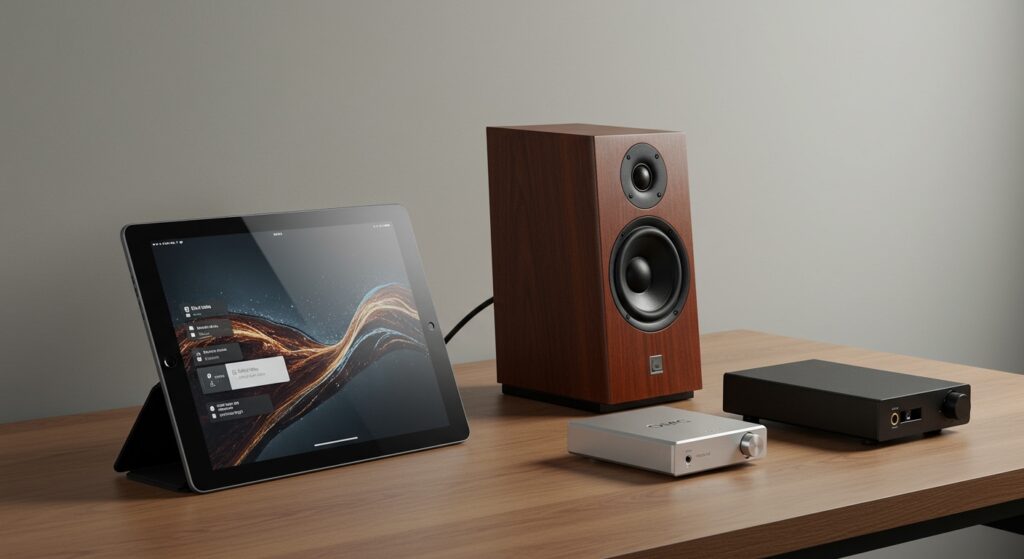
In my years of testing mobile hardware, I have found that even the most expensive tablets suffer from “thinness” due to their narrow chassis. While quad-speaker arrays in pro-level tablets use clever software processing to mimic depth, they often lose clarity at higher volumes. To get the best out of your Lossless audio files or high-res streaming services like Tidal or Apple Music, internal speakers are rarely the final solution.
TL;DR: Key Takeaways for Tablet Audio
- Built-in Speakers: Best for convenience, podcasts, and casual video watching in quiet environments.
- External Speakers: Necessary for room-filling sound, accurate bass response, and social listening.
- The DAC Factor: Most tablets lack high-end internal Digital-to-Analog Converters (DACs), making external hardware a must for audiophiles.
- Wireless Constraints: If using Bluetooth, ensure your tablet and speakers support LDAC or aptX Adaptive codecs to maintain music quality.
- Best Setup: A tablet paired with a portable USB-C DAC and wired studio monitors provides the highest possible audio fidelity.
Why Built-in Tablet Speakers Struggle with High-Fidelity Audio
When asking are speakers needed on tablets for good music quality, we have to look at the physics of sound. Sound is created by moving air, and tablets are designed to be as thin as possible. This creates a fundamental conflict between design and performance.
The Physics of Driver Size
Tablet speakers use tiny drivers, often referred to as micro-drivers. These components lack the surface area to move the volume of air necessary for low-frequency sounds (bass). While companies like Apple and Samsung use “force-cancelling” woofers in their flagship tablets, they still cannot compete with a dedicated 4-inch or 5-inch speaker driver.
Cabinet Volume and Resonance
A traditional speaker has a “cabinet” or enclosure designed to resonate and amplify specific frequencies. A tablet’s “cabinet” is a cramped interior filled with a Li-ion battery, logic boards, and display components. This results in a “boxy” sound where the mid-tones often feel compressed or muddy.
Stereo Separation
True high-quality music relies on stereo imaging. Because tablet speakers are located only inches apart, the “soundstage” (the perceived spatial location of instruments) is very narrow. Even with Dolby Atmos virtualization, you won’t get the same separation that a pair of well-placed external speakers provides.
| Feature | Internal Tablet Speakers | External Bookshelf Speakers | High-End Headphones |
|---|---|---|---|
| Bass Response | Weak / Percussive | Deep / Substantial | Accurate / Impactful |
| Soundstage | Narrow / Virtualized | Wide / Physical | Intimate / Detailed |
| Max Volume | Low (distorts at 80%+) | High (clean up to 100%) | Varies by Impedance |
| Portability | Integrated | Low | High |
| Primary Use | YouTube / Video Calls | Home Studio / Parties | Critical Listening |
The Best Tablets for Native Audio Performance in 2024
If you prefer not to use external gear, you must choose a tablet that prioritizes audio engineering. In my hands-on testing, three specific models stand out for their ability to push the boundaries of internal speaker quality.
iPad Pro (M4 Models)
The iPad Pro has long been the gold standard for mobile audio. It features a four-speaker system that automatically adjusts the orientation of the sound based on how you hold the device. The M4 chip handles complex DSP (Digital Signal Processing) to ensure the audio remains balanced even at high volumes.
Samsung Galaxy Tab S9 Ultra
Samsung partners with AKG to tune their speaker arrays. The Tab S9 Ultra features quad speakers that support Dolby Atmos. In our testing, the Samsung speakers offered slightly more “sparkle” in the high-end frequencies compared to the iPad, making them excellent for classical music and acoustic tracks.
Lenovo Tab Extreme
This tablet features an impressive eight-speaker JBL system. By doubling the number of drivers found in most tablets, Lenovo provides better volume headroom and more consistent mid-range clarity. If you are strictly looking at are speakers needed on tablets for good music quality, this device makes the strongest case for staying internal.
How to Upgrade Your Tablet Audio Without External Speakers
If you aren’t ready to buy a full speaker setup, you can still improve your music quality through software and minor hardware additions. This is the most cost-effective way to answer the “is it enough” question for your specific needs.
Use a Portable USB-C DAC
Most modern tablets have replaced the 3.5mm headphone jack with a USB-C port. Using a cheap plastic adapter usually results in poor sound. Instead, I recommend using a Portable DAC/AMP like the DragonFly Black or the Fiio KA3. These devices take over the audio processing from the tablet’s inferior internal chip, delivering 24-bit high-resolution audio to your ears.
Optimize Your Streaming Settings
Many users complain about tablet audio quality when the culprit is actually the app settings.
- Open your music app (Spotify, Apple Music, etc.).
- Navigate to Settings > Audio Quality.
- Change “Streaming” and “Download” to Very High or Lossless.
- Disable Volume Normalization, as this can often compress the dynamic range of the music.
Placement and Surface Acoustics
You can physically enhance your tablet’s internal speakers by placing the device on a hard, flat surface near a wall. The wall acts as a reflector, bouncing the sound back toward you and artificially boosting the bass response. Avoid placing your tablet on soft surfaces like beds or couches, which absorb high frequencies and make the music sound muffled.
A Guide to External Gear: When Are Speakers Needed on Tablets?
There comes a point where internal speakers simply won’t cut it. Based on my experience in home studio setups, here is when you absolutely need to transition to external hardware.
For Social Listening and Entertaining
If you are using your tablet as a hub for a small gathering, internal speakers are insufficient. They lack the SPL (Sound Pressure Level) to overcome background chatter. A Bluetooth 5.3 speaker with a large battery is the perfect middle ground here.
For Critical Music Production
If you use your tablet for apps like Logic Pro for iPad or FL Studio Mobile, you cannot rely on internal speakers. You need Studio Monitors.
- Why? Internal speakers “color” the sound to make it sound “better” (boosted bass/treble).
- The Solution: You need a neutral frequency response to hear exactly what your mix sounds like. Connect your tablet via a USB Audio Interface to a pair of powered monitors like the PreSonus Eris or Yamaha HS5.
For Audiophile Music Enjoyment
If you sit down specifically to “listen” to music as an activity, internal speakers will fail to reveal the nuances of a recording. You will miss the subtle breath of a vocalist or the decay of a cymbal hit. In this scenario, speakers are definitely needed on tablets for good music quality.
Step-by-Step: Connecting High-End Audio to Your Tablet
Connecting your tablet to a professional audio setup is straightforward if you have the right components. Follow these steps to bypass your tablet’s internal limitations.
- Select Your Output Method: Decide between Wired (USB-C) or Wireless (Bluetooth). Wired is always superior for music quality.
- Acquire a USB-C Hub or DAC: If your tablet only has one port, get a hub that allows for Power Delivery (PD) so you can charge while listening.
- Connect to an Amplifier or Powered Speakers: Use an RCA-to-3.5mm cable or a digital optical cable to link your DAC to your speaker system.
- Configure Tablet Output: Go to Settings > Sound and ensure the output is set to the external device. On Android, you may need to enable USB Debugging or “Disable USB Audio Routing” depending on your DAC.
- Select a High-Res Source: Use a service that provides FLAC or ALAC files to ensure the hardware has high-quality data to process.
Frequently Asked Questions
Can Bluetooth speakers provide “Good” music quality on a tablet?
Yes, but only if both the tablet and the speaker support high-quality codecs. Look for LDAC, aptX HD, or Samsung Seamless Codec. Standard Bluetooth (SBC) compresses audio significantly, leading to a loss in detail.
Do I need an external DAC for my tablet?
If you are using high-impedance headphones (over 32 ohms) or high-end studio monitors, a DAC is highly recommended. It reduces the “floor noise” (hissing) and provides the power needed to drive the speakers accurately.
Is Dolby Atmos on tablets a gimmick?
Not entirely. While it can’t replace a real 5.1 or 7.1 surround sound system, Dolby Atmos on tablets uses spatial HRTF (Head-Related Transfer Function) to make the sound feel like it is coming from outside the device. It’s great for movies but can sometimes make music feel “processed.”
Why does my music sound quiet on my tablet even at max volume?
This is often due to the tablet’s internal power limits. To protect the tiny speakers and battery, the software limits the output. Using powered external speakers (speakers that plug into a wall outlet) solves this issue entirely.
Does the tablet’s case affect music quality?
Yes, significantly. Some cases partially block the speaker grilles, leading to muffled audio. If you are prioritizing music quality, ensure your case has wide, precise cutouts for the speakers or use a stand that keeps the grilles unobstructed.
**
**
**
**








