Quick Answer

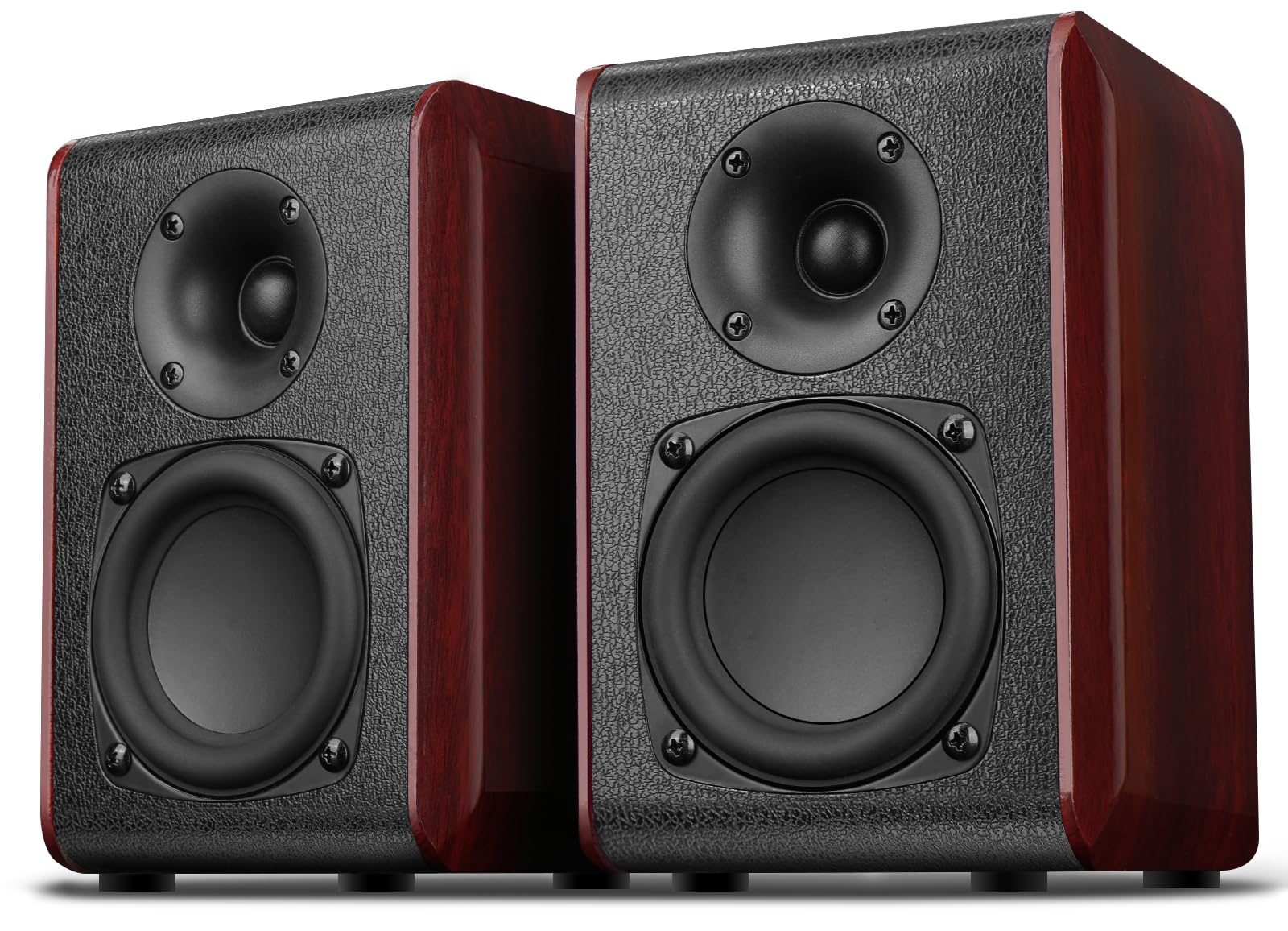
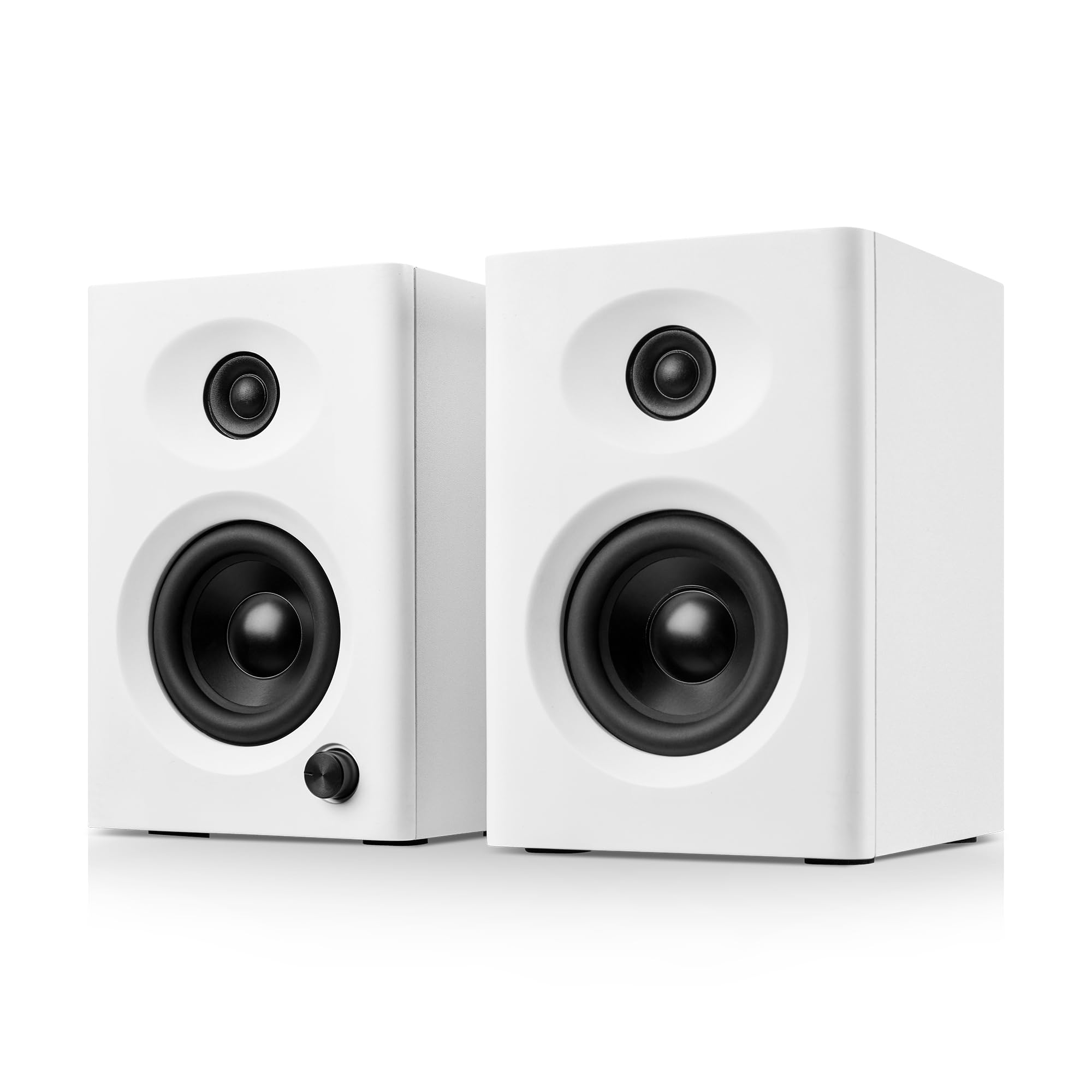
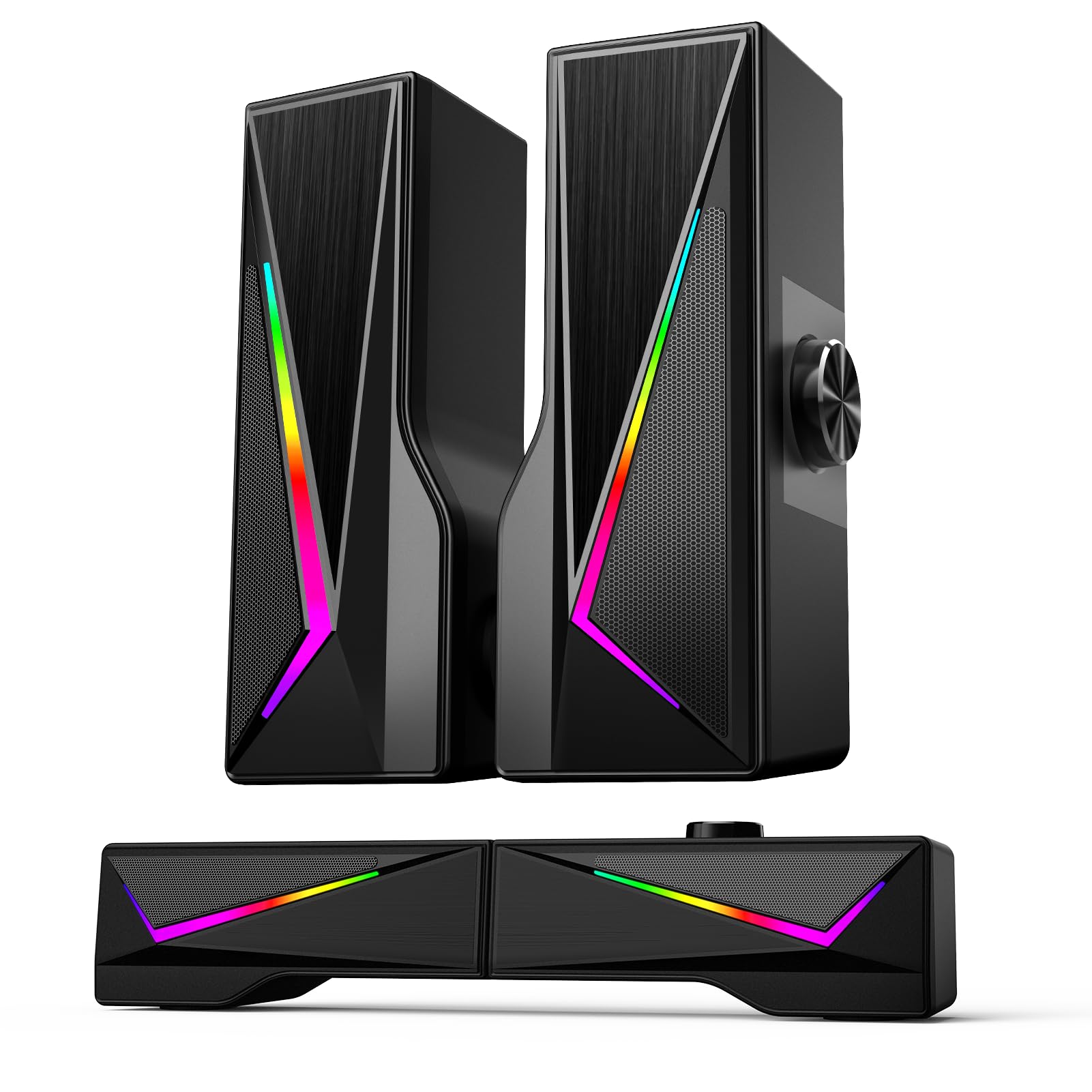
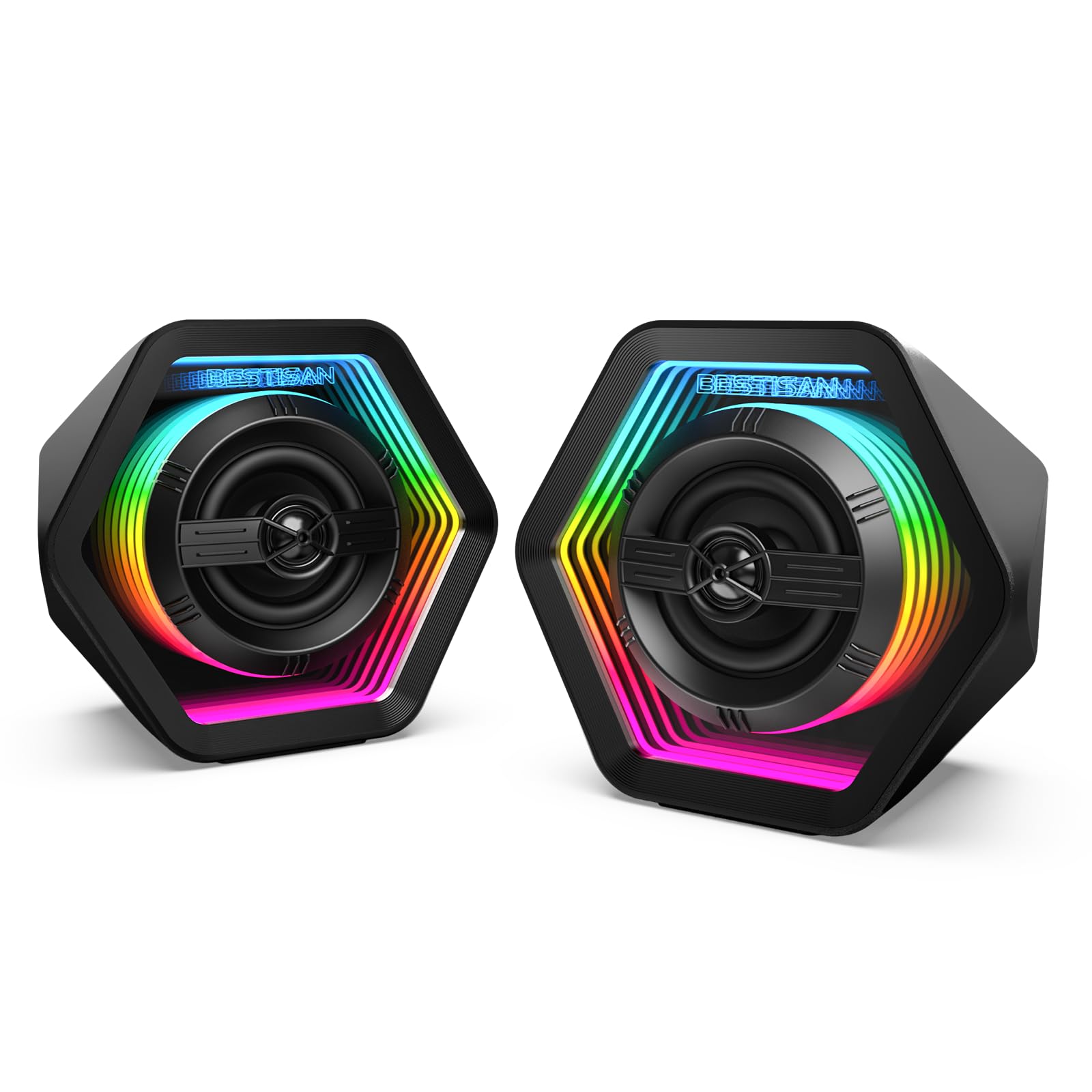
The 50W RGB Infinity Mirror speakers are the best overall pick: dual 2.75-inch mid-bass drivers, 1-inch silk dome tweeters, three EQ modes, Bluetooth 5.3, AUX, Type-C, and 8-mode RGB at a mid-range price. Pick the Nylavee 2.1 (60W peak) for a dedicated subwoofer, or the 14W 30-degree tilt pair for compact USB use.

1

FUNLOGY 14W USB-Powered Stereo PC Speakers Review

In Stock
9.5 /10
BS Score
BS Score is calculated based on product ratings, reviews, and sales performance to help you make informed purchasing decisions.
Updated: Aug 18, 2026
Last update on Aug 18, 2026 / Affiliate links / Images, Product Titles, and Product Highlights from Amazon Creators API.
Pros & Cons

Pros

  • Compact, palm-sized footprint fits between a monitor stand and keyboard on crowded desks where full-size bookshelf speakers will not fit.
  • USB power removes the need for a separate wall adapter and outlet, which simplifies cable routing behind a monitor or on a small workstation.
  • Broad analog compatibility with desktop PCs, laptops, monitors, smartphones, and gaming consoles means one speaker can move between devices.
  • Gold-plated AUX input and noise-reducing audio components are specified to limit static and pops during PC startup and shutdown.
  • Backed by a one-year warranty from FUNLOGY, a Japanese brand recognized with a VGP 2024 award, which adds some support assurance at this tier.

Cons

  • Wired-only operation means no Bluetooth, so anyone who wants to stream from a phone across the room without a cable should choose a wireless speaker.
  • A 14W rating from 48mm drivers is scaled for near-field desktop listening, so buyers wanting party volume or true sub-bass for music production will find it limited.
  • Requiring both a USB port and a 3.5mm output rules out devices that lack an analog headphone jack, which affects owners of newer laptops, tablets, and phones without one.
Detailed Review

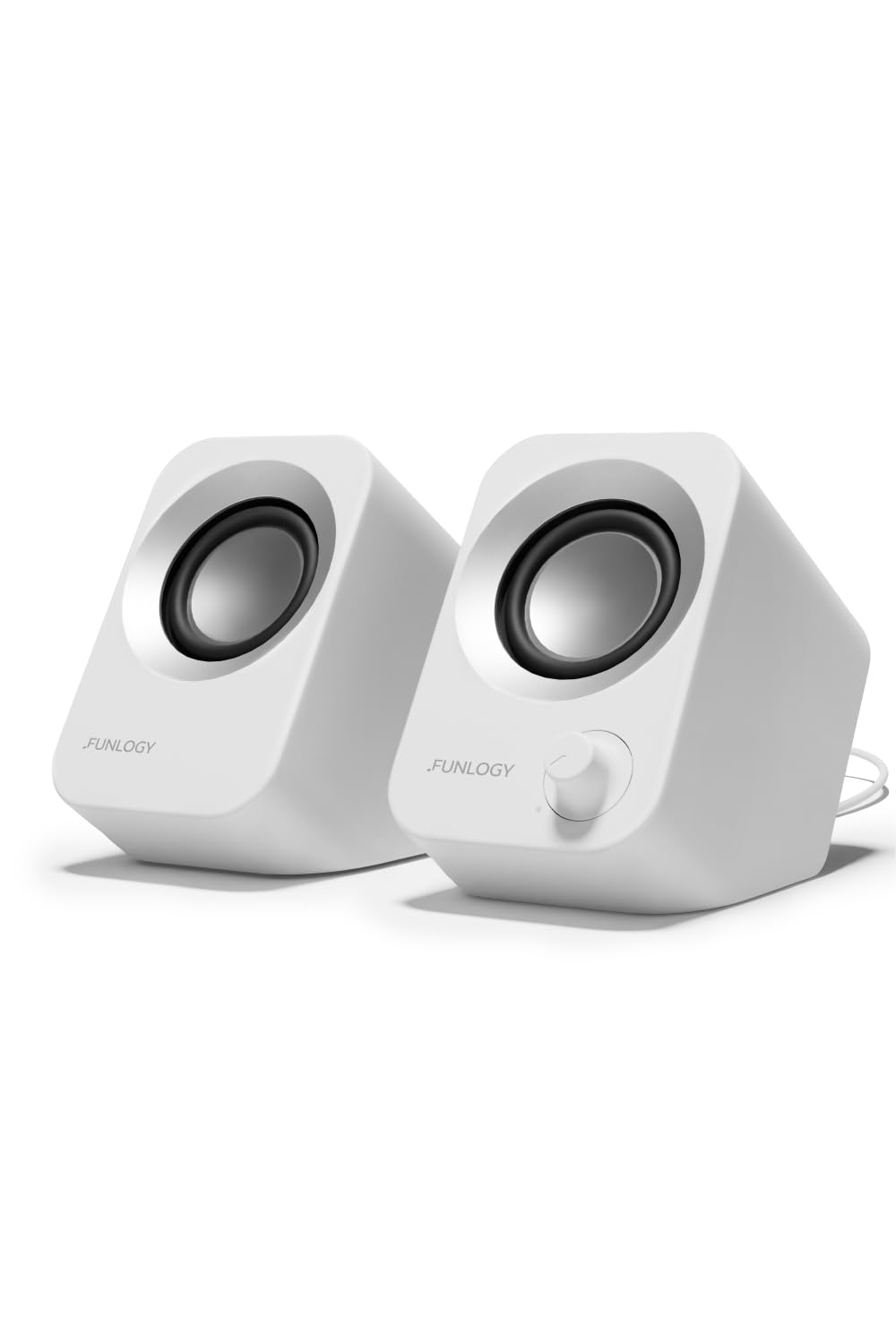
The FUNLOGY Speaker is a compact, USB-powered stereo unit rated at 14W total output, built to sit directly on a desk in front of a monitor or laptop. It targets buyers who find built-in display or notebook audio thin and hollow but do not want a multi-piece system with a subwoofer and power brick. The qualification worth stating early is that it is a wired near-field speaker, not a wireless or room-filling one.

Sound comes from dual 48mm full-range drivers paired with passive radiators, a combination the manufacturer credits for clear mids, crisp highs, and more low-end than the cabinet size suggests. In practical terms, full-range drivers handle voice content well, which matters most for video calls, streaming, YouTube, and game dialogue. Passive radiators are a common way to extend bass response without the space a ported subwoofer needs, though physics still limits how deep a 48mm driver can reach.

The 30-degree upward tilt is the design decision with the clearest daily payoff. Desktop speakers placed flat often fire at your chest, which dulls detail and forces you to raise the volume. Angling the output toward seated ear height helps preserve clarity at lower levels. Controls stay physical too, with a volume dial you can adjust by feel mid-call. Setup uses the included USB and 3.5mm cables, with no driver installation or pairing required, and the housing carries a matte finish.

The compromises follow from the format. There is no Bluetooth, so phone or tablet playback requires a cable and a working headphone jack, which many recent devices have dropped. USB power keeps things tidy but ties the speaker to a live port. A 14W compact unit is also not the right tool for filling a living room, mixing music, or reproducing deep bass in games; a powered 2.1 system serves those needs better.

Buy the FUNLOGY Speaker if you want a tidy, plug-and-play upgrade over built-in desktop audio in minimal space. Hesitate if you need wireless connectivity or serious low-end output. Anyone furnishing a larger room, or seeking studio-accurate monitoring, should shop a different product class entirely.

Key Features Explained

14W Stereo Output with Dual 48mm Drivers: This rating targets near-field listening, meaning audio aimed at one person seated an arm's length away rather than a whole room. Two full-range 48mm drivers reproduce voices and midrange content without a crossover, which suits calls, streaming, and gaming. Passive radiators are specified to reinforce the low end. Buyers upgrading from tinny monitor speakers benefit most from this arrangement.

30-Degree Upward Tilt: Flat desktop speakers usually fire into your torso, which muffles detail and pushes you to raise the volume. The fixed 30-degree angle directs output toward seated ear level instead, helping clarity at moderate listening levels. Because the tilt is built into the enclosure, you avoid stacking books or buying separate stands, which is useful on shallow desks with limited depth.

USB Power with 3.5mm Audio Input: Power arrives over USB and audio over the included 3.5mm cable, so no wall adapter or free outlet is required. That means fewer cables behind a monitor and easier setup on a small workstation. Anyone with a device that has both a USB port and an analog output can use it. Devices without a headphone jack cannot connect directly.

Physical Volume Dial: A hardware dial lets you change levels by touch without moving focus from a game, spreadsheet, or video call. Software mixers require locating a window and dragging a slider, which is slower during a live call. This matters most for people who switch frequently between quiet reading and loud media, or who share a workspace and need quick level changes.

Gold-Plated AUX Input and Noise-Reducing Components: The manufacturer specifies these to reduce signal noise and prevent static during PC startup and shutdown. Analog connections can pick up interference from nearby electronics, producing hiss or pops. Users who leave speakers powered while their computer boots or sleeps stand to notice the difference most, though results depend on the source device and its own audio circuitry.

Compatibility

What You Need to Connect: This speaker requires two things from your setup, a USB port for power and a 3.5mm analog audio output for sound. Both cables are included. If your device supplies both, connection is direct with no drivers to install and no pairing step. That covers most desktop towers, many laptops, monitors with headphone-out jacks, and standard console setups.

Desktop PCs and Laptops: Tower PCs are the easiest match, with rear or front USB ports and a green line-out jack. Laptops work when they retain a combination headphone jack; use one USB port for power and the jack for audio. Because power comes over USB rather than a wall outlet, unplugging the laptop also disconnects the speaker, which is worth planning around if you dock and undock frequently.

Monitors and Gaming Consoles: Monitors with a headphone output can pass audio from HDMI or DisplayPort to the speaker, which is convenient when a console is connected to the display rather than the PC. For consoles, the practical path is usually through the monitor or TV's analog output, since the speaker itself accepts only a 3.5mm signal. USB power can often be drawn from a port on the display or the console.

Smartphones and Devices Without a Jack: Phones with a 3.5mm port connect directly, but many current phones, tablets, and thin laptops have removed the analog jack entirely. Those devices would need a compatible adapter, which is not part of the listing, and a separate USB power source. If your primary source is a jackless phone, a Bluetooth speaker is the more sensible category.

What It Will Not Do: There is no Bluetooth, no optical input, and no listed digital USB audio mode, so the USB connection should be treated as power only. Buyers who want to switch wirelessly between a work laptop and a personal phone, or who need a digital connection for a specific source, should confirm those requirements are met elsewhere before purchasing.

Performance & Use Cases

Best-Suited Listening: A compact 14W stereo pair with full-range drivers is designed for one listener seated close to the source. Video calls, podcasts, streaming shows, YouTube, and casual gaming all sit comfortably in that envelope, since those formats depend heavily on midrange clarity for speech. The upward tilt supports this by directing sound at seated ear level rather than into the desk edge or your chest.

Music Listening: Expect a usable improvement over laptop or monitor speakers rather than full-range hi-fi reproduction. The manufacturer credits passive radiators with adding punch to the low end, and that approach does help small enclosures sound less thin. Still, 48mm drivers have physical limits, so bass-heavy genres, orchestral dynamics, and critical listening will reveal the ceiling faster than spoken-word content does.

Gaming Consideration: For dialogue, interface cues, and general immersion at a desk, the stereo layout and forward-facing angle work in your favor. Positional accuracy is limited by how close the two channels sit together on a compact unit, so competitive players who rely on precise directional cues will still be better served by a headset. Console users should also confirm they have an analog output path.

Where Another Product Fits Better: Filling a living room, driving audio at party volume, producing or mixing music, or feeling low-frequency impact in action games all point toward a larger powered 2.0 or 2.1 system with its own power supply. Likewise, shared listening across a room asks more of a speaker than a near-field desktop unit is built to deliver.

Practical Takeaway: Treat this as a desk audio upgrade rather than a home audio solution. If your current sound comes from a monitor or laptop and you mainly listen at conversational levels while working or playing, the format matches the need closely. If any part of your listening happens more than a few feet away, size up.

2

Saiyin Passive Bookshelf Speakers with 3.5 Inch

In Stock
9.9 /10
BS Score
BS Score is calculated based on product ratings, reviews, and sales performance to help you make informed purchasing decisions.
Updated: Aug 18, 2026
Last update on Aug 18, 2026 / Affiliate links / Images, Product Titles, and Product Highlights from Amazon Creators API.
Pros & Cons

Pros

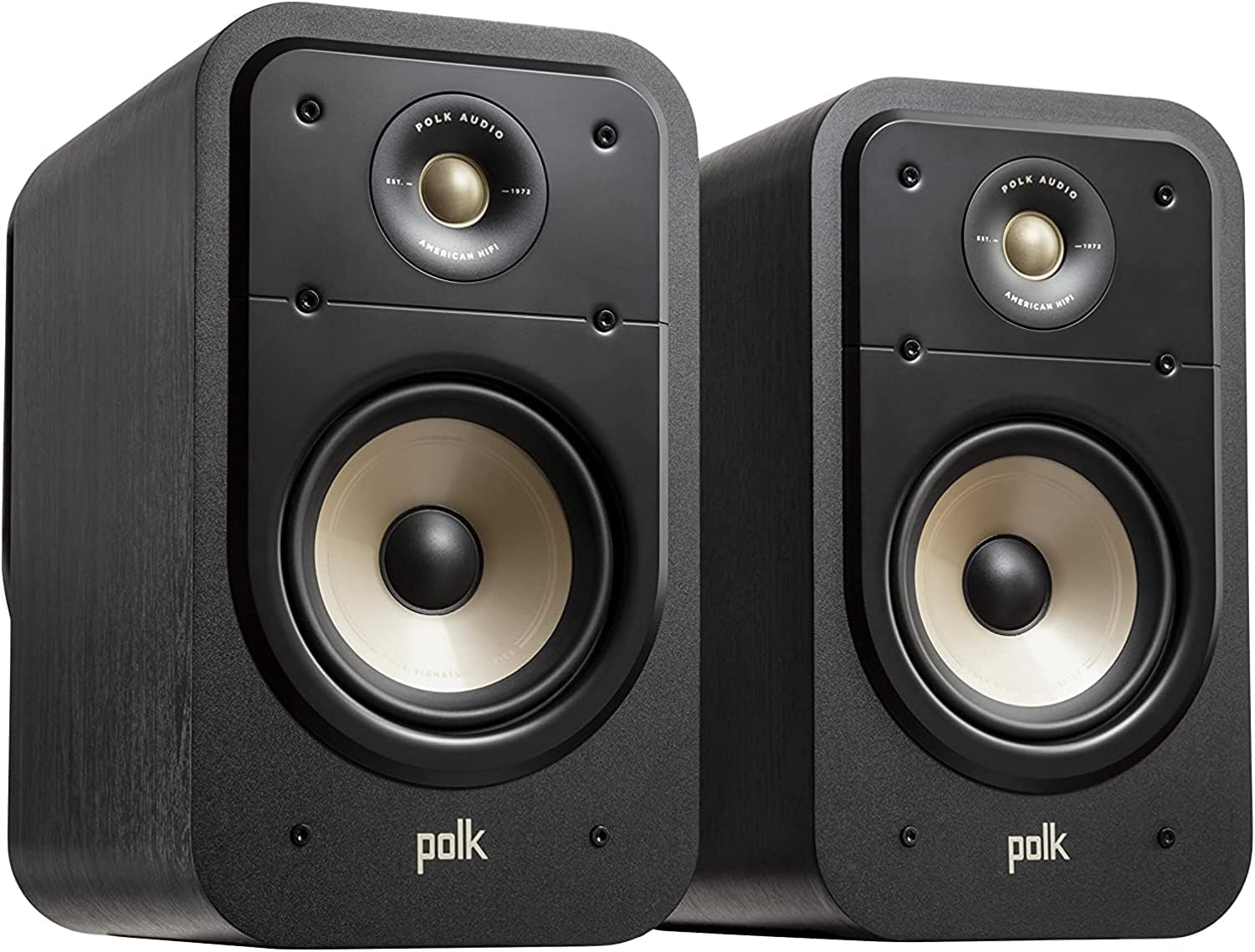
  • Passive design suits anyone who already owns an amplifier, receiver, or vintage turntable setup and wants speakers rather than another powered box with its own volume knob.
  • The compact 3.5 inch woofer format is aimed at desks and small shelves where full-size bookshelf cabinets would crowd the workspace.
  • Dual-driver construction with a dedicated silk dome tweeter benefits listeners who want treble handled separately from midrange and bass.
  • Wall-mount capability helps renters and desk-bound users who need to free up surface area or angle the speakers toward a seated listening position.
  • Flexible channel assignment as front or rear speakers appeals to buyers building or expanding a 5.1 surround system in stages.

Cons

  • No built-in amplification and no Bluetooth means the total cost and setup effort rise for anyone who does not already own a receiver or amplifier.
  • Speaker wire and front grilles are not included, so first-time buyers need to source cable separately and will see the drivers exposed.
  • Cabinet dimensions, driver sensitivity, power handling, and weight are not supplied, which makes it hard to confirm fit on a specific shelf or match to a specific amplifier's output.
Detailed Review

The Saiyin Passive Bookshelf Speakers with 3.5 inch Woofer are a two-way passive stereo pair intended for desktops, small shelves, and compact home theater channels. The best-fit buyer is someone who already owns a receiver or integrated amplifier and wants a small speaker pair for a PC, gaming setup, or turntable chain. The strongest reason to consider them is the stated two-way driver arrangement: a silk dome tweeter handling treble alongside a 3.5 inch woofer for low frequencies, with frequency response described as extending smoothly to 20KHz. The main qualification is unambiguous in the product information: these do not power themselves and do not support Bluetooth.

In practical terms, the separate tweeter means vocal sibilance and cymbal detail are reproduced by a driver built for that range rather than by a single cone doing everything. The 3.5 inch woofer sets expectations for a compact cabinet rather than a floor-shaking bass presentation, which fits near-field desk listening where the speakers sit within a few feet of your ears. The 4 ohm impedance is the specification to check against your amplifier before ordering, since not every receiver is rated for 4 ohm loads at higher volumes.

Setup requires speaker wire, which is not included, along with an amplifier or receiver that is also sold separately. Front grilles are not supplied either. The cabinets are wall mountable, which helps when a desk is already crowded by monitors and peripherals. Channel assignment is flexible: the pair can run as front speakers in stereo or as rear surrounds inside a 5.1 system.

The verdict is straightforward. If an amplifier is already part of your setup, this is a small, wired stereo pair with a conventional two-way design. If you want speakers that turn on, connect wirelessly, and play immediately, buy a powered or active desktop pair instead. Buyers who need confirmed cabinet dimensions or power handling figures should also look elsewhere, since those details are not supplied here.

Buyer Snapshot

Best For: A desktop or small-room listener who already owns a receiver or integrated amplifier and wants a compact wired stereo pair for a PC, gaming rig, turntable, or the rear channels of a 5.1 system.

Why It Fits: Product information specifies a two-way design with a silk dome tweeter and a 3.5 inch woofer, frequency response extending to 20KHz, 4 ohm impedance, and wall-mount capability, which covers the core details needed to wire a small passive pair into an existing amplifier.

Think Twice If: You do not own an amplifier or receiver, want Bluetooth or any wireless input, need speaker wire and front grilles in the box, or require confirmed cabinet dimensions before committing shelf or desk space.

Bottom Line: A reasonable compact passive pair for an existing amplified system, provided your amplifier is comfortable driving a 4 ohm load and you are prepared to supply your own cable.

Compatibility

Amplification Requirement: These are passive speakers. The product information states plainly that a receiver or amplifier is required and sold separately, and that the speakers are not powered. There is no Bluetooth support and no wireless input of any kind.

Impedance Matching: The pair is rated at 4 ohms. Before buying, confirm your amplifier or receiver is rated to drive 4 ohm loads, since some budget receivers are specified for 6 or 8 ohm speakers only.

Source Devices: Product information cites use with a PC, gaming setup, or turntable. In each case the source connects to the amplifier or receiver, and the amplifier connects to these speakers with wire. A turntable chain will also need phono preamplification handled upstream, which is not part of this product.

Home Theater Placement: The pair can be assigned as front speakers or as rear surrounds within a 5.1 system, giving you the option to move them to a different channel role later as your setup grows.

What You Must Supply: Speaker wire and front grilles are not included, and neither is any amplifier or receiver. Budget for cable of the right length for your intended placement, including extra if you plan to wall mount.

Setup & Daily Use

Initial Wiring: Connect each speaker to a corresponding channel on your amplifier or receiver using speaker wire you supply, keeping polarity consistent between the two cabinets so the stereo image stays correct.

Volume and Controls: There are no controls on the speakers themselves. All volume, tone, and input switching happen at the amplifier or receiver, so daily operation depends entirely on that component.

Placement Options: The cabinets sit on a desk or shelf, or mount to a wall. Wall mounting is the option to consider when monitor stands, keyboards, and peripherals have already taken the available desk depth, and it also lets you aim the speakers toward a seated listening height.

Appearance in Use: Front grilles are not included, so the drivers remain visible. The cabinets use a piano lacquer finish on the sides with a PVC leather panel on the front face, a consideration if the speakers will sit in a visible position on a desk.

3

NSY Audio Computer Speakers for Desktop PC

In Stock
9.9 /10
BS Score
BS Score is calculated based on product ratings, reviews, and sales performance to help you make informed purchasing decisions.
Updated: Aug 18, 2026
Last update on Aug 18, 2026 / Affiliate links / Images, Product Titles, and Product Highlights from Amazon Creators API.
Pros & Cons

Pros

  • Versatile connectivity options (Bluetooth, RCA, USB, AUX) cover most devices.
  • Compact footprint suits small desks and dorm rooms.
  • Wooden MDF construction may reduce plastic echo compared to plastic speakers.
  • Included cables eliminate extra purchase for wired setups.
  • Budget-friendly price point for an entry-level audio upgrade.

Cons

  • No verified customer reviews yet, so real-world performance and durability are unknown.
  • Claimed 60W power and bass response are unverified; actual output may vary.
  • Lack of warranty information and brand reputation data adds purchase risk.
Detailed Review

The NSY Audio Computer Speakers (ASIN B0DSMYRZD8) are a compact 2.0 stereo system designed for desktop use. They are best suited for budget-conscious buyers seeking an upgrade from built-in monitor or laptop speakers, with a focus on versatile connectivity and space-saving design. The strongest supported reason to consider them is their multi-input flexibility: Bluetooth 5.3 for wireless streaming and RCA, USB, and 3.5mm AUX for wired connections, all included in the box. This makes them compatible with PCs, Macs, gaming consoles, and even turntables.

Key verified features include a 60W peak power rating, 3-inch drivers, and a wooden MDF enclosure. The MDF construction is a positive indicator for reducing resonance compared to plastic, potentially improving sound clarity. The front-panel dial combines power and volume, simplifying operation. However, these are manufacturer claims, not independent test results.

As of this review, there are no customer reviews available for this product. Therefore, real-world sound quality, bass response, and long-term reliability are unverified. The supplied description emphasizes distortion-free sound and tight bass, but without user feedback, these claims remain unsubstantiated.

Potential trade-offs include the lack of a subwoofer, which may limit deep bass for movie or gaming enthusiasts. Additionally, the compact size may not fill larger rooms as effectively as larger bookshelf speakers. If you require proven performance or extensive user feedback, you might consider more established speaker models with a track record of reviews.

In conclusion, the NSY speakers offer a promising feature set at a budget price, but the absence of customer evidence means you are buying on spec. If you value flexibility and are willing to accept some uncertainty, they could be a reasonable choice. However, for those who prioritize verified performance and durability, waiting for more reviews or choosing a well-reviewed alternative might be safer.

Evidence Breakdown

Verified Product Facts: The product listing specifies a 60W peak power output, 3-inch drivers, and an MDF wooden enclosure. It includes Bluetooth 5.3, RCA, USB, and AUX inputs. The design is compact and features a front-panel volume/power dial. All necessary cables are included.

Customer Signals: There are no customer reviews provided for this product. The supplied review data is empty, so no patterns or user experiences can be summarized. The lack of reviews is a significant evidence gap.

Not Verified: The following are not established by the supplied data: long-term durability and build quality, actual sound performance (bass response, distortion levels), compatibility with all claimed devices (e.g., PS5, turntables), and any warranty or customer support details.

Evidence-Aware Verdict: The evidence supports that the product offers a versatile set of connectivity options and a compact design at a budget price. However, it cannot support claims of superior sound quality, reliability, or user satisfaction due to the absence of independent testing and customer reviews.

Decision Factors

Connectivity: The speakers offer Bluetooth 5.3, RCA, USB, and AUX inputs. This is a strong point, as it covers wireless and wired connections for a wide range of devices. Buyer impact: high flexibility. Qualification: actual Bluetooth range and stability are unverified.

Sound Quality: The 60W peak power and 3-inch drivers suggest moderate output, but without independent measurements, sound quality remains unknown. Buyer impact: risk of not meeting expectations for bass or volume. Qualification: if you need deep bass, consider a system with a subwoofer.

Build & Design: MDF enclosure and compact size are positive indicators for durability and space-saving. Buyer impact: may reduce resonance and fit small desks. Qualification: long-term build quality is unverified.

Ease of Use: Plug-and-play setup with included cables and a front-panel dial simplifies installation. Buyer impact: convenient for non-technical users. Qualification: no software installation is required, but dial durability is unknown.

Ownership Cost: At a budget price point, the initial investment is low, but no warranty information is provided. Buyer impact: potential replacement cost if defective. Qualification: consider the lack of warranty as a risk.

4

Nylavee Computer Speakers with Subwoofer Review

In Stock
9.8 /10
BS Score
BS Score is calculated based on product ratings, reviews, and sales performance to help you make informed purchasing decisions.
Updated: Aug 18, 2026
Last update on Aug 18, 2026 / Affiliate links / Images, Product Titles, and Product Highlights from Amazon Creators API.
Pros & Cons

Pros

  • Clear and balanced sound profile suits music, games, and movies
  • Dedicated subwoofer adds impactful bass without muddying vocals
  • Wireless Bluetooth 5.4 offers low-latency audio and easy pairing
  • Simple side knob control eliminates the need for separate remotes
  • Works with various devices including PCs, Macs, and consoles

Cons

  • No verified customer reviews yet, so reliability and durability are unproven
  • Requires AC power adapter, limiting portability
  • Lacks additional connectivity options like USB or optical input
Detailed Review

The Nylavee Computer Speakers with Subwoofer (ASIN B0FGXL52SV) aim to deliver a balanced 2.1 audio experience for desktop setups, targeting gamers, movie enthusiasts, and music listeners who want richer sound than typical laptop speakers. With a standalone 5.25-inch subwoofer and dual soft-dome tweeters, these speakers promise clear highs, defined mids, and punchy bass. The best-fit buyer is someone seeking an affordable, all-in-one audio upgrade for their desk without complex installation.

Positioned as a plug-and-play solution, the speakers connect via Bluetooth 5.4 or a 3.5mm AUX cable, making them compatible with a wide range of devices including PCs, MacBooks, Xbox, and PS5. The included AC adapter powers the system, and all controls are conveniently located on a side knob—no software or drivers are needed. This simplicity is a strong selling point for users who want immediate functionality.

Key features translate into user benefits: the dual tweeters and full-range drivers produce crisp vocals and balanced mids, while the subwoofer adds depth to explosions and bass lines. The Bluetooth 5.4 ensures stable wireless streaming, and the AUX option provides a reliable wired connection. The side knob allows easy adjustment of volume, mode, and power, enhancing user convenience.

However, there are limitations. With no verified customer reviews, long-term reliability and performance consistency remain unknown. The speakers require an AC outlet, so they are not portable. Additionally, the lack of USB or optical inputs may limit connectivity for some users. If you need a compact, battery-powered speaker for travel or a system with multiple wired inputs, you might consider alternatives like a portable Bluetooth speaker or a more feature-rich soundbar.

In conclusion, the Nylavee speakers offer a compelling value proposition for desktop users prioritizing balanced sound and easy setup. Before purchasing, check the return policy and consider waiting for user feedback to validate the product's claims. If you accept the risk of a new product, these speakers could be a solid choice for your desk.

Who Should Buy It

Strong Match: Desktop users who want an affordable 2.1 speaker system with a dedicated subwoofer for gaming, movies, and music, and who value simple plug-and-play setup without software.

Also Consider It If: You frequently switch between devices (PC, laptop, console) and need both Bluetooth and AUX connectivity for flexibility.

Not the Best Fit: If you need a portable speaker for travel or outdoor use, as this system requires AC power and is designed for stationary desktop use.

Decision in One Sentence: The Nylavee Computer Speakers with Subwoofer are a good fit for desktop users seeking balanced 2.1 audio with easy setup, but be aware of the lack of verified reviews and AC power requirement.

Reasons to Consider or Pass

Consider It For:

  • Clear and balanced audio with dedicated subwoofer for immersive gaming and movies.
  • Bluetooth 5.4 and AUX options provide versatile connectivity.
  • Side knob control simplifies operation.
  • Plug-and-play setup with no drivers needed.

Pass If:

  • You require a battery-powered or portable speaker solution.
  • You need multiple wired inputs like USB or optical.
  • You are hesitant to buy a product with no verified customer reviews due to reliability concerns.
5

FUNLOGY 14W USB Stereo PC Speaker Review

In Stock
9.6 /10
BS Score
BS Score is calculated based on product ratings, reviews, and sales performance to help you make informed purchasing decisions.
Updated: Aug 18, 2026
Last update on Aug 18, 2026 / Affiliate links / Images, Product Titles, and Product Highlights from Amazon Creators API.
Pros & Cons

Pros

  • Dual 48mm full-range drivers and passive radiators with a rated 14W total output give speech, streaming video, and music noticeably more presence than typical built-in laptop or monitor speakers.
  • USB power means no separate wall adapter to find an outlet for, which keeps a single-cable-per-function setup behind the desk.
  • The 30 degree upward tilt directs output toward ear height, useful when the speaker sits low on a desk or under a monitor.
  • A dial on the unit handles volume directly, so you can mute a sudden loud video without hunting through system audio settings.
  • The gold-plated AUX input is specified to limit signal noise, which is relevant if your computer has produced static during startup or shutdown.

Cons

  • Audio arrives only over an analog 3.5mm connection, so anyone who wants Bluetooth playback or uses a phone, tablet, or laptop without a headphone jack will need an adapter or a different speaker.
  • A palm-sized cabinet with 48mm drivers can add warmth through passive radiators, but bass depth and maximum volume stay limited compared with a 2.1 system or larger powered bookshelf speakers, which matters for bass-heavy gaming and movie nights.
  • The supplied product data lists no dimensions, weight, or cable lengths and includes no written owner reviews, so buyers planning an exact fit under a monitor or looking for long-term reliability reports have little to work from.
Detailed Review

The FUNLOGY Speaker is a compact, USB-powered 14W stereo unit built for desk use, and it suits anyone who wants better sound from a monitor, laptop, or game console without adding a large soundbar or a pairing routine. Its main draw is simple plug-in stereo with a tilted driver layout, though power comes from a USB port rather than a dedicated amplifier.

Sound comes from dual 48mm full-range drivers paired with passive radiators at a rated 14W total output. In practical terms, that combination targets clearer dialogue in video calls and streaming, defined highs in music, and some low-end reinforcement without a separate subwoofer. FUNLOGY also specifies a gold-plated AUX input meant to reduce signal noise, which matters most if your computer has ever pushed static through connected speakers.

Controls stay deliberately simple. A volume dial sits on the unit, so level changes do not require an on-screen mixer, and the 30 degree upward tilt aims output toward a seated listener rather than into the desk surface. White matte finish and a palm-sized footprint help the speaker fit narrow monitor stands and crowded desks. Installation uses the included USB cable for power and a 3.5mm cable for audio, with no drivers and no pairing step. FUNLOGY, a Japanese brand recognized with a VGP 2024 award, lists a 1-year warranty.

Trade-offs follow from the format. Power arrives over USB, so a free port on a computer, monitor, or powered hub is required, and audio arrives through an analog 3.5mm jack, which rules out wireless sources and complicates use with devices that dropped the headphone jack. Cabinet size also sets a ceiling: small drivers with passive radiators add warmth but cannot match a subwoofer-equipped system for bass-heavy games or films. Customer feedback in the supplied data amounts to a 4.4 out of 5 average with no written reviews attached.

Choose it if you want a tidy, cable-simple stereo upgrade over built-in speakers where desk space is limited. Hesitate if you depend on Bluetooth sources, need volume for a whole room, or want deep bass. Anyone outfitting a living room, mixing audio seriously, or filling a large space should look instead at powered bookshelf speakers or a soundbar with a subwoofer.

Key Features Explained

14W Output From Dual 48mm Drivers: This is the difference between hearing a podcast and understanding it. Two full-range 48mm drivers split left and right channels for actual stereo imaging, while the rated 14W total gives headroom for quiet dialogue tracks. Anyone currently using thin monitor speakers for calls, lectures, or background music will notice the change most.

Passive Radiators: Passive radiators extend perceived low frequencies without the electronics or footprint of a powered subwoofer. In a small cabinet, that translates to a fuller kick drum or a bit more body in male voices instead of a hollow sound. Expect reinforcement rather than deep bass, since driver size still governs how low the output realistically reaches.

30 Degree Upward Tilt: Desk speakers usually sit well below ear level, which sends treble into your torso and dulls clarity. The fixed 30 degree angle points output upward toward a seated listener, preserving detail without stands, books, or foam wedges. It benefits anyone with a low desk, a deep monitor riser, or limited vertical clearance under a display.

USB Power With 3.5mm Audio: Splitting power and signal keeps setup predictable across devices. A USB port supplies power from a computer, monitor, hub, or adapter, while the 3.5mm cable carries audio from any standard headphone or line output. No drivers install and nothing pairs, so the same unit can move between a work laptop and a console-connected display.

Volume Dial and Gold-Plated AUX Input: The dial handles quick level changes during meetings or games without alt-tabbing to system settings, which is useful when a video starts loud. The gold-plated AUX input is specified to limit signal noise, addressing the static some desktop setups produce during startup or shutdown. Both features favor users who leave speakers connected all day.

Compatibility

What Your Setup Needs: Two connections make this work: a USB port for power and a 3.5mm output for audio. Any source that provides both, directly or through an adapter, should run the speaker without software. Because no drivers install, operating system version is not a limiting factor in the way it can be with USB audio devices.

Desktops, Laptops, and Monitors: Standard desktop towers and most laptops supply a USB port and a headphone or line output, making this the smoothest scenario. Many monitors include USB ports and a headphone jack as well, which lets you keep cables on the display rather than routing them to a tower tucked under the desk.

Game Consoles: FUNLOGY lists console compatibility, and in practice that depends on where your analog audio comes from, such as a monitor headphone output or another 3.5mm source connected to the console. Power can come from a console USB port or a separate USB adapter. Check that your specific console or display actually provides a 3.5mm output before ordering.

Smartphones and Tablets: Phones with a headphone jack connect directly, but recent models without one require a USB-C or Lightning to 3.5mm adapter, and they will not supply the USB power the speaker needs on their own. Users who mainly play audio from a phone should weigh a Bluetooth speaker instead, since this model has no wireless input.

Adapters and Port Planning: USB-C only laptops need a hub or adapter for the USB power connection, and possibly a second adapter for audio, which adds clutter the design otherwise avoids. Confirm your available ports first, because the appeal here is a two-cable install rather than a stack of dongles.

Buyer's Guide

Best For: Home office desks, dorm rooms, and shared workspaces where a laptop or monitor speaker is the current audio source. The compact footprint and upward tilt suit crowded desks with a monitor arm or riser, and the simple wired connection fits people who want audio to work the moment they sit down rather than reconnecting a wireless device each morning.

Consider Alternatives If: You play mostly from a phone or tablet, want speakers that follow you between rooms, or watch action films and play bass-driven games at volume. A Bluetooth speaker solves the first two cases, and powered bookshelf speakers or a 2.1 set with a subwoofer solve the third. Buyers who need USB digital audio to bypass a noisy onboard sound chip should also look elsewhere, since audio here arrives over the analog jack.

Setup and Daily Use: Connect the included USB cable to a powered port and the 3.5mm cable to your headphone or line output, then set the level with the dial. No drivers install and nothing pairs, so day-to-day use is limited to turning the dial and, if needed, selecting the correct output device in your system settings.

What Sets It Apart: Positioning matters more than raw specifications in this class. Many small desktop speakers sit flat and fire straight ahead, while the fixed 30 degree tilt here aims output toward a seated listener without accessories. Combined with USB power, a physical dial, and FUNLOGY's stated 1-year warranty and VGP 2024 recognition, the emphasis falls on tidy, predictable desk audio rather than maximum output.

6

LENRUE G11 Computer Speakers Review

In Stock
9.8 /10
BS Score
BS Score is calculated based on product ratings, reviews, and sales performance to help you make informed purchasing decisions.
Updated: Aug 18, 2026
Last update on Aug 18, 2026 / Affiliate links / Images, Product Titles, and Product Highlights from Amazon Creators API.
Pros & Cons

Pros

  • Plug-and-play setup with no driver installation means you can be listening within a minute of unboxing
  • USB power plus a 3.5mm audio cable keeps it compatible with older desktops and newer laptops alike
  • Included Type-C adapter covers thin laptops that no longer carry full-size USB-A ports
  • Touch-controlled lighting can be switched off entirely, so the speaker still fits a plain office desk
  • Compact all-in-one bar design avoids the two-satellite clutter of traditional desktop speaker sets

Cons

  • No Bluetooth, which rules it out for anyone hoping to pair a phone or tablet wirelessly
  • No headphone port and no microphone, so gamers and remote workers still need separate audio gear
  • Not compatible with TVs or headphones per the manufacturer, limiting it strictly to computer use
Detailed Review

The LENRUE G11 is a compact wired computer speaker bar built for desktop and laptop users who want better sound than built-in laptop drivers without rearranging their workspace. It draws power over USB, takes audio through a 3.5mm cable, and adds touch-activated angular lighting for people who want their desk to look like a gaming setup. The qualification is straightforward: it is a wired computer accessory only, with no wireless option.

Sound is handled by what the manufacturer describes as four large amplifier IC horns aimed at distortion-free stereo output for movies, videos, games, and music. Those are supplied claims rather than measured results, but the practical takeaway matters more: a powered bar with dedicated drivers generally gives you more usable volume and clearer dialogue than the down-firing speakers built into a laptop or a budget monitor. For a single user sitting directly in front of the screen, that is usually the difference that gets noticed first.

Design is where this model makes its clearest argument. The all-in-one body is meant to sit under a monitor rather than flank it, so it does not claim two separate patches of desk the way a satellite pair does. The power and audio cables are glued together into a single run, which cuts down on the tangle behind the desk. Controls stay simple: a volume knob on top for quick level changes, and a one-touch surface for turning the lighting on or off instead of a separate physical switch.

The limitations are specific and worth reading twice. There is no Bluetooth, no headphone jack, no microphone, and the manufacturer states it is not compatible with TVs or headphones. That means no wireless phone playback, no plugging your headset into the speaker to switch outputs, and no use as a living room soundbar. Anyone who wants a speaker that follows them between devices, or who needs mic input for meetings, should shop a different product type.

Buy the G11 if you want a tidy, driver-free stereo upgrade for one computer and you like the idea of touch-controlled desk lighting. Hesitate if wireless pairing, headphone passthrough, or multi-device use is on your list, because none of those are offered here. Users who need room-filling audio or TV connectivity should choose a proper soundbar or powered bookshelf pair instead.

Key Features Explained

Four-Driver Stereo Output: LENRUE describes the G11 as using four large amplifier IC horns to deliver stereo sound without distortion. In daily use, a powered multi-driver bar is what lets you hear game cues and video dialogue clearly at moderate volume rather than pushing a laptop speaker to its limit. Anyone whose current audio sounds thin or harsh at higher levels is the buyer who notices this most.

One-Touch Lighting Control: The angular game lighting toggles on and off through a touch surface rather than a separate switch. That matters more than it sounds: lighting you can kill in one tap is lighting you can actually live with, since the same speaker can look like a gaming accessory in the evening and a plain office speaker during a work call. Buyers who share a desk with meetings benefit here.

Top-Mounted Volume Knob: Volume sits on the top face of the unit, so adjustment happens by reaching forward instead of navigating an operating system slider or fumbling along a cable inline control. For gamers reacting to a sudden loud scene or anyone lowering audio quickly when someone walks in, a physical knob within arm's reach is the more practical control.

Single-Bar Under-Monitor Form Factor: The all-in-one body is built to tuck beneath a monitor rather than occupy two side positions. On a small desk, a shallow dorm desk, or a shared workstation, that reclaims the space where a keyboard, notebook, or mouse pad usually competes with satellite speakers. Users with limited desk depth gain the most from this layout.

Bundled Cable Run: The USB power cable and 3.5mm audio cable are glued together into a single line. This is a small detail with a real payoff for anyone who routes cables through a grommet, clips them to a desk edge, or moves a laptop setup between locations, since two loose wires become one manageable run.

Included Type-C Adapter: A Type-C adapter ships with the speaker, which extends compatibility to modern laptops that have dropped USB-A ports. Without it, thin-and-light notebook owners would need to buy a separate dongle before the speaker could even power on. This is a direct convenience for anyone pairing the G11 with a recent laptop rather than an older tower.

Compatibility

Short Answer: The LENRUE G11 works with computers that offer USB power and a 3.5mm audio output, including desktops, PCs, and laptops. LENRUE lists support for Windows (Vista, 7, 8, and 10), Mac OS, and Chrome OS. Because it is plug-and-play with no driver required, the operating system handles it as a standard audio device.

Ports You Need: Two connections are required, not one. The USB cable supplies power and the 3.5mm cable carries the audio signal, so a machine with only a USB port and no analog headphone or line-out jack will not drive this speaker. Check your laptop before buying, since some newer thin models have removed the 3.5mm jack entirely.

USB-C Machines: The included Type-C adapter covers laptops without full-size USB-A ports, which removes the usual dongle purchase for recent notebooks. The adapter addresses power only, so the audio side still depends on your computer having a 3.5mm output.

What It Will Not Work With: LENRUE states the G11 is not compatible with TVs or headphones, and there is no Bluetooth, no headphone port, and no microphone. Phones and tablets that rely on wireless pairing are out, as is any plan to use this as a television soundbar or to run a headset through the speaker. Buyers who need any of those functions should treat this as the wrong product rather than a workaround.

Buyer's Guide

Best For: Students, home office users, and casual gamers who want a straightforward audio upgrade for one computer. It suits a small or shallow desk especially well, since the single-bar body is designed to sit under a monitor rather than take two separate spots. If you also like visible desk lighting but want the option to shut it off, the touch control makes that easy.

Consider Alternatives If: You want to pair a phone or tablet wirelessly, plug headphones into the speaker, take calls with a built-in mic, or add sound to a television. None of those are supported. Listeners who want deep bass or audio that fills a room should look at a powered bookshelf pair or a dedicated soundbar with a subwoofer, since a compact under-monitor bar is built for near-field listening at a desk.

Setup and Daily Use: Expect a two-cable connection with no software step. Plug the USB cable into a port for power, using the included Type-C adapter if your laptop needs it, then connect the 3.5mm cable to your computer's audio output. From there, you set level with the knob on top and tap the touch surface to switch the lighting on or off.

What Sets It Apart: Most budget desktop speakers ask you to choose between a two-piece satellite set that spreads across the desk and a plain bar with no visual personality. The G11 positions itself between those, offering a single compact unit with gaming-style lighting and a physical volume knob. The trade-off for that simplicity is the complete absence of wireless and headset features, so the value depends on whether you actually need them.

7

Edifier G2000 32W PC Gaming Speakers

Edifier
In Stock
9.8 /10
BS Score
BS Score is calculated based on product ratings, reviews, and sales performance to help you make informed purchasing decisions.
Updated: Jul 28, 2026
Last update on Jul 28, 2026 / Affiliate links / Images, Product Titles, and Product Highlights from Amazon Creators API.
Pros & Cons

Pros

  • Versatile connectivity: Bluetooth, USB, and 3.5mm AUX ensure compatibility with a wide range of devices, from PCs to phones.
  • Three EQ presets (Game, Music, Movie) allow quick audio tuning for different content, enhancing the experience.
  • Compact design with a 10-degree elevation and anti-slip pads fits neatly on a desk and directs sound toward the listener.
  • RGB lighting with 12 effects adds a customizable gaming aesthetic without requiring software.
  • Backward mega bass port and full-range drivers provide surprisingly robust bass for the speaker size.

Cons

  • No dedicated subwoofer output is mentioned, so users wanting deep, room-shaking bass may need to look elsewhere or accept the built-in bass.
  • The RGB lighting is not customizable per effect beyond the 12 presets, limiting personalization.
  • Bluetooth range and latency are not specified, which could be a concern for competitive gaming where audio sync matters.
Detailed Review

The Edifier G2000 is a compact 2.0 speaker system designed for gamers and multimedia users who want versatile, good-sounding desktop audio without taking up much space. With 32W peak power (16W RMS), these speakers deliver surprisingly robust sound for their size, making them a strong contender for anyone upgrading from built-in monitor speakers or cheap laptop audio. They are best suited for PC gaming, streaming, and casual music listening in a bedroom, dorm, or home office.

The standout features are the three EQ modes (Game, Music, Movie) and multiple input options. The EQ modes let you tailor the audio profile: Game mode enhances directional cues, Music mode offers a balanced sound, and Movie mode boosts cinematic effects. This means you can switch from a competitive shooter to a music playlist without adjusting external software. The inclusion of Bluetooth, USB, and 3.5mm AUX inputs ensures compatibility with PCs, Macs, consoles, and mobile devices, so you can easily switch between a desktop and a phone.

The design is thoughtful: a column-shaped cabinet with a 10-degree elevation tilts the speakers upward for better sound projection, and anti-slip foot pads keep them stable. The matte panel and metal laser engraving add a premium feel, while the RGB lighting with 12 effects can complement any gaming setup. The backward mega bass port helps produce deeper bass than typical compact speakers, though it's not a substitute for a dedicated subwoofer.

However, there are trade-offs. The lack of a subwoofer output means you can't easily add an external sub later; if you crave extremely deep bass, you might need a 2.1 system. The RGB effects are not individually customizable per effect, only cycling through 12 presets, which may limit personalization. Also, Bluetooth range and latency are not specified, so competitive gamers might prefer a wired connection to avoid potential audio lag.

In summary, the Edifier G2000 is a great purchase for gamers and desk users who want a compact, versatile speaker set with good sound and visual flair. The strongest reason to buy is the combination of inputs and EQ modes that adapt to different media. The main hesitation is the fixed bass output and limited RGB customization. If you need a dedicated subwoofer or extensive RGB software control, consider a 2.1 system or higher-end speakers.

Key Features Explained

32W Peak Power (16W RMS): This power rating indicates the speakers can produce a peak output of 32 watts, with a continuous RMS of 16 watts. For a compact desktop speaker, this is sufficient to fill a small to medium room with sound, making it ideal for gaming, movies, and music without needing a separate amplifier.

Three EQ Modes (Game, Music, Movie): These presets are tuned by an acoustic team to optimize audio for different activities. Game mode enhances positional audio, Music mode delivers a balanced sound, and Movie mode boosts bass and dynamics. This allows you to switch profiles quickly without software, enhancing immersion and clarity for each use case.

Multiple Inputs (Bluetooth, USB, 3.5mm AUX): The inclusion of Bluetooth, USB, and 3.5mm AUX inputs means you can connect virtually any device: a PC, Mac, laptop, PS4, Xbox, TV, or smartphone. This versatility simplifies setup and lets you switch between devices easily, making the speakers a hub for all your audio needs.

12 RGB Lighting Effects: The RGB lighting offers 12 preset effects that cycle through colors and patterns, adding visual flair to your gaming setup. While not individually customizable, the variety allows you to choose a style that matches your mood or room decor, creating an immersive gaming environment.

Backward Mega Bass Port: This port is designed to enhance bass response by allowing air to move more freely, resulting in deeper low-end frequencies. It helps the compact speakers produce surprisingly strong bass, making them suitable for action movies and bass-heavy music without needing a separate subwoofer.

10-Degree Elevation Design: The speakers are tilted at a 10-degree angle, which directs sound toward your ears when placed on a desk. This improves sound clarity and imaging, ensuring you hear every detail, whether you're gaming or listening to music.

Compatibility

Wide Device Support: The Edifier G2000 is designed to work with a broad range of devices thanks to its Bluetooth, USB, and 3.5mm AUX inputs. This includes PCs, Macs, laptops, gaming consoles like PS4 and Xbox, TVs, CD players, and mobile phones. You can easily switch between a desktop and a phone without unplugging cables.

Bluetooth Connectivity: Bluetooth allows wireless streaming from smartphones, tablets, and laptops. This is convenient for playing music from your phone or connecting a tablet for a movie. However, note that Bluetooth may introduce slight latency, so for competitive gaming, a wired connection is recommended.

USB Input: The USB input acts as a sound card, so you can connect the speakers directly to a computer via USB. This often provides a cleaner digital signal and may offer additional control, making it a good choice for PC users who want a simple plug-and-play setup.

3.5mm AUX Input: The AUX input is universal, allowing you to connect any device with a headphone jack, including older MP3 players, laptops, and some TVs. This is a reliable fallback if Bluetooth or USB are not available.

No Dedicated Subwoofer Output: The G2000 does not have a subwoofer output, so you cannot connect an external subwoofer to enhance bass further. If you plan to add a sub later, consider a 2.1 system instead.

Setup & Maintenance

Easy Setup: The Edifier G2000 is designed for plug-and-play use. Simply connect the speakers to your device using one of the three input methods (Bluetooth, USB, or 3.5mm AUX), plug in the power, and turn them on. No additional software is required for basic use, though you may want to adjust EQ modes via the included control.

Control and EQ Switching: The speakers feature a control to switch between Game, Music, and Movie modes. This is typically a button on the side or front of the main speaker, allowing you to change the sound profile instantly. You can also adjust volume and RGB lighting effects from the same control.

Placement Tips: For optimal sound, place the speakers at ear level, ideally with the 10-degree tilt facing you. Keep them away from walls to allow the rear bass port to work effectively. The anti-slip foot pads help keep them stable on a desk, even during intense gaming sessions.

Maintenance: Dust the speakers regularly with a soft, dry cloth. Avoid using liquids or abrasive cleaners. Ensure the bass port is not obstructed, as this can affect bass performance. No other maintenance is required.

Power Management: The speakers should be turned off when not in use to save power and prolong the lifespan of the components. There is no auto-off feature mentioned, so remember to switch them off manually.

8

Nylavee Computer Speakers for Desktop Review

In Stock
9.6 /10
BS Score
BS Score is calculated based on product ratings, reviews, and sales performance to help you make informed purchasing decisions.
Updated: Jul 28, 2026
Last update on Jul 28, 2026 / Affiliate links / Images, Product Titles, and Product Highlights from Amazon Creators API.
Pros & Cons

Pros

  • One knob controls power and volume, letting you mute a loud video or drop the level quickly without opening the operating system mixer
  • Plug and play operation over a USB power cable and a 3.5mm audio cable means no driver installation, account setup, or pairing menu
  • Touch-activated lighting offers six looks, so the same pair can run a steady solid color for work hours or an animated mode for gaming
  • Compact cabinets measuring 3.23 inches long, 4.21 inches wide, and 7 inches tall fit on shallow desks and beside most monitor stands
  • Two full-range dual-magnet drivers paired with ported enclosures aim at fuller movie and game audio than thin built-in laptop speakers deliver

Cons

  • No Bluetooth or any wireless input, which is a real limitation for anyone who wants to switch between a phone and a computer without swapping cables
  • Audio depends entirely on a 3.5mm connection, so thin laptops, newer phones, and tablets without a headphone jack need an adapter that is not listed as included
  • No published wattage, driver size, or frequency response, so the stereo and bass claims cannot be compared on paper against competing sets, and bass-focused listeners may still prefer a 2.1 system with a dedicated subwoofer
Detailed Review

The Nylavee Computer Speakers for Desktop are a compact wired stereo pair built for desk users who want louder, fuller audio than a laptop or monitor panel can produce, plus adjustable lighting for a gaming or streaming setup. They fit budget-minded buyers who have a free USB port and a 3.5mm output, though anyone committed to wireless listening should look elsewhere.

Audio comes from two full-range dual-magnet driver units, one per cabinet, with a pair of speaker ports credited for reinforcing the low end. A ported two-piece set of this size is designed to fill a single desk with clear dialogue, video audio, and game effects rather than a whole room. The listing publishes no wattage, driver size, or frequency response figures, so the stereo and deep bass language should be read as supplied product claims rather than verified measurements.

Controls stay deliberately simple. A single knob handles power and volume, which removes the habit of hunting through sound settings mid-video. Each cabinet measures 3.23 inches long, 4.21 inches wide, and 7 inches tall, a narrow footprint that flanks most monitors without crowding a keyboard. Lighting is touch activated and cycles through six modes: symphony, flowing, breathing, and three solid colors.

The wiring model is the main compromise. The USB cable supplies power only, and all sound travels over the 3.5mm cable, so a device without a headphone jack requires an adapter that is not listed in the box. Bluetooth is absent by design, ruling out quick phone pairing. Cable lengths and warranty terms are not published, and buyers chasing physical low-end impact for music production or larger rooms will be better served by a 2.1 system with a subwoofer.

The strongest reason to buy is straightforward: this pair upgrades thin built-in audio and adds desk lighting with no drivers, apps, or pairing steps involved. The main reason to hesitate is the jack-dependent, wired-only connection. Listeners who rotate between a phone, a console, and a PC, or who need accurate monitoring for creative work, should shop a Bluetooth speaker or a powered studio monitor pair instead.

Key Features Explained

Two Full-Range Dual-Magnet Drivers: Each cabinet carries one full-range unit, meaning a single driver reproduces highs and mids without a crossover splitting the signal. For a desk listener, that usually translates into clear speech in videos and calls. Buyers who mainly watch content, take meetings, or play games benefit most, while listeners who want distinct tweeter detail may find a multi-driver design more satisfying.

Ported Cabinet Design: Two speaker ports are used to reinforce low frequencies by letting the enclosure contribute to bass output. The practical effect is more weight behind explosions, drums, and movie score, without adding a separate subwoofer box under your desk. It helps anyone short on floor space, though a port cannot match the output of a true subwoofer in a 2.1 system.

Six Touch-Controlled Lighting Modes: Tapping the speaker cycles through symphony, flowing, breathing, and three solid colors, so lighting is changed at the desk rather than through an app or software profile. That suits users who want a calm solid color during work hours and something animated for gaming later. It also means there is no saved profile or software sync with other RGB gear.

Single-Knob Power and Volume: One knob turns the set on and off and adjusts level, which solves the common annoyance of reaching for a mouse to lower a sudden loud clip. Anyone who switches often between quiet background music and loud video benefits. The trade-off is no separate bass, treble, or mute control, so tone shaping must happen in your player or system equalizer.

USB Power With Separate 3.5mm Audio: Power and sound arrive on two different cables. The USB lead only energizes the speakers, while the 3.5mm plug carries the audio signal. This keeps the setup driver-free and predictable across machines, and it means the speakers can draw power from a hub or wall adapter while still taking audio from a headphone output on another device.

Compatibility

Works With: Any PC, laptop, phone, or tablet that offers a 3.5mm audio output and access to USB power. Because no drivers are required, operating system version is largely irrelevant, which helps buyers running older desktops, work-managed machines where software installs are blocked, or Linux builds that struggle with proprietary audio utilities.

What You Need Before Buying: Two connections, not one. A free USB port supplies power, and a separate 3.5mm jack carries sound. Desktops with front-panel headphone and USB ports are the easiest match. Verify both are available and reachable, since the listing does not publish cable lengths and a rear-panel-only tower may put the speakers at the limit of their reach.

Where Compatibility Breaks Down: Devices without a headphone jack. Many recent phones, tablets, and slim ultrabooks have dropped the 3.5mm port, and no adapter is listed as included with this set. Bluetooth is explicitly not supported, so there is no wireless fallback. Televisions and consoles vary widely in whether they expose a 3.5mm analog output, so check the back panel rather than assuming.

Powering Flexibility: Since the USB cable carries power only and never audio, the speakers can be energized from a powered hub, a monitor USB port, or a wall adapter while the 3.5mm plug goes into whichever device is playing sound. That is useful for a phone or tablet setup where the device itself has no USB-A output to spare.

Desk Fit: At 3.23 inches long, 4.21 inches wide, and 7 inches tall per cabinet, the pair is sized for a standard desk rather than a shelf system. Measure the clearance under a monitor arm or hutch before ordering if your workspace is tight vertically.

Buyer's Guide

Best For: Students, home office workers, and casual gamers upgrading from built-in laptop or monitor audio on a modest budget. The combination of simple wired operation and adjustable lighting also suits a dorm room, a shared family computer, or a first gaming desk where nobody wants to manage pairing menus or extra software.

Consider Alternatives If: You listen critically to music, want to switch sources wirelessly, or need room-filling volume. A Bluetooth speaker makes more sense for anyone rotating between a phone and a laptop. A 2.1 system with a dedicated subwoofer is the better call for bass-heavy music and action movies, and powered studio monitors are the right tool for mixing or content production.

Setup and Daily Use: Expect a two-cable routine. Connect the USB lead to a power source, connect the 3.5mm plug to your device audio output, then use the knob to power on and set level. No installation step or configuration utility is involved. Lighting is changed by touch on the speaker itself, so the mode you leave it in stays under your control at the desk.

What Sets It Apart: Most desk speakers at the entry level ask you to choose between simple wired reliability and lighting effects. This set combines both, with a physical knob instead of software volume control and six lighting modes selected by touch rather than through a companion app. The compromise for that simplicity is the absence of wireless connectivity and the lack of published audio performance figures, which makes it a practical convenience purchase more than a specification-driven one.

9

50W Active Desktop Gaming Speakers with Infinity

In Stock
9.5 /10
BS Score
BS Score is calculated based on product ratings, reviews, and sales performance to help you make informed purchasing decisions.
Updated: Aug 18, 2026
Last update on Aug 18, 2026 / Affiliate links / Images, Product Titles, and Product Highlights from Amazon Creators API.
Pros & Cons

Pros

  • Multi-source households benefit most: the supplied input list covers PC, Mac, PS4, Xbox, CD player, laptop, TV, and phones, which reduces the need for an external switcher
  • Desk workers who alternate between speakers and a headset get a front-accessible headphone out rather than reaching for a rear panel jack
  • Anyone on a crowded desk gains from the 5 degree elevation, which aims output upward without a separate stand or a stack of books
  • Renters and shared spaces benefit from 8 RGB modes, since lighting intensity and color can be matched to the room instead of accepted as one fixed look
  • The two-way driver arrangement (2.75 inch mid-bass plus 1 inch silk dome tweeter per side) is a stated configuration you can compare directly against single full-range desktop speakers

Cons

  • No cabinet dimensions, weight, cable lengths, or power adapter details are supplied, so desk clearance, monitor arm conflicts, and outlet reach cannot be planned before ordering
  • The listing does not say whether the RGB lighting can be turned off independently, which matters for a bedroom desk or any setup where a lit speaker face is a distraction at night
  • The 50W figure is described as peak power, not continuous, and no independent measurement is supplied, so it should not be treated as a sustained output rating
  • No supplied customer review excerpts exist for this listing, so the displayed rating rests on an unverifiable base and none of the durability, Bluetooth stability, or button feel claims can be corroborated by owner reports
Detailed Review

This is a pair of active 50W desktop gaming speakers with an infinity mirror 3D tunnel RGB face, Bluetooth 5.3, 3.5mm AUX in, USB Type-C input, a headphone output, and three EQ modes, running on AC power. The owner it fits best is someone with one desk and several sources: a tower or laptop, a console or TV nearby, and a phone. The strongest verified convenience is that those sources do not have to share a single jack, since AUX, Type-C, and Bluetooth are listed as separate input paths. The biggest qualification is that no dimensions, weight, or cable lengths are supplied, so the physical fit is unverified.

The three input paths change routine use more than the driver spec does. A wired connection can stay assigned to the machine you use daily while Bluetooth 5.3 stays paired to a phone, which turns a source change into a button press rather than a reach behind the desk. The Type-C input is described as a sound card connection, meaning the speaker handles conversion rather than the host analog output, which is relevant to anyone whose laptop has no 3.5mm jack at all.

The three EQ presets for gaming, movies, and music matter for the same reason: the adjustment lives on the speaker, so you are not switching operating system audio profiles between a match and a film. The headphone output has a similar effect, placing the move to private listening at the desk surface. How these are selected is stated only as silicone buttons, with no mention of a wired remote, a volume pod, or an app.

Physically, the supplied details are a diamond-shaped cabinet, a 0.7L isometric cavity, 5 degree elevation, a matte panel, and anti-slip foot pads. The elevation and the pads speak to two real desk problems, drivers firing at chest level and cabinets walking forward under vibration. On customer signal there is nothing usable: no review excerpts are supplied, so the rating shown cannot be connected to any specific owner experience, and every performance claim here is the manufacturer's own.

Buy these if you want one lit, self-powered pair handling multiple devices on a single desk. Avoid them if you need documented continuous power output, a confirmed lights-off mode, or a known footprint. Before ordering, verify cabinet dimensions, power adapter type and cord length, and whether RGB can be disabled while audio plays.

Ownership Snapshot

Best Ownership Fit: A single desk in a bedroom, dorm, home office, or shared apartment room where one person alternates between a computer, a console or TV, and a phone through the day. No audio skill is required beyond plugging in a cable and pairing a device, and the AC power requirement means the desk needs a free wall outlet or power strip position rather than just a spare USB port. It suits daily, multi-hour use rather than occasional listening, since the on-speaker EQ and headphone out only pay off when you switch modes often.

Daily Workflow: Leave one wired source connected through AUX or Type-C and keep a phone paired over Bluetooth 5.3, then switch between them at the speaker. Change the EQ preset by button when moving from a game to a film to music, and use the headphone output on the speaker when you need to go quiet without reaching behind the machine. RGB mode selection is a set-and-forget step for most owners, with 8 options to cycle through once.

Likely Friction: The listing gives no cabinet dimensions, no weight, no cable lengths, and no power adapter description. On a desk with a monitor arm, a keyboard tray, or limited depth behind the screen, that is the difference between a clean install and a return. A second unresolved point is whether the RGB face can be switched off while audio continues, which the 8 modes description does not confirm.

Before You Buy: Measure the space to each side of your monitor and ask the seller for cabinet width, depth, and height, since none are supplied. Confirm the length of the speaker-to-speaker cable and the power cord, and whether power arrives via an inline brick or a direct plug, as this decides outlet and strip placement. Ask whether RGB has an off state independent of playback. Confirm which cables are actually in the box, since AUX, Type-C, and power are all named as connections but no included accessory list is supplied.

Setup & Maintenance

Placement: The supplied design details are a diamond-shaped cabinet with 5 degree elevation, a 0.7L isometric cavity, and anti-slip foot pads. The built-in tilt means these are intended to sit directly on the desk surface rather than on risers, and the pads are meant to resist creep from bass vibration. Because no dimensions are given, plan placement only after confirming width and depth with the seller, particularly if the speakers must fit between a monitor stand and the desk edge.

Power: These are AC powered, not USB bus powered, so setup requires an available outlet or power strip slot in addition to your source cable. The listing does not describe the adapter type, plug shape, cord length, or voltage handling, so verify those with the manufacturer before planning cable routing or using the speakers outside a standard North American outlet.

Connections: Three input routes are stated: 3.5mm AUX, USB Type-C used as a sound card input, and Bluetooth 5.3. A headphone output is also on the speaker. The listing does not state whether input switching is automatic on signal detection or manual by button, and it does not list which cables ship in the box. Both are worth confirming, since a missing Type-C or AUX cable changes what you need on hand at setup.

Controls: Operation is described as silicone buttons on the unit, covering volume, three EQ modes, and 8 RGB modes. No remote control, wired volume pod, or companion app is mentioned. If you need to adjust volume without reaching the speaker, confirm remote availability before purchase rather than assuming one is included.

Cleaning and Care: The only surface details supplied are a matte panel, a metal laser engraved logo, and silicone buttons. No cleaning instructions, grille removal method, or approved cleaning products are provided. Treat the mirror-effect RGB face conservatively with a dry microfiber cloth and check the manual for guidance, since the manufacturer supplies no liquid or solvent tolerance information.

Parts and Service: No warranty terms, replacement part availability, driver or grille serviceability, firmware update path, or spare cable sourcing details are supplied. Ask the seller directly about warranty length and whether a replacement power adapter can be purchased, as an adapter failure on an AC powered speaker is the most common reason an otherwise working unit becomes unusable.

Compatibility & Fit

Stated Source Support: The manufacturer lists PC, Mac, PS4, Xbox, CD player, laptop, TV, and mobile phones as compatible sources across the three input types. That coverage is a claim about connector availability rather than a tested guarantee for any specific model, so match your own device against the connection it would actually use.

Wired Paths: A 3.5mm AUX input covers any source with a standard analog headphone or line output, including most TVs, older consoles, and desktop towers. The USB Type-C input is described as a sound card connection, which is the relevant path for thin laptops, tablets, and phones with no 3.5mm jack. The listing does not state whether the Type-C port also carries power or whether a Type-C to Type-A adapter is supported for older computers, so confirm both if your machine has only USB-A ports.

Wireless: Bluetooth 5.3 is stated. No pairing range, codec support, multipoint capability, or reconnection behavior is supplied. If you plan to keep a phone paired while a computer stays wired, ask whether the speaker holds a Bluetooth pairing in the background while a wired input is active, since that determines whether switching sources requires re-pairing each time.

Physical Fit Unknowns: No cabinet dimensions, weight, speaker-to-speaker cable length, or power cord length are supplied, and no mounting or stand compatibility is mentioned. For desks with monitor arms, shelf hutches, or shallow depth, treat these as required pre-purchase questions rather than assumptions, along with confirming that the fixed 5 degree tilt aims usefully at your seated ear height.

10

Bluedee Computer Sound Bar Review

In Stock
9.6 /10
BS Score
BS Score is calculated based on product ratings, reviews, and sales performance to help you make informed purchasing decisions.
Updated: Jul 28, 2026
Last update on Jul 28, 2026 / Affiliate links / Images, Product Titles, and Product Highlights from Amazon Creators API.
Pros & Cons

Pros

  • Dual input options mean a work PC on the 3.5mm cable and a personal phone over Bluetooth 5.0 can share the same speaker, which is useful for calls and music on one desk
  • The combined power and audio Y-cable reduces cable count compared with two-piece speaker sets that need separate leads for each side
  • Plug and play USB operation with no drivers or software makes it easy to move between a home desktop, a laptop, or a temporary workspace
  • The slim horizontal footprint is designed to sit beneath a monitor, freeing the desk area that stereo satellites normally occupy
  • The brand lists 85 percent ABS construction, cardboard packaging, and lifetime after-sales contact through Amazon messages, which appeals to buyers weighing material and support claims

Cons

  • No wattage, frequency response, or driver size is published in the supplied data, so buyers who want to compare measured output or bass depth against other speakers have little to work with
  • A single bar cannot reproduce the stereo separation of two spaced speakers, which will matter to gamers and music listeners who care about directional imaging
  • There is no listed optical or HDMI input and no stated battery, so it must stay connected to a USB port and is not a substitute for a TV soundbar or a portable speaker
Detailed Review

The Bluedee Computer Sound Bar is a slim, USB-powered desktop speaker with Bluetooth 5.0 and a 3.5mm input, and it suits a home office, dorm, or shared desk that needs clearer audio than built-in monitor speakers without adding two separate satellites and another wall plug. One qualification up front: USB power places a practical ceiling on volume.

Connectivity is the strongest practical argument here. The wired 3.5mm plug keeps a desktop tower covered, while Bluetooth 5.0 lets a phone or tablet play through the same bar without unplugging anything. In daily use that means one speaker can handle conference calls from a work machine and music from a personal device. The listing credits the sound to dual drivers and dual diaphragms plus anti-magnetic construction intended to cut static interference, though those are manufacturer claims rather than measured results.

Physically, the bar measures about 16.4 inches wide and 2.6 inches deep and tall, so it is designed to sit under a monitor rather than beside it. Power and audio run through a single nylon-braided Y-cable, which keeps the desk tidier than a two-speaker setup with separate leads. Setup requires no drivers or software, since the USB end simply plugs into a laptop, PC, power bank, or adapter. Light strips add ambient glow, and the brand states that 85 percent of the enclosure uses ABS material.

The gaps matter for some buyers. The supplied data lists no wattage, frequency response, driver size, or codec support, so anyone comparing raw output or chasing deep bass has little concrete to evaluate. A single bar also limits stereo separation compared with two spaced speakers, and no optical or HDMI input is listed, which rules it out as a television bar. With USB power and no stated battery, it stays tethered to a port, and published buyer feedback is thin so far.

The verdict: choose the Bluedee bar if desk space and cable clutter are the real problems and you want one speaker that handles a wired computer and a wireless phone. Hesitate if you want documented power figures, wide stereo imaging, or heavy bass. Those buyers are better served by powered bookshelf speakers, a 2.1 system with a subwoofer, or a dedicated TV soundbar.

Key Features Explained

Dual Drivers With Dual Diaphragms: The manufacturer positions this driver arrangement as the reason the bar covers both higher notes and low end from one enclosure, rather than splitting duties between two cabinets. For a desk listener, the practical question is whether one horizontal unit can carry dialogue, video calls, and background music clearly at close range. Treat the description as a supplied claim, since no output measurements accompany it.

Anti-Magnetic Construction: Speakers placed near a monitor, tower, or external drive can pick up interference, and the brand states this design reduces static of that kind. The benefit shows up in crowded desk setups where the speaker sits inches away from other powered hardware. Buyers with clean, well-separated gear will notice less difference than someone stacking equipment in a tight corner.

Bluetooth 5.0 Alongside 3.5mm: Having both connections solves a common annoyance, which is needing one speaker for the computer and another for a phone. The wired path suits a permanent desktop connection, while Bluetooth handles a handset or tablet without touching cables. No codec information is supplied, so buyers who prioritize higher quality wireless audio formats should verify that detail separately.

Nylon-Braided Y-Cable: Instead of separate power and audio leads, one braided cable splits into both ends. That cuts the number of wires crossing a desk and reduces the tangle behind a monitor stand. It also means the speaker occupies both a USB port and an audio jack when used wired, which is worth checking on laptops with limited ports.

USB Power With No Drivers: The bar runs from a USB port on a PC, laptop, power bank, or adapter, so no wall outlet or software install is needed. This makes it straightforward to move between machines or use in a rented space. The same design also caps available power, which is the main reason to expect desk-level rather than room-level volume.

Compatibility

Wired Computers: A wired connection needs both a 3.5mm audio output and a free USB port, since the Y-cable supplies power and signal at the same time. Desktop towers usually handle this without issue. Laptop owners running docks or hubs should confirm they have a spare USB port left after their existing peripherals.

Bluetooth Devices: Bluetooth 5.0 covers pairing with phones, tablets, and laptops that support standard wireless audio, which is the simplest route for a personal device you do not want cabled to the desk. The supplied data does not list codec support, multipoint pairing, or a microphone, so buyers who need those specific capabilities should confirm before ordering.

Power Sources: Any of the listed sources works, including a computer USB port, a power bank, or a USB adapter. Running it from a laptop draws on battery life during unplugged sessions, so a wall adapter or powered hub is the better option for all-day use away from an outlet.

Desk and Monitor Fit: At roughly 16.4 inches wide and 2.6 inches deep and tall, the bar is sized to slide under a monitor. Measure the clearance beneath your stand first, because low-profile monitor bases and stands with shallow gaps can leave the screen resting too close to the top of the speaker.

Where It Does Not Fit: Televisions, consoles, and receivers that rely on optical or HDMI audio are outside its listed inputs. A TV without a 3.5mm output or Bluetooth transmitter will not connect, which makes a dedicated TV soundbar the more appropriate purchase in that scenario.

Buyer's Guide

Best For: Desk-based users who spend the day on video calls, podcasts, YouTube, or background music, and who want a single tidy speaker rather than a pair of satellites. It fits home offices, student desks, and secondary workstations where floor space and outlets are limited and the listening position is only a couple of feet away.

Consider Alternatives If: You want measurable output figures, deep bass for action games and films, or genuine left-right imaging. Powered bookshelf speakers or a 2.1 setup with a subwoofer serve those goals better, and a TV soundbar with optical or HDMI input is the right category for living room use. A battery-powered portable speaker is the better answer if you need audio away from a USB port.

Setup and Daily Use: Expect a short process. Position the bar under the monitor, run the Y-cable to a USB port for power, then either connect the 3.5mm plug to the computer or pair a device over Bluetooth. No drivers or software installation is listed, and the unit powers on once USB is connected. Everyday use mostly comes down to choosing between the wired and wireless source.

What Sets It Apart: The combination of a one-cable design, USB power, and dual inputs targets cable clutter as directly as sound quality, which is a different emphasis from typical two-piece desktop speakers that need a wall adapter plus separate audio leads. The ambient light strips and the stated 85 percent ABS construction add secondary appeal for buyers who care about desk aesthetics and material claims.

Comparison Table

Five named models from this roundup, ranked by published configuration rather than unverified lab scores. Power figures below are manufacturer ratings; the 50W and 60W numbers are peak, not independently confirmed RMS output.

Product Key Spec Best For Price Tier
50W RGB Infinity Mirror Gaming Desktop Speakers 50W peak; dual 2.75-inch mid-bass + 1-inch silk dome tweeters; 3 EQ modes; Bluetooth 5.3; AUX and Type-C; 8-mode RGB PC and console gamers who want lighting, mixed inputs, and mid-range output Mid-Range ($40–$70)
Nylavee 2.1 PC Speakers System with Subwoofer 60W peak; desktop soundbar satellites + dedicated down-firing subwoofer; Bluetooth 5.4; 3.5mm Action games and movies that need separated low-end rumble Premium ($70–$100+)
14W Stereo PC Speakers (30° Tilt) 14W USB-powered 2.0 pair; 30-degree upward cabinet tilt Tight desks, budget upgrades, near-field listening Entry-Level ($20–$40)
Edifier G2000 PC Gaming Speakers 32W peak 2.0; onboard DSP; Game, Movie, and Music EQ; integrated RGB High-fidelity stereo without a subwoofer cabinet Premium 2.0
BESTISAN 50W Active Gaming Speakers 50W active 2.0; Bluetooth 5.3; AUX; Type-C digital input Switching among PC, laptop, and mobile sources Mid-Range ($40–$70)

The Differences Explained

These five systems are not small variations of the same box. The gaps that matter are power class, channel layout, how you plug them in, and how the cabinets sit on a desk. The numbers below come from manufacturer specifications and the stated designs in this comparison, not from unpublished frequency-response plots.

Peak Power: 14W USB vs 32W, 50W, and 60W

Output is the first split. The 14W Stereo PC Speakers are USB-powered, which puts them in the 10W to 15W class the buying guide flags for near-field use in a quiet room. They will not fill a large space, and they cannot draw extra current from a wall adapter because they do not have one. That is a physics limit, not a software EQ problem.

The next step is the Edifier G2000 at 32W peak: an active 2.0 pair with enough headroom for a typical desk, still without a subwoofer. The 50W RGB Infinity Mirror speakers and the BESTISAN 50W actives sit in the mid-range 30W to 50W band, where larger drivers and a dedicated power supply usually replace USB bus power. At the top of this list, the Nylavee 2.1 is rated 60W peak. That extra wattage is meant to feed both the satellites and a down-firing sub, not simply to make a 2.0 pair louder. Treat every watt figure here as a manufacturer peak rating. The Infinity Mirror listing itself notes that the 50W peak claim is not backed by independent test data supplied with the product, and the same caution applies to other peak numbers on this page.

2.0 Stereo vs 2.1 With a Dedicated Subwoofer

Four of the five products are 2.0 systems. The Infinity Mirror pair uses dual 2.75-inch mid-bass drivers and 1-inch silk dome tweeters, so high frequencies have a dedicated radiator instead of a single full-range cone. Mid-range bookshelf-class gaming speakers in this price band often move up to 3-inch or 3.5-inch woofers; 2.75 inches is slightly smaller than that, which is why a 2.0 box in this size still rolls off before true sub-bass. Standard 2.0 desktop speakers often drop off around 80 Hz, which cuts the lowest layer of explosions and engines.

The Nylavee is the only 2.1 system in the named set: a compact desktop soundbar-style satellite layout plus a dedicated down-firing subwoofer. That physical split is the point. Low-frequency energy leaves the desk edge and the satellite drivers can stay clearer in the midrange. If you want rumble that reaches toward 40 Hz, you generally need a subwoofer; none of the 2.0 models here publish a 40 Hz extension figure. The trade-off is floor or under-desk space. A 2.1 stack is not a monitor-flanking pair you can ignore when you cable-manage the desk.

Inputs: USB-Only vs Bluetooth 5.3, Bluetooth 5.4, AUX, and Type-C

The 14W tilt pair is a USB speaker system. Plug it into a powered USB port and you have both signal and power. That is simple, and it is also a single-path design: no Bluetooth version is listed, and no analog AUX path is listed for that model in the source specs.

The Infinity Mirror and BESTISAN 50W speakers both list Bluetooth 5.3 plus AUX and Type-C. That combination covers a PC line-out, a USB-C digital feed, and a phone or handheld without a dongle. The Nylavee steps to Bluetooth 5.4 and keeps a 3.5mm analog jack; optical is not listed for it. The Edifier G2000 is specified here for DSP and EQ rather than a full port list, so do not assume USB-C or Bluetooth 5.4 on that model from this comparison alone. Latency still depends on the codec and the source. Wired AUX, USB, or Type-C is the safer competitive path; Bluetooth is the convenience path for music and couch play, not a substitute for a low-latency DAC in a ranked shooter.

Aiming, Lighting, and Desk Footprint

High frequencies are directional. The 14W pair builds in a 30-degree upward tilt so the drivers point at ear height on a standard desk instead of at your chest. That is a geometric fix, not extra wattage, and it is the main reason a $21-class USB pair can sound more articulate than a flat, untilted budget box. The Infinity Mirror design instead sells ambient lighting: 8 RGB modes, plus three EQ modes with a dedicated gaming preset. Lighting does not change frequency response; it changes whether the speakers disappear into a themed battlestation.

The Edifier G2000 also includes RGB, and it adds Game, Movie, and Music DSP presets at 32W peak in a 2.0 footprint. The Nylavee trades RGB-first styling for a soundbar-plus-sub layout: less stereo width from widely spaced bookshelves, more low-end from a separate cabinet. If RGB must go fully dark at night, confirm that the specific listing allows lights off; that is a buying-check, not a measured spec published for every model here.

Individual Reviews

50W RGB Infinity Mirror Gaming Desktop Speakers

This 2.0 pair is the default recommendation for most desktop gamers in this set. Manufacturer specifications list dual 2.75-inch mid-bass drivers, 1-inch silk dome tweeters, three EQ modes including a gaming preset, Bluetooth 5.3, AUX, Type-C, and 8-mode RGB, at a mid-range price. Silk-dome tweeters and a separate mid-bass driver are a step up from single-cone USB toys: you get a real two-way split instead of asking one small driver to cover footsteps and cymbals. The gaming EQ is a DSP curve, not a surround virtualizer with published channel counts, so treat it as a voicing preset for effects and positioning rather than a claimed 7.1 decoder.

Strengths are obvious on paper. Mixed inputs mean a PC, a console AUX cable, and a phone can share one pair without a switch box. Bluetooth 5.3 is current enough for casual streaming. Eight RGB modes cover most battlestation themes, and 50W peak is the highest 2.0 rating in this group. For a desk that already has limited floor space, staying 2.0 avoids a subwoofer cable run.

The limitation is verification. The 50W peak rating and the sound-quality claims are manufacturer figures, and no independent test data is supplied to confirm real-world output, distortion at high volume, or actual bass extension. If you need documented sub-bass, this is still a 2.0 box with 2.75-inch woofers, not a 2.1 system.

Nylavee 2.1 PC Speakers System with Subwoofer

The Nylavee is the only named 2.1 in this comparison: a compact desktop soundbar-style satellite section plus a dedicated down-firing subwoofer, rated at 60W peak, with Bluetooth 5.4 and 3.5mm analog input. Peak power here is 10W above the 50W 2.0 class and 28W above the Edifier G2000’s 32W peak, but the extra rating is there to drive a sub and satellites together. Down-firing placement puts low-frequency energy into the floor or stand rather than firing bass at your monitor.

Choose this system when explosions, engines, and music beds are part of the session, not optional. Separating the sub from the mid/high drivers is the correct way to keep rumble from muddying dialogue and footstep cues, which is why a 2.1 layout still wins for cinematic games even when the satellite bar is physically smaller than a pair of bookshelf cubes. Bluetooth 5.4 is the newest wireless version listed in this roundup, and 3.5mm covers the classic PC and console aux jack.

The costs are space and simplicity. You need room for a sub, you have more cables, and this listing does not include Type-C or a published RGB feature set. It also does not publish a measured 40 Hz response; the 2.1 layout is the reason to expect deeper bass, not a substitute for a lab curve. Price sits in the premium $70–$100+ tier.

14W Stereo PC Speakers (30° Tilt)

These USB-powered 2.0 speakers are the budget and small-desk answer. They are rated 14W, they draw power from USB, and the cabinets are built with a 30-degree upward tilt. At just over $21 they sit at the bottom of the entry-level $20–$40 band. There is no subwoofer, no Bluetooth version listed in the specs used here, and no 50W marketing number to misread as loudness for a living room.

The tilt is the real feature. Aiming the drivers at ear height improves treble and vocal presence on a standard desk, which helps both game audio and voice chat. For Discord, browser video, and casual titles at arm’s length, a well-aimed 14W pair can beat a louder speaker that fires into your keyboard tray. Setup is plug-and-play: one USB cable for power and signal on a typical host.

Do not buy them for room-filling bass or party volume. USB power is limited by the host port, and 14W with small enclosures will not match a 50W or 60W AC system. They are a near-field tool. If your PC’s front USB ports are weak, use a powered port on the motherboard I/O or a powered hub so the speakers are not starved.

Edifier G2000 PC Gaming Speakers

Edifier’s G2000 is the premium 2.0 pick when you want DSP and a known two-way gaming monitor without parking a sub on the floor. The published rating in this comparison is 32W peak, with professional-grade DSP and three EQ modes: Game, Movie, and Music. Integrated RGB is part of the chassis, so the pair still reads as a gaming product rather than a plain bookshelf clone. 32W peak is below the 50W Infinity Mirror / BESTISAN class and well below the Nylavee 60W peak 2.1, so this is not the brute-force choice; it is the tuned-stereo choice.

The advantage is control over voicing. Game, Movie, and Music presets let you shift the curve for competitive detail, cinematic effects, or flatter listening without a separate app, at least as far as the listed feature set goes. Build quality is described as robust relative to thin plastic USB boxes, which matters if the speakers live at the edge of a busy desk. Staying 2.0 also keeps stereo imaging in two discrete cabinets instead of collapsing the left/right image into a single soundbar.

The compromise is bass and wattage. There is no dedicated subwoofer, and 32W peak is not a 50W or 60W system. If your library is mostly gunfire and orchestration that you want to feel in the floor, the Nylavee 2.1 is the more honest layout. Confirm current input options on the exact listing; this review only uses the DSP, EQ, RGB, and 32W peak figures supplied above.

BESTISAN 50W Active Gaming Speakers

BESTISAN’s 50W active speakers are the multi-device 2.0 option: Bluetooth 5.3, AUX, and Type-C digital input at a mid-range price. That I/O set is the same wireless-plus-analog-plus-USB-C trio listed on the Infinity Mirror 50W pair, so shop by the exact Amazon listing rather than assuming they are different acoustically. What is specified here is versatility, not a second set of driver diameters. No silk-dome size, no RGB mode count, and no EQ preset count is attached to the BESTISAN name in the source copy beyond the 50W active rating and those three inputs.

On a desk that hosts a desktop PC, a work laptop, and a phone, Type-C plus AUX plus Bluetooth 5.3 is the practical win. You can run a digital feed from a USB-C laptop, a 3.5mm cable from a console or motherboard jack, and wireless from a handheld without buying a mixer. Fifty watts peak places them in the same mid-range power band as the Infinity Mirror 2.0 system, which is the band where AC-powered actives typically leave 14W USB speakers behind.

What you should not infer: a published subwoofer, a 60W peak rating, or independent THD numbers. If the listing you open is the Infinity Mirror variant, use that model’s 2.75-inch / 1-inch driver spec and 8-mode RGB notes. If it is a plainer BESTISAN 50W pair, stick to the 50W, Bluetooth 5.3, AUX, and Type-C facts and judge voicing after you hear them, not from extra numbers that are not on the spec sheet.

Which One Should You Buy?

If you want one pair for a RGB-heavy PC or console desk and you can spend in the $40–$70 mid-range, start with the 50W RGB Infinity Mirror speakers. You get a two-way layout (2.75-inch mid-bass and 1-inch silk tweeters), three EQ modes with a gaming preset, Bluetooth 5.3, AUX, Type-C, and 8-mode lighting without adding a subwoofer cabinet. If your priority is switching sources more than lighting, the BESTISAN 50W actives cover the same 50W / Bluetooth 5.3 / AUX / Type-C class—match the live listing so you do not double-buy the same design under two titles.

If bass is the missing piece, skip another 2.0 cube and take the Nylavee 2.1. Sixty watts peak, Bluetooth 5.4, 3.5mm, and a down-firing subwoofer are the only 2.1 recipe in this named group, and that is the correct layout for action games and movies if you have floor or under-desk space. If you refuse a sub but still want DSP voicing and a sturdier 2.0 monitor, the Edifier G2000 at 32W peak with Game, Movie, and Music modes is the premium stereo pick, not the loudest pick.

If the desk is small or the budget is about $21, the 14W USB pair with a 30-degree tilt is the honest buy. It will not compete with 50W or 60W peak systems on output, and it should not be asked to. Use it for near-field gaming, calls, and a clean upgrade over monitor speakers. USB-powered 10W to 15W class gear belongs at arm’s length; AC-powered 30W to 60W class gear belongs in larger rooms. Place any 2.0 pair with tweeters aimed at your ears, and do not expect 2.0 boxes that roll off near 80 Hz to replace a sub that is meant to reach closer to 40 Hz.

FAQ

Do I need a 2.1 system for gaming, or is 2.0 enough?

2.0 is enough if you care about stereo imaging, desk space, and mid/high detail. The Infinity Mirror two-way pair, the BESTISAN 50W actives, the Edifier G2000, and the 14W tilt speakers are all 2.0. Choose 2.1 when you want physical bass: the Nylavee is the model here with a dedicated down-firing subwoofer. Typical 2.0 desktop speakers often fade around 80 Hz; a sub is what usually extends toward 40 Hz.

Is 50W or 60W peak the same as loud, clean RMS power?

No. The Infinity Mirror and BESTISAN figures are 50W peak; the Nylavee is 60W peak; the G2000 is 32W peak. Peak is a manufacturer marketing number, not a guaranteed RMS rating, and the Infinity Mirror write-up notes that its 50W peak and sound-quality claims are not backed by independent test data. Use peak watts only to sort class (14W USB vs 32W vs 50W vs 60W), not as a lab measurement of distortion.

Should I use Bluetooth for competitive games?

Use a wired path when timing matters. AUX, USB, or Type-C avoids wireless buffering. Bluetooth 5.3 on the Infinity Mirror and BESTISAN, and Bluetooth 5.4 on the Nylavee, are appropriate for music, videos, and casual play from a phone or laptop. They are not a published low-latency gamer codec with a millisecond rating in this spec set, so keep a cable on the desk for ranked shooters.

Why does a 14W speaker with a 30-degree tilt still appear in a “best of” list?

Because placement is part of the acoustic system. High frequencies miss your ears if the cabinet fires straight at your chest. The 14W USB pair builds in a 30-degree upward tilt and costs just over $21, which is a rational entry-level upgrade over flat mini speakers. It is not a substitute for a 50W two-way or a 60W 2.1 when you want volume and bass.

USB power or a wall adapter?

USB is fine for the 14W tilt speakers and other 10W to 15W near-field units in a quiet room. For higher output, the mid-range and premium models in this group are active 30W-to-60W-class designs; AC power is what typically feeds 32W, 50W, and 60W peak systems. USB-C as a signal input on the Infinity Mirror and BESTISAN is not the same thing as running the whole amplifier from a 5V USB speaker port.

Affiliate Disclosure

This article contains affiliate links, including Amazon Associates links. If you click a link and buy, we may earn a commission at no extra cost to you. Commissions do not change the product list, the ASINs, or the manufacturer specifications quoted above. Always check the live listing for current price, wattage wording (peak vs RMS), and included cables before you purchase. Desktop speaker output, bass extension, and RGB behavior vary with placement, source device, and room, and peak-power claims in this comparison are not independent laboratory results.