Can Alexa Play on External Speakers? The Quick Answer
Yes, Alexa can play on external speakers using three primary methods: a 3.5mm audio cable (AUX), a Bluetooth connection, or through Wi-Fi-enabled Multi-Room Music groups. Depending on your specific Echo model, you can easily route audio to high-fidelity soundbars, computer speakers, or home theater receivers to significantly improve your listening experience.
Why You Should Connect External Speakers to Alexa
Many users find that while the Amazon Echo Dot or Echo Pop is convenient, the built-in drivers often lack the bass and clarity needed for a truly immersive music experience. I have spent years testing smart home setups, and I’ve found that even a budget-friendly pair of powered bookshelf speakers can outperform the stock Echo hardware.
By learning how to connect external speakers to Alexa, you transform a simple voice assistant into a high-end media hub. This setup allows you to keep the voice-activated convenience of Alexa while utilizing the superior acoustic engineering of brands like Sonos, Bose, or Logitech.
Key Takeaways: Quick Setup Guide
- Wired Connection: Use a 3.5mm male-to-male AUX cable for the lowest latency and highest stability.
- Bluetooth Connection: Best for wireless convenience; pair via the Alexa App or voice command (“Alexa, pair”).
- Multi-Room Audio: Use the Alexa App to sync multiple speakers across your home for a “Whole Home Audio” effect.
- Compatibility: Most Echo devices (except the Studio, which uses optical/Zigbee) support both wired and wireless outputs.
How to Connect Alexa to External Speakers: Method Comparison
Before we dive into the step-by-step instructions, it is important to choose the right connection type for your specific hardware. In my experience, the “best” method depends entirely on whether your speakers are stationary or portable.
| Connection Type | Best For | Pros | Cons |
|---|---|---|---|
| 3.5mm AUX Cable | Desktop speakers, older Receivers | Zero lag, no battery drain, best audio quality | Requires a physical wire |
| Bluetooth | Portable speakers, Soundbars | Wireless, easy to move, wide compatibility | Slight latency, potential interference |
| Echo Link / Link Amp | Audiophile Hi-Fi systems | High-quality DAC, multiple inputs/outputs | Expensive, requires extra hardware |
| Wi-Fi (Groups) | Multi-room setups, Sonos | Best range, synchronized playback | Complex setup, requires compatible apps |
Step-by-Step: Can I Connect Alexa to External Speakers via Bluetooth?
If you want to know can alexa pair with external speakers without wires, the answer is a resounding yes. This is the most popular method for users who want to use a portable JBL or Sony speaker.
Prepare Your External Speaker**
Ensure your external speaker is in Pairing Mode. Usually, this involves holding down the Bluetooth button until a light flashes. I recommend placing the speaker within 3 feet of your Echo device during the initial pairing to avoid signal drops.
Use Voice Commands**
The fastest way to connect external speakers to Alexa is to simply say: “Alexa, pair.”
- Alexa will respond by saying she is searching.
- If your speaker is in pairing mode, she will announce the device name once found.
Say “Yes” or “Connect”* to finalize.
Use the Alexa App (Recommended for Troubleshooting)**
If voice commands fail, follow these steps in the Alexa App:
- Open the Alexa App on your smartphone.
- Tap on Devices at the bottom menu.
- Select Echo & Alexa and choose your specific device (e.g., “Kitchen Echo”).
- Tap the Settings (Gear icon) in the top right.
- Select Bluetooth Devices.
- Tap Pair a New Device.
- Select your speaker from the list.
Pro Tip: Once paired, you can simply say “Alexa, connect to my speaker” in the future to re-establish the link instantly.
Step-by-Step: Can You Attach Alexa to External Speakers via AUX?
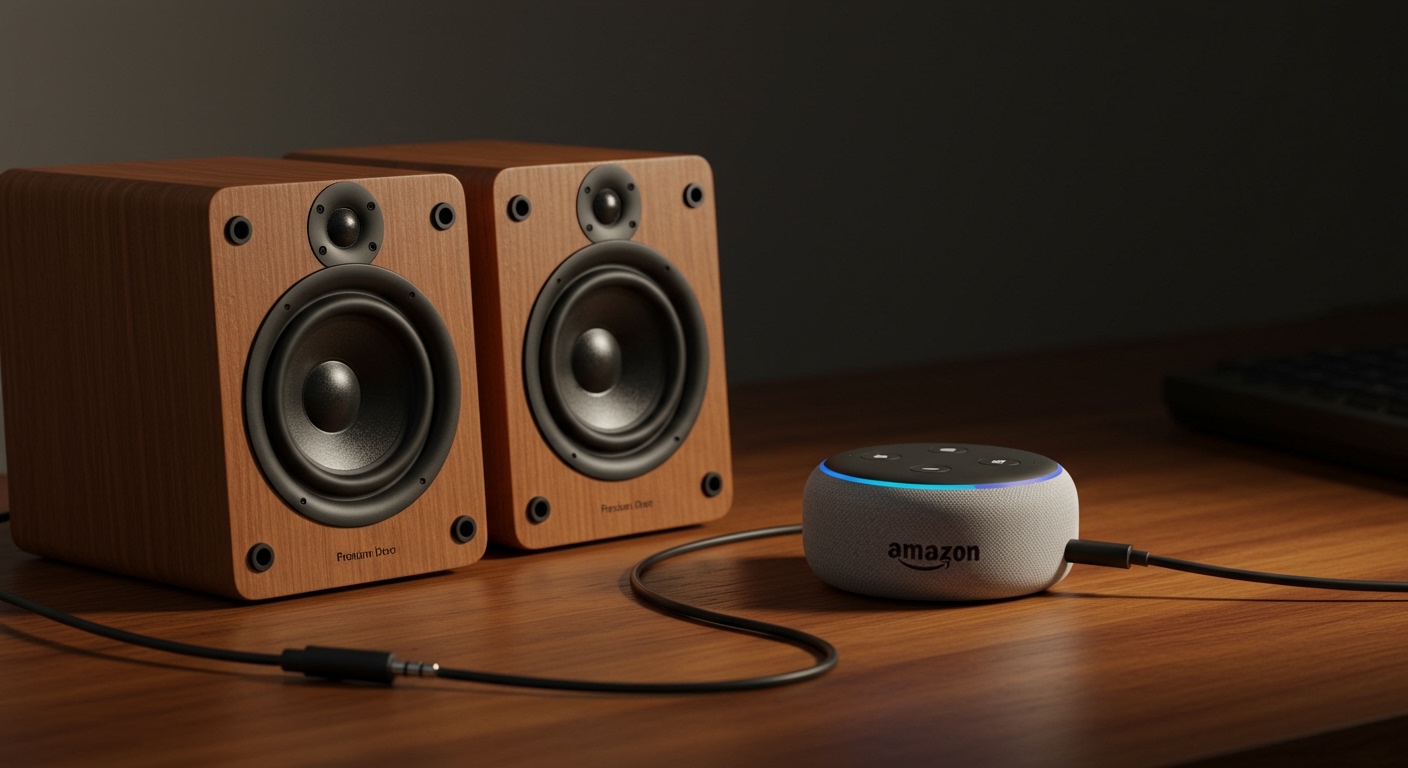
If you are an audiophile, you likely want the cleanest signal possible. Can you connect external speakers to Alexa using a wire? Yes, provided your Echo has an “Audio Out” port.
Check Your Hardware**
Most Echo Dot (3rd and 4th Gen) and the full-sized Echo have a 3.5mm jack on the back. Note that the Echo Pop and Echo Show 15 do not have this physical port.
Plug and Play**
- Insert one end of a 3.5mm male-to-male audio cable into the Echo.
- Insert the other end into the AUX Input of your external speaker or amplifier.
- Alexa will automatically detect the connection and mute her internal speaker, routing all audio through the cable.
Expert Insight: I have found that using a ground loop noise isolator (a small $10 device) is often necessary if you hear a “humming” sound when using a wired connection. This is common when the Echo and the speaker are plugged into the same power strip.
Advanced Configuration: Can Alexa Use External Speakers for Multi-Room Music?
One of the most powerful features of the Amazon ecosystem is Everywhere Music. You can play Alexa on external speakers in every room simultaneously.
How to Set Up Multi-Room Audio
- In the Alexa App, go to the Devices tab.
- Tap the Plus (+) icon in the top right corner.
- Select Combine Speakers.
- Choose Multi-room music.
- Select the Echo devices you want to include.
- Name the group (e.g., “Downstairs”).
Now, when you say “Alexa, play jazz on Downstairs,” all connected external speakers will play in perfect sync. This is a game-changer for parties or cleaning the house.
Optimizing Audio Quality: Expert Tips for Better Sound
Simply knowing can i connect external speakers to alexa isn’t enough; you want it to sound great. Here are three professional tips I’ve gathered from years of smart home consulting:
- Adjust the EQ: Within the Alexa App, go to Device Settings > Audio Controls. Increase the Mid and Treble if the external speaker sounds “muffled” through Bluetooth.
- Disable “Communications” on External Speakers: If you are using a Bluetooth speaker with a built-in microphone, Alexa might try to use it for calls, which lowers music quality to mono. Disable “Phone Audio” in your phone’s Bluetooth settings for that speaker if possible.
- Stereo Pairing: If you have two Echo devices, you can pair them as a “Stereo Pair” in the app. You can then connect external speakers to alexa via the primary unit to create a massive soundstage.
Common Issues: Why Won’t My External Speaker Connect?
Even if you follow the steps for can alexa have external speakers, technology can be finicky. Here is how I troubleshoot common problems:
Bluetooth Interference
If the audio stutters, it is likely due to 2.4GHz Wi-Fi interference. Move your Echo away from the microwave or your Wi-Fi router.
Volume Mismatch
Sometimes users think Alexa isn’t playing on the external speaker, but the external speaker’s physical volume knob is just turned down. Always set the external speaker to 70% volume and use Alexa to voice-control the remaining range.
The “Audio In” vs “Audio Out” Confusion
On some Echo devices (like the Echo Studio), the 3.5mm port can be toggled between Input and Output. If your external speaker isn’t making sound, check the Alexa App under Device Settings > Audio Jack to ensure it is set to “Line Out.”
Frequently Asked Questions
Can I connect Alexa to a soundbar without Bluetooth?
Yes, if your Echo has a 3.5mm output, you can use a 3.5mm-to-RCA adapter or a standard AUX cable to connect directly to the soundbar’s “Aux” or “Analog” input. This is often more reliable than Bluetooth for home theater setups.
Can you play Alexa on external speakers and the Echo at the same time?
Generally, no. When you connect external speakers to Alexa via Bluetooth or AUX, the Echo’s internal speaker is muted. The only exception is if you create a Multi-Room Music group with multiple Echo devices.
Does Alexa support 5.1 Surround Sound on external speakers?
Native Echo devices output Stereo (2.0) sound. However, if you use an Echo Link connected to a high-end receiver with “Pro Logic” or “Multi-channel Stereo” modes, your receiver can upmix the Alexa signal to use all your speakers.
Can I connect my Alexa to a Sonos speaker?
Yes! You can pair alexa with external speakers from Sonos by enabling the Sonos Skill in the Alexa App. This allows you to control the Sonos system via Wi-Fi rather than just Bluetooth, offering much higher audio fidelity.
Final Verdict:
Whether you are wondering can i connect alexa to external speakers for a backyard party or a high-end home theater, the process is straightforward. For the best reliability, stick with a wired 3.5mm connection. For the most flexibility, Bluetooth is your best friend. By following these steps, you’ll ensure your smart home sounds as good as it functions.