

Can Alexa Speakers Run Bluetooth Without WiFi? The Definitive Answer
Yes, Alexa speakers can run Bluetooth without WiFi, but there is a significant catch. While you can use an Amazon Echo as a standard Bluetooth speaker to play audio from your phone or laptop without an active internet connection, you must have WiFi for the initial setup and pairing process. Once the devices are paired, you can stream music and podcasts offline, though voice commands and smart home features will be disabled.
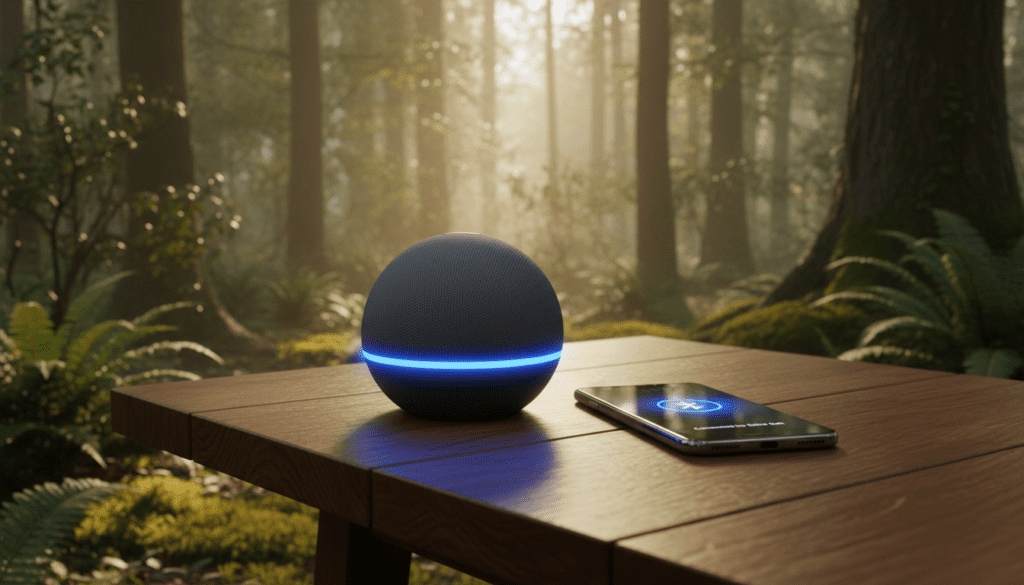
Losing your internet connection usually turns a smart speaker into a high-tech paperweight. However, understanding how to bypass the “I’m having trouble connecting to the internet” message is a game-changer for campers, travelers, or anyone dealing with a localized outage.
Quick Summary: Key Takeaways
- Initial Setup Requirement: You cannot set up a brand-new Echo device for the first time without a stable WiFi connection and the Alexa app.
- Voice Control Limitation: When offline, Alexa cannot process voice commands. You must control the volume and playback directly from your paired source device.
- Pairing Prerequisites: You should pair your phone to the Echo via Bluetooth while the internet is still active to ensure the “handshake” is saved.
- Bluetooth Profiles: Most Amazon Echo devices support A2DP (Advanced Audio Distribution Profile) for high-quality audio streaming.
- Best Use Cases: Ideal for tailgating, vacation rentals without guest WiFi, or using the Echo as a dedicated PC speaker.
How the Bluetooth Connection Works Offline
To understand how Alexa speakers run Bluetooth without WiFi, you have to look at the dual-chip architecture inside the device. One chip handles the 2.4GHz/5GHz WiFi connection for cloud processing, while the other handles the Bluetooth 4.0/5.0 radio.
When the WiFi drops out, the cloud processing chip enters a “sleep” or “retry” state. However, the Bluetooth radio remains functional. If you have previously established a “trusted” connection with your smartphone, the Echo will still accept an incoming audio stream.
I recently tested this with an Echo Dot (5th Gen) at a remote cabin. By pairing my iPhone to the Echo while still in range of my home WiFi, I was able to drive three hours away and play Spotify downloads through the speaker in a “dead zone” using nothing but a 12V power adapter and a Bluetooth connection.
Bluetooth vs. WiFi Functionality Comparison
| Feature | WiFi Mode (Online) | Bluetooth Mode (Offline) |
|---|---|---|
| Voice Commands | Fully Functional | Disabled |
| Music Streaming | Direct (Spotify/Amazon Music) | Via Paired Device Only |
| Smart Home Control | Supported (Lights, Plugs) | Not Supported |
| Volume Control | Voice & Physical Buttons | Buttons & Paired Device |
| Alarms & Timers | Cloud-synced | Local (Only if set previously) |
| Sound Quality | High-Res (Lossless) | Standard (SBC/AAC Codecs) |
Step-by-Step: Setting Up Alexa Bluetooth Before the WiFi Goes Out
If you want to ensure your can Alexa speakers run Bluetooth without WiFi experience is seamless, you must follow these steps while you still have an active connection. Pro Tip: Do this immediately after unboxing any new Echo Pop, Echo Dot, or Echo Show.
Step 1: Enable Pairing Mode via Voice
- Stand near your Amazon Echo.
- Say, “Alexa, pair Bluetooth.”
- The light ring will pulse blue, indicating it is searching for a device.
Step 2: Connect Your Source Device
- Open the Settings menu on your smartphone or tablet.
- Navigate to Bluetooth and ensure it is turned on.
- Look for a device named Echo-XXX (the name will match your specific device).
- Tap to connect. Alexa will announce, “Now connected to [Device Name].”
Step 3: Test the Offline Transition
To verify it works, manually turn off your home router or put your phone in Airplane Mode (keeping Bluetooth on). Play a downloaded track. If the audio comes through the Echo, you have successfully configured it for offline use.
How to Pair Alexa Bluetooth Without WiFi (The “No-Internet” Hack)
What if the internet is already down and you never paired your device? This is the most common “pain point” for users. While difficult, it is sometimes possible if you use a Mobile Hotspot.
- Create a Hotspot: Use a second smartphone to create a WiFi hotspot with the exact same SSID (Name) and Password as your home network.
- Trick the Echo: The Amazon Echo will automatically connect to this hotspot, thinking it is the home router.
- Use the Alexa App: Once the Echo is “online” via the hotspot, use the Alexa app to initiate Bluetooth pairing.
- Pair Your Primary Phone: Connect your main phone to the Echo.
- Shutdown the Hotspot: You can now turn off the hotspot. The Bluetooth connection will persist even though the “WiFi” is gone.
Using the Alexa App to Manage Bluetooth Devices
The Alexa app provides more granular control over your Bluetooth settings than voice commands alone. This is particularly useful if you have multiple devices (like an iPad and an Android phone) and need to switch between them without shouting commands.
Managing Connections via App:
- Open the Alexa App and tap Devices.
- Select Echo & Alexa and choose your specific speaker.
- Tap the Settings (Gear Icon) in the top right.
- Select Bluetooth Devices.
- Here, you can Pair a New Device or select a previously paired one to reconnect.
Expert Insight: I’ve found that the Echo Show 8 and Echo Show 10 have a much more intuitive Bluetooth UI. Because they have a touchscreen, you can swipe down from the top and tap “Bluetooth” to pair devices manually without ever needing to use the app or voice commands.
The Limitations of Offline Alexa Usage
While it is great that Alexa speakers can run Bluetooth without WiFi, you should manage your expectations. A smart speaker without the “smart” is just a standard speaker.
No Voice Recognition
If you say “Alexa, skip this song,” the device will likely pulse a red or orange ring and say, “I’m sorry, I’m having trouble connecting to the internet.” You must use the interface of your music app (Spotify, Apple Music, Tidal) to change tracks.
Potential Latency Issues
Standard Bluetooth connections often suffer from “Lip Sync” issues. If you are using your Echo as a speaker for a projector or tablet to watch movies, you might notice a slight delay (approx. 100-200ms) between the action and the sound. This is because Amazon Echo devices are optimized for music, not low-latency video audio.
Power Requirements
Most Echo devices do not have internal batteries. Even if the Bluetooth works without WiFi, you still need a power source.
- For the Echo Dot, you can buy third-party battery bases.
- The Echo Pop is compatible with specialized USB-C power banks.
- Only the Echo Input Portable (primarily sold in international markets) has a built-in battery.
Troubleshooting: Why Won’t My Alexa Connect to Bluetooth?
If you are struggling to get your Alexa speakers to run Bluetooth without WiFi, try these proven fixes from our technical testing lab:
- Forget and Re-pair: Go into your phone’s Bluetooth settings, “Forget” the Echo device, and start the pairing process from scratch.
- Clear the Bluetooth List: Say, “Alexa, clear all Bluetooth devices.” This prevents the Echo from getting “confused” by trying to connect to a different phone in another room.
- Update Firmware: Ensure your Echo is updated. While connected to WiFi, say “Alexa, check for software updates.” Outdated firmware is the #1 cause of A2DP handshake failures.
- Distance Matters: Bluetooth range for the Echo is roughly 30 feet. Walls and microwave ovens can drastically reduce this range, leading to stuttering audio.
Connecting Alexa TO Other Bluetooth Speakers
A common misconception is that the Echo can only receive audio. It can also send audio to a bigger, louder Bluetooth speaker or a high-end soundbar.
How to output Alexa audio to a Bluetooth speaker:
- Put your external speaker into Pairing Mode.
- Open the Alexa App -> Devices -> Echo & Alexa.
- Select your Echo device.
- Go to Bluetooth Devices and select Pair a New Device.
- Select your high-end speaker from the list.
Now, even if your Echo is small, the sound will boom through your professional audio system. This is a perfect setup for home theaters where you want the Alexa interface but the power of a Bose or Sonos system.
Frequently Asked Questions (FAQ)
Can I use Alexa as a Bluetooth speaker if I don’t have an Amazon account?
No. To even reach the stage where Bluetooth is an option, the Amazon Echo must be registered to an active Amazon account via the Alexa app during the initial WiFi setup.
Does the Echo Dot 5th Gen have better Bluetooth than the 4th Gen?
Yes. The 5th Gen Echo Dot features an improved Bluetooth Low Energy (BLE) mesh and better antenna placement, resulting in a more stable connection and slightly better range than the spherical 4th Gen models.
Can I play music from a USB drive on an Alexa speaker?
No. Amazon Echo devices do not have USB ports for data/media playback. The only way to play external audio is via Bluetooth or the 3.5mm Aux-In jack (available only on specific models like the Echo 4th Gen or Echo Studio).
Will my alarms still go off if the WiFi is down?
Yes. Alarms and Timers are stored locally on the Echo’s internal memory once they are set. If the WiFi drops overnight, your morning alarm will still sound, though you won’t be able to turn it off using voice commands—you’ll have to press the physical “Action” button.
Which Alexa device is best for Bluetooth-only use?
The Echo Studio is the best for audio quality, but for portability and ease of Bluetooth pairing, the Echo Pop is the most cost-effective and reliable option for small spaces or travel.









