Choosing the Ultimate Can-Am Maverick R Speakers: A Complete Installation Guide
Ripping through dunes or navigating tight trails in a Can-Am is an adrenaline rush, but the experience is incomplete without a high-fidelity soundtrack. Installing can am maverick r speakers requires a blend of mechanical skill and an understanding of open-air acoustics to overcome engine roar and wind noise. This guide provides a professional roadmap to selecting, mounting, and tuning your audio system for maximum impact.
Expert Summary: Key Takeaways
Placement Strategy: Prioritize can am maverick r door speakers and front kick-panel pods for the best soundstage.
Durability: Only use components with an IP67 or IP68 waterproof rating to withstand mud, pressure washing, and rain.
Power Requirements: Aim for at least 50W–75W RMS per channel to ensure clarity when traveling at speeds over 40 mph.
Integration: Utilize factory-style wiring harnesses to maintain your vehicle’s warranty and simplify the installation process.
Essential Tools and Materials for Installation
Before you begin tearing into your panels, gather the professional tools used by off-road audio technicians. Having the right gear prevents cracked plastics and “vampire” power draws that can kill your battery.
| Tool/Material | Purpose | Expert Recommendation |
|---|---|---|
| Panel Poppers | Removing plastic push-pins | Nylon tools to avoid scratching the cage |
| Wire Strippers/Crimpers | Connecting speaker leads | Use a ratcheting crimper for secure bonds |
| Heat Shrink Tubing | Waterproofing connections | Marine-grade with internal adhesive |
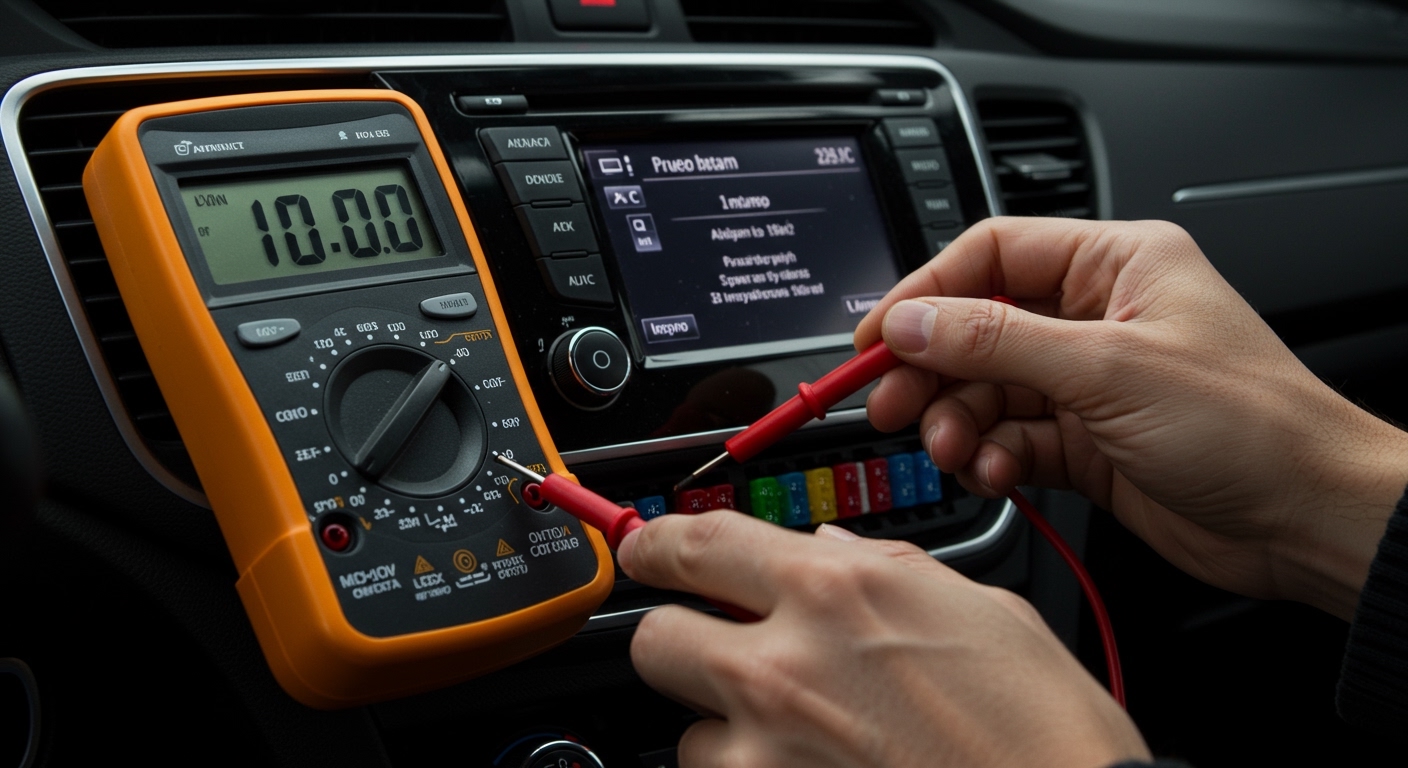
| Multimeter | Testing voltage and polarity | Essential for troubleshooting “dead” channels |
| Dielectric Grease | Preventing terminal corrosion | Apply to every electrical plug |
| Zip Ties (UV Rated) | Securing wire looms | Black ties last longer in direct sunlight |
Step 1: Design Your Audio Layout
The Can-Am Maverick R platform offers unique mounting challenges compared to the older can am maverick 1000r speakers setups. You must decide where the sound needs to originate to cut through the 999cc engine noise.
Choosing Between Roof and Door Systems
Many riders prefer a can am maverick roof with speakers because it keeps the electronics high and dry. However, a can am maverick x3 roof with speakers setup can sometimes feel “top-heavy” in terms of sound. For the Maverick R, a hybrid approach—combining can am maverick front speakers with a can am maverick x3 max roof with speakers—creates a fully immersive 360-degree environment.
Evaluating Tower and Wakeboard Options
If you frequently ride in groups or stop at “the hill,” can am maverick tower speakers are a game changer. These can am maverick wake tower speakers project sound far behind the vehicle. If you choose can am maverick wakeboard speakers, ensure they are mounted to the rear roll cage crossbars using vibration-dampening rubber inserts to prevent rattling.
Step 2: Preparing the Vehicle for Audio Integration
Safety is paramount when working on a high-output machine like the Maverick R.
- Disconnect the Battery: Access the battery under the seat and remove the negative terminal. This prevents accidental shorts while routing can am maverick r speakers wiring.
- Remove Interior Panels: Use your nylon panel tools to remove the center console and dash plastics. This exposes the factory wire channels.
- Clean Mounting Surfaces: If you are installing can am maverick custom speakers, wipe down the plastic or metal mounting points with isopropyl alcohol to ensure any adhesive gaskets bond perfectly.
Step 3: Installing Can-Am Maverick R Door Speakers
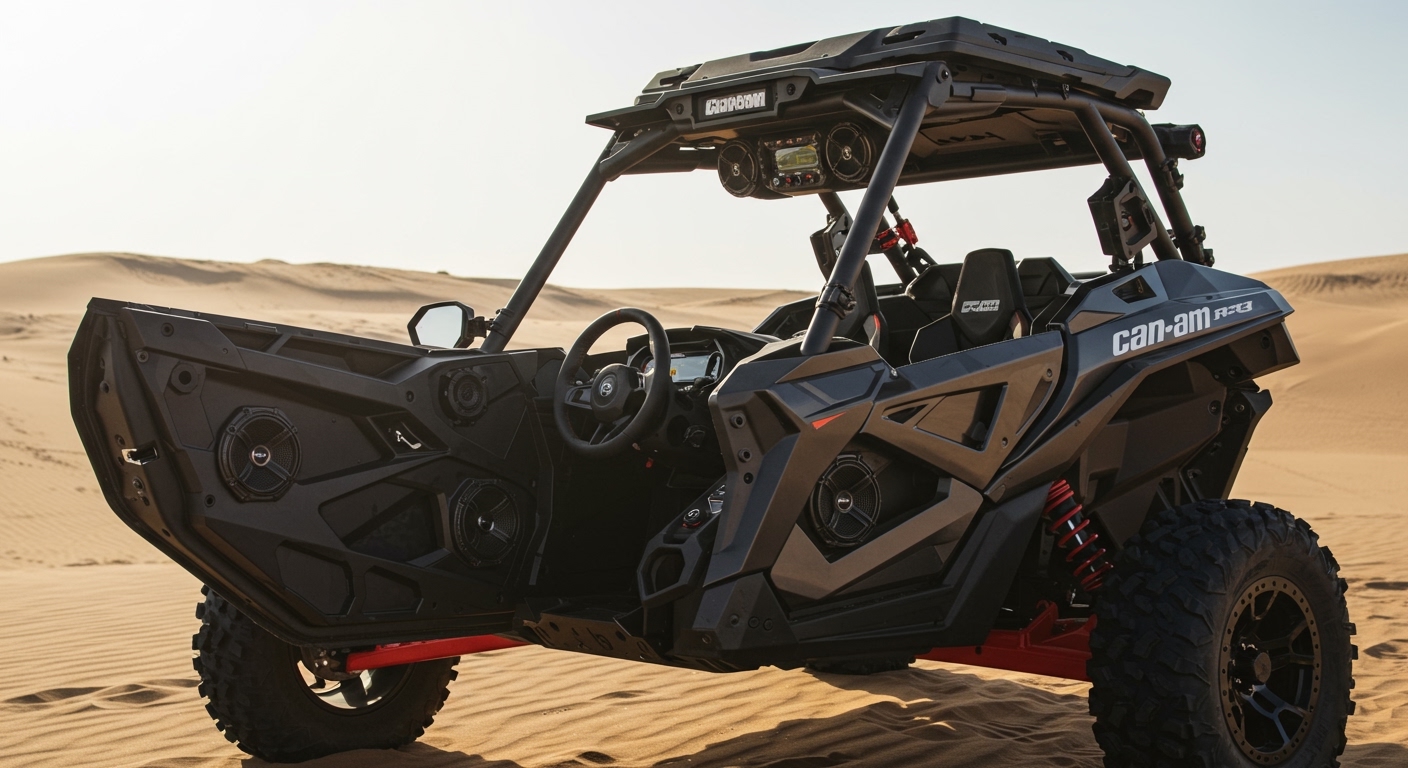
The doors are the most effective location for mid-bass and vocal clarity. Because the Maverick R has a refined interior, can am maverick r door speakers require specific pods that don’t interfere with your legroom.
Mounting the Speaker Pods
Align the Template: Most high-end kits for can am maverick max speakers include a paper template. Tape it to the lower door skin.
Drill Pilot Holes: Use a small bit first to ensure you aren’t hitting any internal door latches or structural ribs.
Secure the Pod: Use stainless steel hardware. Off-roading involves constant vibration; zinc-plated bolts will rust, and standard screws will eventually back out.
Routing the Door Wiring
When running wires to can am maverick r door speakers, you must use a “service loop” near the hinge. This extra slack allows the door to open and close fully without tensioning the wire. Protect these wires with braided tech-flex or split-loom tubing for a factory finish.
Choosing the Ultimate Can-Am Maverick R Speakers: A Complete Installation Guide
Ripping through dunes or navigating tight trails in a Can-Am is an adrenaline rush, but the experience is incomplete without a high-fidelity soundtrack. Installing can am maverick r speakers requires a blend of mechanical skill and an understanding of open-air acoustics to overcome engine roar and wind noise. This guide provides a professional roadmap to selecting, mounting, and tuning your audio system for maximum impact.
Expert Summary: Key Takeaways
Placement Strategy: Prioritize can am maverick r door speakers and front kick-panel pods for the best soundstage.
Durability: Only use components with an IP67 or IP68 waterproof rating to withstand mud, pressure washing, and rain.
Power Requirements: Aim for at least 50W–75W RMS per channel to ensure clarity when traveling at speeds over 40 mph.
Integration: Utilize factory-style wiring harnesses to maintain your vehicle’s warranty and simplify the installation process.
Essential Tools and Materials for Installation
Before you begin tearing into your panels, gather the professional tools used by off-road audio technicians. Having the right gear prevents cracked plastics and “vampire” power draws that can kill your battery.
| Tool/Material | Purpose | Expert Recommendation |
|---|---|---|
| Panel Poppers | Removing plastic push-pins | Nylon tools to avoid scratching the cage |
| Wire Strippers/Crimpers | Connecting speaker leads | Use a ratcheting crimper for secure bonds |
| Heat Shrink Tubing | Waterproofing connections | Marine-grade with internal adhesive |
| Multimeter | Testing voltage and polarity | Essential for troubleshooting “dead” channels |
| Dielectric Grease | Preventing terminal corrosion | Apply to every electrical plug |
| Zip Ties (UV Rated) | Securing wire looms | Black ties last longer in direct sunlight |
Step 1: Design Your Audio Layout
The Can-Am Maverick R platform offers unique mounting challenges compared to the older can am maverick 1000r speakers setups. You must decide where the sound needs to originate to cut through the 999cc engine noise.
Choosing Between Roof and Door Systems
Many riders prefer a can am maverick roof with speakers because it keeps the electronics high and dry. However, a can am maverick x3 roof with speakers setup can sometimes feel “top-heavy” in terms of sound. For the Maverick R, a hybrid approach—combining can am maverick front speakers with a can am maverick x3 max roof with speakers—creates a fully immersive 360-degree environment.
Evaluating Tower and Wakeboard Options
If you frequently ride in groups or stop at “the hill,” can am maverick tower speakers are a game changer. These can am maverick wake tower speakers project sound far behind the vehicle. If you choose can am maverick wakeboard speakers, ensure they are mounted to the rear roll cage crossbars using vibration-dampening rubber inserts to prevent rattling.
Step 2: Preparing the Vehicle for Audio Integration
Safety is paramount when working on a high-output machine like the Maverick R.
- Disconnect the Battery: Access the battery under the seat and remove the negative terminal. This prevents accidental shorts while routing can am maverick r speakers wiring.
- Remove Interior Panels: Use your nylon panel tools to remove the center console and dash plastics. This exposes the factory wire channels.
- Clean Mounting Surfaces: If you are installing can am maverick custom speakers, wipe down the plastic or metal mounting points with isopropyl alcohol to ensure any adhesive gaskets bond perfectly.
Step 3: Installing Can-Am Maverick R Door Speakers
The doors are the most effective location for mid-bass and vocal clarity. Because the Maverick R has a refined interior, can am maverick r door speakers require specific pods that don’t interfere with your legroom.
Mounting the Speaker Pods
Align the Template: Most high-end kits for can am maverick max speakers include a paper template. Tape it to the lower door skin.
Drill Pilot Holes: Use a small bit first to ensure you aren’t hitting any internal door latches or structural ribs.
Secure the Pod: Use stainless steel hardware. Off-roading involves constant vibration; zinc-plated bolts will rust, and standard screws will eventually back out.
Routing the Door Wiring
When running wires to can am maverick r door speakers, you must use a “service loop” near the hinge. This extra slack allows the door to open and close fully without tensioning the wire. Protect these wires with braided tech-flex or split-loom tubing for a factory finish.
Step 4: Configuring Roof and Overhead Audio
For maximum “party mode” volume, a can am maverick x3 max roof with speakers is the gold standard. These systems are often pre-wired, but the installation is physically demanding.
- Hoist the Roof: A can am maverick roof speakers assembly can weigh 40-60 lbs. Use a second person or a shop hoist to position the roof.
- Bolt to the Roll Cage: Align the brackets with the factory ROPS (Roll Over Protection System) holes. Do not drill into the roll cage itself, as this can compromise structural integrity.
- Seal the Gaps: Use foam weatherstripping between the can am maverick x3 roof speakers and the cage. This prevents the “whistling” sound often heard at high speeds.
Step 5: Integrating Rear and Seat Speakers
To fill the cabin, especially in the can am maverick x3 max speakers configuration, rear audio is essential.
Rear Speaker Placement
Can-Am Maverick X3 Rear Speakers: These usually mount on the B-pillar or the rear shelf.
Can-Am Maverick Seat Speakers: These are specialized “near-field” speakers that mount directly behind the headrest. They are perfect for hearing GPS instructions or low-volume music while idling.
Installation Tip: For can am maverick xmr speakers, which are often submerged, ensure the rear speakers are mounted as high as possible on the cage to avoid water logged cones.
Step 6: Wiring and Power Management
The Maverick R uses a sophisticated electrical system. Adding can am maverick r speakers and high-powered amps can strain the stator if not handled correctly.
The Busbar Connection
The Maverick R features a convenient busbar under the dash.
Yellow/Black: Switched power (Audio turns on with the key).
Red: Constant power (For memory settings).
Black: Chassis ground.
Choosing the Right Wire Gauge
| Component | Recommended Gauge |
|---|---|
| Can Am Maverick Sport Speakers (Standard) | 16 AWG |
| Can Am Maverick Tower Speakers (High Power) | 14 AWG |
| Main Amplifier Power | 4 AWG to 8 AWG |
Step 7: Tuning for Open-Air Performance
Standard car audio settings won’t work on a UTV. The “cabin” of a Maverick R is essentially the great outdoors.
Boost the Mids: Wind noise naturally “eats” mid-range frequencies. Bump your EQ settings between 250Hz and 1kHz.
High-Pass Filter (HPF): Set your can am maverick trail speakers to an HPF of about 80Hz-100Hz. This prevents small speakers from trying to play deep bass, which causes distortion and damage at high volumes.
Check Phase: Ensure all can am maverick r speakers are moving in the same direction. If one speaker is wired backward, the bass will sound “thin” or “hollow.”
Pro Tips for Long-Term Reliability
Avoid Pressure Washers: Even if your can am maverick xmr 1000 speakers are waterproof, a high-pressure stream can tear the speaker surround. Use a damp cloth to clean the grilles.
Use Loom: Never leave exposed wires. Use split-loom tubing to protect against heat from the engine and abrasion from trail brush.
- Battery Tender: A high-end can am maverick x3 stereo system speakers setup will drain a battery quickly during “key on, engine off” sessions. Always plug into a tender when the vehicle is stored.
Frequently Asked Questions
Can I install Can-Am Maverick X3 speakers on a Maverick R?
While some universal can am maverick x3 speakers may fit, the Maverick R has a different dash and door geometry. It is highly recommended to buy R-specific mounting pods to ensure a flush fit and to avoid interference with the new suspension controls.
Do I need a second battery for a Maverick R audio system?
If you are running a system with more than 1,000 Watts RMS (like a full can am maverick max roof with speakers plus dual subwoofers), a secondary AGM battery or a high-output stator upgrade is recommended to prevent voltage drops.
Are “Marine Grade” speakers the same as UTV speakers?
Not exactly. While both are water-resistant, can am maverick r speakers specifically designed for UTVs are built to handle high-frequency vibrations and UV exposure from being in an open cage, whereas some marine speakers are designed for enclosed boat cabins.
How do I stop my roof speakers from rattling?
Rattling in a can am maverick x3 roof with speakers is usually caused by plastic-on-metal contact. Apply sound-dampening butyl rubber (like Dynamat) to the inside of the roof skin before mounting the speaker enclosure.
Conclusion: Elevate Your Off-Road Journey
Upgrading your can am maverick r speakers transforms your vehicle from a mere machine into a mobile entertainment powerhouse. By focusing on high-quality can am maverick r door speakers, securing your can am maverick roof speakers correctly, and using marine-grade wiring techniques, you ensure your system survives the harshest environments.
Ready to start your build? Begin by measuring your available cage space and choosing a head unit that supports Bluetooth 5.0 for the most stable connection on the trail. Whether you’re installing can am maverick tower speakers for the dunes or a stealthy can am maverick front speakers setup for the woods, quality installation is the key to longevity.