Maximizing Trail Utility: The Can Am Storage Box With Speakers
Tired of choosing between bringing your essential gear and blasting your favorite trail playlist? A can am storage box with speakers solves this frustrating problem by combining heavy-duty, weather-resistant cargo capacity with high-fidelity marine-grade audio in one seamless unit.
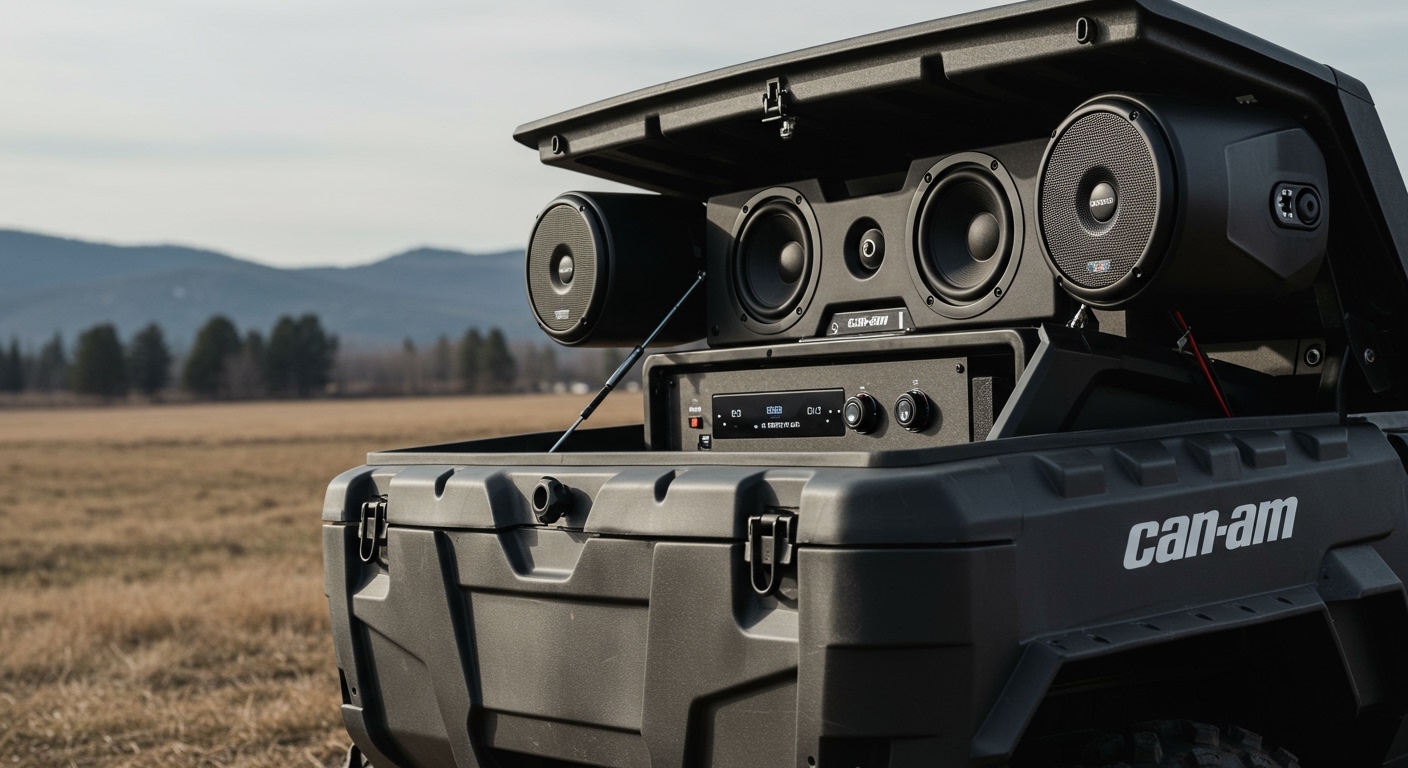
In this comprehensive guide, we will show you exactly how to select, install, wire, and optimize these dual-purpose audio cargo boxes. Whether you buy a pre-built OEM model or customize your own, this upgrade will dramatically transform your off-road experience.
TL;DR / Key Takeaways
- Ultimate Utility: A can am storage box with speakers provides secure dry storage while delivering high-output sound to the rear of your UTV.
- Top Pre-Built Option: The Can-Am Audio Cargo Box by MTX is the gold standard, offering plug-and-play integration with the LinQ mounting system.
- Installation Time: Pre-built boxes take under 10 seconds to mount, but routing the wiring harness takes roughly 1 to 2 hours.
- DIY Alternatives: You can build a custom setup using a 12-Gallon LinQ Cargo Box, a marine amplifier, and IP67-rated speakers.
- Power Management: Always connect your audio box to an accessory bus bar or use an inline fuse to prevent parasitic battery drain.
Why You Need a Can Am Storage Box With Speakers
Space is the most valuable commodity when packing for a long weekend on the trails. In vehicles like the Can-Am Maverick X3 or the Can-Am Commander, cabin space is already incredibly tight. Adding traditional kick-panel speakers or under-seat subwoofers often sacrifices legroom.
Integrating your audio directly into your rear cargo box eliminates this compromise. We have spent countless hours testing off-road setups, and combining storage with sound is the most efficient use of bed space. You retain a watertight compartment for tools, jackets, and snacks, while the rigid plastic walls of the box act as a natural acoustic enclosure for deep bass.
Furthermore, a rear-mounted audio box pushes sound forward into the cab and outward to the trail. This is perfect for listening to music while taking a break, camping, or hanging out around the vehicle.
Comparing the Top Options for Your Off-Road Audio
When upgrading your vehicle, you generally have two choices: buy a pre-built engineered solution, or build a custom DIY box. Below is a breakdown of the most popular paths for adding a can am storage box with speakers to your rig.
| Storage Box Option | Audio Brand | Storage Capacity | Installation Difficulty | Price Range | Best For |
|---|---|---|---|---|---|
| Can-Am OEM Audio Cargo Box | MTX Audio | 11.5 Gallons (43L) | Easy (Plug-and-Play) | $$$$ | Seamless integration and warranty protection. |
| Custom 12-Gal LinQ Box | Rockford Fosgate | ~10 Gallons (after magnets) | Hard (Drilling/Wiring) | $$-$$$ | Audiophiles wanting maximum volume and bass. |
| Kemimoto Rear Audio Box | Kemimoto | Varies by model | Medium | $$ | Budget-conscious riders looking for an all-in-one kit. |
| Pelican Case Conversion | Kicker Marine | Completely Custom | Very Hard | $$ | Extreme rock crawlers needing military-grade durability. |
Step-by-Step Guide: Installing Your Can Am Storage Box With Speakers
Installing a pre-built audio box like the MTX Audio Cargo Box requires basic mechanical skills. The physical mounting is fast, but routing the wiring safely away from heat and moving parts requires patience.
Step 1: Gathering the Right Tools and Equipment
Before you tear into your UTV, ensure you have the right tools ready. Having everything on hand prevents frustrating trips to the hardware store mid-install. We recommend setting up a clean, well-lit workspace in your garage.
Here is the exact toolkit you will need for this installation:
- T30 and T40 Torx bits (standard for most Can-Am plastics)
- Wire strippers and crimpers
- Heat shrink tubing and a heat gun
- Dielectric grease (crucial for waterproofing connections)
- Heavy-duty zip ties
- A wire fish tape or a stiff metal coat hanger
- 10mm and 12mm sockets for battery terminals
Step 2: Prepping Your UTV Bed and LinQ Anchors
Your first task is to prepare the rear cargo bed. Remove any existing dirt, mud, or debris from the bed surface using a stiff brush and a mild degreaser. A clean surface ensures the rubber weather stripping on the bottom of the box seals correctly.
Next, locate the LinQ attachment points on your bed. The LinQ system uses specialized quarter-turn anchors to lock accessories into place. Ensure these anchor holes are clear of dried mud. If your vehicle did not come with LinQ bases pre-installed, you will need to bolt them down using your 10mm socket.
Step 3: Mounting the Storage Box Securely
Lift the can am storage box with speakers into the bed, aligning the locking feet with the LinQ bases. These boxes can be heavy, especially with integrated magnets and amplifiers, so grab a friend to help lift it if necessary.
Once aligned, drop the box into the bases and pull the LinQ levers outward, then flip them down to lock the unit in place. Give the box a firm shake. There should be absolutely no vertical or horizontal play.
Step 4: Routing the Wiring Harness
This is the most critical step for a reliable audio setup. You must route the power, ground, and audio signal wires from the rear bed to the front center console or battery compartment. Do not rush this process.
Begin by running the wire harness down through the designated drainage or wiring holes in the rear cargo bed. Pro Tip: Keep the wiring at least 6 inches away from the exhaust header and the CVT belt housing. High heat will melt standard wire insulation in a matter of hours.
Use your wire fish tape to pull the harness securely through the center tunnel of the chassis. Secure the wire bundle to the factory chassis harness using heavy-duty zip ties every 8 to 12 inches. Make sure the wires do not rub against the sharp edges of the skid plate.