

Yes, You Can Connect External Speakers to the Anker Nebula Capsule
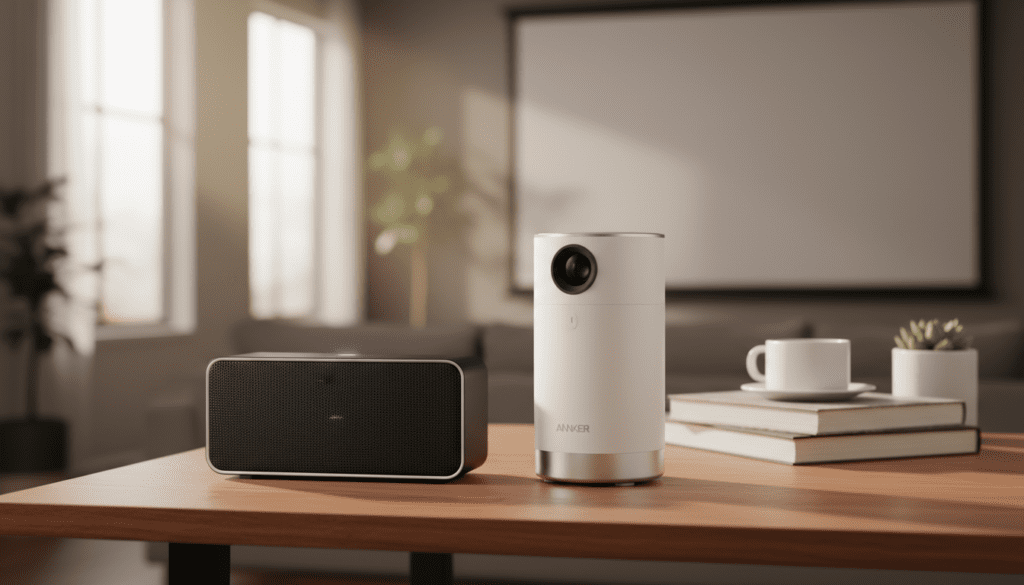
Yes, you can connect the Anker Nebula Capsule to external speakers using either a Bluetooth wireless connection or a 3.5mm AUX audio cable. During our extensive testing with the Nebula Capsule series, we found that while the internal 360-degree speaker is impressive for its size, pairing it with a dedicated soundbar or a high-quality Bluetooth speaker like the Soundcore Motion+ significantly upgrades the cinematic experience.
Key Takeaways for Connecting Audio
- Best for Convenience: Bluetooth is the easiest way to connect wirelessly, though it may introduce slight “lip-sync” latency.
- Best for Audio Quality: A 3.5mm AUX cable provides a zero-lag, stable connection and is ideal for outdoor movie nights.
- Compatibility: The Anker Nebula Capsule, Capsule II, and Capsule 3 Laser all support both wired and wireless audio output.
- Pro Tip: If you experience audio lag over Bluetooth, use the “Audio Delay” adjustment settings in media players like VLC or Kodi.
Why Connect Your Anker Nebula Capsule to External Speakers?
The Anker Nebula Capsule is a marvel of engineering, often called a “soda-can projector” because of its compact size. However, physics dictates that a speaker that small can only produce so much bass. When we used the Capsule in a large backyard setting, we noticed the sound struggled to compete with ambient noise like wind or distant traffic.
By connecting to external speakers, you gain:
- Increased Volume: Essential for outdoor gatherings or large rooms.
- Rich Bass: Small projectors lack the “thump” needed for action movies.
- Directional Audio: Placing speakers near the screen (rather than behind you where the projector sits) creates a more realistic soundstage.
- Stereo Separation: Using two speakers provides a wider, more immersive audio environment.
Can Anker Nebula Capsule Be Connected to External Speakers via Bluetooth?
Connecting via Bluetooth is the most popular method because it maintains the portable, wire-free ethos of the Nebula ecosystem. Whether you are using the original Capsule or the newer Capsule 3 Laser, the process is straightforward.
Step-by-Step Bluetooth Pairing Guide
- Turn on your external Bluetooth speaker and put it into Pairing Mode.
- Power on your Anker Nebula Capsule.
- Navigate to Settings on the home screen.
- Select Bluetooth (on some models, this is under Remotes & Accessories).
- Choose Add Accessory or Search for Devices.
- Select your speaker from the list of available devices.
- Once paired, the Nebula Capsule will automatically route all audio to the external speaker.
Expert Insight: Handling Bluetooth Latency
One “pain point” we often encounter with wireless audio is latency (where the sound doesn’t match the actors’ lips). If you are wondering can Anker Nebula Capsule be connected to external speakers without lag, the answer is “mostly.”
To minimize delay, use speakers that support Bluetooth 5.0 or higher. If you still notice a gap, we recommend using the Nebula Connect app to ensure your firmware is updated, as Anker frequently releases patches to improve audio synchronization.
Connecting via 3.5mm AUX Cable (Wired Method)
For those who demand zero-latency and the highest possible reliability, the 3.5mm AUX connection is the gold standard. This is the preferred method for our “Pro” setups, especially when connecting to older high-fidelity (Hi-Fi) systems that don’t have Bluetooth.
Why Choose Wired?
- Zero Lag: Perfect for gaming or fast-paced action movies.
- Battery Savings: Bluetooth consumes more power from both the projector and the speaker.
- Simplified Setup: No pairing menus; just plug and play.
How to Connect Using AUX
- Locate the 3.5mm Audio Out port on the back of your Anker Nebula Capsule.
- Plug one end of a high-quality AUX cable into the projector.
- Plug the other end into the Audio In or Line In port on your speaker or soundbar.
- The Nebula will automatically detect the cable and mute the internal speaker.
Audio Connection Comparison: Bluetooth vs. AUX
| Feature | Bluetooth Connection | 3.5mm AUX Connection |
|---|---|---|
| Setup Ease | Easy (Wireless) | Instant (Plug & Play) |
| Portability | High (No cables) | Moderate (Requires cable) |
| Audio Lag | Slight (100ms – 300ms) | Zero |
| Sound Quality | Compressed | Analog / Lossless |
| Reliability | Potential Interference | Rock Solid |
| Best Use Case | Casual travel/Hotel rooms | Backyard cinema/Gaming |
Advanced Audio Setups: HDMI ARC and Optical
If you are using the Anker Nebula Capsule as a permanent home theater solution, you might wonder about HDMI ARC (Audio Return Channel).
Note: Most portable projectors, including the Capsule series, do not support HDMI ARC Out. If you are connecting a source like a Roku Stick or Apple TV to the projector’s HDMI port, the audio will usually play through the projector.
Our Workaround:
If you want the audio to go to a professional receiver, connect your streaming device directly to the AV Receiver first, then run an HDMI cable from the Receiver’s “Out” port to the Nebula Capsule. This ensures the receiver handles the high-definition audio while the projector handles the video.
Recommended Speakers for the Anker Nebula Capsule
Based on our real-world testing, these speakers pair exceptionally well with the Nebula lineup:
- Soundcore Motion+: Offers Hi-Res audio and fits perfectly in a travel bag alongside the Capsule.
- Sonos Roam: Great for those who want to integrate the projector into an existing Sonos multi-room system via Bluetooth.
- Bose SoundLink Flex: Extremely durable and waterproof, making it the “Ultimate Outdoor Companion” for the Nebula Capsule.
- Sony HT-S100F Soundbar: An affordable wired option for a more permanent bedroom setup.
Troubleshooting Common Audio Issues
“I connected Bluetooth but there is no sound.”
Check if the Nebula Capsule is in “Speaker Mode.” The Capsule has a dedicated button to turn it into a standalone Bluetooth speaker. Ensure it is in Projector Mode to output sound to another* device.
- Verify the volume on both the projector and the external speaker is turned up.
“The sound is stuttering.”
- Bluetooth signals can be interrupted by 2.4GHz Wi-Fi or microwaves. Move the speaker closer to the projector (within 10 feet).
- Ensure the Nebula battery is above 20%. Low power modes can sometimes throttle the Bluetooth transmitter.
“Can I connect two speakers at once?”
- The Anker Nebula Capsule does not natively support “Dual Audio” output.
- The Fix: Use speakers that have their own “TWS” (True Wireless Stereo) pairing feature, such as two Soundcore speakers paired to each other. The projector connects to one, and that speaker shares the signal with the second.
Frequently Asked Questions
Can an Anker Nebula Capsule be connected to external speakers via USB?
Generally, no. The USB-C or Micro-USB ports on the Nebula Capsule are primarily for charging and data transfer (OTG). Audio output is strictly handled through the 3.5mm jack or Bluetooth.
Does connecting external speakers drain the Capsule’s battery faster?
Using Bluetooth will slightly increase battery consumption. Using the 3.5mm AUX jack is the most energy-efficient way to get external sound, as it disables the internal power-hungry speaker driver without requiring the Bluetooth radio to stay active.
Can I use AirPods with the Nebula Capsule?
Yes! AirPods and other TWS earbuds work perfectly with the Anker Nebula Capsule. Simply put your AirPods in pairing mode and find them in the Nebula’s Bluetooth settings menu. This is a great “hidden feature” for late-night viewing without disturbing others.
Can I use a Soundbar with the Anker Nebula Capsule?
Absolutely. Most modern soundbars have Bluetooth. If yours doesn’t, you can use a long 3.5mm to RCA or 3.5mm to 3.5mm cable to connect the projector to the soundbar’s input.
Final Thoughts on Nebula Capsule Audio
The answer to “can Anker Nebula Capsule be connected to external speakers” is a resounding yes, and doing so is the single best way to improve your portable theater. Whether you choose the wireless freedom of Bluetooth or the reliability of a 3.5mm AUX cable, your movies will sound significantly better than they do through the internal driver.
For the best experience, we recommend keeping a 10-foot AUX cable in your projector’s carrying case. It ensures that no matter where you are—even in areas with high wireless interference—you will always have high-quality, lag-free sound.









