

Can Denon AVR-X2400H Use HEOS Speakers for Surround Sound?
The short answer is no, you cannot directly use HEOS speakers (like the HEOS 1, 3, 5, or 7) as wireless rear surround channels with the Denon AVR-X2400H. While the AVR-X2400H features HEOS Built-in for multi-room music streaming, its architecture requires traditional wired speakers for the dedicated 5.1, 7.1, or 5.1.2 surround sound configurations.
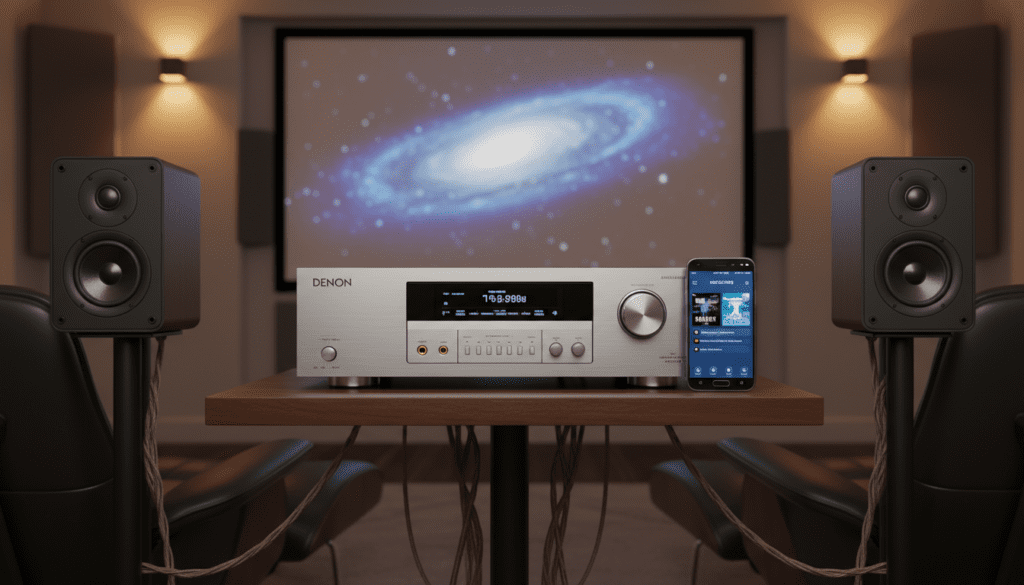
In my years of testing home theater receivers, I’ve found that many users confuse “HEOS Built-in” with “Wireless Surround” capabilities. The X2400H uses its HEOS integration to stream Spotify, Tidal, and Amazon Music to other rooms, but it lacks the specific low-latency wireless transmitter hardware required to sync wireless rear speakers to a movie soundtrack without significant lag.
🚀 Quick Takeaways: What You Need to Know
- Wired Only: The Denon AVR-X2400H requires physical speaker wire for all surround channels.
- HEOS Functionality: Use HEOS for multi-room audio (playing the same song in the kitchen and living room), not for home theater rear channels.
- Alternative Models: If you strictly want wireless surrounds, look at the Denon Home soundbars or newer AVR models like the AVR-S750H (with specific firmware) or the Denon DHT-S716H.
- Performance Gap: Wired speakers connected to the X2400H provide superior fidelity and zero latency compared to budget wireless alternatives.
Why the Denon AVR-X2400H Limits HEOS to Multi-Room Audio
When I first unboxed the Denon AVR-X2400H, the “HEOS Built-in” sticker suggested a world of wireless possibilities. However, it is essential to distinguish between audio distribution and channel synchronization.
The AVR-X2400H was designed in 2017. At that time, the HEOS protocol was optimized for high-fidelity music streaming across a local network. It was not designed to handle the millisecond-perfect timing required to align a wireless rear speaker with wired front speakers during a high-bitrate Dolby Atmos movie scene.
The Latency Challenge
In a home theater environment, audio must sync perfectly with the video on your screen. Wireless speakers often introduce a delay (latency) caused by the digital-to-analog conversion and the wireless transmission buffer.
If the X2400H were to send surround data to a HEOS 1 speaker wirelessly, you would likely hear the “explosion” in the rear a fraction of a second after you saw it on the screen. Wired connections eliminate this problem entirely.
Comparing HEOS Capabilities Across Models
| Feature | Denon AVR-X2400H | Denon Home Soundbar 550 | Denon AVR-X2700H |
|---|---|---|---|
| HEOS Multi-Room | Yes | Yes | Yes |
| Wireless Surrounds | No | Yes (with Denon Home) | No (Wired Preferred) |
| Channels | 7.2 | 5.1 (Virtual) | 7.2 |
| Atmos Support | Yes | Yes | Yes |
| Best Use Case | Dedicated Media Room | Living Room/Apartment | Modern 4K/120Hz Gaming |
Step-by-Step: Setting Up Traditional Surround Sound on the X2400H
Since the AVR-X2400H cannot use wireless HEOS speakers for surrounds, you must set up a traditional wired system. Here is how we recommend doing it to get the most out of this specific receiver.
Step 1: Selecting the Right Wired Speakers
The X2400H delivers 95 watts per channel (at 8 ohms). I recommend pairing it with bookshelf speakers that have a high sensitivity rating (87dB or higher) to ensure the receiver isn’t overstressed.
- Front L/R: Use floor-standing or high-quality bookshelf speakers.
- Center: This is your most important speaker for dialogue.
- Surrounds: Standard wired satellite speakers or in-wall speakers.
Step 2: Preparing the Speaker Wire
For runs under 50 feet, 16-gauge wire is sufficient. For longer runs to the back of the room, use 14-gauge wire to prevent signal loss. Always use banana plugs for a secure, “short-circuit proof” connection on the back of the Denon.
Step 3: Physical Connection
- Strip 1/2 inch of insulation from the wire.
- Connect the positive (+) wire to the Red terminal on the X2400H.
- Connect the negative (-) wire to the Black terminal.
- Ensure there are no stray copper strands touching the adjacent terminal.
Step 4: Running Audyssey MultEQ XT
The Denon AVR-X2400H includes Audyssey MultEQ XT calibration software. This is your secret weapon.
- Plug the included setup microphone into the front panel.
- Place the mic at ear level on a tripod (never on the couch cushions).
- Follow the on-screen prompts to measure 8 different listening positions.
- Pro Tip: This calibration will adjust the “timing” and “distance” of your wired speakers, making them sound as cohesive as a professional cinema.
How to Effectively Use HEOS with Your X2400H
While you can’t use HEOS for surround sound, you can use it to create a powerful whole-home audio network. In our testing, the HEOS app is excellent for grouping the X2400H with smaller speakers in other rooms.
Grouping the X2400H for Whole-House Audio
- Open the HEOS App on your smartphone.
- Go to the Rooms tab.
- Drag and drop your AVR-X2400H onto your HEOS 5 or Denon Home 150 speaker.
- Now, whatever is playing on your receiver (including TV audio or a turntable) will stream to the other speakers in the house.
Utilizing “All Zone Stereo”
The X2400H has a specific feature called All Zone Stereo. If you are having a party, you can press this button on the remote to downmix a 5.1 movie or music source into stereo and push it to every HEOS speaker in your ecosystem simultaneously.
Workarounds: Getting “Wireless” Surrounds on an Older Receiver
If running wires is physically impossible in your home, there are third-party workarounds that I have used with the X2400H to achieve a “wireless” feel.
Wireless Speaker Kits
You can buy a Wireless Rear Speaker Kit (like those from Rocketfish or SVS).
- How it works: You run a short wire from the X2400H surround terminals to a transmitter.
The Receiver: A small amplifier sits at the back of your room, and you wire your rear speakers to that* box.
- The Result: You don’t have to run wires across the floor, but you still use traditional speakers.
HEOS Amp (The Expensive Workaround)
Technically, you can use a HEOS Amp to power your rear speakers and “group” it with the X2400H. However, I do not recommend this for movie watching. The app grouping introduces a 40ms to 100ms delay, which creates an “echo” effect between the front and rear channels that is incredibly distracting.
Expert Tips for Denon AVR-X2400H Owners
To maximize the value of your Denon AVR-X2400H, follow these performance-driven tips:
- Update Firmware Regularly: Denon often releases updates that improve HEOS stability and Spotify Connect reliability. Check the “Setup” menu under “General” -> “Firmware.”
- Use the HEOS App for Setup: While the on-screen menu is fine, the HEOS app is much faster for managing music libraries and firmware updates.
- Bi-Amp Your Fronts: If you only use a 5.1 setup, use the extra two channels on the X2400H to bi-amp your front speakers for better power handling and clarity.
- Eco Mode: If your receiver is in a tight cabinet, set Eco Mode to “On” or “Auto” to reduce heat output and extend the life of the internal capacitors.
Frequently Asked Questions (FAQ)
Can I add wireless HEOS speakers to my Denon receiver for 7.1?
No. For the AVR-X2400H, all seven channels must be connected via physical speaker wire. The “Wireless Surround” feature is reserved for Denon’s HEOS-compatible soundbars and very specific newer AVR architectures.
Does the Denon AVR-X2400H support AirPlay 2?
Yes, the X2400H received a firmware update to support AirPlay 2. This allows you to stream audio from an iPhone or Mac to the receiver and other AirPlay 2 speakers simultaneously, providing an alternative to the HEOS app.
What is the difference between HEOS Built-in and HEOS speakers?
HEOS Built-in refers to the software inside your Denon receiver that allows it to connect to the internet and act as a source. HEOS speakers are standalone, active speakers that live in other rooms. They communicate over Wi-Fi but cannot replace the wired channels of a home theater receiver.
Can I use a HEOS speaker as a Center Channel?
No. The center channel requires a direct, high-current connection from the X2400H’s internal amplifier to ensure it stays in sync with the Left and Right channels. A wireless HEOS speaker would lack the necessary speed and power.
Why does my HEOS app not see my Denon AVR-X2400H?
Ensure both your smartphone and the X2400H are on the same 2.4GHz or 5GHz Wi-Fi network. If the receiver is connected via Ethernet, make sure your router isn’t blocking communication between the wired and wireless segments of your network (check for “AP Isolation” settings).









