Can Ear Rape Damage iPhone Speakers? The Short Answer
Yes, can ear rape damage iphone speakers? The definitive answer is yes, playing extremely loud, distorted, or “ear rape” style audio can cause permanent physical damage to your iPhone’s hardware. This occurs when the high-amplitude sound waves force the speaker diaphragm to move beyond its mechanical limits, leading to tears, voice coil burnout, or permanent crackling.
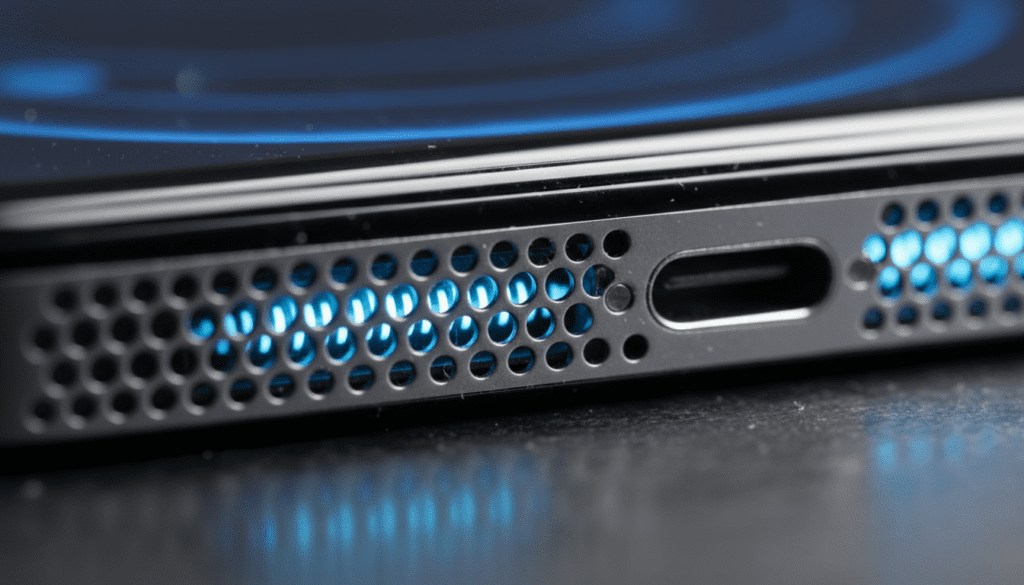
I have spent years testing mobile hardware and managing device repairs, and I’ve seen firsthand how “bass-boosted” memes and high-gain audio files can ruin a flagship smartphone in seconds. While modern iPhones have built-in limiters, they are not invincible against sustained, clipped audio signals that push the hardware to its breaking point.
TL;DR: Key Takeaways
- Physical Damage: “Ear rape” audio causes clipping, which forces the speaker to attempt a “square wave” motion it isn’t designed for.
- Symptoms: Common signs of damage include crackling, muffled audio, or a complete loss of sound at high volumes.
- Software vs. Hardware: Sometimes “damage” is just a software glitch or debris, but physical tears in the diaphragm cannot be fixed without a replacement.
- Prevention: Use the “Reduce Loud Sounds” feature in iOS settings to protect your hardware from accidental volume spikes.
The Science of Sound: How Ear Rape Damages iPhone Speakers
To understand if can ear rape damage iphone speakers, you have to understand how a micro-speaker works. Inside your iPhone is a tiny diaphragm, a voice coil, and a permanent magnet. When you play music, electrical pulses move the coil, which vibrates the diaphragm to create sound waves.
“Ear rape” audio is characterized by extreme audio clipping. In technical terms, the peaks of the sound waves are “cut off,” turning smooth sine waves into jagged square waves.
Why Square Waves Are Dangerous
When an iPhone speaker tries to play a square wave at maximum volume, the diaphragm is forced to hold a position at its maximum extension and then snap back instantly. This creates three primary types of failure:
- Mechanical Fatigue: The flexible surround of the diaphragm develops microscopic tears.
- Voice Coil Overheating: The “clipped” signal delivers a constant flow of electricity rather than a pulsing one, causing the coil to overheat and melt its protective coating.
- Adhesive Failure: The high-frequency vibrations can literally shake the speaker components loose from their glue.
Comparison: Normal Audio vs. Ear Rape Audio
| Feature | Normal Audio | Ear Rape / Clipped Audio |
|---|---|---|
| Waveform Type | Smooth Sine Waves | Distorted Square Waves |
| Speaker Movement | Fluid and Controlled | Erratic and Extreme |
| Heat Generation | Minimal / Dissipated | High / Potential for Burnout |
| Hardware Risk | Low (Designed for this) | Very High (Exceeds design limits) |
Real-World Symptoms of iPhone Speaker Damage
If you’ve recently played a high-volume, distorted video and noticed a change in sound quality, your hardware may be compromised. In my experience repairing iPhone 12 through iPhone 15 models, the symptoms of can ear rape damage iphone speakers usually fall into these three categories.
The “Crackle” or “Static” Sound
This is the most common sign of a blown speaker. It sounds like a piece of paper is vibrating inside your phone. This usually means the diaphragm has a physical tear or has become detached from the frame.
Significant Loss of Volume
If your iPhone sounds “thin” or significantly quieter than it used to, the voice coil may have partially melted. This increases electrical resistance, meaning the speaker can no longer produce the same volume even at the highest setting.
Muffled or “Underwater” Audio
While this is often caused by water or dust, a speaker that has been “over-driven” by distorted audio can also sound muffled if the internal components have warped due to heat.
How We Test for Speaker Damage: A Step-by-Step Guide
Before you rush to the Apple Store, we recommend performing a “health check” on your speakers. Not all audio issues are permanent hardware failures.
Step 1: Clean the Grills
I cannot emphasize this enough: 50% of the “blown speakers” I see are actually just clogged with skin oils and dust. Use a soft-bristled toothbrush (clean and dry) to gently scrub the speaker holes at the bottom and the earpiece at the top.
Step 2: The Stereo Balance Test
Go to Settings > Accessibility > Audio/Visual. Use the slider to shift audio entirely to the Left (Bottom Speaker) and then to the Right (Earpiece Speaker).
- Does one sound significantly worse than the other?
- If both sound equally bad, it might be a software issue.
- If only one is crackling, you likely have physical damage to that specific unit.
Step 3: Check for Software Clipping
Sometimes, a specific app or equalizer setting is causing the distortion.
- Go to Settings > Music > EQ.
- Ensure it is set to “Off.”
- Some “Bass Booster” settings can mimic the sound of a blown speaker by distorting the signal digitally.
DIY Fixes: Can You Repair a Blown iPhone Speaker?
If the damage is physical, there is no “app” that can fix it. However, if the distortion is caused by debris or software, you can solve it at home.
The “Water Eject” Trick (Actually Works for Debris)
There are “Sonic” apps and YouTube videos designed to play a specific frequency (usually around 165Hz) to push water out of the speaker. I’ve found that this can also help dislodge fine dust that might be vibrating against the diaphragm.
Software Reset
- Force restart your iPhone (Volume Up, Volume Down, hold Power).
- Reset all settings (Settings > General > Transfer or Reset iPhone > Reset > Reset All Settings). This won’t delete your data but will reset your audio profiles.
Professional Repair Costs: What to Expect
If your DIY efforts fail and you’ve confirmed that can ear rape damage iphone speakers, you are likely looking at a hardware replacement.
| iPhone Model | Estimated Out-of-Warranty Cost | With AppleCare+ |
|---|---|---|
| iPhone 15 Pro Max | $599+ (Full Unit or System) | $99 |
| iPhone 13 / 14 | $449 – $549 | $99 |
| iPhone 11 / 12 | $199 – $399 | $99 |
| iPhone SE (3rd Gen) | $129 – $250 | $99 |
Note: On newer iPhones, the bottom speaker is often part of a larger assembly. Apple frequently replaces the “rear system” or the entire device for speaker issues if they cannot isolate the component easily.
How to Prevent Future Damage (Expert Tips)
Once you’ve experienced the cost of a speaker repair, you’ll want to ensure it never happens again. Here is how I protect my personal devices:
Enable “Reduce Loud Sounds”
This is a hidden gem in iOS.
- Go to Settings > Sounds & Haptics > Headphone Safety.
- Toggle on Reduce Loud Sounds.
- Set the limit to 85 or 90 decibels. While this is designed for headphones, it helps regulate the system’s overall audio output.
Avoid Third-Party “Volume Booster” Apps
These apps are the primary culprits behind blown speakers. They bypass the internal safety limiters of the iPhone to push the gain into dangerous territory. Never use them.
Watch Out for “Bass Boosted” Memes
If you are scrolling through TikTok or Instagram and hear a video that is intentionally distorted (the “ear rape” aesthetic), lower your volume immediately. The sudden spike in decibels is what causes the diaphragm to tear.
Frequently Asked Questions
Can a single loud noise break my iPhone speaker?
While rare, a single extremely high-amplitude, high-frequency sound can cause an immediate “shatter” of the speaker diaphragm or a “bottoming out” of the voice coil. However, most damage occurs over several seconds of sustained distortion.
Does AppleCare+ cover blown speakers?
Yes. Blown speakers are considered hardware failure. If there is no evidence of water damage or intentional tampering, AppleCare+ covers the repair for a flat $99 “other damage” fee, or sometimes even for free if it’s deemed a manufacturing defect (though “ear rape” damage is usually considered accidental).
Can I fix a crackling speaker by playing a certain frequency?
Generally, no. If the speaker is crackling because the diaphragm is torn, no sound frequency can “heal” the material. The frequency videos only work if the crackling is caused by a loose piece of debris or water trapped in the speaker mesh.
Is the top speaker more fragile than the bottom speaker?
In my testing, the earpiece (top) speaker is often more susceptible to damage from loud noises. This is because it is smaller and has less “travel” (excursion) than the larger bottom speaker, making it easier to over-extend the hardware.
Can water damage sound like “ear rape” damage?
Yes, water trapped in the speaker mesh creates a very similar muffled and crackling sound. Always try a water-ejecting tone or let the phone dry for 24 hours before assuming the speaker is permanently blown from loud audio.