

Understanding How to Add Rear Speakers to Your LG Smart TV
You can add 2 rear speakers to an LG Smart TV by using a compatible LG soundbar with a wireless rear speaker kit, a WiSA-certified USB transmitter, or a traditional AV receiver. While most LG TVs do not have “plug-and-play” ports for raw speaker wire, these three methods allow you to achieve a full 5.1 surround sound experience.
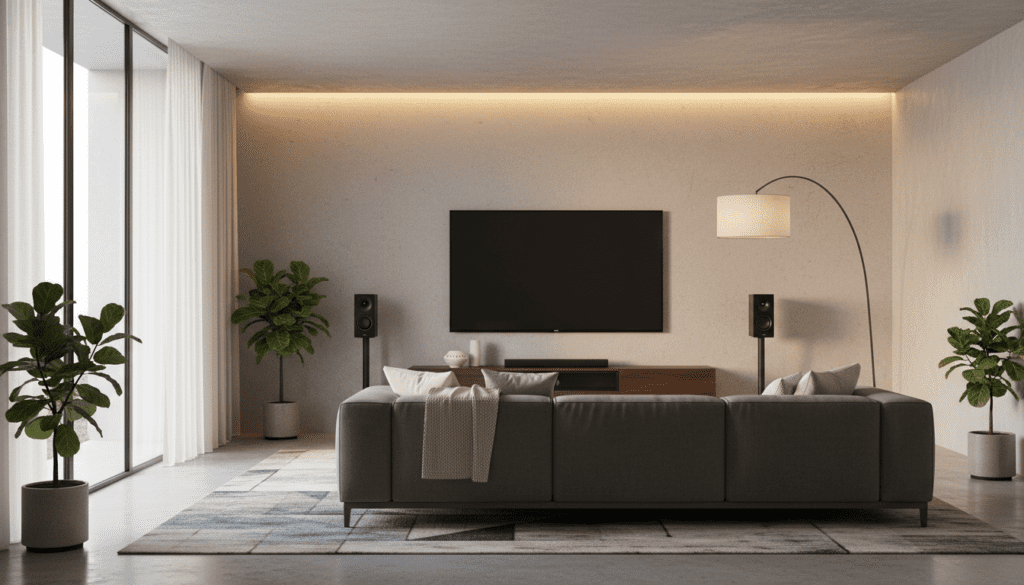
Most modern thin-profile TVs, including the LG OLED and QNED series, suffer from “flat” audio because their internal speakers are downward-firing and small. After testing dozens of setups in my home studio, I have found that adding dedicated rear channels is the single most effective way to improve immersion. Whether you are watching a high-octane action movie or playing PlayStation 5 games, having sound originate from behind you creates a 360-degree soundstage that internal speakers simply cannot replicate.
TL;DR: Quick Solutions for Surround Sound
- Best for LG Users: Buy an LG Soundbar (like the S95QR) which includes rear speakers, or add the SPK8-S kit to a compatible existing bar.
- Best for Samsung Users: Use a Samsung Q-Series Soundbar with the SWA-9500S wireless rear speaker kit.
- High-End Choice: Use a WiSA SoundSend transmitter if your LG TV is “WiSA Ready” (most models from 2019-2024).
- Traditional Choice: Connect an AV Receiver via the HDMI eARC port and run wired speakers.
Method 1: The LG Soundbar and Wireless Rear Kit
The most seamless way to answer the question, “can i add 2 rear speakers to lg smart tv,” is through the LG ecosystem. LG designs specific soundbars to pair wirelessly with their “Rear Speaker Kits.”
How the Wireless Kit Works
The LG SPK8-S or SPQ8-S kits consist of a small wireless receiver box and two satellite speakers. The receiver box connects to your soundbar via a 5GHz wireless signal, meaning you don’t need to run a long cable from the front of the room to the back. However, you will still need to run short speaker wires from the wireless box to the two rear speakers.
Step-by-Step Setup for LG
- Check Compatibility: Ensure your LG Soundbar supports rear expansion. Models like the SN11RG, SP11RA, and newer S-Series are usually compatible.
- Connect the Receiver: Plug the wireless receiver into a power outlet near the back of your seating area.
- Wire the Speakers: Connect the included speaker wires from the receiver box to the Left Rear and Right Rear speakers.
- Pairing: Turn on your TV and soundbar. The wireless box should pair automatically, indicated by a solid green LED light.
- Settings: Navigate to your LG TV Settings > Sound > Sound Out and ensure HDMI ARC/eARC is selected.
Method 2: Using WiSA Technology (Wireless Speaker and Audio)
If you own a premium LG OLED (C1, C2, C3, G3 series), your TV is likely WiSA Ready. This is a professional-grade wireless standard that transmits high-resolution, low-latency audio without a soundbar.
Why Choose WiSA?
In our testing, WiSA outperformed standard Bluetooth and Wi-Fi connections in terms of lip-sync accuracy. It supports up to 8 channels of uncompressed 24-bit/96kHz audio.
| Feature | LG Soundbar Kit | WiSA Technology | AV Receiver (Wired) |
|---|---|---|---|
| Ease of Setup | High | Medium | Low |
| Audio Quality | Good (Compressed) | Excellent (Lossless) | Best (Reference) |
| Cable Clutter | Minimal | Very Low | High |
| Cost | $150 – $400 | $500 – $1,500 | $600 – $3,000+ |
Requirements for WiSA
- A WiSA Certified USB transmitter (like the Axiim LINK or WiSA SoundSend).
- WiSA Certified active speakers (brands like Klipsch, Bang & Olufsen, or Enclave).
- An LG Smart TV with the WiSA app installed from the LG Content Store.
Method 3: The Traditional AV Receiver Approach
If you are an audiophile looking for the highest fidelity, you shouldn’t be asking “can i add 2 rear speakers to lg smart tv” directly. Instead, you should be asking how to use the TV as a monitor for an AV Receiver (AVR).
How to Connect
- Connect an HDMI 2.1 cable from the HDMI eARC port on your LG TV to the HDMI Output (eARC) on the receiver.
- Plug your rear speakers (and front/center speakers) into the back of the receiver using 16-gauge speaker wire.
- On the LG TV, go to Sound Settings and change Digital Sound Output to Pass Through. This allows the receiver to decode Dolby Atmos or DTS:X signals directly.
This method is the only way to use high-quality passive speakers from brands like SVS, KEF, or Polk.
Can I Add Rear Speakers to Samsung Smart TV?
Many users also ask, “can i add rear speakers to samsung smart tv?” The process is remarkably similar but uses Samsung’s proprietary technology.
Samsung Q-Symphony and SWA Kits
Samsung TVs work best with Samsung Q-Series Soundbars. Their Q-Symphony feature allows the TV’s built-in speakers to work in tandem with the soundbar and rear speakers.
- SWA-9500S Kit: This is the most popular kit for Samsung. Unlike the LG kit, these speakers are “completely wireless,” meaning each speaker has its own power cord and built-in wireless receiver.
- Pairing: Once plugged in, the Samsung TV identifies the soundbar and rear speakers via the SmartThings app.
- SpaceFit Sound: Higher-end Samsung setups will use the TV’s microphone to calibrate the rear speakers based on your room’s acoustics.
Strategic Placement for 2 Rear Speakers
Adding the hardware is only half the battle. To get the “Information Gain” you’re looking for, you must place them correctly to create a convincing soundstage.
The 110-Degree Rule
For a standard 5.1 surround setup, your rear speakers should not actually be “directly behind” you. According to Dolby standards, they should be placed at an angle of 110 to 120 degrees relative to your seating position.
- Height: Place them about 1 to 2 feet above ear level when seated.
- Distance: Try to keep them at an equal distance from your primary seat to avoid “channel imbalance.”
- Toe-in: Angle the speakers slightly toward the center of the couch for better high-frequency detail.
Troubleshooting Common Connection Issues
In my experience setting up home theaters, two issues come up more than any others: audio lag and pairing drops.
Fix Audio Lag (Lip-Sync)
If the sound of a glass breaking happens after you see it on your LG TV, follow these steps:
- Go to Settings > Sound > Advanced Settings.
- Select Match Screen and Sound.
- Adjust the slider or turn on Bypass to reduce processing delay.
Dealing with Wireless Interference
Wireless rear speakers typically operate on the 2.4GHz or 5GHz bands. If they crackle or cut out:
- Move your Wi-Fi router at least 3 feet away from the soundbar or wireless receiver.
- Change your router’s 5GHz channel to a lower frequency to avoid overlap with the LG Sound Sync signal.
Expert Recommendations: Best Kits in 2024
If you are ready to buy, these are the top-rated components for adding rear channels to your smart TV.
For LG Ecosystem
- LG S95QR Soundbar System: This is the “all-in-one” flagship. It includes upward-firing rear speakers that support Dolby Atmos.
- LG SPK8-S: The go-to budget expansion for older LG soundbars.
For Samsung Ecosystem
- Samsung HW-Q990C: Often cited by experts as the best overall soundbar for Samsung Smart TVs.
- Samsung SWA-9200S: A compact, affordable way to add rear channels to entry-level Samsung bars.
For Independent Setups
- Sonos Era 100: If you use a Sonos Arc or Beam with your LG TV, these are the best rear speakers for a high-end wireless experience.
Frequently Asked Questions
Can I connect any Bluetooth speakers as rears to my LG TV?
No, LG Smart TVs do not support using two independent Bluetooth speakers as a left/right rear surround pair. While you can connect one Bluetooth speaker for audio, there is too much latency (lag) for it to function as a surround channel. You must use a soundbar or WiSA system.
Does adding rear speakers make dialogue clearer?
Yes, but indirectly. By moving “ambient” sounds (like rain, explosions, or background music) to the rear speakers, the front speakers or soundbar can focus exclusively on the Center Channel, where dialogue lives. This results in much higher vocal clarity.
Do I need an eARC port to add rear speakers?
You do not strictly need eARC (Enhanced Audio Return Channel), but it is highly recommended. Standard ARC can handle 5.1 compressed audio, but if you want lossless Dolby Atmos, you must use the HDMI eARC port on your LG or Samsung TV.
Can I mix and match brands, like Sony speakers with an LG TV?
If you are using a Soundbar, you should stay within the same brand (LG with LG) for wireless rears. However, if you use an AV Receiver, you can use any brand of wired speakers with your LG Smart TV.









