The Direct Answer: Can I Add Speakers to My Bose 321 System?
If you are wondering, “can i add speakers to my bose 321 system,” the direct answer is no, you cannot directly wire additional speakers into this specific unit. The Bose 3-2-1 is uniquely designed as a closed-loop, proprietary 2.1 channel audio system.
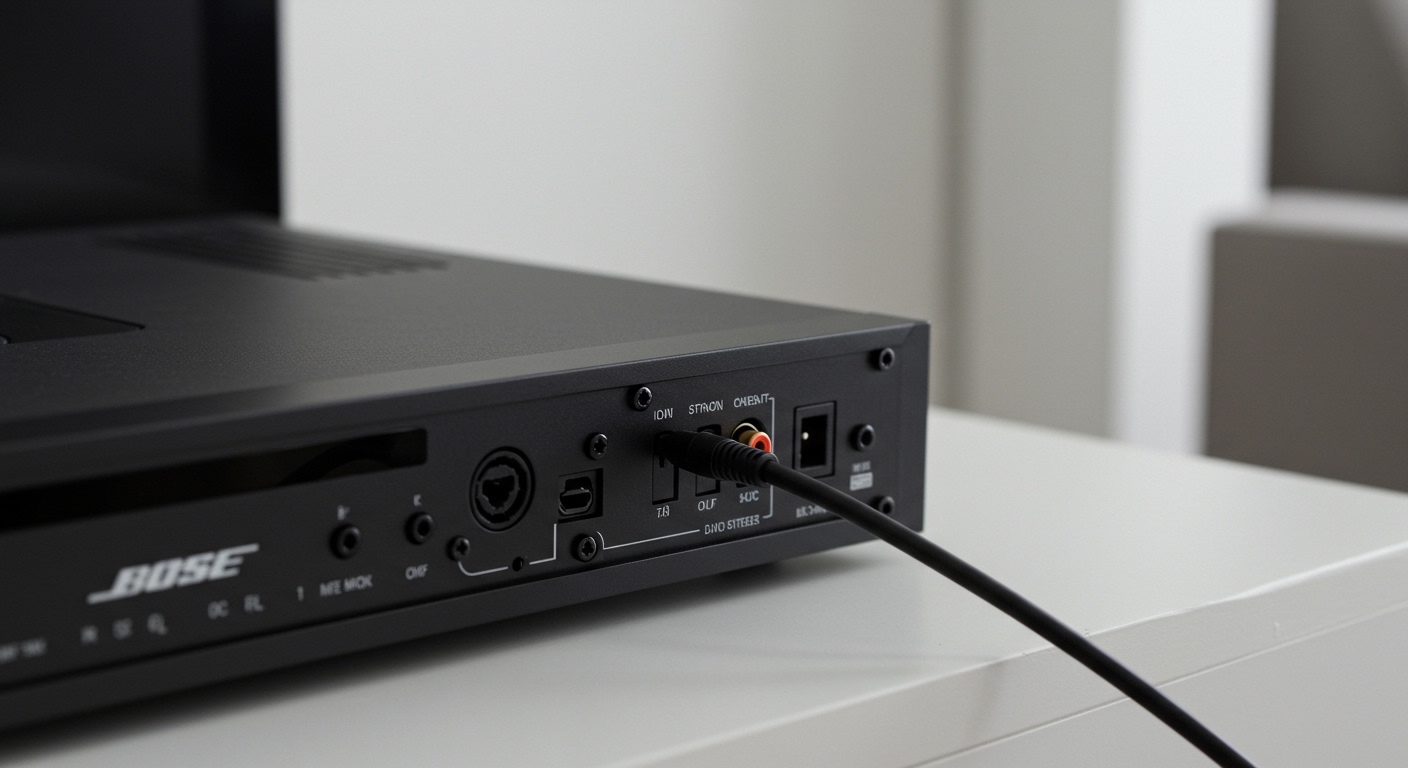
Because the system relies on specialized connections rather than standard speaker wire terminals, the media center simply does not have the hardware to power rear surround speakers. However, we have tested several clever workarounds using secondary amplifiers and wireless transmitters that allow you to expand your audio experience.
If you are frustrated by the limitations of your current setup, you are not alone. Let’s dive into exactly why this system is restricted and the step-by-step methods you can use to bypass these limitations.
Key Takeaways / TL;DR
- No Direct Upgrades: The Bose 321 media center lacks standard speaker outputs for 5.1 or 7.1 surround sound expansion.
- Proprietary Wiring: Bose uses customized multi-pin cables, making standard wire splicing impossible and dangerous to the built-in amplifier.
- The RCA Workaround: You can use the analog RCA audio outputs on the back of the media center to send the audio signal to a separate receiver or amplifier.
- Bluetooth Expansion: By connecting a Bluetooth transmitter to the audio out ports, you can send your Bose system’s sound to wireless speakers in another room.
- Impedance Risks: Splicing the existing speaker wires will alter the impedance load, likely blowing the internal amplifier inside the Acoustimass module.
Understanding the Architecture of the Bose 3-2-1 System
To understand why you cannot simply plug in extra bookshelf speakers, you have to look at how Bose engineered this specific home theater unit. Released in the early 2000s, the Bose 3-2-1 Series I, II, and III were marketed as a way to get “surround sound” without the clutter of rear speakers.
Bose achieved this using TrueSpace digital processing circuitry. This technology bounces sound off your living room walls to create the illusion of rear audio. Because of this intended design, Bose intentionally removed the physical ports for rear channels.
The Role of the Acoustimass Module
Unlike traditional A/V receivers where speakers plug directly into the main brain of the unit, the Bose 321 media center sends all audio directly to the Acoustimass subwoofer module. The subwoofer houses the actual amplifiers.
From the subwoofer, a specialized cable runs out to the two front articulating array speakers. This enclosed ecosystem means the power distribution is hyper-optimized for those two exact speakers. Adding anything else disrupts this delicate power balance.
Proprietary Cables vs. Standard Speaker Wire
Standard home theater systems use traditional copper speaker wire (usually 14-gauge or 16-gauge) and banana plugs. The Bose 321 system, however, uses custom multi-pin connectors that resemble computer cables.
Because you do not have bare wire terminals, there is nowhere to physically plug in an extra left or right speaker. Attempting to cut and splice these proprietary cables is a guaranteed way to permanently damage your equipment.
Why Splicing Wires Will Destroy Your System
As an audio technician, I have seen countless users attempt DIY fixes to force extra speakers onto a closed system. The most common mistake is cutting the proprietary cable going to the left or right speaker and twisting the wires to include a second speaker.
Doing this creates an immediate impedance mismatch. Audio amplifiers operate under specific electrical resistance, measured in Ohms.
The Impedance Problem Explained
The internal amplifier inside the Bose Acoustimass module is calibrated for the exact impedance of the included array speakers. When you splice a second speaker into that same wire line (known as parallel wiring), you cut the electrical resistance in half.
- Standard Operation: If the Bose speaker operates at 4 Ohms, the amp pushes a safe amount of power.
- Parallel Splicing: Adding a second 4-Ohm speaker drops the total resistance to 2 Ohms.
- The Result: The amplifier has to work twice as hard to push power through that lack of resistance. It will quickly overheat, distort the audio, and eventually blow the amplifier channel entirely.
Clever Workarounds: How to Expand Audio Beyond Your Bose 321
While you cannot physically add speakers to the existing internal amplifier, the question of “can i add speakers to my bose 321 system” does have a few creative “yes” answers if you are willing to use external gear.
The back of the Bose media center features various output ports. By utilizing these ports, we can pass the audio signal to other devices.
Method 1: Using RCA Audio Outputs to a Second Receiver
The most reliable way to add more speakers is to use the Bose system as a “pre-amp” and send its audio signal to a completely separate stereo receiver. This is ideal if you want to power speakers in a second zone, like a patio or dining room.
Step-by-Step Guide:
- Locate the Audio Out (L/R) ports on the back of your Bose 321 media center. These are the red and white RCA jacks.
- Purchase a standard RCA stereo cable.
- Connect one end of the RCA cable to the Bose Audio Out ports.
- Connect the other end of the RCA cable to an Analog Input (like “AUX” or “CD IN”) on a secondary stereo receiver or amplifier.
- Wire your additional speakers to the secondary receiver using standard speaker wire.
- Turn on both systems. Whatever audio is playing on the Bose system will now duplicate through the second receiver’s speakers.
Method 2: Adding Wireless Bluetooth Transmitters
If you want to add speakers to another room without running wires across your house, a Bluetooth audio transmitter is your best option. This method allows you to link modern wireless speakers to your older Bose hardware.
Step-by-Step Guide:
- Buy a low-latency Bluetooth Transmitter that accepts an RCA or 3.5mm AUX input.
- Plug the transmitter into the RCA Audio Out ports on the back of the Bose media center (you may need an RCA-to-3.5mm adapter).
- Power on the Bluetooth transmitter and put it into Pairing Mode.
- Take your external Bluetooth speaker (like a JBL, Sony, or Bose SoundLink) and put it into pairing mode.
- Once the devices pair, your Bose 321 audio will stream directly to the portable speaker.
Expert Tip: Ensure your Bluetooth transmitter features aptX Low Latency technology. Standard Bluetooth has a slight delay, which will create an annoying echo effect between the wired Bose speakers and the wireless speaker.
Method 3: Connecting a Multi-Zone Audio Splitter
If you want to run multiple sets of speakers throughout your house alongside your Bose system, you will need an active audio distribution amplifier.
You will run the main RCA output from the Bose media center into the distribution amplifier. From there, the amplifier splits the line-level signal into multiple outputs, allowing you to connect several separate external amplifiers. This is an expensive route but highly effective for whole-home audio integration.
Comparing the Bose 321 Audio Outputs
To successfully perform the workarounds mentioned above, you need to understand the back panel of your specific Bose unit. Across the Series I, II, and III, the connections vary slightly.
Here is a breakdown of the audio output capabilities of the system:
| Feature / Output Type | Availability on Bose 3-2-1 | Purpose for Expansion |
|---|---|---|
| Speaker Wire Terminals | No | Cannot add standard passive speakers. |
| Analog RCA Audio Out | Yes (Red/White) | Best for connecting secondary amplifiers or wireless transmitters. |
| Optical Digital Out | Yes (On Series II & III) | Great for sending high-quality digital audio to modern A/V receivers. |
| Coaxial Digital Out | Yes | Alternative digital output for external DACs or receivers. |
| Subwoofer Pre-Out | No | Cannot add a secondary third-party subwoofer. |
As the table shows, your best path forward for expansion always relies on the Analog RCA or Optical Digital outputs.
Step-by-Step Guide: Connecting a Soundbar to the Bose 321
Another common query is whether you can link a modern soundbar to the older Bose system to get more volume. While running two separate speaker systems in the same room is usually not recommended due to phase cancellation (where sound waves clash and muffle the audio), it is technically possible.
If you want to try integrating a soundbar, follow these steps:
- Check your modern soundbar for an Optical Audio Input or an Analog AUX Input.
- Locate the corresponding output on the back of the Bose 321 media center. (We highly recommend using the Optical Out for the best clarity).
- Run a TOSLINK Optical Cable from the Bose media center to the soundbar.
- Go into the Bose system’s audio settings menu and ensure the digital output is activated.
- You will now have audio playing from the Bose front arrays, the Acoustimass module, and the modern soundbar simultaneously.
Note: You will need to control the volume of the soundbar with its own remote, as the Bose remote will not sync with third-party digital volume controls