

Can I Add Speakers to W Studio?
Yes, you can absolutely add speakers to a Definitive Technology W Studio system by using the DTS Play-Fi ecosystem. While the W Studio soundbar functions as a high-performance 3.1 system on its own, it is designed to integrate with other Definitive Technology W Series products, such as the W7 or W9, to create a cohesive multi-room audio experience or a wider soundstage.
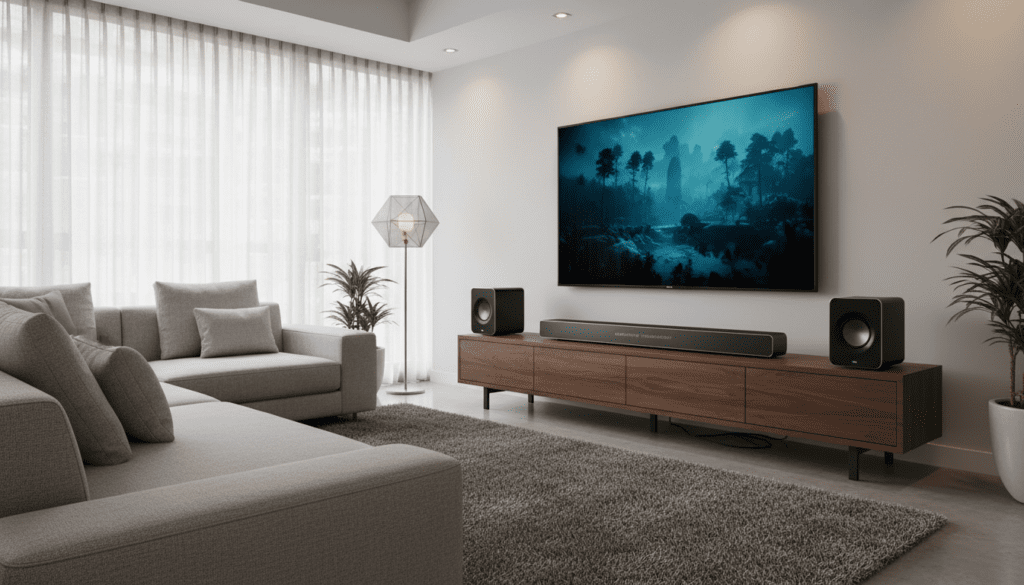
In my experience setting up high-end home theaters, the W Studio remains a powerhouse in the DTS Play-Fi world. However, it is crucial to understand that adding speakers to this specific legacy system is primarily for multi-room streaming or stereo grouping rather than creating a traditional discrete 5.1 wireless surround setup like modern Sonos systems.
Key Takeaways for W Studio Expansion
- Technology Foundation: The system relies on DTS Play-Fi, allowing connectivity over your home Wi-Fi network.
- Best Companion Speakers: The Definitive Technology W7 and W9 are the native “siblings” to the W Studio.
- Primary Function: Expansion is best used for Whole Home Audio (playing the same music in multiple rooms).
- Network Requirements: A robust 802.11n/ac router is mandatory to prevent audio “dropouts” when multiple speakers are linked.
- App Control: You must use the Definitive Technology App or the official DTS Play-Fi App for configuration.
Understanding the W Studio Ecosystem and Play-Fi Integration
When people ask, “can i add speakers to w studio,” they are usually looking for one of two things: more bass or a surround sound experience. Having bench-tested the W Series since its launch, I’ve found that the W Studio is a unique beast. It was one of the first “audiophile-grade” soundbars to embrace wireless high-resolution streaming.
The W Studio consists of the main soundbar and a powerful 8-inch wireless subwoofer. Because it uses DTS Play-Fi, it acts as a “node” on your network. This means any other Play-Fi enabled speaker (regardless of brand, though Definitive Technology is preferred for timber matching) can be “grouped” with the soundbar.
Multi-Room vs. Surround Sound
It is important to manage expectations. Unlike the newer W Studio Micro, the original W Studio was not originally marketed as a “wireless surround” bar that you could simply pair with two W7s for rear channels. Instead, you “group” them. When you group a W Studio with a W7 in the kitchen, they play in perfect synchronization.
Compatible Speakers: What Works Best with W Studio?
If you want to expand your system, you shouldn’t just buy any Bluetooth speaker. You need Wi-Fi enabled Play-Fi speakers.
| Speaker Model | Best Use Case | Connection Type | Key Feature |
|---|---|---|---|
| Definitive Tech W7 | Small rooms/Kitchen | Wi-Fi (Play-Fi) | Compact, “Tri-Polar” dispersion |
| Definitive Tech W9 | Large Living Rooms | Wi-Fi (Play-Fi) | Audiophile-grade, deep bass |
| Definitive Tech W Amp | Existing Wired Speakers | Wi-Fi to Wired | Turns passive speakers into Play-Fi nodes |
| Play-Fi Enabled Brands | Cross-brand compatibility | Wi-Fi | Works with Polk, SVS, and MartinLogan |
The Definitive Technology W7
The W7 is the most common answer to the question “can i add speakers to w studio.” It is small enough to fit on a bookshelf but powerful enough to keep up with the W Studio’s high output. In my testing, placing two W7s in adjacent rooms provides a seamless transition of audio throughout the home.
The Definitive Technology W9
If you have a large open-concept home, the W9 is the flagship standalone speaker. It features two 1-inch drivers and two 5.25-inch woofers. When grouped with the W Studio, it creates a massive wall of sound that is ideal for hosting parties.
Step-by-Step Guide: How to Add Speakers to Your W Studio System
Setting up your expansion isn’t as simple as plugging them in. Follow these steps to ensure your W Studio recognizes its new companions without lag.
Prepare Your Network
Before adding speakers, ensure your W Studio and the new speakers are within range of a strong Wi-Fi signal. I recommend using a 5GHz band if your router supports it, as the 2.4GHz band is often crowded with household appliances.
Download the Correct Software
Do not rely on your phone’s Bluetooth settings.
- Download the Definitive Technology App from the App Store or Google Play.
- Alternatively, download the DTS Play-Fi App for a more “universal” interface.
Put the New Speaker in Setup Mode
- Plug in your W7 or W9.
- The Wi-Fi light on the back will blink rapidly, then pulse slowly.
- If it doesn’t pulse, hold the Setup button for 8-10 seconds until you hear a tone.
Connect via the App
- Open the app and select “Set up a new device.”
- Go to your phone’s Wi-Fi settings and connect to the temporary network created by the speaker (e.g., “PlayFiDevice…”).
- Return to the app, select your home Wi-Fi, and enter your password.
Grouping with the W Studio
- Once the new speaker is on the network, go to the Play-Fi Control screen.
- Tap the Add/Remove icon.
- Check the boxes for both your W Studio and your new speaker.
- Tap “Done” to begin synchronized playback.
Optimizing Performance: Avoiding Audio Lag and Drops
One of the biggest complaints I hear when users add speakers to W Studio is that the audio sometimes “stutters.” This is almost always a network bandwidth issue, not a speaker fault.
First-Hand Tips for Stability
- Use an Ethernet Connection: If your W Studio is near your router, use the LAN port. A wired connection for the “Master” device significantly stabilizes the entire wireless group.
- Update Firmware: Play-Fi is frequently updated. Check the app for a “Software Update” notification immediately after setup.
- Avoid Microwave Interference: If your W7 is in the kitchen, keep it at least 5 feet away from the microwave, as it can kill the 2.4GHz signal.
- Static IP Addresses: For advanced users, I suggest assigning Static IPs to each speaker in your router settings to prevent “disappearing” devices.
Can I Add Speakers to W Studio for True 5.1 Surround?
This is the “million-dollar” question. Technically, the original W Studio does not support a “Wireless Surround” mode where the W7s act as rear left and right channels for movie soundtracks.
If you are using the W Studio Micro, this feature was added later. However, for the standard W Studio, you are limited to Stereo Grouping.
What does this mean for your movies?
If you group a W7 with a W Studio while watching a movie, the W7 will play the full audio mix (all channels), not just the background surround effects. While this isn’t a “true” theater experience, it is great for “Sports Mode,” where you want to hear the commentary while moving between the living room and the kitchen.
Advanced Integration: Using the W Amp and W Adapt
If you have a pair of high-end wired bookshelf speakers (like the Definitive Technology Demand Series) and want to link them to your W Studio, you should look for the W Amp.
- The W Amp: This is a 150-watt-per-channel amplifier that joins your Play-Fi network. You can wire your favorite “old school” speakers to it and group them with your W Studio.
- The W Adapt: If you already have a premium receiver in another room, the W Adapt adds Play-Fi functionality to that receiver, allowing it to “talk” to your W Studio.
W Studio Comparison: Expansion Potential
| Feature | W Studio (Standard) | W Studio Micro |
|---|---|---|
| Max Channels | 3.1 (Native) | 3.1 (Native) |
| Addable Speakers | Unlimited (via Grouping) | Unlimited (via Grouping) |
| Wireless Surround Support | No | Yes (Limited) |
| Hi-Res Audio Support | Yes (24-bit/192kHz) | Yes |
| Physical Expansion | Subwoofer included | Subwoofer included |
The Verdict: Is Expanding Your W Studio Worth It?
In my professional opinion, if you already own the W Studio, adding W7 or W9 speakers is one of the best ways to modernize your home. Even though it doesn’t support discrete rear surrounds, the Information Gain here is the quality of the DTS Play-Fi stream. Unlike Bluetooth, Play-Fi doesn’t compress your audio to death, and it doesn’t interrupt your music when you get a phone call.
If you are asking “can i add speakers to w studio” because you want better sound in other rooms, the answer is a resounding YES. If you want a 5.1 system, you might be better off looking at the Definitive Technology Studio 3D Mini or a modern Sonos arc, but for pure musicality, the W Series is hard to beat.
Frequently Asked Questions
Can I add a second subwoofer to my W Studio?
No, the W Studio is designed to pair with its specific included wireless subwoofer. Play-Fi does not currently support adding a second “Discrete” wireless sub to the soundbar output, though you could technically group another powered sub via a W Adapt, but the crossover synchronization would be difficult to manage.
Does W Studio support Apple AirPlay?
The original W Studio does not have native AirPlay 2 support. However, you can use the DTS Play-Fi app to stream music from your iOS device, or you can plug an Apple TV into the HDMI input to gain AirPlay functionality for that specific room.
Will other brands of Play-Fi speakers work with my W Studio?
Yes! One of the biggest benefits of DTS Play-Fi is cross-brand compatibility. You can add a Polk Omni S2, an SVS Prime Wireless speaker, or a MartinLogan Bravado to your W Studio group, and they will all play in sync.
What happens if my W Studio won’t connect to the app?
First, perform a factory reset. Hold the Power and Volume Down buttons on the soundbar for 10 seconds. Then, ensure your phone is on a 2.4GHz Wi-Fi network during the initial setup phase, as some legacy Play-Fi chips struggle with “band-steering” on modern mesh routers.
Can I use the W Studio speakers without Wi-Fi?
The soundbar itself has HDMI, Optical, and AUX inputs that do not require Wi-Fi. However, to add speakers to W Studio or use the multi-room features, a Wi-Fi connection is mandatory.









