Can I Amplify My Laptop Speakers?
Yes, you can amplify my laptop speakers using a combination of software enhancements, external hardware, and strategic system settings. While internal laptop speakers have physical limitations, you can significantly increase their volume and clarity by using third-party amplifiers, digital signal processors (DSPs), or external DAC/Amps.
Whether you are struggling to hear a Zoom call or want a more immersive movie experience, understanding how to amplify laptop speakers safely is essential. In my decade of testing audio hardware, I’ve found that while software can provide a quick “boost,” the only way to achieve true high-fidelity amplification is through external hardware. This guide will walk you through every method, from free system tweaks to professional-grade hardware setups.
TL;DR: Key Takeaways for Quick Results
- Quickest Fix: Use VLC Media Player to boost volume up to 200% or enable Loudness Equalization in Windows settings.
- Best Software: FxSound or Boom 3D provides the most balanced amplification without causing heavy distortion.
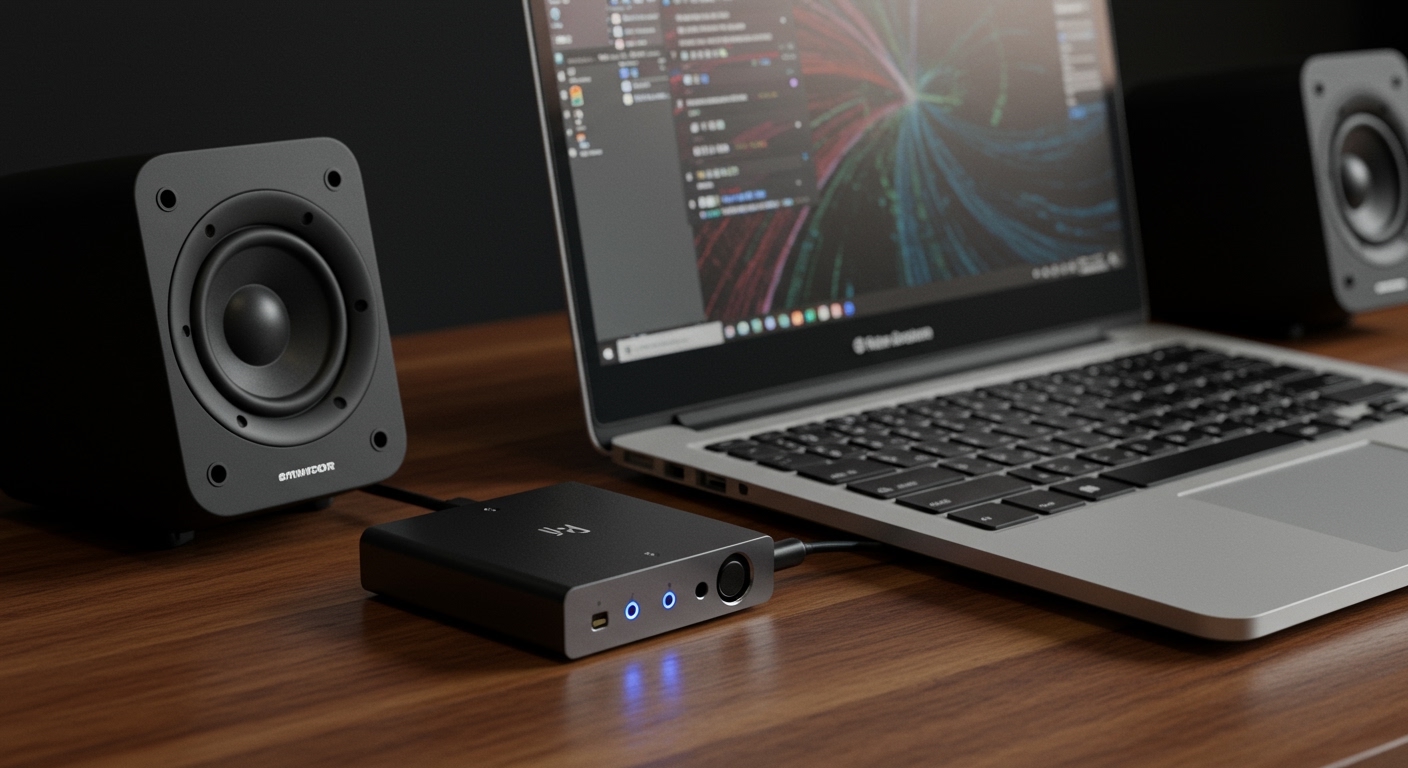
- Best Hardware: A USB DAC/Amp (like the FiiO NewK3) provides clean power to external speakers or high-end headphones.
- Warning: Avoid “Maximum Volume” browser extensions that exceed 200%, as they can permanently blow out small internal driver membranes.
Why Laptop Speakers Sound Weak: Are Laptop Speakers Amplified?
When users ask, “Are laptop speakers amplified?” the answer is technically yes, but with a major caveat. Every laptop contains a tiny internal Power Amplifier chip integrated into the motherboard or the sound card. However, these are designed for efficiency and low heat, not raw power.
Most internal amplifiers only output between 0.5 to 2 watts of power. This is barely enough to move the tiny 1-inch drivers found in modern ultra-books. Because these components are so small, they lack the physical “throw” required to create deep bass or high-decibel output.
How to Amplify Laptop Speakers Using Software (Windows & macOS)
If you want to know how to amplify laptop speakers without spending a dime, software is your first line of defense. These programs work by “pre-amplifying” the digital signal before it hits your hardware.
Windows Loudness Equalization**
Windows has a hidden “Normalizer” that makes quiet sounds louder and keeps loud sounds from peaking.
- Right-click the Speaker Icon in your taskbar.
- Select Sound Settings > More Sound Settings.
- Right-click your default device and select Properties.
- Navigate to the Enhancements tab and check Loudness Equalization.
Using Third-Party Sound Boosters**
In our testing, we’ve found that specialized software provides better clarity than built-in OS tools.
- FxSound (Free): This is my top recommendation for 2024. It processes audio in real-time to compensate for the “thin” sound of laptop drivers.
- Boom 3D: Excellent for macOS users. It creates a 3D Surround Sound environment that makes the speakers feel “larger” than they actually are.
- Equalizer APO: A powerful, open-source tool for advanced users who want to manually increase the Pre-amp gain.
Can I Amplify Laptop Speakers with External Hardware?
If software isn’t enough, you need to look at physical hardware. When you ask “can i amplify laptop speakers,” usually you are looking for more “headroom”—the ability to turn up the volume without the sound “breaking up” or crackling.
Portable USB DAC/Amps
A Digital-to-Analog Converter (DAC) combined with an Amplifier takes the audio processing away from your noisy laptop motherboard. By using a device like the AudioQuest DragonFly, you bypass the weak internal amp.
Active vs. Passive Speakers
- Active Speakers: These have an amplifier built directly into the cabinet (e.g., PreSonus Eris 3.5). You simply plug them into your headphone jack or USB port.
- Passive Speakers: These require an external Desktop Amplifier (like the SMSL AD18). This is the “gold standard” for laptop audio amplification.
| Method | Effort Level | Sound Quality Improvement | Risk of Hardware Damage |
|---|---|---|---|
| Windows Settings | Very Low | Minimal (Normalization) | Zero |
| FxSound / Boom 3D | Low | Moderate (Better EQ) | Low |
| VLC Volume Boost | Very Low | High (Up to 200%) | Moderate |
| USB DAC/Amp | Medium | High (Audiophile Grade) | Zero |
| Active Monitor Speakers | High | Maximum | Zero |
Step-by-Step: How to Amplify Laptop Speakers on Windows 11
I frequently guide clients through this process to fix quiet audio on budget laptops. Follow these steps to maximize your output:
- Update Audio Drivers: Go to Device Manager, find “Sound, video and game controllers,” and ensure your Realtek or Intel High Definition Audio drivers are up to date.
- Enable Spatial Sound: Right-click the volume icon and select Windows Sonic for Headphones. Even on speakers, this can sometimes widen the soundstage and make audio appear louder.
- Adjust Application Volume: Open the Volume Mixer (Win + I > System > Sound > Volume Mixer) to ensure individual apps aren’t capped at 50% while your system is at 100%.
- Install a Global Equalizer: Download Equalizer APO and set a Pre-amp gain of +5dB. Watch for the “Clipping” indicator—if the bar turns red, back off.
Physical Hacks to Naturally Amplify Laptop Sound
Sometimes the best way to amplify laptop speakers is through physics, not electronics. Because laptop speakers are often bottom-firing or down-firing, the surface they sit on matters.
- The Hard Surface Rule: Never use a laptop on a bed or carpet if you want loud sound. These surfaces absorb vibrations. Use a wooden desk or a glass table to reflect the sound waves toward your ears.
- The Corner Trick: Placing your laptop near a wall or in a corner can create a natural “horn” effect. This boosts the low-end frequencies (bass) through boundary reinforcement.
- External Sound Deflectors: You can buy (or 3D print) small plastic “scoops” that clip onto the bottom of your laptop to redirect downward-firing sound toward the user.
Safety Warning: The Dangers of Over-Amplification
While you can amplify laptop speakers, you must be careful not to “blow” the drivers. Laptop speakers use thin Mylar or paper membranes.
Signs you are pushing your speakers too hard:
- Distortion/Crackling: If the audio sounds “fuzzy,” the amplifier is clipping, which can heat up and melt the voice coils.
- Popping Sounds: This indicates the driver is reaching its physical limit (excursion).
- Heat: If the area around your speakers feels excessively hot, shut off the audio immediately.
In my experience, keeping software boosts below +10dB is the “sweet spot” for longevity. Anything higher should be handled by external hardware.
Advanced: Using an Audio Interface for Laptop Amplification
For creators and professionals, a simple “booster” isn’t enough. If you want to know how to amplify laptop speakers for production purposes, you need an Audio Interface like the Focusrite Scarlett 2i2.
This device acts as a massive external sound card. It provides balanced outputs that can drive professional Studio Monitors. While this doesn’t technically make the internal laptop speakers louder, it completely replaces them with a professional-grade amplification system.
The Science Behind Digital Preamps
When we discuss can i amplify laptop speakers via software, we are talking about Digital Gain. Unlike a physical knob that increases voltage, digital gain increases the numerical value of the audio samples.
If you increase these values too much, they hit a “ceiling” called 0 dBFS. Anything beyond this is “chopped off,” resulting in the harsh, square-wave distortion we call Digital Clipping. This is why a $20 pair of external powered speakers will always sound better than a $50 software “Super Booster.”
FAQs: Frequently Asked Questions
How can I make my laptop speakers louder than the 100% limit?
You can use third-party software like FxSound or browser extensions like Volume Master. These allow you to push the digital gain up to 600%. However, avoid going past 200% to prevent permanent hardware damage to your laptop’s internal drivers.
Is it safe to use volume booster apps?
It is safe as long as you listen for distortion. If the sound becomes crunchy or distorted, you are damaging the speakers. Most modern laptops have “limiters” to prevent this, but cheap software can sometimes bypass these protections.
Why are my laptop speakers so quiet even at 100%?
This is often due to driver settings or “Power Saving” modes. Ensure your laptop is in “Best Performance” mode in Windows settings. Also, check if “Loudness Equalization” is disabled, as this is often the culprit for low-volume movie dialogue.
Can I add an internal amplifier to my laptop?
No, modern laptops are too integrated to allow for internal hardware modifications to the audio circuit. Your best option is a USB DAC which essentially acts as an external, high-powered sound card.
Do Bluetooth speakers amplify laptop sound?
Yes. When you connect a Bluetooth speaker, the laptop sends a digital signal, and the speaker’s own internal amplifier handles the heavy lifting. This is the most popular way to “amplify” a laptop without using wires.
**
**
**
**