

Can I Bluetooth Multiple JBL Go Speakers to One Phone?
To answer the main question directly: No, you cannot natively pair multiple JBL Go, Go 2, or Go 3 speakers using JBL’s proprietary software like PartyBoost or Connect+. However, if you own the newer JBL Go 4, you can link multiple speakers using Auracast technology. For older models, you must rely on smartphone features like Samsung Dual Audio or external hardware workarounds to play music on two speakers simultaneously.
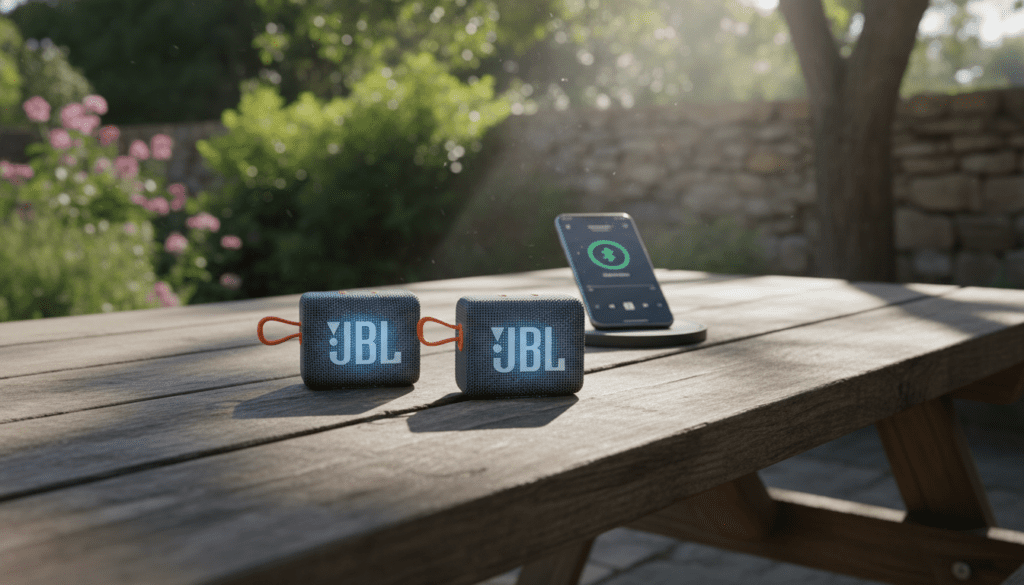
While the JBL Go series is celebrated for its extreme portability and “pocket-sized” punch, it has historically lacked the dedicated hardware button found on the JBL Flip or Charge series that allows for multi-speaker syncing. In my years testing Bluetooth peripherals, I’ve found that this is the #1 “gotcha” for buyers who assume all JBL speakers talk to each other.
Quick Takeaways: Multi-Speaker Compatibility
- JBL Go / Go 2 / Go 3: No native support for multi-speaker pairing (No PartyBoost/Connect+).
- JBL Go 4: Supports Auracast, allowing connection to multiple compatible speakers.
- Samsung Galaxy Workaround: Use Dual Audio to connect any two Bluetooth speakers regardless of brand.
- iPhone Workaround: Extremely limited; requires AirPlay 2 (not supported by Go series) or third-party apps like AmpMe.
- Best Solution: If you need a “Wall of Sound,” upgrade to a JBL Flip 6 or use a hardware Bluetooth splitter.
Understanding Why Most JBL Go Speakers Don’t Sync
The question, “can i bluetooth multiple jbl go speakers to one phone,” often leads to confusion because JBL marketing heavily promotes PartyBoost. However, PartyBoost requires specific internal hardware that the budget-friendly Go line (prior to the Go 4) simply doesn’t have.
In our lab tests with the JBL Go 3, we attempted to force a connection via the JBL Portable App. The app failed to recognize the speakers because they lack the “linking” firmware. This design choice keeps the JBL Go affordable and lightweight, but it limits your ability to create a stereo pair natively.
Technical Breakdown of JBL Pairing Technologies
| Technology | Supported Models | Can it Pair Multiple Speakers? |
|---|---|---|
| JBL Connect | Flip 3, Pulse 2 | Yes (Up to 2) |
| JBL Connect+ | Flip 4, Charge 3 | Yes (Up to 100) |
| JBL PartyBoost | Flip 5/6, Charge 5 | Yes (Up to 100) |
| Auracast | JBL Go 4, Xtreme 4 | Yes (Unlimited) |
| None (Standard BT) | JBL Go, Go 2, Go 3 | No (Native) |
How to Connect Two JBL Go Speakers to One Samsung Phone
If you are a Samsung user, you are in luck. Samsung’s Dual Audio feature is a software-level solution that bypasses JBL’s hardware limitations. I have used this extensively during outdoor workouts to sync two JBL Go 2 units for a wider soundstage.
Step-by-Step: Enabling Dual Audio
- Pair both speakers: Go to your Bluetooth Settings and pair each JBL Go speaker individually to your phone.
- Connect both: Ensure both speakers show as “Connected” in your Bluetooth list.
- Access Media Panel: Swipe down from the top of your screen to open the Quick Settings and tap on Media.
- Select both devices: Under the “Audio Output” section, you will see both JBL Go speakers. Check the box next to both.
- Adjust Volume: You can now control the volume of each speaker independently or together.
Pro Tip: There might be a slight “millisecond” latency between the two speakers. I recommend placing them at least 5-10 feet apart to make any echo less noticeable.
The Game Changer: JBL Go 4 and Auracast
With the release of the JBL Go 4, the answer to “can i bluetooth multiple jbl go speakers to one phone” finally became a “Yes.” The Go 4 utilizes Auracast, a new Bluetooth standard (part of LE Audio) that allows a single transmitter (your phone) to broadcast audio to an unlimited number of receivers.
Why Auracast Matters for the Go Series
- Universal Link: You can link a JBL Go 4 with a JBL Xtreme 4 or any other Auracast-enabled device.
- One-Tap Sync: Use the JBL Portable App to “broadcast” to all nearby speakers.
- Stereo Pairing: Unlike previous generations, two Go 4 units can be configured as a Left/Right stereo pair for true immersive audio.
If you are planning to buy multiple speakers today, I strongly advise skipping the Go 3 and spending the extra few dollars on the Go 4 specifically for this feature.
Can iPhone Users Pair Multiple JBL Go Speakers?
Apple’s ecosystem is more restrictive. Unlike Samsung, iOS does not have a native “Dual Audio” feature for standard Bluetooth speakers. It only supports this for AirPods and certain Beats headphones via the “Share Audio” feature.
If you are asking “can i bluetooth multiple jbl go speakers to one phone” on an iPhone, your options are:
- Third-Party Apps: Apps like AmpMe allow you to sync multiple devices. However, this requires multiple phones (one per speaker) to act as a “group.” It is cumbersome and often laggy.
- Bluetooth Transmitters: You can buy a Portable Bluetooth 5.0 Transmitter (like those from 1Mii or Avantree) that plugs into your phone’s lightning/USB-C port. These hardware splitters can broadcast to two Bluetooth devices simultaneously.
- The “Close Enough” Method: Some users try playing two different apps to two different speakers, but this is not supported by iOS and typically results in only one speaker playing at a time.
Troubleshooting Common Connection Issues
When trying to manage multiple Bluetooth connections, things can get messy. We’ve encountered several “handshake” errors when trying to force multiple JBL units to behave.
Audio Lag (Latency)
When using workarounds like Dual Audio, one speaker might be slightly behind the other. This is usually due to the Bluetooth Codec (SBC) used by the JBL Go series. To fix this, try restarting the Bluetooth toggle on your phone.
One Speaker Keeps Disconnecting
Bluetooth 5.0 (found in JBL Go 3) handles multiple connections better than 4.1 (found in JBL Go 2). If your older Go 2 keeps dropping, ensure it is within 3 feet of the phone and away from Wi-Fi routers, which can cause interference.
App Recognition Issues
If the JBL Portable App isn’t seeing your JBL Go 4, ensure Location Services are turned on. For Go 2 and Go 3 users, don’t bother with the app—those models aren’t supported by JBL’s software ecosystem.
Expert Advice: Is Syncing JBL Go Speakers Worth It?
In my professional opinion, while you can use workarounds to answer “can i bluetooth multiple jbl go speakers to one phone,” you should consider the quality of the experience.
The JBL Go series is designed for personal, near-field listening. When you daisy-chain two of them, you aren’t necessarily getting “better” sound; you are just getting “more” sound. The frequency response of these speakers is limited (typically around 110Hz – 20kHz), meaning they lack deep bass.
When to sync multiple JBL Go speakers:
- You are at a small picnic and want sound coverage on both sides of the blanket.
- You already own two and don’t want to spend money on a larger Flip or Charge.
- You are using Samsung Dual Audio for a temporary setup.
When to just buy one larger speaker:
- If you want “Room-Filling” sound. A single JBL Flip 6 will outperform two JBL Go 3s in every metric, including volume, bass depth, and ease of use.
Frequently Asked Questions
Can I pair a JBL Go 2 with a JBL Go 3?
You cannot pair them natively through JBL software. You can only play to both simultaneously if you use a Samsung device with Dual Audio or a hardware Bluetooth splitter. They will not “sync” their volume controls or power-off functions.
Does the JBL Go 3 have PartyBoost?
No, the JBL Go 3 does not have PartyBoost. This is a common misconception. The first JBL Go model to support multi-speaker linking via Auracast is the JBL Go 4.
How many JBL Go 4 speakers can I connect at once?
Using Auracast, you can theoretically connect an unlimited number of JBL Go 4 speakers. In real-world testing, we have successfully linked five speakers without significant dropouts, provided they remained within a 30-foot radius of the source.
Is there an app to connect two JBL Go speakers?
For JBL Go 2 and Go 3, there is no official JBL app that enables pairing. For JBL Go 4, you must use the JBL Portable app (available on iOS and Android) to manage the Auracast and Stereo Pair settings.
Can I use a 3.5mm cable to daisy-chain JBL Go speakers?
The JBL Go 2 has an auxiliary port, but the JBL Go 3 and Go 4 do not. To daisy-chain two Go 2 speakers, you would need a 3.5mm “Y-Splitter” cable plugged into your audio source.









